Kling Image 4.0
kling-4-0 / long-image

Kling Image 4.0 is Kling AI's image generation model built on a Native Unified Understanding and Generation Architecture, launched on November 17, 2026. On Kie.ai it runs as two endpoints: kling-4-0/image for native 2K, 4K and 8K generation, multi-image or element references and 2-to-10-image series, and kling-4-0/long-image for full e-commerce product detail pages and webpage designs.

Model Type:
Pricing: Webpage: 99 credits ($0.495) at 1K, 107.5 credits ($0.5375) at 2K. E-commerce detail page (1K / 2K): Short 42.5 / 51 credits ($0.2125 / $0.255), Medium 84.5 / 99 credits ($0.4225 / $0.495), Long 141 / 155 credits ($0.705 / $0.775). Priced per long image. Each input image (product, style or subject image) adds 0.5 credits ($0.0025). All tiers about 10% below Kling's official pricing. High-tier top-ups come with bonus credits that lower the effective price by about 10%.
Input

Required. E-commerce: reference product images as @image_1, @image_2 ... Webpage: reference the style image as @style and the subject image as @subject. Any @ followed by letters/digits/underscore/Chinese is treated as a reference; use a full-width @ or add a space after @ for emails or handles.

0/20000

ecommerce: product detail page (1-3 product images required). webpage: web page design (optional style and subject images).

Click to upload or drag and drop

Supported formats: PNG, JPEG Maximum file size: 20MB; Maximum files: 3

E-commerce only. 1-3 product images, referenced in the prompt as @image_1, @image_2 ... in upload order. Recommended: width and height >= 300px, aspect ratio between 2:5 and 5:2.

E-commerce only. short: about 2-5 sections; medium: about 6-10 sections; long: about 11-18 sections. Sections are content blocks within one long image, not separate images.

Output resolution.

Output
output typeimage
Generated output
Examples

Explore different use cases and parameter configurations

README

Complete guide to using Kling Image 4.0

Kling Image 4.0 API for Native 8K Images, Typography and Cohesive Sets

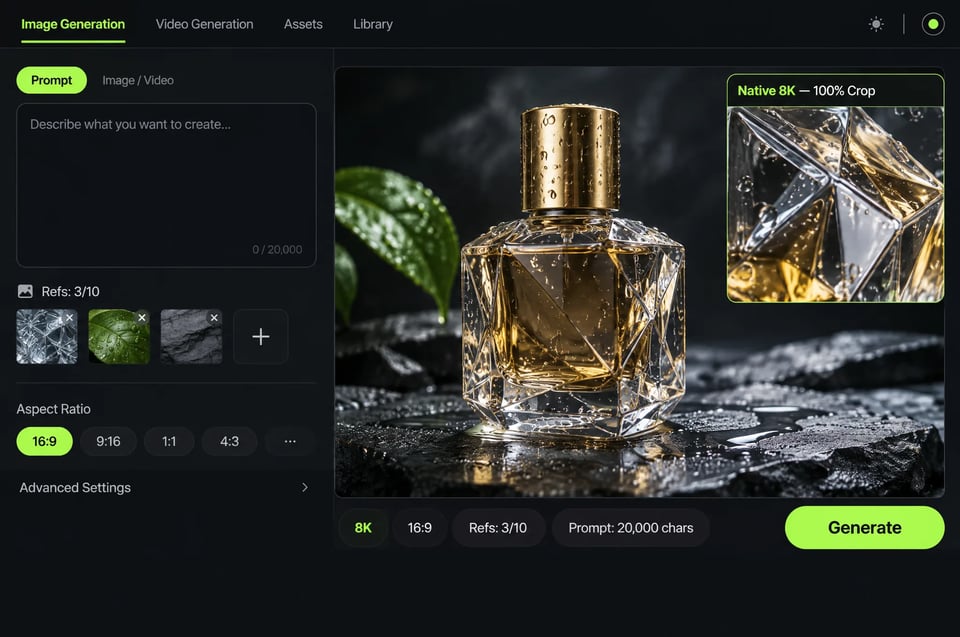
Generate photographic 2K, 4K and native 8K visuals from detailed prompts of up to 20,000 characters, optionally guided by up to 10 reference images or custom elements. Kling Image 4.0 renders up to 2,000 characters of text per image and creates coordinated image sets of up to 10 images and long-form page layouts.
curl https://api.kie.ai/api/v1/jobs/createTask \
-H "Authorization: Bearer $KIE_API_KEY" \
-H "Content-Type: application/json" \
-d '{
"model": "kling-4-0/image",
"input": {
"prompt": "A faceted glass perfume bottle on wet slate, studio lighting",
"resolution": "2k",
"aspect_ratio": "16:9"
}
}'
Resolution
Aspect ratio

Key Capabilities of Kling Image 4.0

On Kie.ai, Kling Image 4.0 provides standard and series generation via kling-4-0/image and dedicated full-page layouts via kling-4-0/long-image.
Camera-Like Realism and Native 8K Output
01

Camera-Like Realism and Native 8K Output

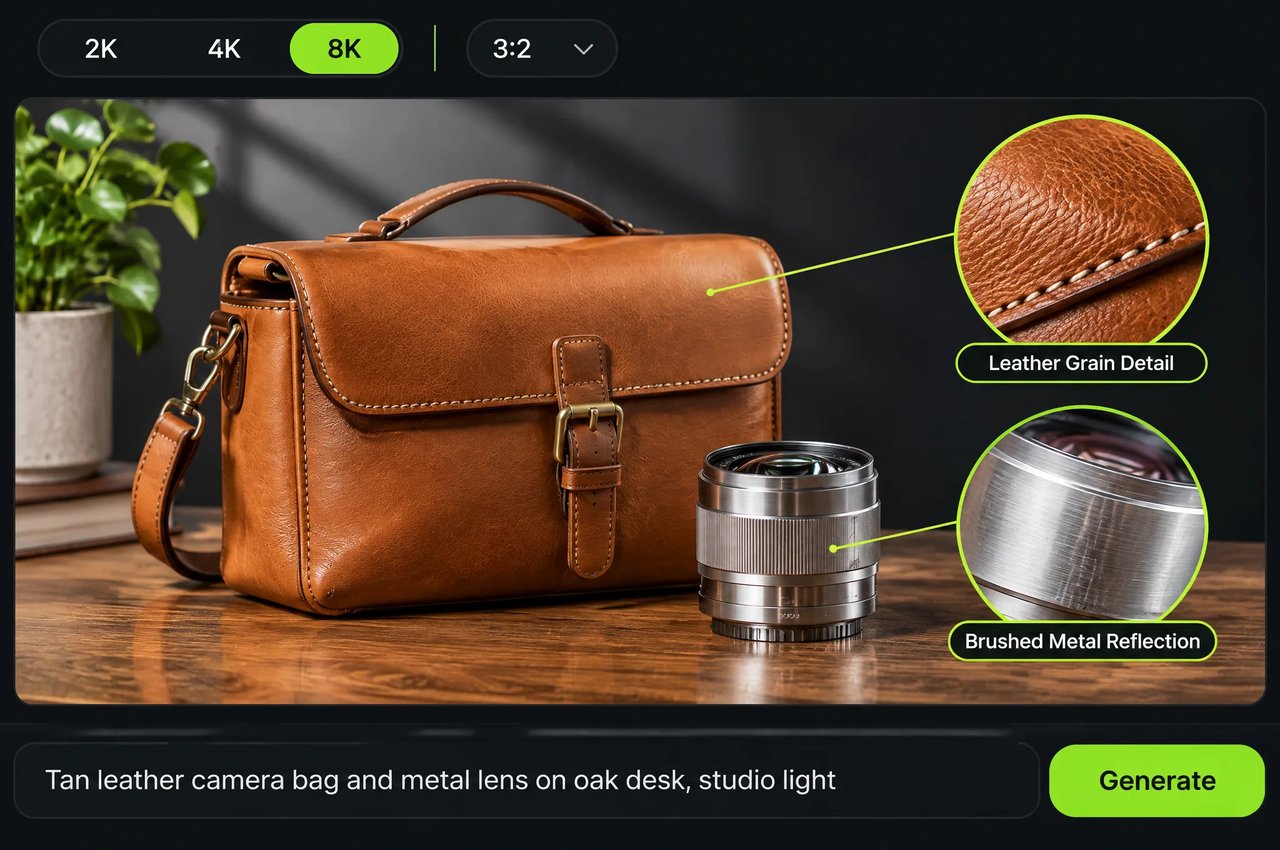
Kling Image 4.0 generates images natively at 2K, 4K and 8K resolutions. It refines skin textures, fabric, glass, leather and light-to-shadow transitions for a camera-like look, preserving more texture and detail when you crop or zoom in, while varying face shapes, facial features, ages and physical characteristics across group portraits.
Up to 2,000 Characters of Multilingual Text
02

Up to 2,000 Characters of Multilingual Text

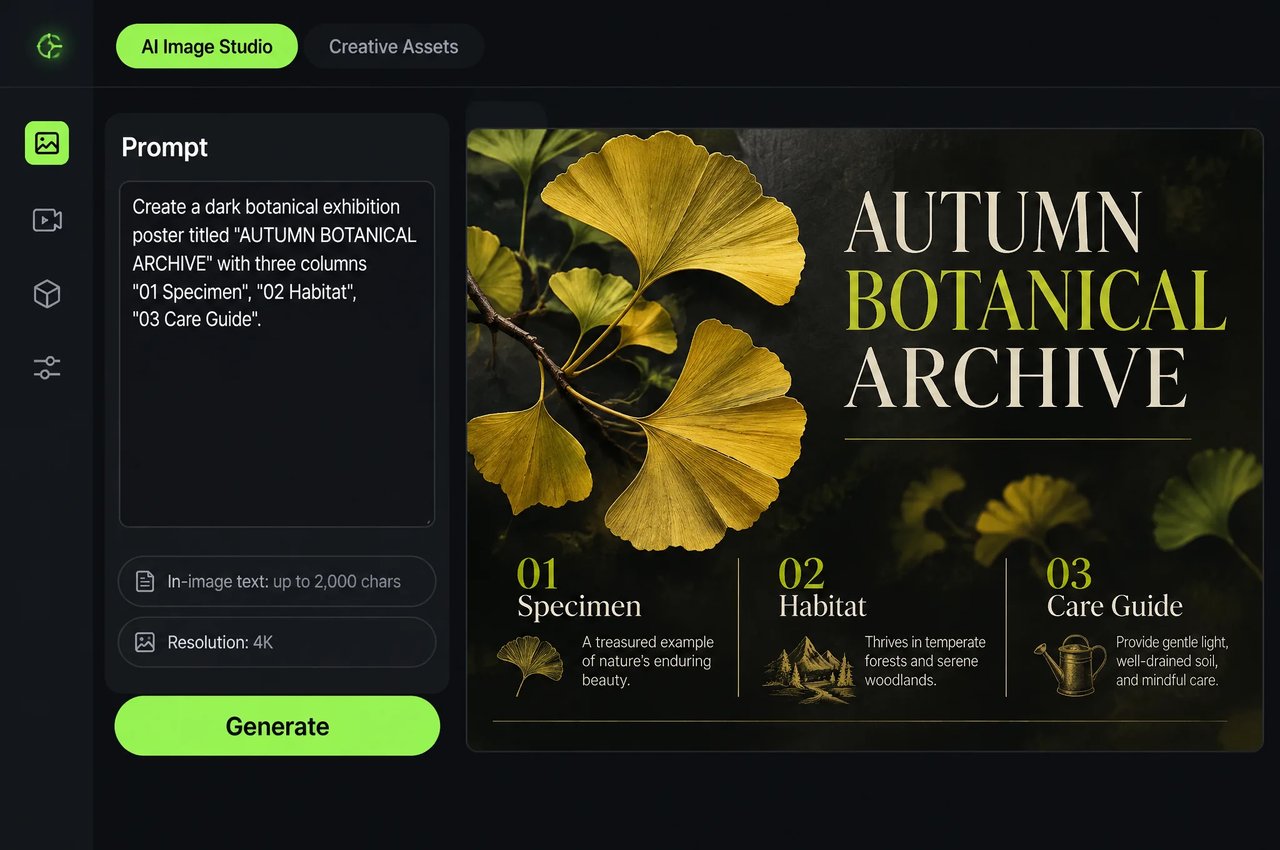
Render up to 2,000 characters in a single image with clear small print and structured hierarchy across titles, body copy and callouts. Text generation supports Simplified Chinese, Traditional Chinese, English, Japanese, Korean, Spanish and Portuguese. Put the exact text you want in quotation marks in the prompt.
Cohesive Image Sets of Up to 10 Images
03

Cohesive Image Sets of Up to 10 Images

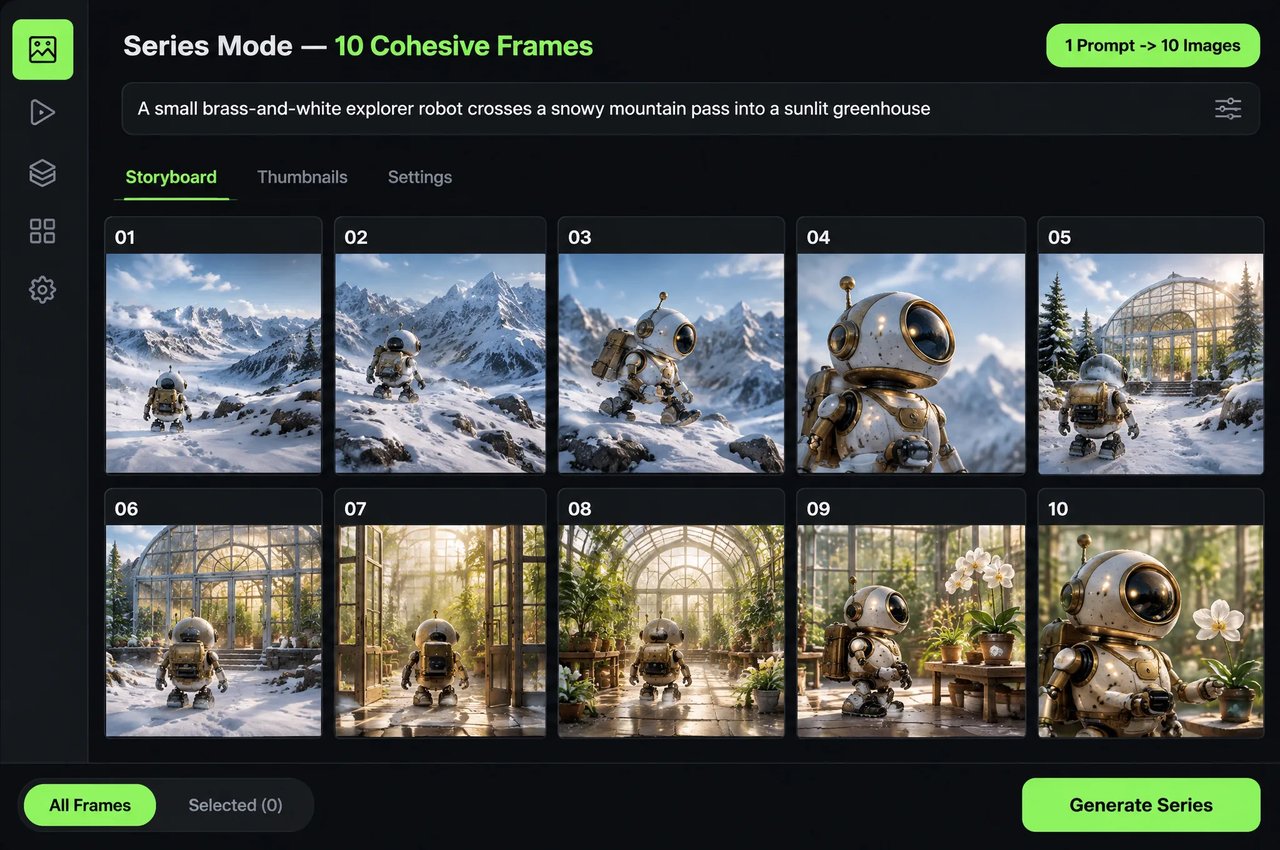
In kling-4-0/image, set mode to series with count from 2 to 10 to generate consecutive images from a single prompt while keeping subjects and visual styles consistent across film storyboards, product angles and presentation slides.
Up to 10 Reference Images and Custom Elements
04

Up to 10 Reference Images and Custom Elements

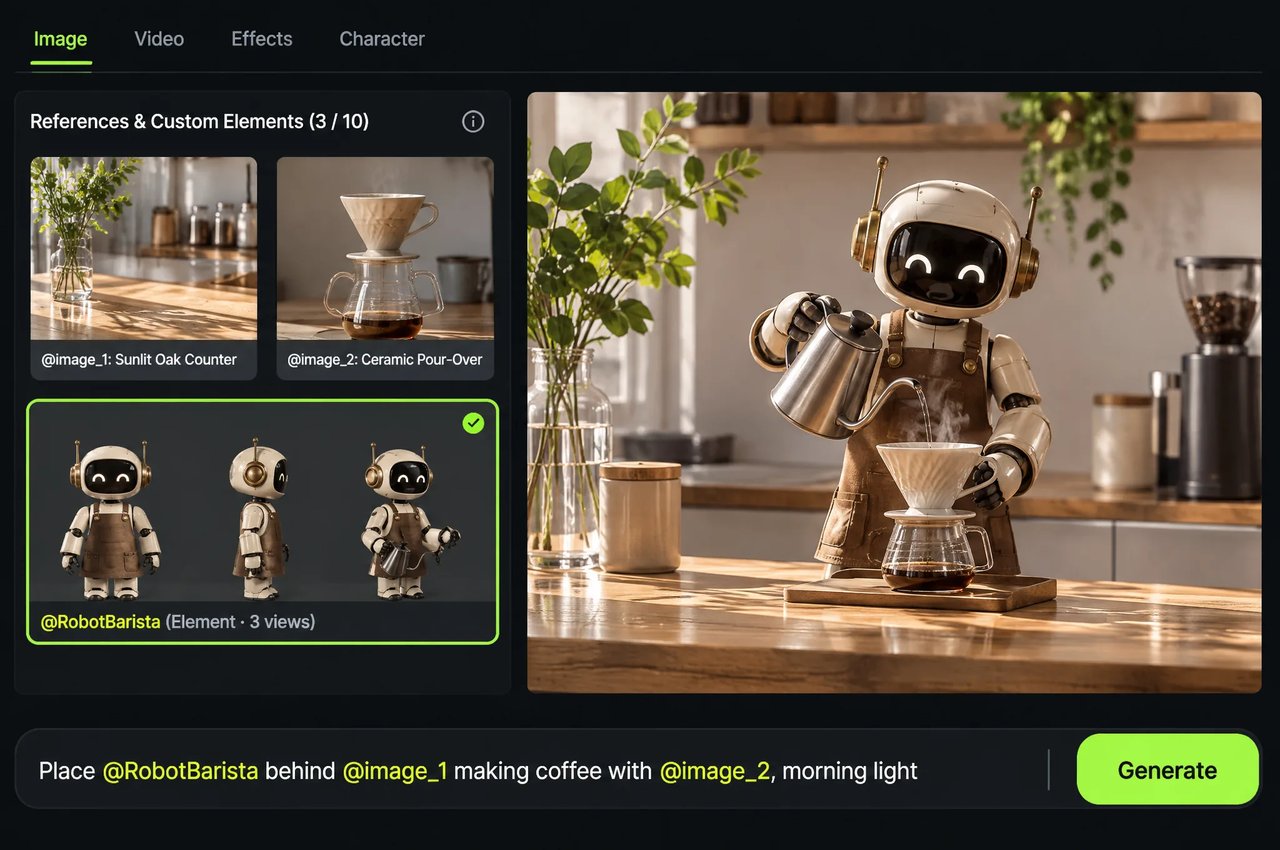
In kling-4-0/image, pass image_urls (cited as @image_1, @image_2) and custom multi-angle subject elements (cited as @name), up to 10 items combined. Each element is built from 2 to 4 images of the same subject and counts as one item.
Long-Form E-Commerce and Web Page Visuals
05

Long-Form E-Commerce and Web Page Visuals

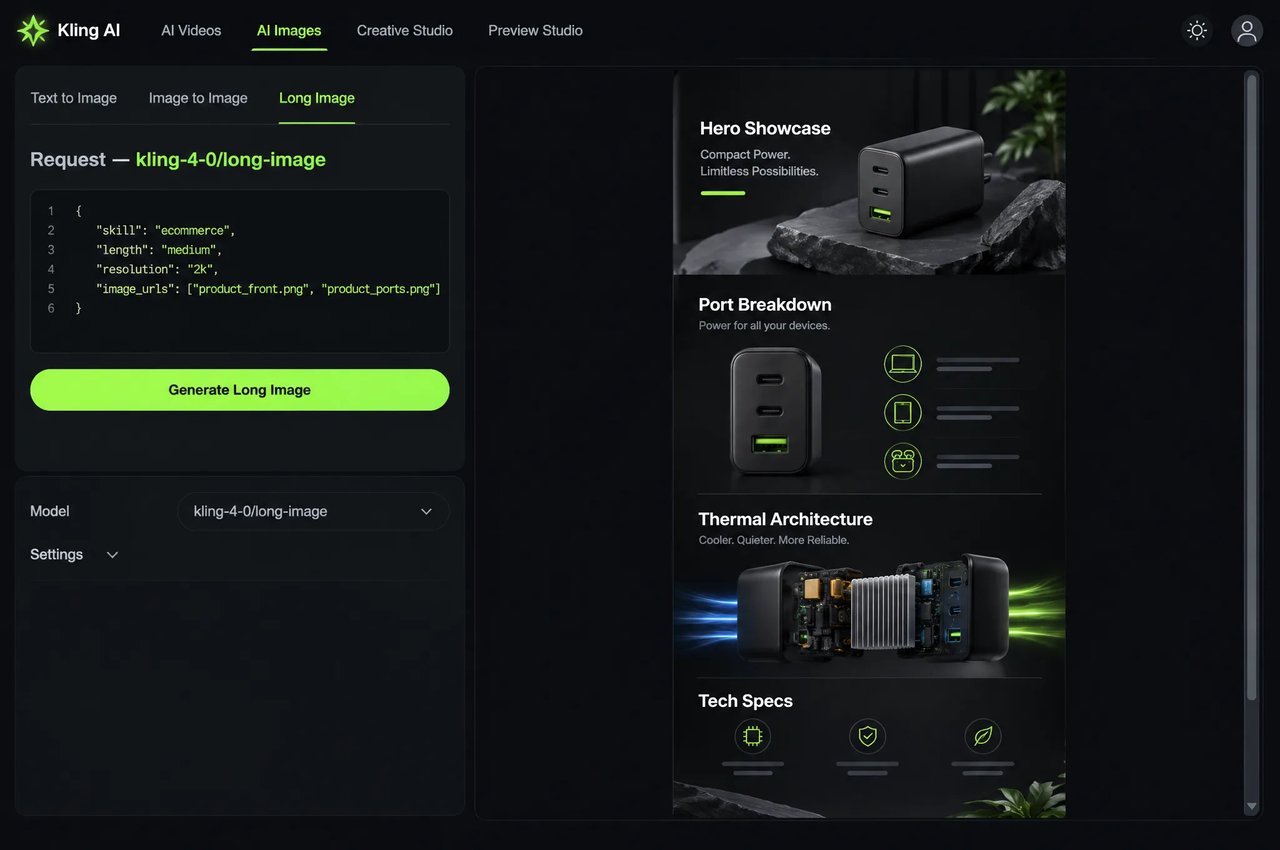
With kling-4-0/long-image, generate one complete ultra-tall layout per task at 1K or 2K. Set skill to ecommerce with 1 to 3 product images and choose short, medium or long to control the approximate number of content sections, or set skill to webpage with optional style_image and subject_image URLs referenced as @style and @subject.
Unified Architecture and Detailed Prompt Support
06

Unified Architecture and Detailed Prompt Support

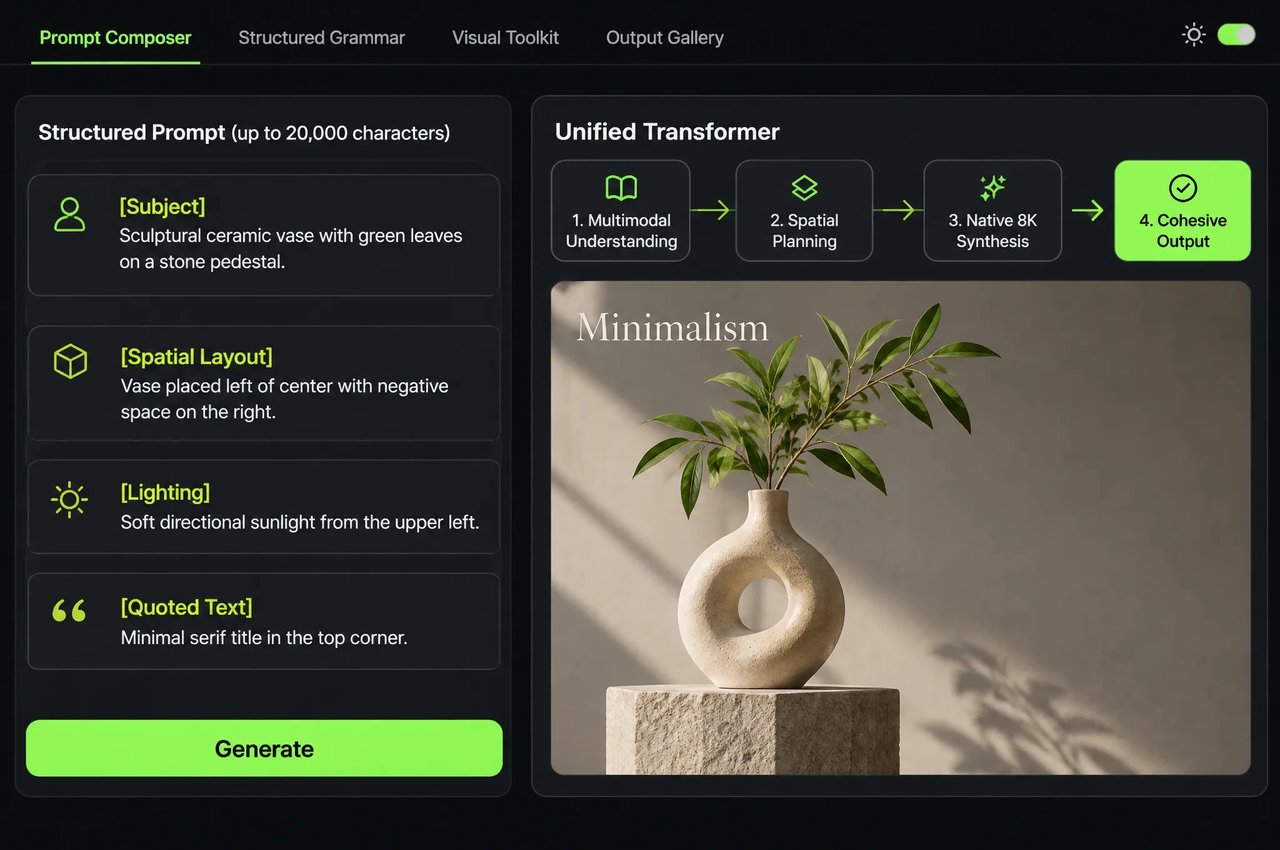
Kling Image 4.0 replaces separate language-and-diffusion pipelines with a unified autoregressive Transformer and a structured visual grammar for dense layouts, spatial relationships and multi-frame narrative continuity. On Kie.ai, prompts accept up to 20,000 characters in both the API and the playground.
ParameterValues & Rules
modelkling-4-0/image
promptRequired; up to 20,000 characters in the API and playground (quote in-image text; cite @image_1… and @name)
image_urlsOptional; up to 10 image URLs (JPG, JPEG or PNG; max 20 MB each; aspect ratio between 2:5 and 5:2; longest side up to 8,192 px)
elementsOptional custom subjects ({name, image_urls[2..4], tag, description}); image_urls + elements ≤ 10
modedefault (default) or series (coherent image set)
count1 to 9 in default mode (default 1); required 2 to 10 in series mode
resolution2k (default), 4k or 8k (2k/4k usually return PNG; 8k returns JPEG)
aspect_ratioauto (default), 1:1, 16:9, 9:16, 4:3, 3:4, 3:2, 2:3, 21:9
ParameterValues & Rules
modelkling-4-0/long-image
skillRequired: ecommerce (product detail page) or webpage (web page design)
promptRequired; up to 20,000 characters (cite @image_1… in ecommerce; @style and @subject in webpage)
image_urlsRequired for ecommerce only: 1 to 3 product image URLs (JPG, JPEG or PNG; max 20 MB each; aspect ratio must be between 2:5 and 5:2, otherwise the task fails)
lengthecommerce only: short (about 2–5 sections), medium (about 6–10 sections, default) or long (about 11–18 sections) within one long image
style_image, subject_imagewebpage only: optional JPG, JPEG or PNG URLs (max 20 MB each), cited as @style and @subject
resolution1k or 2k (default 2k)

How to Use the Kling Image 4.0 API on Kie.ai

Run Kling Image 4.0 in the browser playground or integrate both endpoints through Kie.ai's unified jobs API.
  1. 1

    Step 1: Test in the Playground or Pick an Endpoint

    Try prompts in the playground on this page. Use kling-4-0/image for 2K, 4K and 8K stills, reference edits and 2-to-10-image sets, or kling-4-0/long-image for single-output e-commerce detail pages and webpage designs.
  2. 2

    Step 2: Structure Prompts, References and Quotes

    Put any text to render inside quotation marks. Cite image_urls in order as @image_1, @image_2 and custom subject elements as @name in kling-4-0/image, or use @style and @subject in webpage long-image tasks.
  3. 3

    Step 3: Create a Generation Task

    Send a POST request to https://api.kie.ai/api/v1/jobs/createTask with an Authorization: Bearer YOUR_API_KEY header. Set model to your chosen endpoint, optionally add callBackUrl, and include the required prompt and supported settings under input: use aspect_ratio and mode with kling-4-0/image, and include the required skill field for kling-4-0/long-image.
  4. 4

    Step 4: Retrieve the Generated Image URLs

    Receive completion webhooks at callBackUrl or poll GET https://api.kie.ai/api/v1/jobs/recordInfo?taskId=... to read resultUrls. For kling-4-0/image, 2K and 4K outputs usually use PNG, while 8K outputs use JPEG.

What You Can Build With Kling Image 4.0

Production workflows documented by Kling AI across filmmaking, e-commerce, advertising and UI/UX design.

E-Commerce Product Pages and Studio Showcases

Preserve product structure and material reflections across studio still-life shots, multi-angle sets and complete long-form e-commerce product detail pages.

Film Storyboards and Cast Character Design

Design recognizable characters from detailed profiles, generate diverse group portraits where each person looks distinct, and output 8- to 10-shot film or animation storyboards from one prompt.

Text-Rich Posters and Brand Key Visuals

Produce event posters, explainer graphics and multilingual social campaigns with up to 2,000 characters of text and clear small print.

Website Mockups and High-Resolution Print Assets

Generate full-page brand website visuals—where Kling AI cites a third-place Artificial Analysis ranking in UI/UX Design scenarios for Kling Image 4.0 Preview's text-to-image capabilities—and export native 8K stills for large-format displays.

Kling Image 4.0 on Kie.ai

01

Quick Start on Kie.ai

Send POST https://api.kie.ai/api/v1/jobs/createTask with Authorization: Bearer YOUR_API_KEY and {"model":"kling-4-0/image","input":{"prompt":"A faceted glass perfume bottle on wet slate","resolution":"2k","aspect_ratio":"16:9"}}. For a webpage visual, use {"model":"kling-4-0/long-image","input":{"skill":"webpage","prompt":"A full-page visual mockup for a perfume brand website","resolution":"2k"}}. Then poll GET /api/v1/jobs/recordInfo?taskId=... or pass callBackUrl to receive results.
03

One Key Across the Kie.ai Market

All models in the Kie.ai market use the same authentication method: an Authorization: Bearer YOUR_API_KEY header with the key from your Kie.ai API Key Management page.
04

One Credit Balance

Your account has one credit balance that all models in the Kie.ai market draw from, and you can check it with the Get Remaining Credits API.

Frequently Asked Questions

What is Kling Image 4.0, and how does it relate to Kling 4.0?

Kling Image 4.0 is Kling AI's image generation model, launched on November 17, 2026 on a Native Unified Understanding and Generation Architecture. While Kling 4.0 and Kling 4.0 Flash generate video, Kling Image 4.0 runs on Kie.ai as kling-4-0/image (2K, 4K and 8K stills and image sets) and kling-4-0/long-image (long-form product and webpage designs).

What resolutions and aspect ratios does Kling Image 4.0 support?

With kling-4-0/image, you can generate native 2K, 4K and 8K images and choose auto or one of eight fixed aspect ratios: 1:1, 16:9, 9:16, 4:3, 3:4, 3:2, 2:3 and 21:9. With kling-4-0/long-image, you can generate ultra-tall e-commerce product page or webpage visuals at 1K or 2K.

How much text and which languages can Kling Image 4.0 render inside an image?

You can generate up to 2,000 characters of text in a single image, with support for Simplified Chinese, Traditional Chinese, English, Japanese, Korean, Spanish and Portuguese. Put the exact text in quotation marks in your prompt.

How many reference images, elements and prompt characters does Kling Image 4.0 accept on Kie.ai?

In kling-4-0/image, image_urls and custom multi-angle subject elements can total up to 10 items per request (JPG, JPEG or PNG, up to 20 MB per image), cited as @image_1… and @name. In kling-4-0/long-image, ecommerce requires 1 to 3 product images and webpage accepts optional @style and @subject images. Prompts accept up to 20,000 characters in both the API and the playground.

What is Series Mode in Kling Image 4.0?

In kling-4-0/image, setting mode to series with count from 2 to 10 generates a coherent set of consecutive images from one prompt—planning shot breakdowns for storyboards, product angles or slide structures while keeping subjects and style consistent.

What reference images can I upload to Kling Image 4.0 on Kie.ai?

Reference images must be JPG, JPEG or PNG, up to 20 MB each, with an aspect ratio between 2:5 and 5:2 and a longest side of no more than 8,192 px. Images outside these limits make the task fail, and failed tasks are not charged.

Can Kling Image 4.0 edit text or layers after generation?

The two Kie.ai endpoints, kling-4-0/image and kling-4-0/long-image, generate complete images and do not expose post-generation text or layer editing. To revise an output, submit a new generation task with an updated prompt and, where needed, reference images.

How do I call the Kling Image 4.0 API on Kie.ai?

Create an API key on your Kie.ai API Key Management page and send a POST request to https://api.kie.ai/api/v1/jobs/createTask with model set to kling-4-0/image or kling-4-0/long-image. Poll GET https://api.kie.ai/api/v1/jobs/recordInfo?taskId=... or pass callBackUrl to receive the output URLs. Full schemas are in the Kling 4.0 Image docs and Kling 4.0 Long Image docs.

How is the Kling Image 4.0 API billed on Kie.ai?

You pay as you go in credits, with no subscription. Your credits never expire, and failed tasks are not charged. kling-4-0/image is billed per output image by resolution (2K, 4K or 8K) in both default and series modes, plus an add-on per reference image or element. kling-4-0/long-image is billed per long image by skill, resolution (1K or 2K) and, for ecommerce, length, plus an add-on per input image. Current rates are shown in the pricing card on this page.