AI-Driven Editing
It allows users to modify images by describing changes in plain English, eliminating the need for complex software skills and addressing the pain of manual editing workflows.
In a world where visuals drive engagement, FLUX.1 Kontext API on Kie.ai empowers you to edit images like never before. Harness cutting-edge AI to transform photos with simple text commands, delivering professional results that save time and boost creativity. Whether you're optimizing e-commerce listings or crafting marketing masterpieces, Kie.ai's FLUX.1 Kontext API is your gateway to efficient, high-quality image innovation.
Revolutionize Your Visuals: Effortless AI-Powered Image Editing with FLUX.1 Kontext API
FLUX.1 Kontext API is an advanced AI tool available on Kie.ai that revolutionizes image editing through natural language processing. Here's a breakdown in three key points:
It allows users to modify images by describing changes in plain English, eliminating the need for complex software skills and addressing the pain of manual editing workflows.
Tailored for different needs, it offers speed-focused and precision-oriented options to match user demands for quick turnaround or detailed refinements.
Designed for easy API access on Kie.ai, it integrates into existing tools, solving integration hurdles and enabling scalable visual content creation.
Unlock the core strengths of FLUX.1 Kontext API on Kie.ai, designed to hit your pain points head-on— from time-consuming edits to inconsistent results.
Select flux-kontext-pro for balanced speed or flux-kontext-max for superior detail, tackling performance trade-offs by matching your project's demands for efficiency or high-fidelity results.
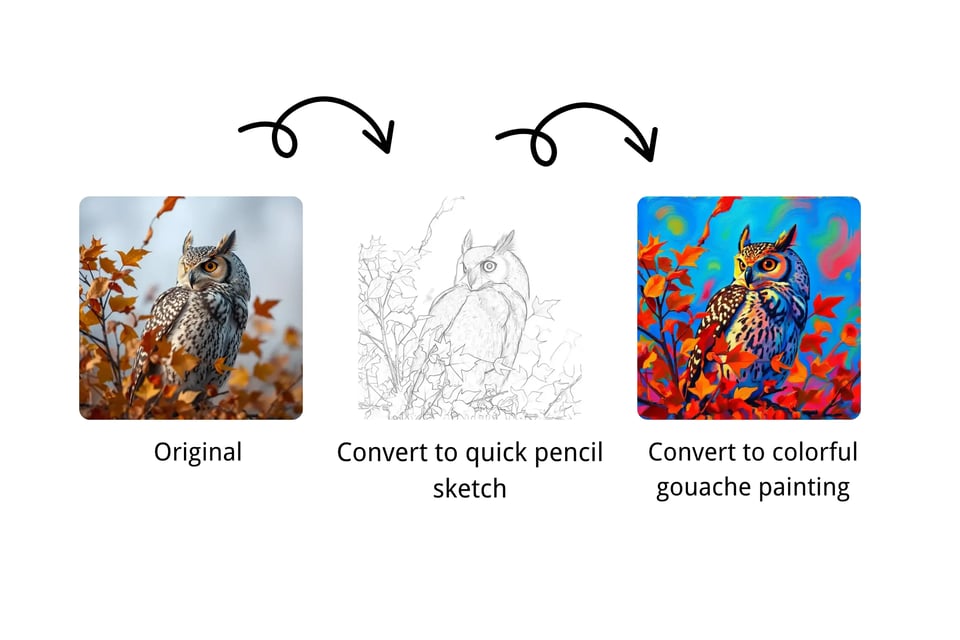
Choose from 6 predefined ratios like 16:9 or 1:1, and output in JPEG or PNG, resolving sizing inconsistencies and format limitations for tailored outputs in marketing, design, or mobile applications.
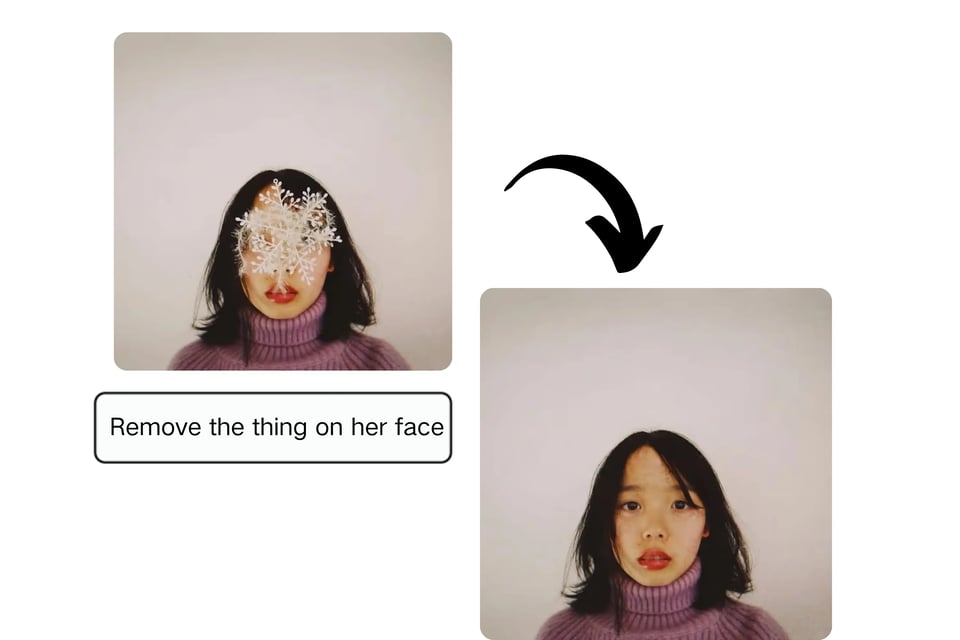
Adjust tolerance levels (0-6 for generation, 0-2 for editing) and add custom watermarks, alleviating concerns over content moderation and intellectual property protection in professional workflows.
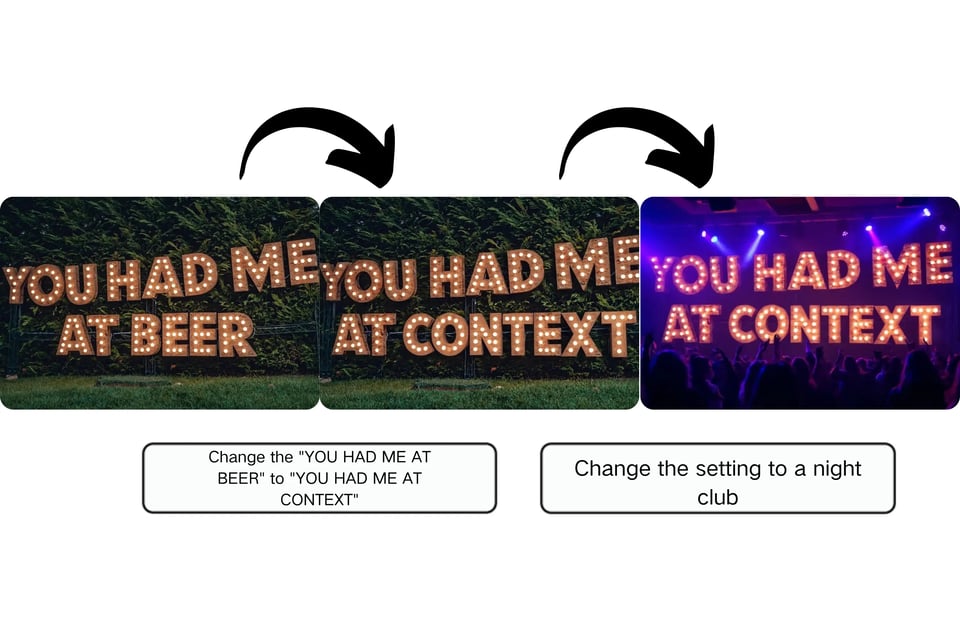
Use callback URLs for real-time updates on task completion, or poll via task IDs, streamlining integration and reducing wait times in automated, high-volume production environments.
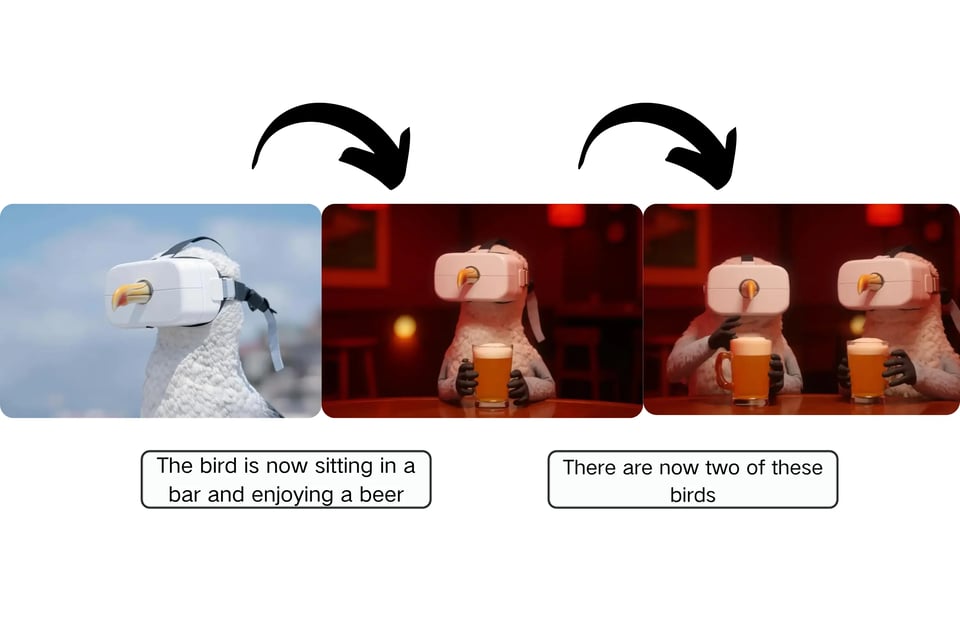
Kie.ai provides tailored hosting with low-latency access, ensuring smoother performance than generic platforms and directly addressing speed bottlenecks.
Benefit from dedicated tutorials, API docs, and community resources on Kie.ai, easing onboarding and solving common implementation pains.
Start with a free trial on Kie.ai, scaling affordably as needs grow, without the lock-in or hidden fees found elsewhere.
Hear from satisfied users who've transformed their workflows with FLUX.1 Kontext API on Kie.ai. Here are six testimonials:
"FLUX.1 Kontext API on Kie.ai slashed our editing time by half—now we create campaign visuals instantly without quality dips!"
Sarah Thompson
Digital Marketer
"The precision in [Max] is a lifesaver for my designs; Kie.ai makes integration effortless, boosting my productivity tenfold."
Michael Chen
Freelance Designer
"E-commerce visuals have never been easier. FLUX.1 on Kie.ai lets us customize products seamlessly, driving more sales."
Laura Kim
Online Retail Manager
"As a content creator, the non-destructive edits on Kie.ai's FLUX.1 keep my brand consistent across platforms—game-changing!"
Alex Rivera
Influencer
"Speed and accuracy combined? Kie.ai's FLUX.1 [Pro] handles our high-volume needs perfectly, no more waiting around."
Jordan Patel
Creative Director
"Kie.ai's API support for FLUX.1 made setup a breeze; now complex edits are just a few text prompts away."
Emily Foster
Brand Strategist
Integrating Flux Kontext API through Kie.ai provides developers and creators with direct access to advanced AI image generation and editing, featuring text-to-image creation, image modification, and flexible workflows. The onboarding process is streamlined for both testing and production use.
Find answers to common questions about our service.