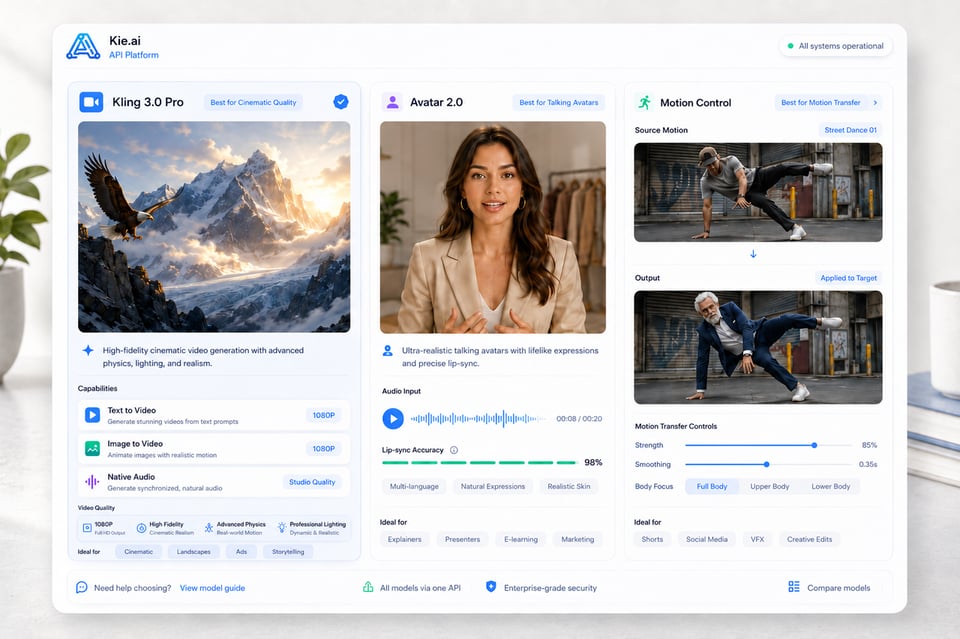
Kie.ai organizes Kling APIs around different video creation needs, making it easier for developers to choose the right direction for AI video products, creative tools, automation systems, and production pipelines. Instead of treating Kling AI API as a single workflow, this model structure covers prompt-based video generation, image-driven animation, reference-based motion transfer, and talking avatar creation. As Kling models continue to evolve, the final model list, input rules, output settings, and available parameters should be confirmed in the latest API documentation.
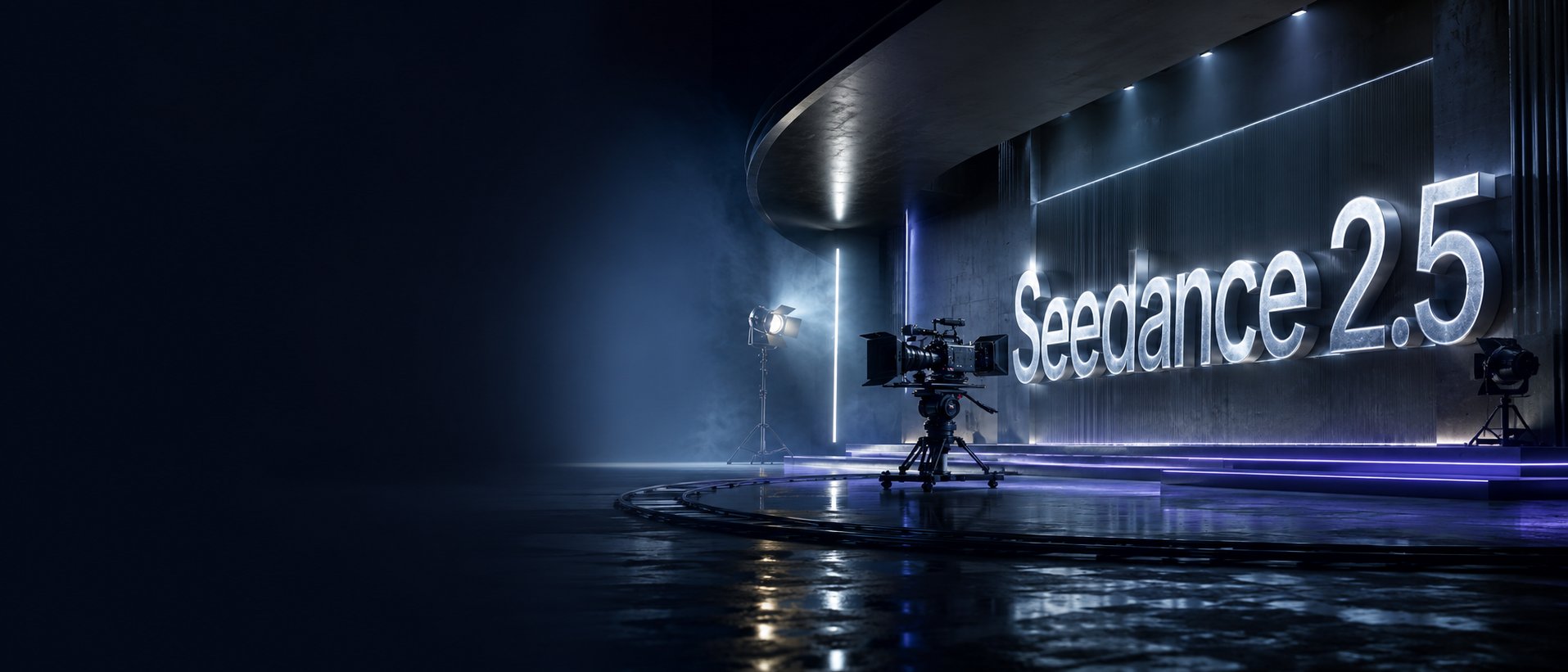
Image to VideoText to VideoVideo to Video
Seedance2.5
Seedance 2.5 on KIE is ByteDance’s upgraded AI video model, built for longer, more controllable video generation. It supports up to 30-second videos, multimodal references, precise editing, and improved consistency for more cinematic and production-ready creative workflows.
Text to Video
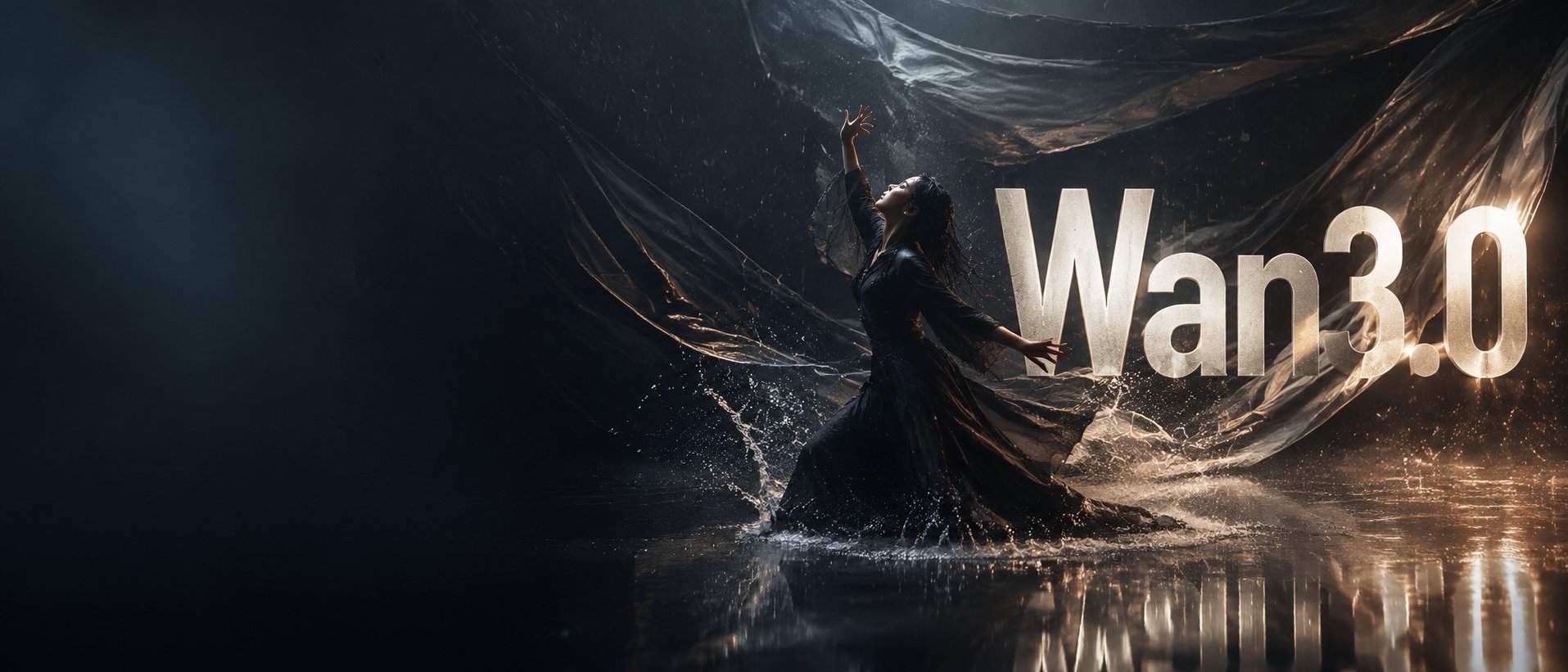
Wan 3.0
Wan3.0 is Alibaba’s next-generation all-in-one video generation model built for multimodal creation. It supports text, image, video, audio, and structured references to produce more consistent, realistic, and controllable video content with enhanced storytelling and editing capabilities.
Image to VideoText to VideoVideo to Video
Seedance 2
Seedance 2.0 on KIE is a multimodal Al video model by ByteDance, optimized for fast and realistic video generation. It supports high-quality virtual human video creation with strong multi-shot consistency, enabling more lifelike and cinematic outputs across scenes.
Text to ImageImage to Image
GPT Image 2
GPT Image 2 is OpenAI’s next-gen image model built for stronger photorealism, cleaner image editing, sharper text rendering, and more polished product photography. Designed for more advanced visual workflows, it pushes image generation beyond basic text-to-image output and into higher-quality creative, commercial, and design-ready use cases.
Text to ImageImage to Image
Nano Banana 2
Meet Nano Banana 2, Google’s Gemini 3.1 Flash Image model, now available via Kie AI API. Built for developers, it combines lightning-fast speed with Pro-level quality, accurate text rendering, strong character consistency, and scalable image generation and editing workflows.
Chat
Grok 4.6
Grok 4.6 is xAI’s latest frontier AI model, designed to enhance long-running agents, advanced reasoning, coding intelligence, and interactive AI experiences. Building on Grok 4.5, it delivers improved performance for complex multi-step tasks, knowledge work, software engineering, and creative applications.
All Models
12 models found12 MODELS
Providers(1/28)
Tasks(16)
Kling
Kling Image 4.0
Text to ImageImage to Image
Kling
Kling Image 4.0
Kling Image 4.0 is Kling AI's image generation model built on a Native Unified Understanding and Generation Architecture, launched on November 17, 2026. On Kie.ai it runs as two endpoints: kling-4-0/image for native 2K, 4K and 8K generation, multi-image or element references and 2-to-10-image series, and kling-4-0/long-image for full e-commerce product detail pages and webpage designs.
Kling
Kling
Kling 4.0 Flash
Text to VideoImage to Video
Kling
Kling 4.0 Flash
Kling 4.0 Flash is the Flash model in the Kling 4.0 family, which Kling positions for faster generation and greater value. On Kie.ai, the Kling 4.0 Flash API offers two models: Reference to Video, which accepts a prompt with optional reference images, elements, or reference videos, and Keyframe to Video, which generates a video from a single first-frame image. Both output 720p MP4 clips from 3 to 20 seconds.
Kling
Kling
Kling 4.0
Text to VideoImage to Video
Kling
Kling
Kling O3
Text to VideoImage to Video
Kling
Kling
Kling 3.0 Turbo
Text to VideoImage to Video
Kling
Kling
Kling 3.0 Motion Control
Video to Video
Kling
Kling
Kling 3.0
Text to VideoImage to Video
Kling
Kling
Kling 2.6 Motion Control
Video to Video
Kling
Kling
Kling 2.6
starting from
$0.28-20%
55 Credits/5s
Text to VideoImage to Video
Kling
Kling
Kling 2.5 Turbo
Text to VideoImage to Video
Kling
Kling AI Avatar 2.0
Lip Sync
Kling
Kling
Kling V2.1
Text to VideoImage to Video
Kling API for Multi-Modal AI Video Creation
Use Kie.ai to explore Kling AI API workflows for cinematic video generation, reference-based motion control, native audio output, and talking avatar creation through one flexible API platform.
Multi-Modal Kling APIs for Flexible AI Video Creation On Kie.ai
Kling Video Generation APIs
Kling Video Generation APIs support core AI video workflows such as text-to-video, image-to-video, native audio video generation, and start/end frame control. On Kie.ai, models such as Kling 3.0, Kling 2.6, and other Kling AI Video API options can be positioned for cinematic clips, product videos, short-form social content, storytelling scenes, and automated video generation features.
Kling Motion Control APIs
Kling Motion Control APIs focus on reference-based motion transfer, using a motion reference video to guide character actions, gestures, facial expressions, body movement, and performance rhythm. On Kie.ai, models such as Kling 3.0 Motion Control and Kling 2.6 Motion Control can support AI character animation, virtual influencer content, dance videos, product demos, marketing scenes, and performance-driven video effects.
Kling Avatar APIs
Kling Avatar APIs are built for talking avatar generation from image and audio inputs, supporting lip-synced presenters, virtual spokespeople, multilingual narration, and expressive AI characters. On Kie.ai, models such as Kling Avatar 2.0 can be positioned for education videos, marketing explainers, customer communication, storytelling content, and AI presenter products.
What Makes Kling API Powerful for AI Video Creation
Kling AI API Model Options for Different Video Tasks
From cinematic generation to motion-driven performance, Kling AI API covers several model directions instead of relying on one fixed workflow. Models such as Kling 3.0, Kling 3.0 Motion Control, Kling Avatar 2.0, and other Kling AI Video API options can support different creation needs, including text-to-video, image-to-video, native audio generation, motion transfer, and talking avatar creation.
Multi-Modal Input Support with Kling Video API
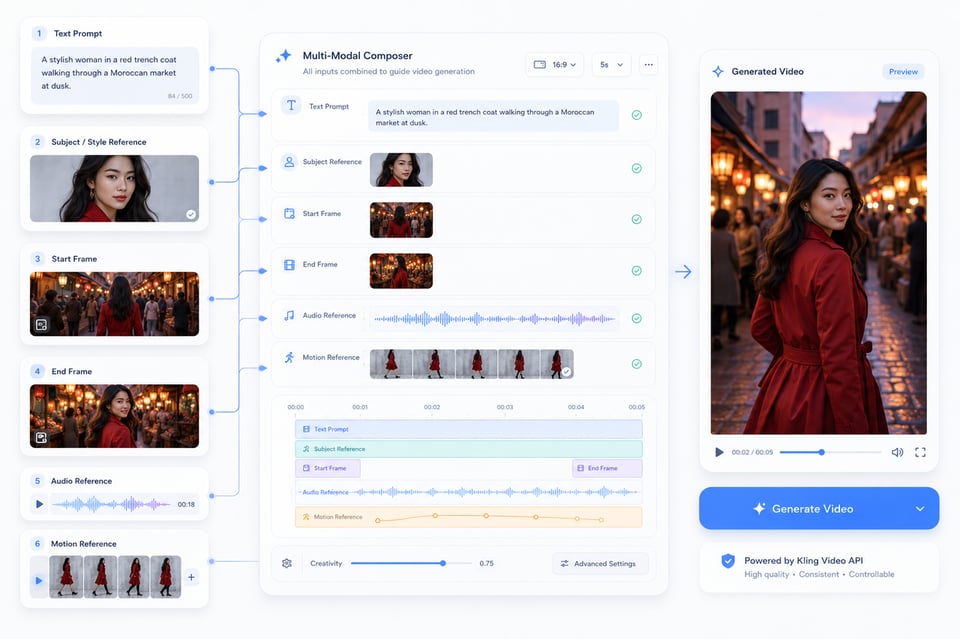
Kling Video API can begin with more than a prompt. A text description may define the scene, an uploaded image can lock the subject or visual style, start and end frames can guide scene progression, audio can shape speech or performance, and motion references can bring real gestures into generated video. These input options make the generation process more directed from the start.
Stable Motion and Scene Consistency in Kling AI Video API
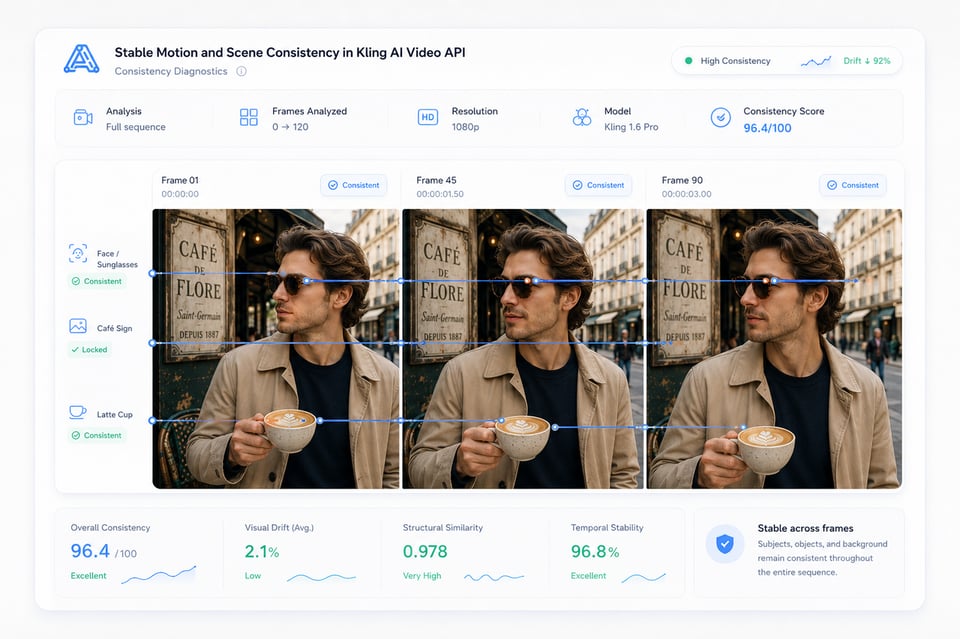
A video output only feels usable when the subject, motion, and scene remain connected across frames. Kling AI Video API helps reduce visual drift in character scenes, product shots, cinematic camera movement, and reference-based outputs, so faces, objects, backgrounds, and motion paths feel more consistent throughout the generated video.
Native Audio-Visual Generation with Kling API
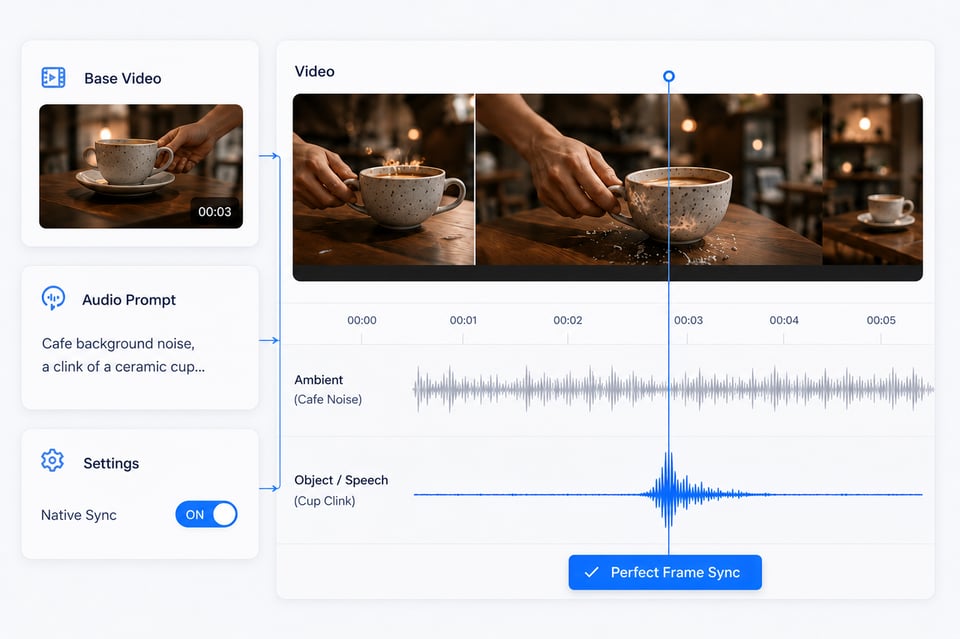
In compatible models, Kling API can generate sound as part of the video rather than treating audio as a later add-on. Dialogue, speech, ambient sound, object sounds, and motion timing can follow the same scene logic, helping the first output feel closer to a complete video instead of a silent clip that still needs separate audio work.
How to Choose the Right Kling AI API Model
Choosing a Kling API model should start from the actual video output you need, not from a broad feature label. Some models are stronger for general video generation, some are designed for motion transfer, and others are better suited for talking avatar workflows. The table below gives a clearer model-first view, while the final choice should still follow the latest API documentation for current availability, input rules, output settings, and supported parameters.
| Kling API Model | Main Direction | Best For |
|---|---|---|
| Kling 3.0 | Video generation | Text-to-video, image-to-video, native audio video creation, cinematic short clips, product visuals, and story-driven scenes |
| Kling 3.0 Motion Control | Motion transfer | Reference-based body movement, gesture control, dance videos, character animation, and virtual influencer content |
| Kling Avatar 2.0 | Talking avatar generation | Lip-synced presenters, AI spokespeople, education videos, multilingual narration, and avatar-based communication |
| Kling 3.0 Start/End Frames | Frame-guided video generation | Controlled scene transitions, visual continuity, guided motion paths, and structured video progression |
How to Integrate Kling API on Kie.ai
Register, Log In, and Get Your Kling API Key
Select the Right Kling API Model
Prepare Inputs for Kling API Generation
Test Kling API Free in the Kie.ai Playground
Deploy Kling API into Your Product
How Kling API Turns Different Video Ideas into Real Product Workflows
Creator-Focused Video Features with Kling API
Kling API can fit products where users want to turn a simple idea into a finished video quickly. A creator tool may start from a text prompt, a reference image, or a guided template, then generate short-form videos for social posts, visual stories, campaign drafts, or everyday content creation. The value here is speed and flexibility: users can explore more video ideas without starting from manual editing.
Commercial Content Production Using Kling AI Video API
For marketing teams and e-commerce platforms, Kling AI Video API can help create product showcases, launch clips, promotional visuals, and ad variations with a more polished video look. Instead of preparing a new shoot for every concept, teams can turn product assets, campaign messages, or scene ideas into reusable video materials for landing pages, social feeds, and paid ads.
Performance-Driven Character Videos with Kling Motion Control API
Kling Motion Control API is useful when the movement itself matters. A dance trend, presenter gesture, mascot performance, or virtual influencer clip can follow the rhythm and body language of a reference performance, making the result feel more directed than a prompt-only animation. This is especially practical for character-based content that needs recognizable motion, expression, and timing.
Presenter and Narration Workflows Powered by Kling Avatar API
Kling Avatar API works well for videos built around speech, explanation, or guided communication. A portrait and audio track can become a talking presenter for tutorials, product explainers, training lessons, multilingual messages, or branded spokesperson content. This makes avatar-style video creation easier to scale when the goal is clear narration rather than a fully filmed production.
Why Choose Kie.ai for Kling AI API Integration
Affordable Kling AI API Pricing for Flexible Testing and Scaling
Kie.ai offers affordable Kling AI API pricing for teams that need to test ideas, compare outputs, and scale video generation without heavy upfront costs. The pricing structure fits different usage levels, from early model testing to higher-volume content creation, making it easier to control spending while working with Kling video generation, motion control, and avatar workflows.
Complete Kling AI API Documentation for Faster Integration
Clear Kling AI API documentation helps reduce trial and error during integration. Kie.ai provides structured guidance for authentication, request setup, model selection, input requirements, task status, result retrieval, and model-specific parameters, so users can move from testing to production more efficiently.
24/7 Kling AI API Service for Production Workflows
Kie.ai provides 24/7 Kling AI API service for users who need stable access across different time zones, product schedules, and content production needs. Whether the workflow involves video generation, motion transfer, or avatar creation, continuous service availability helps keep AI video features running more smoothly.
All-in-One Access to Multiple Kling AI API Models
Kie.ai brings multiple Kling AI API models into one place, covering video generation, motion control, avatar creation, native audio, and reference-based workflows. Instead of switching between separate tools for different Kling capabilities, users can explore, compare, and manage several Kling API directions through a more unified platform.
Frequently Asked Questions About Kling API
FAQ
What can I create with Kling API?
Kling API can be used for AI video generation, image-to-video creation, motion-controlled character videos, native audio-visual output, and talking avatar workflows. It is suitable for creative tools, marketing content, product videos, social media clips, virtual characters, and presenter-style videos.
FAQ
Which Kling API model should I choose?
The best choice depends on the output you need. General video generation is better for cinematic scenes, product visuals, and short-form content. Motion control is better when a character needs to follow a reference performance. Avatar workflows are better for lip-synced presenters, narration videos, and image-plus-audio talking avatar creation.
FAQ
Can I test Kling API before integration?
Yes. You can test Kling API free in the Kie.ai Playground before moving into full integration. This helps you compare outputs, adjust prompts, check input quality, and understand how different Kling workflows respond before connecting the API to your own product or backend system.
FAQ
What inputs does Kling API support?
Supported inputs depend on the selected Kling API model. Common input types may include text prompts, uploaded images, start and end frames, motion reference videos, character images, and audio files. For exact input rules, file requirements, duration options, and parameter support, the latest API documentation should be used as the final reference.
FAQ
Does Kling API support native audio generation?
Some Kling API workflows can support native audio-visual generation, including speech, dialogue, sound effects, ambient sound, and synchronized motion timing. This is useful when the video needs sound and visuals to feel connected from the first output instead of adding audio later through separate tools.
FAQ
Is Kling API suitable for commercial video products?
Yes. Kling API can support commercial use cases such as AI video generators, product ad tools, e-commerce video creation, creator platforms, avatar products, and automated media workflows. For specific commercial usage terms, billing rules, and content policy requirements, users should check the relevant Kie.ai terms and API documentation.
FAQ
Where can I find Kling API documentation and pricing?
Kling API documentation and pricing information can be found on Kie.ai. The documentation helps confirm authentication, model selection, request parameters, task status, result retrieval, and output settings, while the pricing details help estimate cost based on the selected model and actual usage.