Gemini 4 Hydrogen
gemini-4-hydrogen-openai

Google describes Gemini 4 Hydrogen as a fast, efficient model for everyday coding. It is adapted from Gemini 4 Carbon and succeeds Gemini 3.8 Flash. On Kie.ai it currently supports chat requests only.

Model Type:
Pricing: Input 120 credits / 1M tokens (≈ $0.60), Output 600 credits / 1M tokens (≈ $3.00) — both 60% below official pricing. High-tier top-ups come with bonus credits that lower the effective price by about 10%.

Automatically append previous messages to maintain multi-turn context. May increase token usage.

Function calling
Grounding with Google Search
Source:Google Search
Thinking process
Reasoning effort
Stream Response

How can I help you today?

README

Complete guide to using Gemini 4 Hydrogen

Gemini 4 Hydrogen API for Fast Coding and Everyday Work

Gemini 4 Hydrogen reads text, images, video, audio and PDFs and answers in text. Input and output share a context window of up to 1M tokens, and four thinking levels, from low to xhigh, let you trade reasoning depth for speed.
Gemini 4 Hydrogen API for Fast Coding and Everyday Work

Key Capabilities of Gemini 4 Hydrogen

Google positions Hydrogen for rapid execution on everyday work, such as writing and fixing code, answering questions over long inputs and summarizing documents, while Gemini 4 Carbon and Argon handle deep, long-horizon reasoning.
The Fast Model in the Gemini 4 Family
01

The Fast Model in the Gemini 4 Family

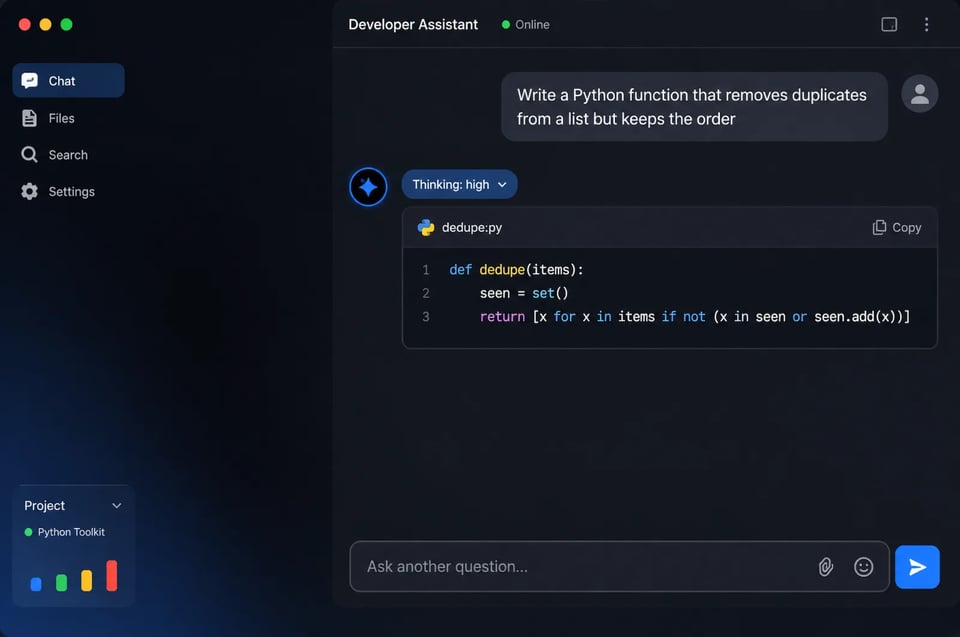
Google positions Hydrogen as the fast model of the Gemini 4 family, built for rapid execution. On the Artificial Analysis Intelligence Index it scores 51 at its default high thinking level, against 50 for Gemini 4 Argon.
Four Thinking Levels Up to Xhigh
02

Four Thinking Levels Up to Xhigh

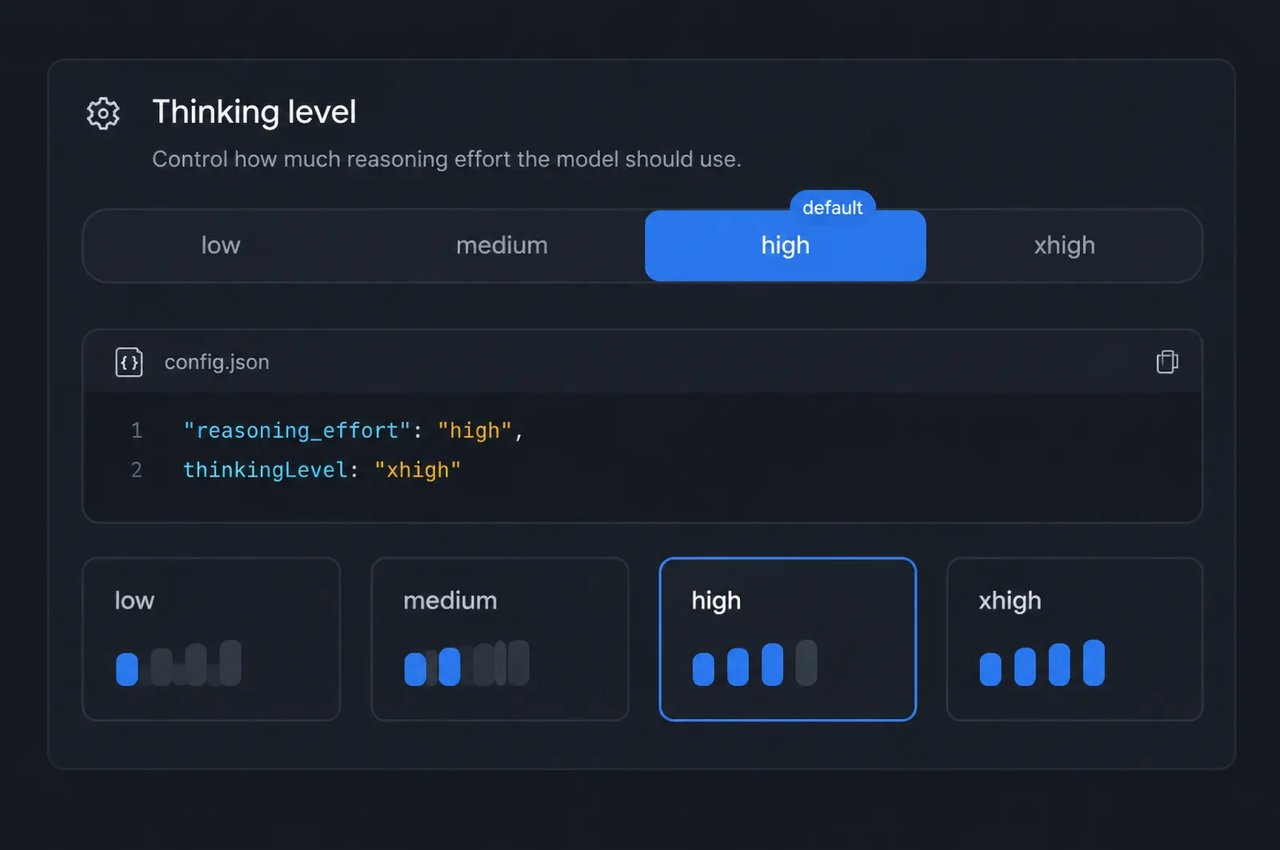
Low, medium, high and xhigh trade answer quality against latency and token use. High is the default. Xhigh is new with Hydrogen and reached 54 on the Artificial Analysis Intelligence Index in Google's results. On Kie.ai, set reasoning_effort or thinkingLevel.
Context Window of Up to 1M Tokens
03

Context Window of Up to 1M Tokens

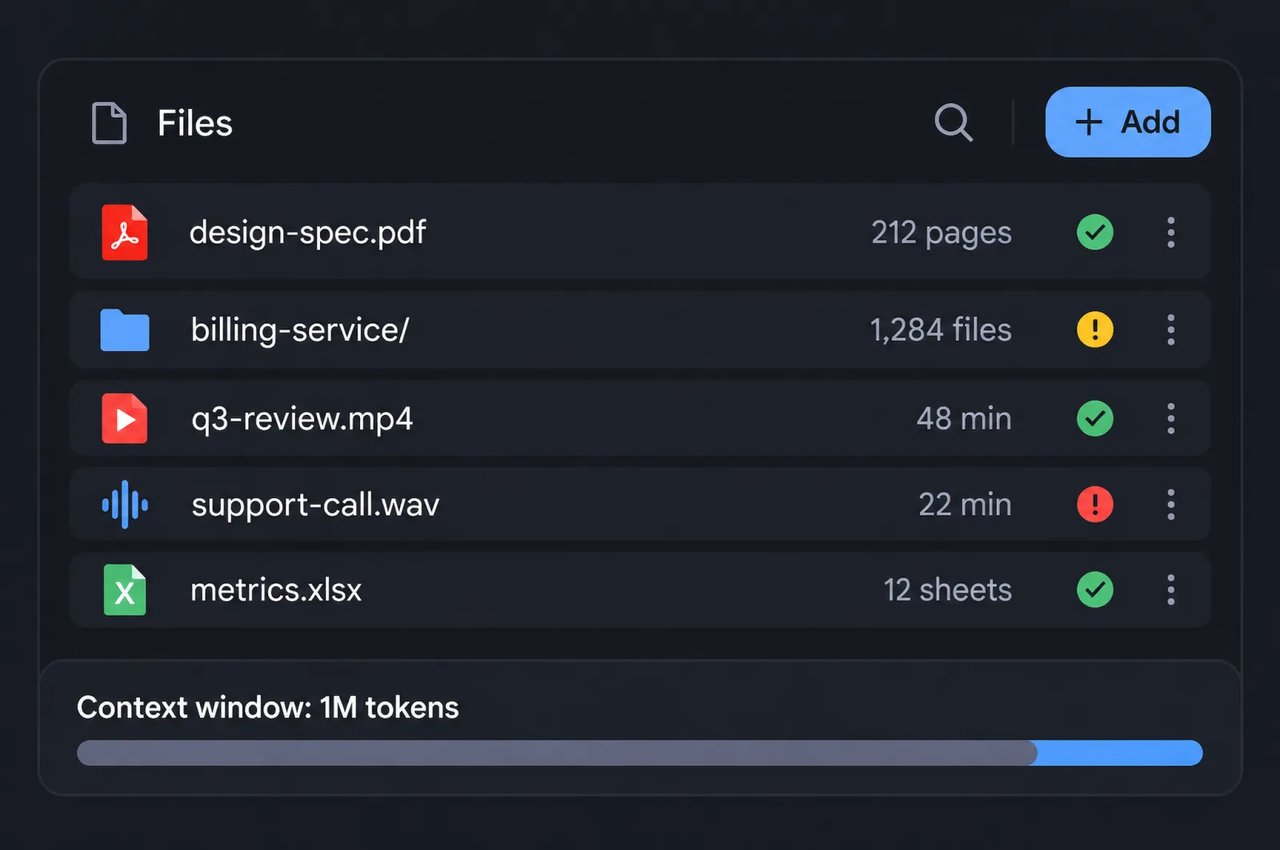
Input and output share a context window of up to 1M tokens, so one request can carry long documents or large parts of a codebase. Google's model card lists up to 64K output tokens per synchronous response by default.
Everyday Coding and Debugging
04

Everyday Coding and Debugging

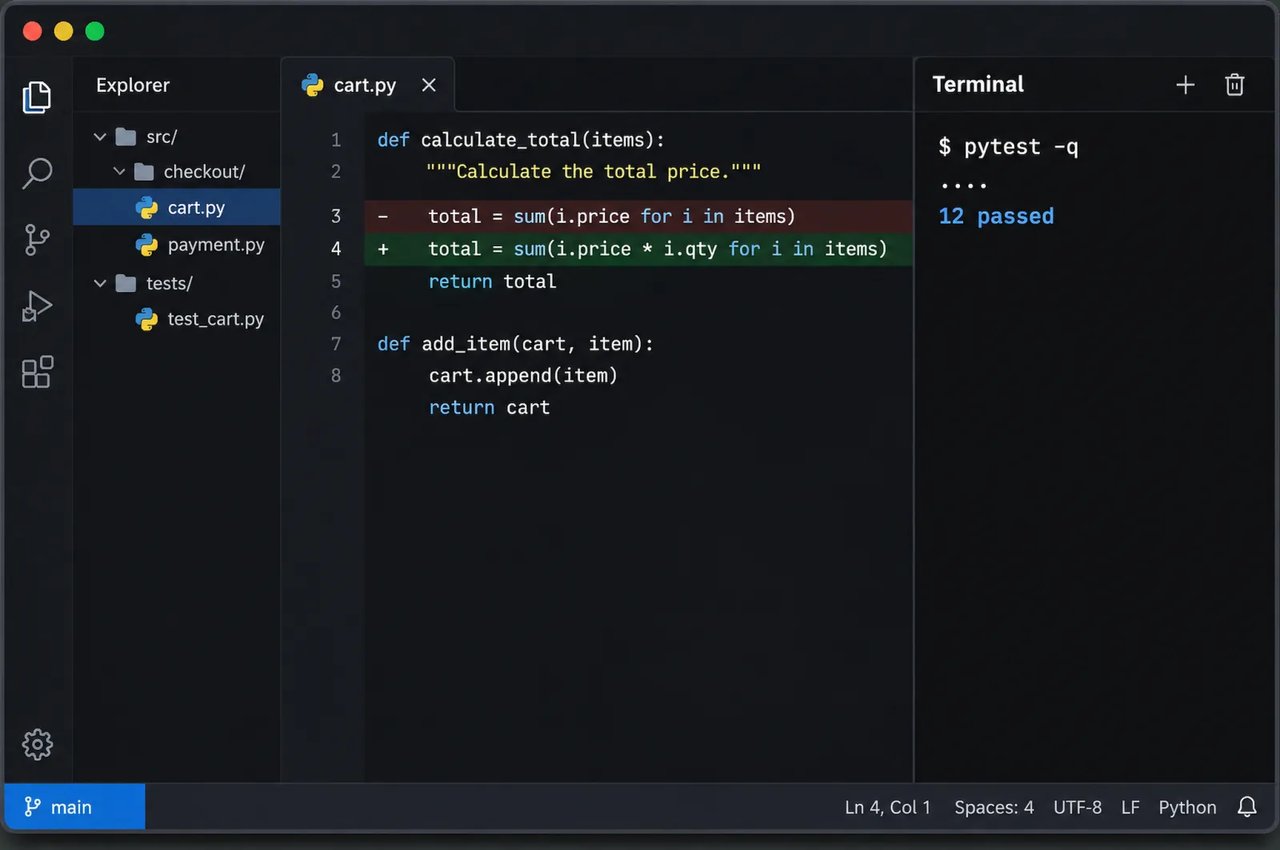
Google reports that Hydrogen makes focused edits for issue resolution, debugging and codebase questions without rewriting unrelated files. It scores 57% on Terminal-Bench 4.1, against 18.2% for Gemini 3.8 Flash.
Text, Image, Video, Audio and PDF Input
05

Text, Image, Video, Audio and PDF Input

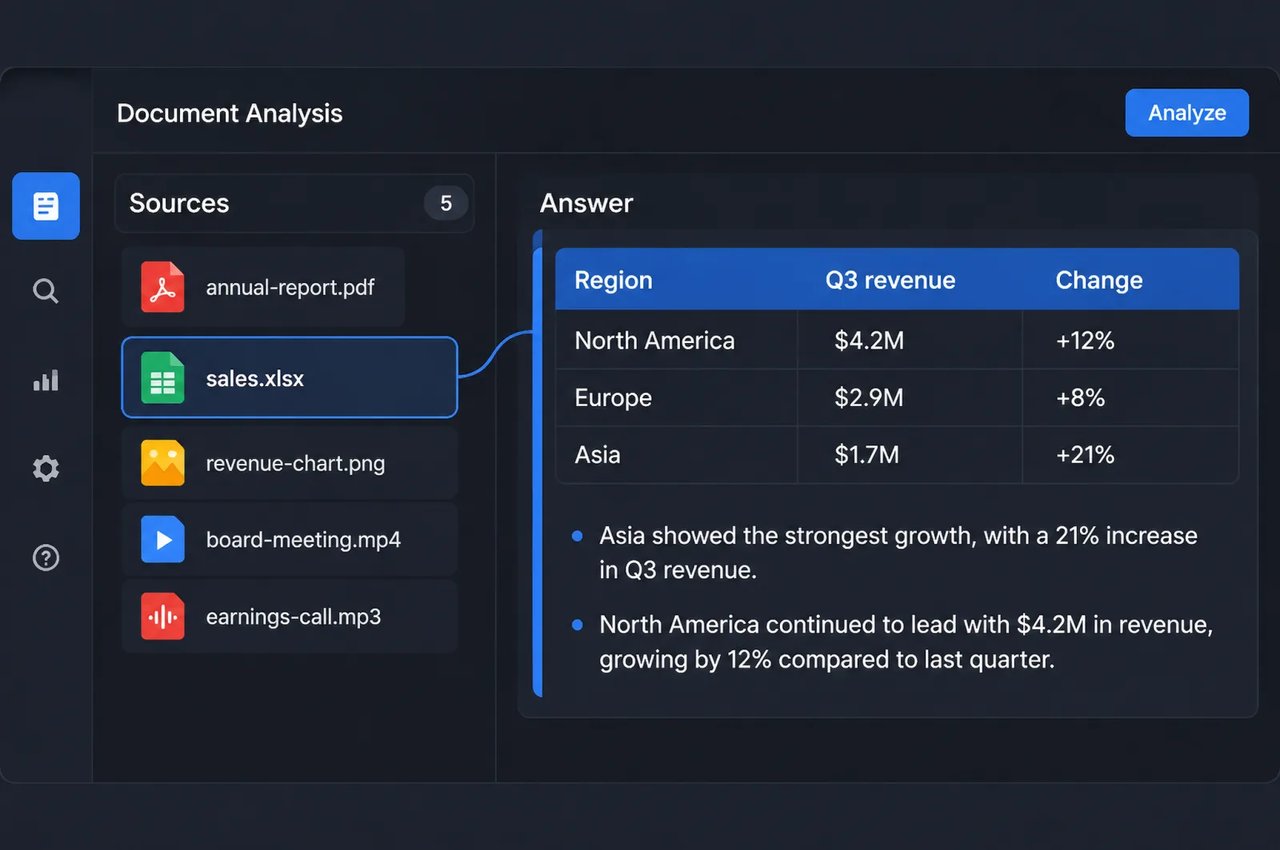
Hydrogen accepts text, images, video, audio and PDFs and answers in text. Use it to turn dense documents, charts, spreadsheets and recorded meetings into structured answers.
Google Search Grounding
06

Google Search Grounding

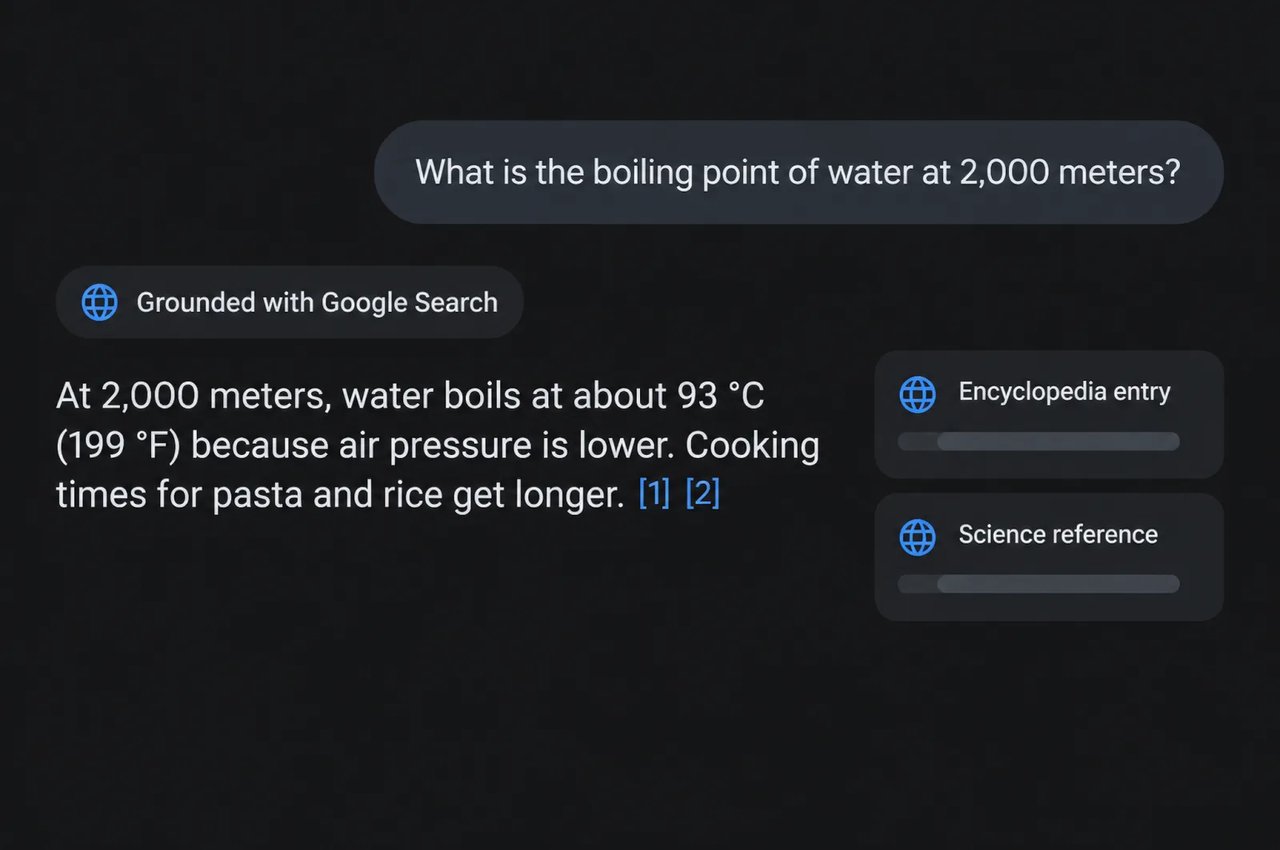
Add googleSearch to the request and the model grounds its answer in live Google Search results, with sources. Both API formats on Kie.ai also accept function declarations.
SpecificationGemini 4 Hydrogen
DeveloperGoogle
Adapted fromGemini 4 Carbon
InputText, image, video, audio, PDF
OutputText
Context windowUp to 1M tokens, input and output combined
Output limitUp to 64K tokens per synchronous response by default (Google model card)
Thinking levelsLow, medium, high (default), xhigh; reasoning_effort or thinkingLevel on Kie.ai
ToolsGoogle Search grounding, function declarations
API formats on Kie.aiOpenAI-compatible chat completions; native Gemini streamGenerateContent
StreamingOptional in the OpenAI-compatible API (stream: true); on by default in the native API
Knowledge cutoffMarch 2026
BenchmarkGemini 4 Hydrogen
SWE-sweep13.5%
Terminal-Bench 4.1 (cheating-adjusted)57.0%
Agents' Last Exam v1.171.6%
AutomationBench-AA76.1%
Vending-Bench 2 (bank balance)$14,549
OSWorld-2.1 (offline subset)77.6%
MKA (Multimodal Knowledge Agent)53.4%
Chartography66.6%
Terminal-Bench-Science 0.151.4%
HLE-Diamond58.8%

How to Work With Gemini 4 Hydrogen

Four choices shape speed, quality and token use.
  1. 1

    Step 1: Match the Model to the Task

    Use Hydrogen for everyday coding, analysis and chat. Google positions Gemini 4 Carbon and Gemini 4 Argon as models for deep, long-horizon reasoning on the hardest problems.
  2. 2

    Step 2: Start at the Default High Level

    High is the default thinking level. Higher levels allow deeper reasoning but can take longer and use more tokens, so drop to medium or low for simple prompts and use xhigh only when the extra reasoning is worth it.
  3. 3

    Step 3: Leave Room for the Answer

    Google notes that the model may use more tokens at higher thinking levels. Keep prompts focused, and on hard questions leave room for the final answer within the output limit.
  4. 4

    Step 4: Stream Long Answers

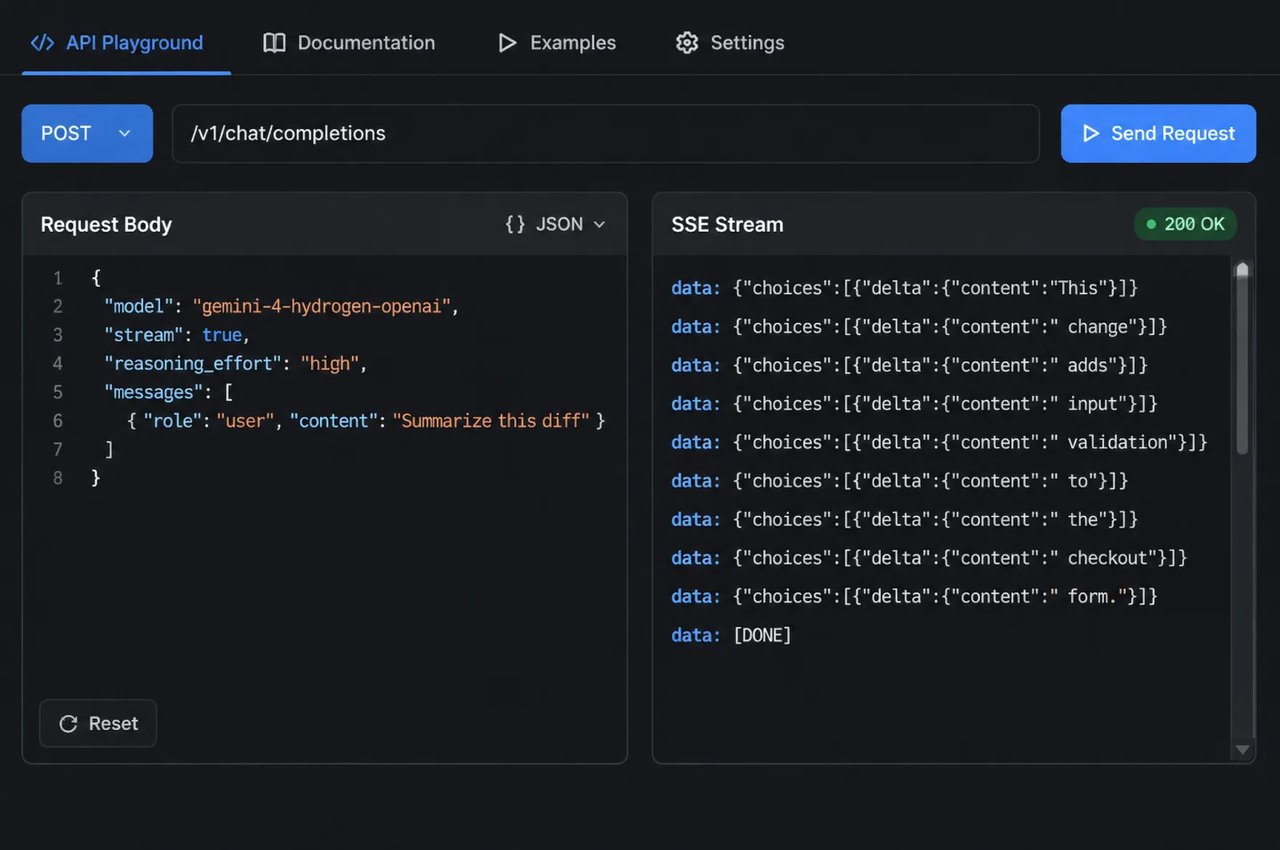
    In the OpenAI-compatible API, set stream to true to receive the answer as server-sent events; the native endpoint streams by default. With streaming, the last chunk carries usage data and credits_consumed.

What You Can Build With Gemini 4 Hydrogen

Google positions Hydrogen for everyday coding and rapid execution. On Kie.ai the model currently supports chat requests only, so the uses below are tasks you run through chat.

Coding Help and Code Review

Ask for bug fixes, small refactors, test cases and explanations of unfamiliar code, with focused edits instead of full rewrites.

Document and Data Questions

Summarize long PDFs, compare spreadsheets and pull key figures out of charts, with answers in the format you ask for.

Search-Grounded Answers

Turn on Google Search grounding for questions about recent releases, prices or news, and get sources with the answer.

Writing and Everyday Work

Draft emails, study guides and rewrites in your preferred tone and format, following your guidelines.

Gemini 4 Hydrogen on Kie.ai

01

Gemini 4 Hydrogen API Quick Start

Send a POST request to https://api.kie.ai/gemini-4-hydrogen-openai/v1/chat/completions with your messages, or use the native Gemini format at https://api.kie.ai/gemini/v1/models/gemini-4-hydrogen:streamGenerateContent, with an Authorization: Bearer YOUR_API_KEY header. Set reasoning_effort or thinkingLevel to low, medium, high or xhigh. On Kie.ai the model currently supports chat requests only and has not yet been adapted for agent use. Connecting it to an agent may cause request errors or unexpected results.
03

One Key Across the Kie.ai Market

All models in the Kie.ai market use the same authentication method: an Authorization: Bearer YOUR_API_KEY header with the key from your Kie.ai API Key Management page.
04

One Credit Balance

Your account has one credit balance that all generation services draw from, and you can check it with the Get Remaining Credits API.

Frequently Asked Questions

What kind of model is Gemini 4 Hydrogen?

Gemini 4 Hydrogen is Google's fast model in the Gemini 4 family, adapted from Gemini 4 Carbon and released on November 12, 2026. It succeeds Gemini 3.8 Flash for everyday coding and rapid execution. On Kie.ai it currently supports chat requests only.

How is Gemini 4 Hydrogen different from Gemini 4 Carbon?

Google positions Carbon and Argon as its frontier models for deep, long-horizon reasoning on the hardest problems, and Hydrogen for rapid execution. Google reports that Hydrogen often completes tasks faster than models in its class, and that it scores 51 on the Artificial Analysis Intelligence Index at its default high level, against 50 for Gemini 4 Argon.

How large is the Gemini 4 Hydrogen context window?

Up to 1M tokens, input and output combined. Google's model card lists up to 64K output tokens per synchronous response by default.

What inputs does Gemini 4 Hydrogen accept?

Text, images, video, audio and PDF files. It answers in text.

What are the thinking levels in Gemini 4 Hydrogen?

There are four: low, medium, high and xhigh. High is the default. Google says the levels scale in a smooth progression, so you only wait and pay for the reasoning depth a task needs; xhigh is new with Hydrogen. On Kie.ai, set reasoning_effort in the OpenAI-compatible API or thinkingLevel in the native API.

Can Gemini 4 Hydrogen search the web?

Yes. Add googleSearch to tools and the answer is grounded in live Google Search results, with sources.

What is the knowledge cutoff of Gemini 4 Hydrogen?

Google lists March 2026 as the model's knowledge cutoff. Use Google Search grounding for newer information.

How do I call the Gemini 4 Hydrogen API on Kie.ai?

Create a key on the Kie.ai API Key Management page and send it in an Authorization: Bearer YOUR_API_KEY header. Send a POST request to /gemini-4-hydrogen-openai/v1/chat/completions for the OpenAI-compatible format or /gemini/v1/models/gemini-4-hydrogen:streamGenerateContent for the native format; with streaming, the last chunk carries usage data and credits_consumed. The model currently supports chat requests only and has not yet been adapted for agent use. Connecting it to an agent may cause request errors or unexpected results. See the API documentation.