The prompt for image generation
0/20000Output format for the images
output ratio
A configurable parameter. Defaults to true in the Playground.
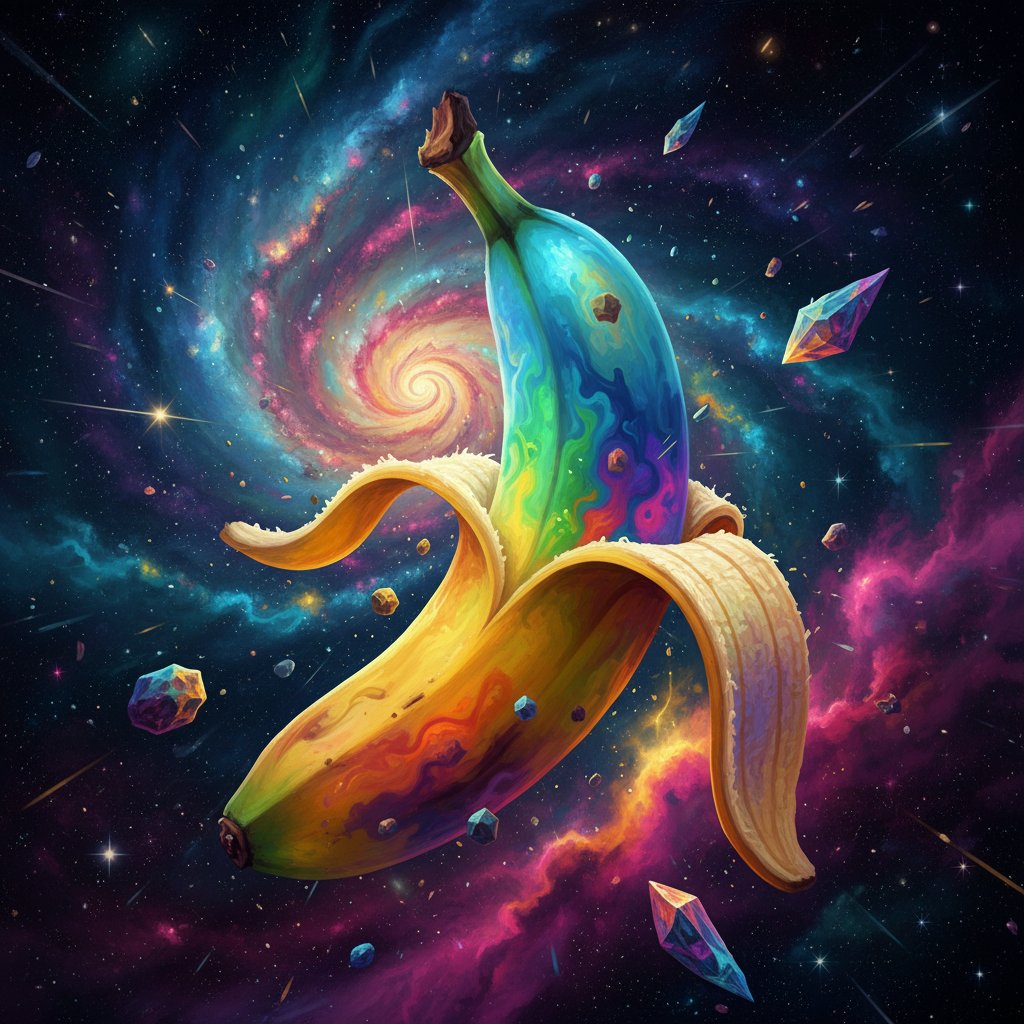
Explore different use cases and parameter configurations
The prompt for image editing
0/20000Click to upload or drag and drop
Supported formats: JPEG, PNG, WEBP Maximum file size: 10MB; Maximum files: 10
List of URLs of input images for editing,up to 10 images.
Output format for the images
Image aspect ratio
A configurable parameter. Defaults to true in the Playground.
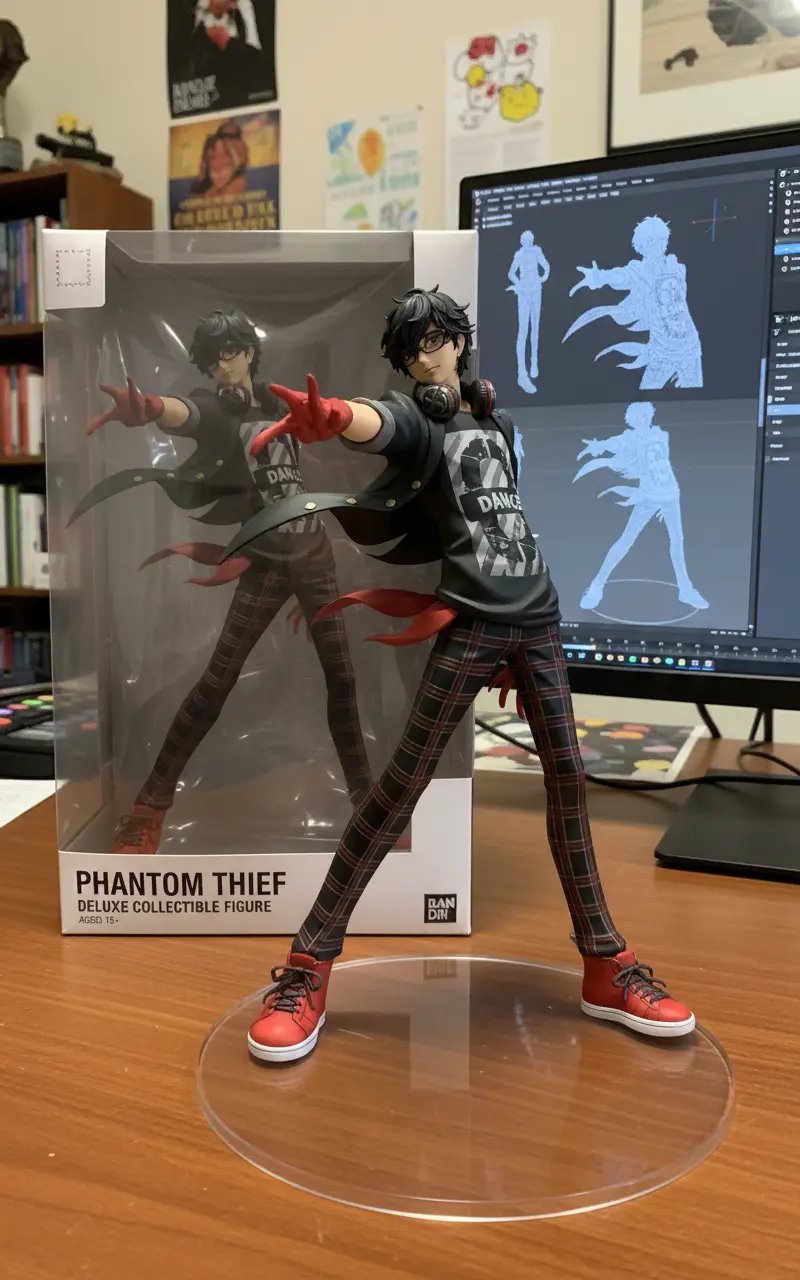
Explore different use cases and parameter configurations
A text description of the image you want to generate
0/20000Click to upload or drag and drop
Supported formats: JPEG, PNG, WEBP Maximum file size: 30MB; Maximum files: 8
Input images to transform or use as reference (supports up to 8 images)
Aspect ratio of the generated image
Resolution of the generated image
Format of the output image
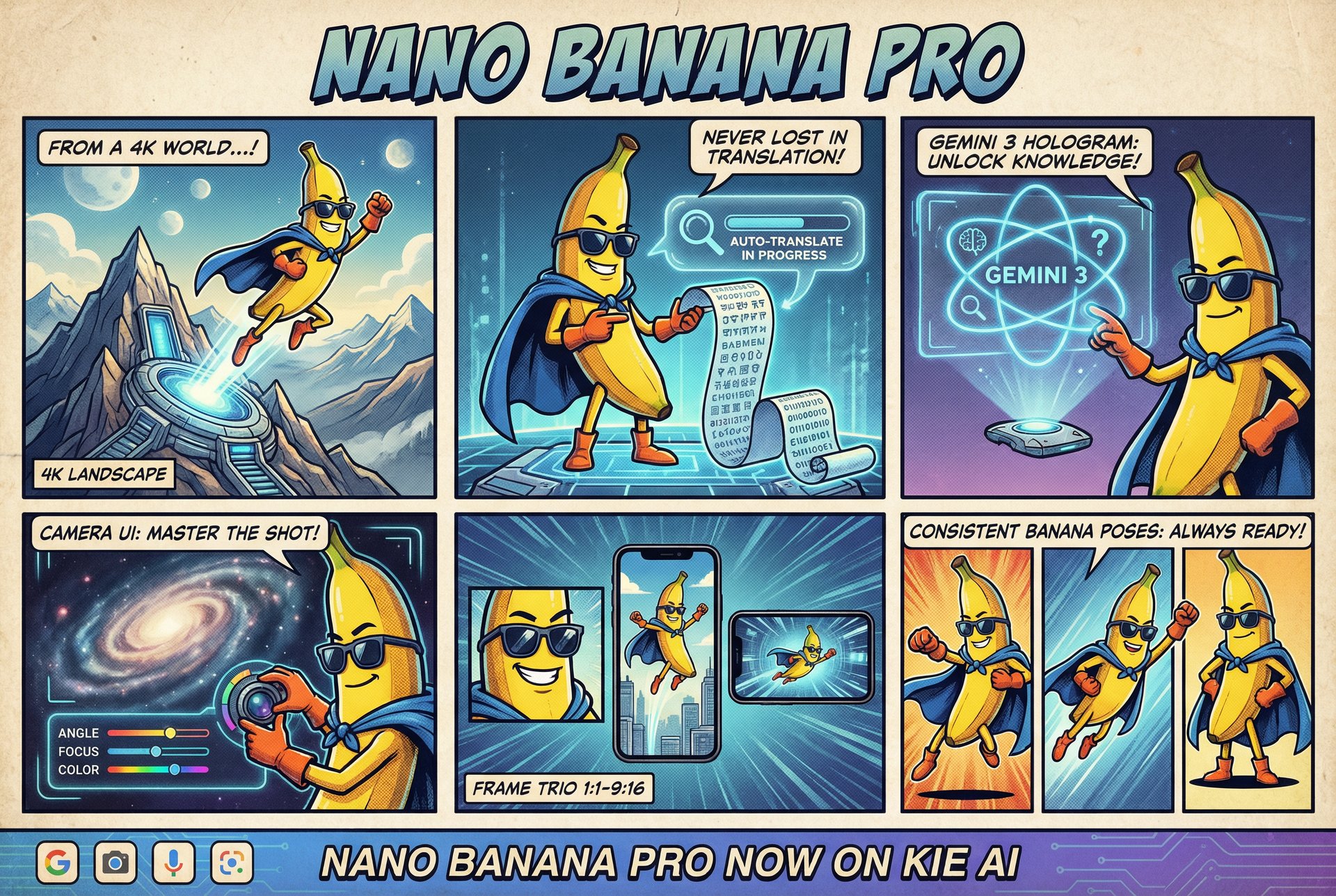
Explore different use cases and parameter configurations
README
Complete guide to using NanoBanana-Gemini 2.5 Flash Image Preview
Nano Banana API & Nano Banana Pro API: Affordable Gemini Image Integration
Unlock the full spectrum of Google’s visual AI capabilities with Kie.ai. Seamlessly switch between the Nano Banana API (Gemini 2.5 Flash) for unbeatable speed and cost-efficiency, or deploy the all-new Nano Banana Pro API (Gemini 3 Pro Image) for flawless text rendering, 4K resolution, and complex semantic reasoning. Build the next generation of creative apps with a single, unified integration.





from 5000+ reviews
Meet the Nano Banana API Family: Standard & Pro Image Models
Nano Banana API (Standard): Speed & Efficiency with Gemini 2.5
Engineered for real-time applications, the Nano Banana API leverages the lightweight Gemini 2.5 Flash Image architecture. It delivers rapid generation speeds at the lowest cost, making it the ideal solution for high-volume batch processing and instant preview tools where low latency is critical.
Nano Banana Pro API: High-Fidelity Power via Gemini 3 Pro
Designed for uncompromising quality, the Nano Banana Pro API harnesses the advanced Gemini 3 Pro Image API. This tier excels at photorealism, precise text rendering, and complex instruction following, tailored for professional creators and enterprises requiring studio-grade visual assets.
Technical Specifications: Unleashing the Power of Nano Banana Pro API
64K Context Window on Nano Banana Pro API
Nano Banana Pro API processes long, structured prompts with a 64K input and 32K output context window, enabling multi-step workflows and detailed creative briefs. Gemini 3 Pro Image API handles constraints, references, and layered edits in one coherent pipeline without losing context.
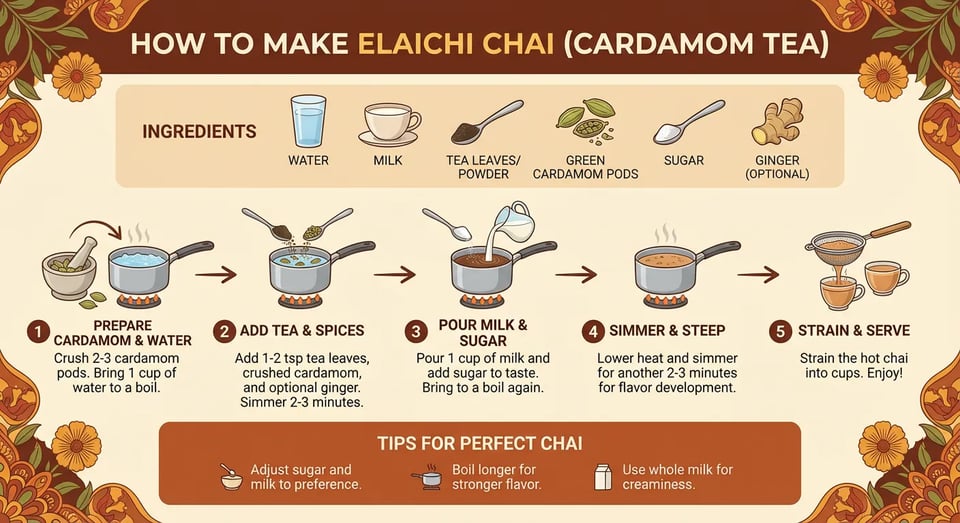
4K High-Resolution Output via Gemini 3 Pro Image API
Nano Banana Pro API outputs 1K, 2K, and 4K images suitable for printing, product packaging, and high-detail design work. Gemini 3 Pro Image API keeps visuals sharp when zooming, cropping, or scaling assets across mobile, web, and billboard formats.
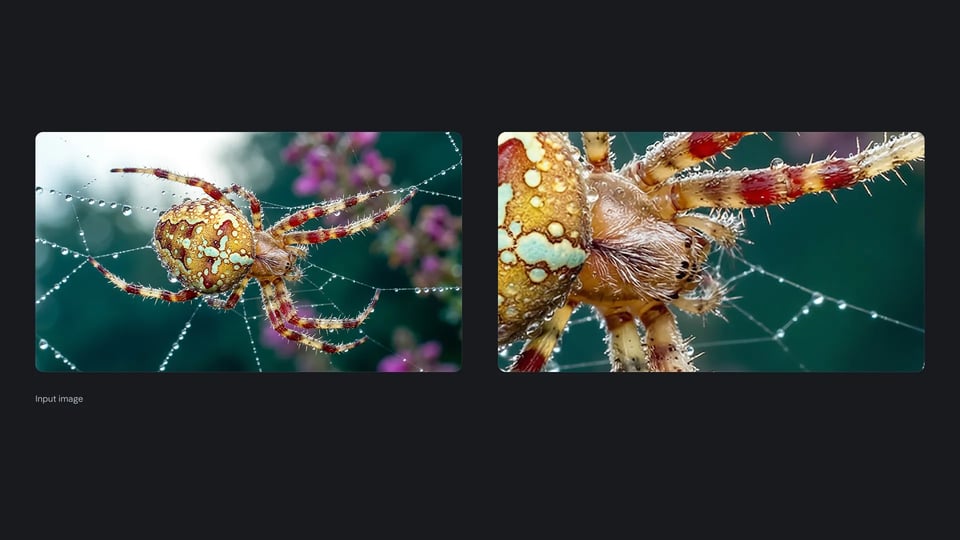
Multi-Turn Editing with Nanobananapro API
Nanobananapro API supports dialogue-style refinement instead of full regeneration. You can adjust layout, lighting, or typography across multiple calls, and gemini-3-pro-image-preview retains context for consistent iteration.
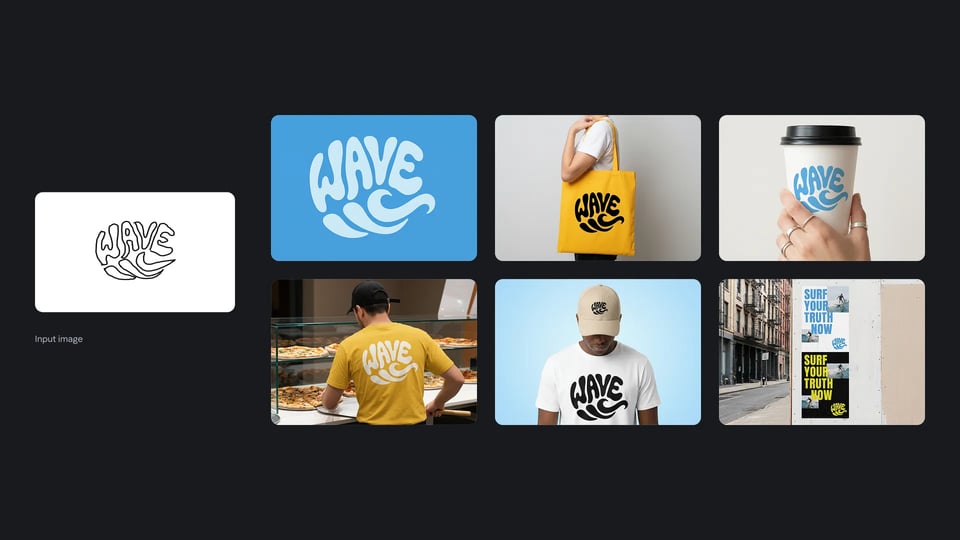
8-Image Composition with Gemini-3-Pro-Image-Preview
Gemini-3-pro-image-preview blends up to 8 reference images into one cohesive output. Nano Banana Pro API aligns lighting, perspective, and style across references, making it ideal for product systems, visual identities, and concept art.

Search-Driven Accuracy Using Gemini 3 Pro Image API
Nano Banana Pro API integrates search-grounded knowledge from Google to produce diagrams, infographics, and scenes with accurate terminology and up-to-date references. gemini-3-pro-image-preview supports multilingual and data-based visuals.

Nano Banana Pro API: The Ultimate Gemini 3 Pro Image Integration
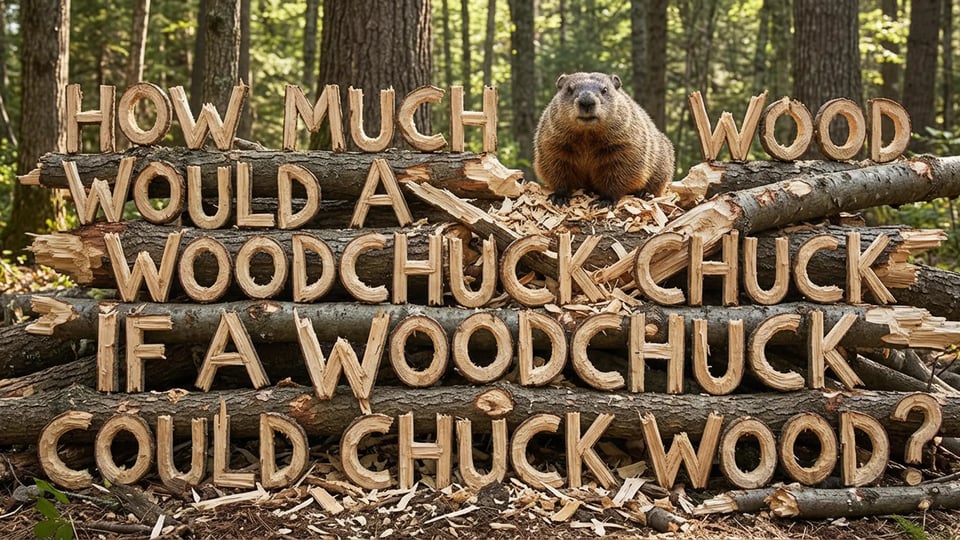
Flawless Text Rendering with Nano Banana Pro API
Nano Banana Pro API delivers sharp, legible text inside generated images—ideal for posters, UI mockups, product packaging, and technical diagrams. It fixes common glitchy-text issues seen in basic models and ensures accurate spelling for long prompts, making creative assets ready for real production.
Studio-Quality Control via Gemini 3 Pro Image API
Build visually consistent, cinematic results with precise control over lighting, composition, depth of field, and stylistic details. Gemini 3 Pro Image API lets you create content that feels professionally photographed, giving brands and creators studio-quality visuals from a single prompt.
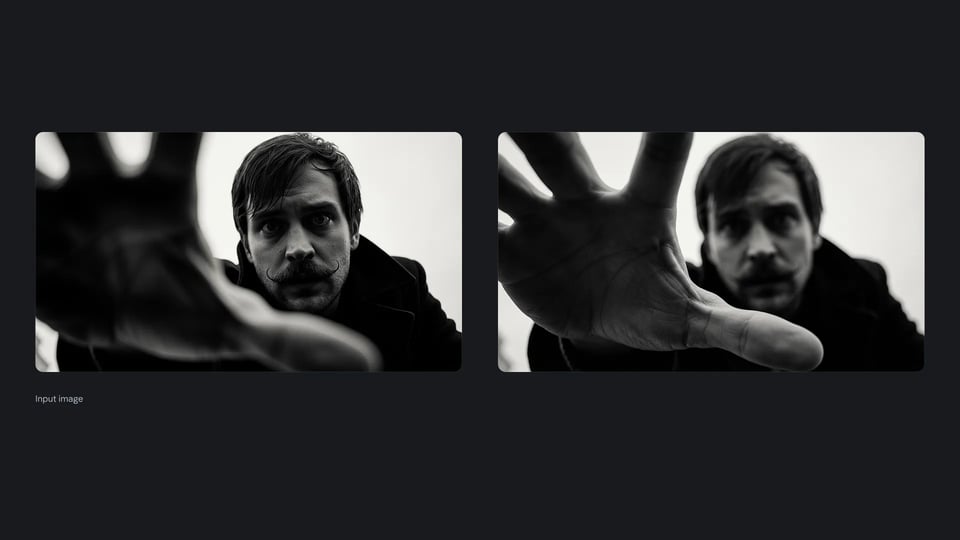
Complex Multi-Step Workflows with Nano Banana Pro API
Nano Banana Pro API supports multi-turn edits and conditional instructions, letting you refine results step by step instead of regenerating from scratch. It blends multiple references, follows constraints, and maintains context across the workflow.
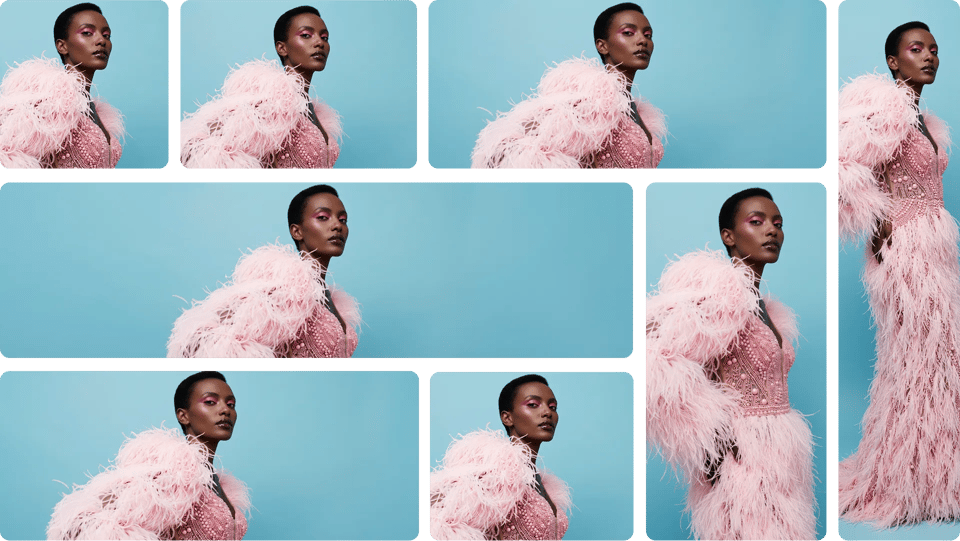
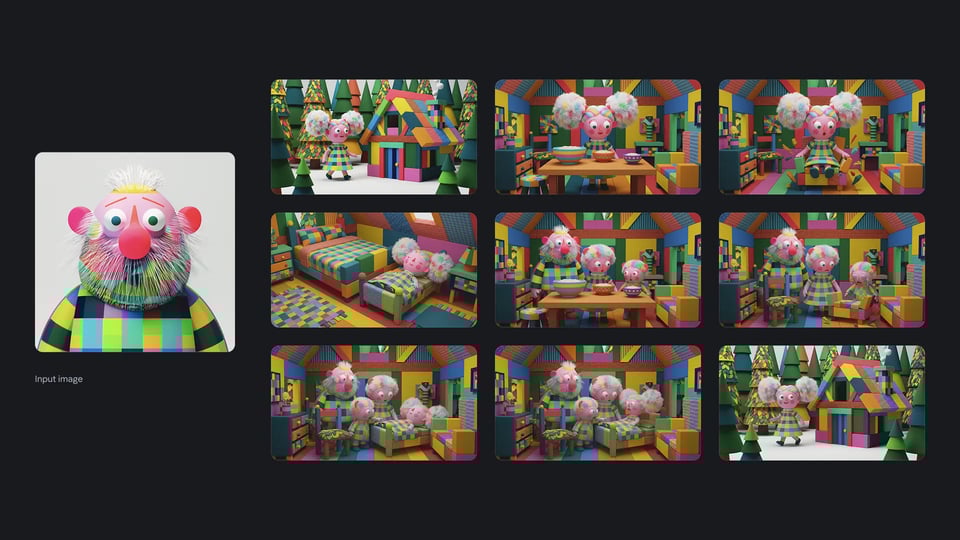
Consistent Character Identity with Gemini-3-Pro-Image-Preview
Create storyboards, product shoots, or long-form visual concepts with subjects that stay recognizable across multiple images. Gemini-3-Pro-Image-Preview tracks identity, outfits, camera distance, and style traits to maintain consistency while allowing scene, pose, and mood changes.
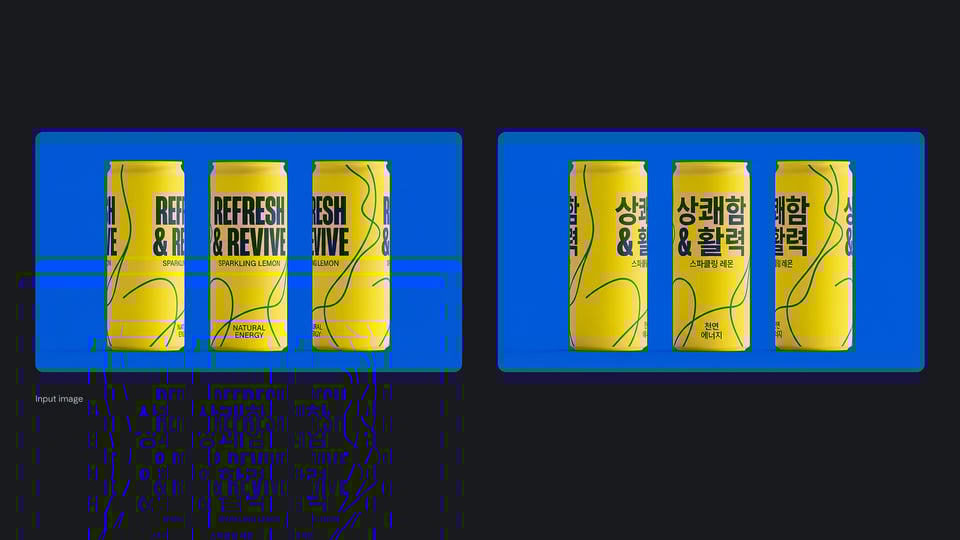
Globalize Designs with Nanobananapro API Localization
Nanobananapro API enables accurate multi-language rendering directly inside visuals—ideal for international product campaigns and localized poster concepts. Translate labels, signage, and branding assets while preserving layout, typography, and stylistic intent across regions and scripts.
What You Can Build with the Previous Nano Banana API (Gemini 2.5 Flash Image)
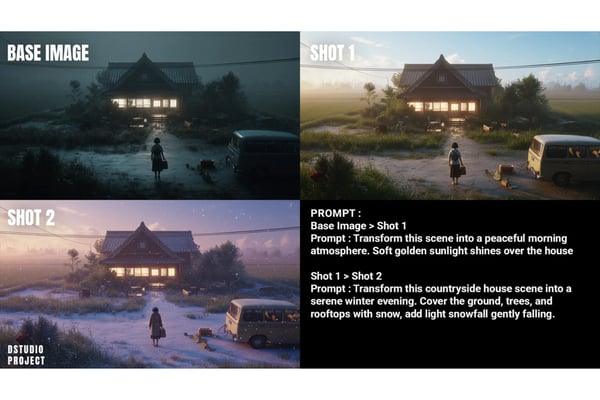
Intuitive Natural Language Editing
The Nano Banana API delivers highly accurate image editing using simple text prompts like “add a sunset glow” or “replace the chair with a throne.” It doesn’t just recognize simple instructions—it also interprets complex input with precision, faithfully converting user intent into visually accurate results.

Consistent and Reliable Outputs
The Gemini 2.5 Flash Image API maintains coherence across iterative edits, avoiding distortions or style drift. Whether you're updating the same image multiple times or applying similar edits across a batch, the Nano Banana AI image editing API ensures consistent results.
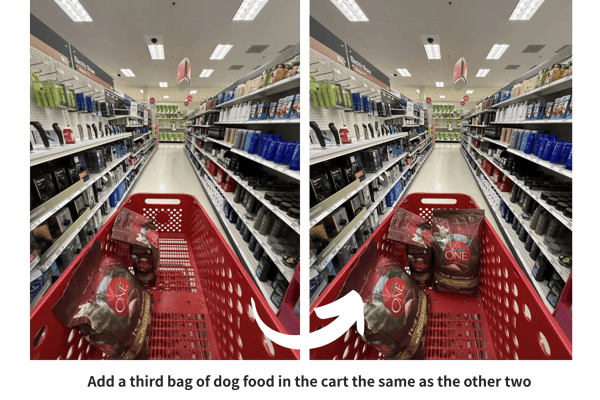
Precision-Controlled Editing
With the Gemini 2.5 Flash Image API, edits such as object replacement, background modification, or facial refinement are executed with pixel-level accuracy. The Nano Banana API preserves the integrity of the original scene, ensuring each change blends seamlessly for professional-quality results.

Lightning-Fast Performance
Speed is a hallmark of the Nano Banana API, delivering Nano Banana AI image generator outputs and edits in tens of seconds. This rapid performance supports real-time applications, from instant content creation to quick prototyping, allowing developers to maintain efficient workflows without sacrificing output quality.
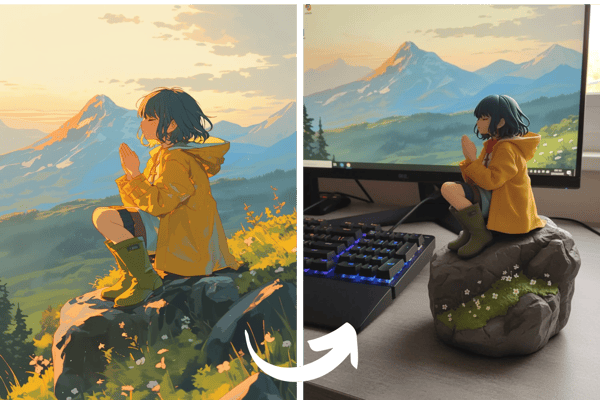
Realistic Physics-Aware Visual Output
Powered by Gemini’s advanced reasoning capabilities, the Nano Banana API generates images that align with real-world logic—producing coherent lighting, natural shadows, and accurate spatial relationships. Whether handling complex backgrounds or inserting new objects, every edit maintains visual consistency.
Nano Banana API (Gemini 2.5) and Nano Banana Pro API (Gemini 3 Pro Image) Pricing on Kie.ai
Nano Banana API Pricing (Gemini 2.5 Flash Image)
Nano Banana API offers fast, language-driven image edits at a low cost. Pricing starts at ~$0.02 per image on Kie.ai, billed through a simple credit system with no mandatory subscriptions. This makes it suitable for lightweight editing tasks, rapid prototyping, and large-batch workflows at scale.
Nano Banana Pro API Pricing (Gemini 3 Pro Image)
Nano Banana Pro API supports 4K output, multi-turn workflows, and long-context prompts powered by Gemini 3 Pro Image. Pricing begins at ~24 credits per image (≈$0.12), roughly 20% cheaper than the official Google price. Launch pricing may change as the model evolves.
How to Access Nano Banana AI Image Generation APIs
Step 1: Sign Up for Nano Banana API Key
Step 2: Send Requests to Nano Banana API or Pro API
Step 3: Retrieve and Verify Results
Why Choose Kie.ai for Nano Banana & Nano Banana Pro API Integration
Flexible Pricing for Nano Banana and Nano Banana Pro API
Kie.ai offers affordable access to both Nano Banana API and Nano Banana Pro API with a simple pay-as-you-go credit model. No locked subscriptions, transparent usage, and optional bulk credits make it easy to run image generation at any scale—from testing to full production workflows.
Unified API Documentation with Clear Model Switching
Kie.ai provides unified API documentation covering both models so developers can switch between google/nano-banana and google/nano-banana-pro using the same authentication flow. Step-by-step examples, parameter guides, and prompt best practices help teams adopt Gemini 3 Pro Image API features faster.
Stable Performance with High-Concurrency Support
Kie.ai is optimized for consistent performance across both Nano Banana API and Nano Banana Pro API, offering reliable uptime and fast response times under heavy workloads. Whether running real-time generation, batch pipelines, or large-scale production apps, results stay stable and predictable.
Nano Banana Pro vs Nano Banana vs Flux Kontext vs Qwen Image Edit
Nano Banana Pro (Gemini 3 Pro Image) supports complex, long-context workflows with 4K control. Nano Banana (Gemini 2.5 Flash Image) offers fast, language-guided edits. Flux Kontext focuses on contextual generation, while Qwen Image Edit delivers speed and open-source flexibility. Compare their strengths below:
| Feature | Nano Banana (Gemini 2.5 Flash Image) | Nano Banana Pro (Gemini 3 Pro Image) | Flux Kontext | Qwen Image Edit |
|---|---|---|---|---|
| Core Focus | Precise language-driven editing and scene consistency | Structured, multi-step image generation with 4K control & long-context prompts | Contextual image generation and layout coherence | Fast, open-source image editing |
| Editing Precision | Strong in object swaps, stable identity | High precision in typography, layout, diagrams, and semantic edits | Moderate; better for broad style shifts | Strong; fast but less controlled |
| Speed | Fast responses for quick tasks | Slower than Nano Banana; optimized for multi-turn workflows | Variable; slower on complex tasks | Ultra-fast ~8s results |
| Realism & Physics | Highly realistic textures, lighting, physics | Studio-quality realism, shot composition, controllable lighting | Contextual realism with inconsistencies | Realistic but may distort small details |
| Style & Design Control | Versatile across styles and rendering modes | Fine control over shot angle, lighting, typography, aspect ratio | Smooth style shifts, artistic control | Limited by open-source framework |
| Multi-Image Workflows | Limited | Up to 8 images blended with consistent lighting & perspective | Limited multi-image support | Limited or inconsistent |
| Text & Typography | Good for short text | Clear, legible long text across languages; suitable for posters & UI | Struggles with precise lettering | Can generate text but lacks strict accuracy |
| Consistency | Maintains identity across iterations | High-fidelity character and object consistency across scenes | Inconsistent on complex edits | May alter backgrounds/faces |
| Best Use Cases | Fast edits, lightweight creative tasks | Branding packs, storyboards, packaging, infographics | Style-driven creative concepts | Quick image edits, experiments |
| Pricing on Kie.ai | ~$0.02 per image | ~24 credits per image (≈ $0.12), ~20% cheaper than official price; subject to change | $0.025 or $0.05 per image | $0.0165 per image |