A text description of the image you want to generate
Click to upload or drag and drop
Supported formats: JPEG, PNG, WEBP Maximum file size: 10MB; Maximum files: 14
Upload an image file to use as input for the API
Width-height ratio of the image, determining its visual form.
Basic outputs 2K images, while High outputs 4K images.
A configurable parameter. Defaults to true in the Playground.
Explore different use cases and parameter configurations
A text description of the image you want to generate
Width-height ratio of the image, determining its visual form.
Basic outputs 2K images, while High outputs 4K images.
A configurable parameter. Defaults to true in the Playground.
Explore different use cases and parameter configurations
Affordable Seedream 4.5 API & Seedream v4.5 Edit Image API
Access Seedream 4.5 for 4K text-to-image generation and structured image editing with consistent detail, stable subjects, and clear small-text rendering. Use Seedream v4.5 Edit Image API for precise adjustments and multi-image workflows, or test everything instantly in Kie AI’s online playground.

Supported Models in Seedream 4.5 API on Kie AI
Seedream v4.5 Text-to-Image API
Seedream v4.5 text-to-image model generates high-fidelity visuals from natural language prompts with strong detail control, spatial reasoning, and aesthetic cohesion. It supports 4K output, multi-step instruction following, and consistent subject rendering across various creative and production scenarios.
Seedream v4.5 Image-to-Image Edit API
Seedream v4.5 image-to-image edit model refines existing images with precise adjustments to lighting, structure, composition, and style while preserving key subject identity. Seedream v4.5 Edit Image Model API enhances details, performs targeted modifications, and supports multi-image reference input for consistent, production-ready visual editing.
Bytedance Seedream 4.0 to Seedream 4.5 — What’s New in Seedream 4.5 API
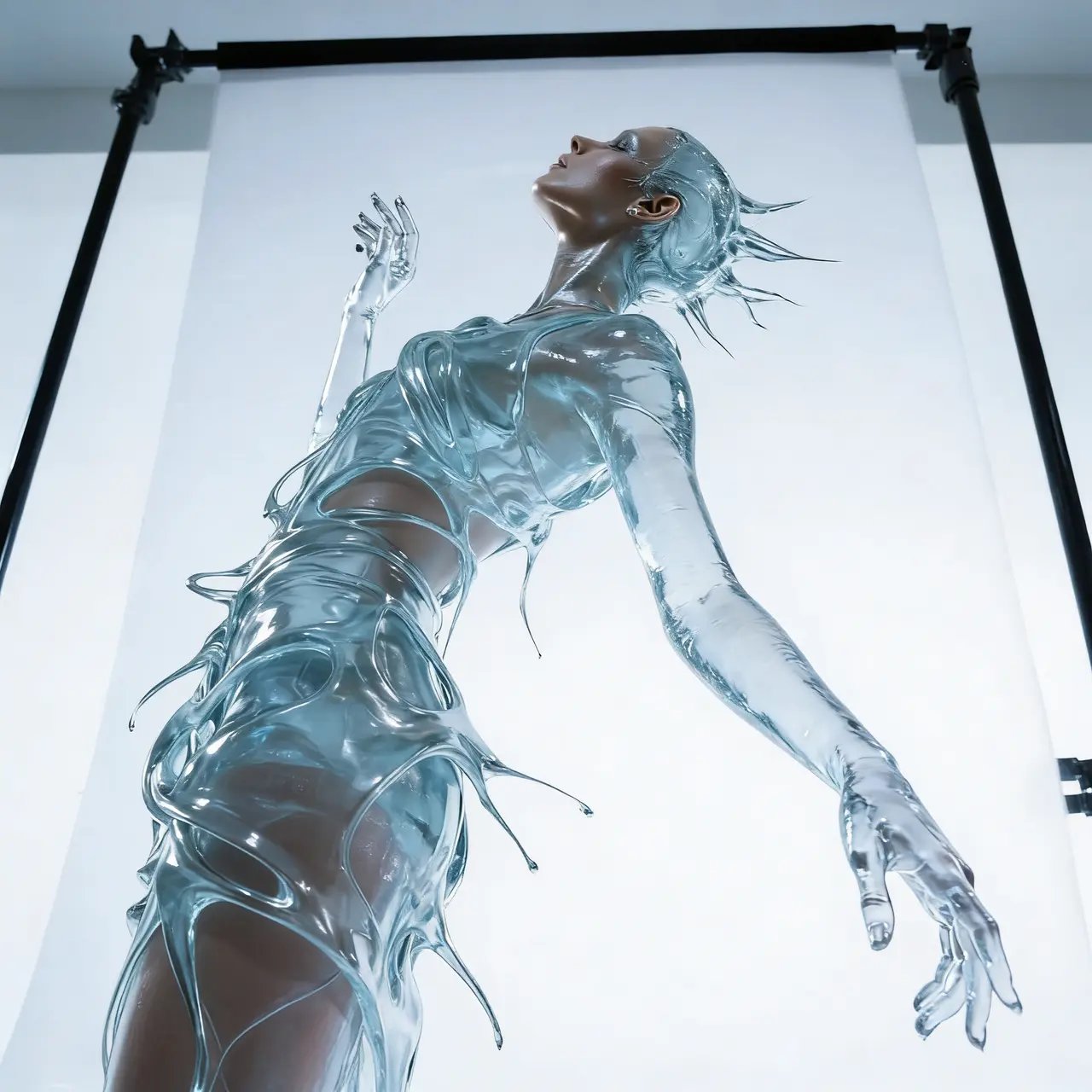
4K Visual Output with Seedream 4.5 API
Seedream 4.5 API generates high-fidelity images with refined lighting, balanced shading, and full 4K support. On Kie AI, the model delivers crisp details, cinematic rendering, and stable clarity across large formats, making it suitable for posters, product shots, and professional creative work.

Detail Fidelity and Aesthetic Cohesion in Seedream 4.5
Seedream 4.5 improves detail fidelity across textures, materials, and lighting, producing visuals with balanced tone and unified style. Aesthetic cohesion remains stable in both simple and complex scenes, supporting workflows that require consistent, polished image quality.

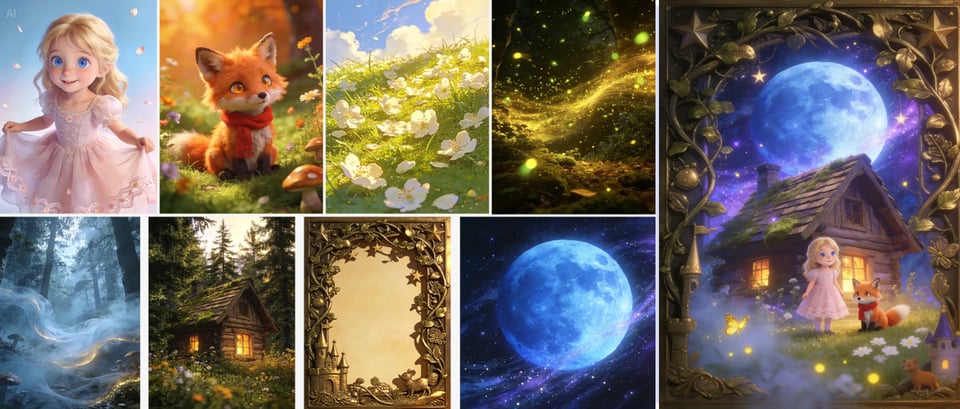
Multi-Image Fusion with Up to 10 References in Seedream 4.5 API
With support for up to 10 reference images, Seedream 4.5 API offers strong identity stability and scene coherence. It blends poses, styles, and subjects while preserving key traits, ideal for character sheets, product series, and multi-angle brand imagery.
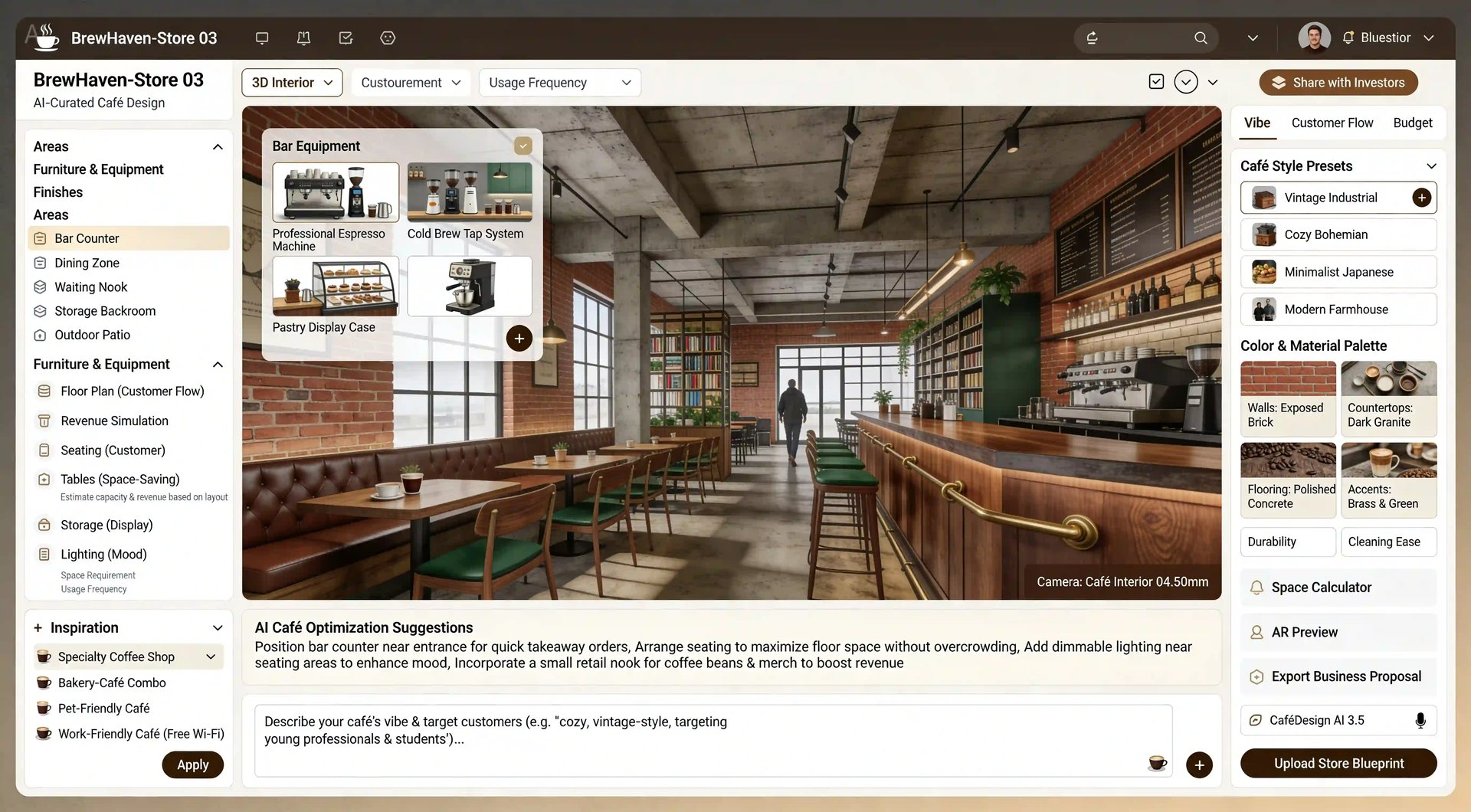
Strong Spatial Reasoning and Scene Structure Using Seedream 4.5 API
Seedream 4.5 API improves spatial logic, object placement, and depth relationships. It generates scenes with believable proportions and clear structure, helping users create architectural layouts, interior concepts, storyboards, and grounded real-world environments.

Precise Complex Prompt Execution with Bytedance Seedream 4.5
Seedream v4.5 API follows layered instructions with accuracy, supporting detailed creative control and image editing. It understands nuanced prompts, handles multi-step directions, and keeps visual logic consistent while letting users refine elements with high precision.
Clear Small-Text and Facial Rendering via Seedream v4.5 API
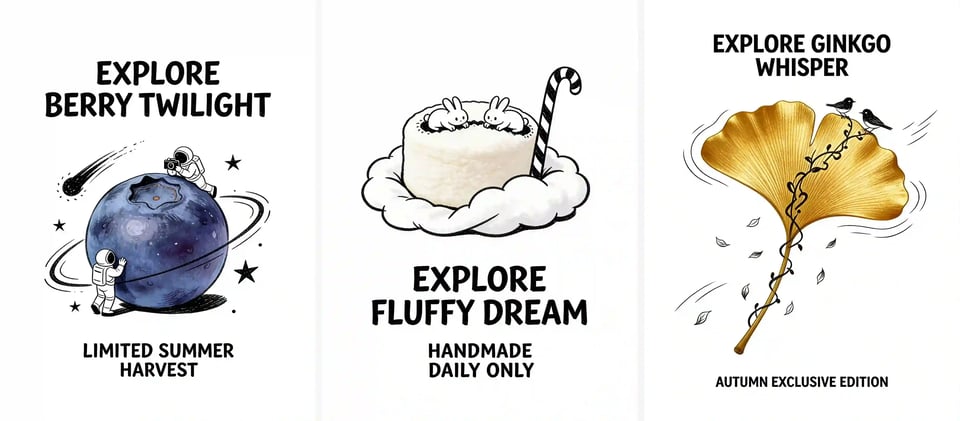
Seedream 4.5 API produces readable micro-text, sharp logos, and accurate facial features. It handles typography, facial structure, and subtle expressions with clarity, enabling high-quality posters, packaging, profile images, and other detail-heavy creative outputs.
Seedream 4.5 vs Seedream 4.0 — What’s Improved?
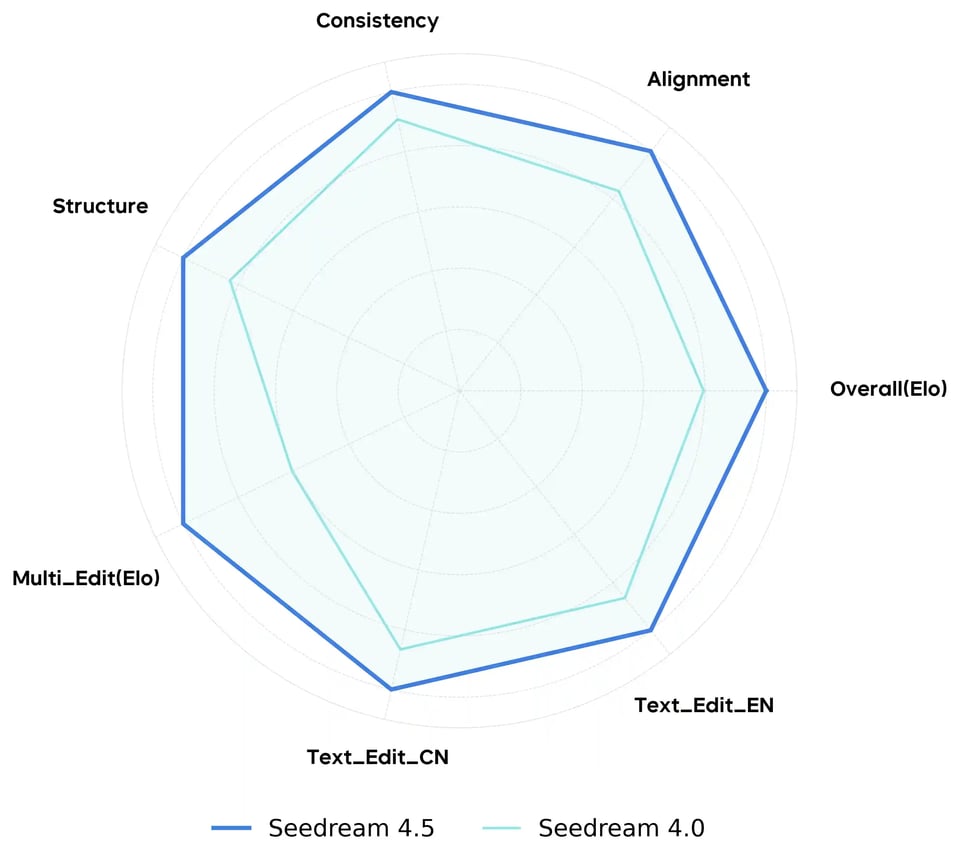
Text-to-Image Radar Chart in Seedream 4.5 vs Seedream 4.0
Text-to-image evaluation across Seedream 4.5 vs Seedream 4.0 shows clear gains in prompt adherence, spatial alignment, and scene coherence. Seedream v4.5 API produces more stable compositions, stronger aesthetic balance, and higher detail accuracy, especially in complex or multi-object prompts.
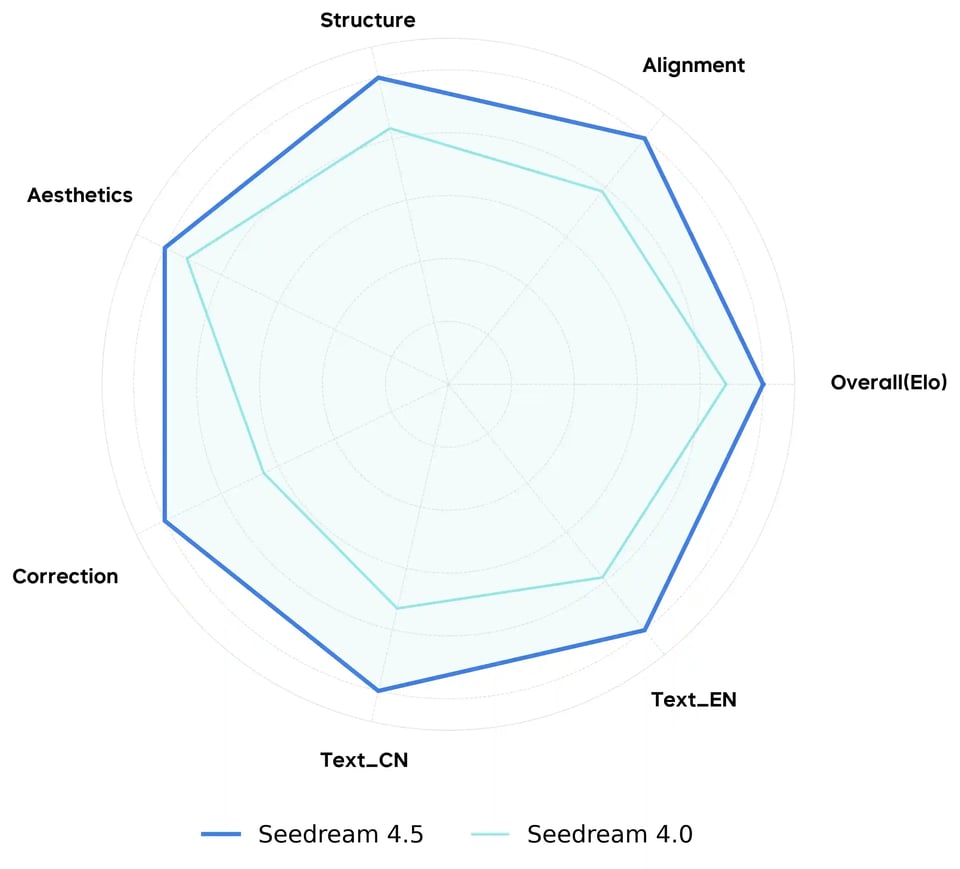
Single-Image Editing Radar Chart for Seedream 4.5 vs Seedream 4.0
Single-image editing benchmarks for Seedream 4.5 vs Seedream 4.0 indicate improved identity retention, cleaner refinement, and better small-text clarity. Seedream v4.5 API demonstrates stronger structural alignment and more precise control when adjusting lighting, features, or composition within an existing image.
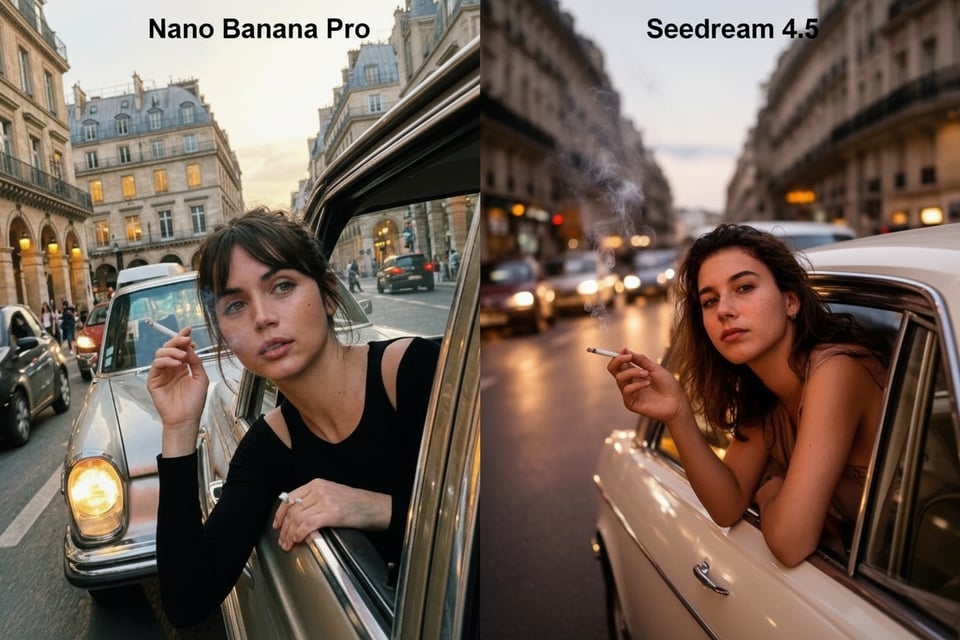
Nano Banana Pro vs Seedream 4.5
Generation Performance in Nano Banana Pro vs Seedream 4.5
In generation tests discussing Nano Banana Pro vs Seedream 4.5, Nano Banana Pro often shows strong logical understanding and handles complex prompt structures well. Seedream 4.5 focuses more on visual cohesion, consistent subjects, and film-like rendering, offering stable multi-image results and refined 4K detail.
Editing Stability in Nano Banana Pro vs Seedream 4.5 Edit Workflows
For edit workflows, Nano Banana Pro provides precise local edits and reliable instruction following, especially in targeted adjustments or in-painting. Seedream 4.5 Edit emphasizes identity retention, coherent lighting, and clean structural refinement.

How to Use Seedream 4.5 API on Kie AI
Step 1 — Try Seedream 4.5 Free in Online Playground
Start by testing Seedream v4.5 API in Kie AI’s online playground. Enter a text prompt or upload an image to preview Seedream 4.5 output. This step helps verify composition, clarity, and instruction alignment before running full API requests.
Step 2 — Configure Parameters for Seedream 4.5 API
Adjust key settings such as resolution, prompt strength, reference images, or editing controls. Seedream 4.5 API supports text-to-image, image-to-image editing, and multi-image workflows, allowing users to match output to specific tasks or production requirements.
Step 3 — Send API Request and Retrieve Output
Use Kie AI’s API endpoint to submit structured requests for Seedream 4.5 API. Include prompts, model type, reference inputs, and chosen parameters. Retrieve the generated image, review consistency and detail accuracy, then iterate as needed for refinement or integration into downstream workflows.
Why Choose Kie AI for Bytedance Seedream 4.5 API Integration?
Affordable Seedream v4.5 API with Instant Online Testing
At Kie AI, we make Seedream v4.5 API accessible for everyone. You can test Seedream 4.5 free with starter credits and explore both text-to-image and image editing before choosing a plan. Our entry-level pricing keeps Seedream 4.5 API affordable while supporting creators who need reliable, production-grade output.
Free Seedream 4.5 Edit Options Through Kie AI’s Seedream v4.5 API
Kie AI provides Seedream 4.5 Edit Free so you can refine images, adjust style, or run multi-image edits without upfront cost. We give you space to experiment with Seedream v4.5 API and discover how it enhances consistency, clarity, and editing precision across your visual projects.
All Best AI Image APIs in One Place with Kie AI Seedream 4.5 API
Kie AI brings top image models together—including Seedream 4.5, Seedream 4.0, NanoBanana Pro, and more—so you can choose exactly what your workflow needs. With everything in one platform, you can compare models, switch instantly, and build efficient pipelines powered by Seedream v4.5 API and other leading generators.
Use Cases Powered by the Seedream 4.5 API on Kie AI
E-commerce and Product Visualization with Seedream 4.5 Text to Image
Bytedance Seedream 4.5 API generates product visuals with consistent lighting, material accuracy, and 4K clarity. It suits product photography, lifestyle scenes, and color variants where uniform presentation and detail stability are required.
Advertising & Film Concept Art Using Seedream v4.5 API
Seedream v4.5 API supports concept work for advertising, film, and media production. It helps create storyboards, cinematic frames, and branded visuals with coherent scene structure, balanced composition, and controlled lighting.
Poster, Layout & Logo Design on Kie AI Using Seedream 4.5 API
Seedream 4.5 API handles small text, logos, and layout-focused assets with clarity. It supports poster drafts, packaging studies, and design explorations where typography readability, clean structure, and controlled composition are important.
Character Sheets and Multi-View Outputs with Seedream 4.5 Edit
Seedream 4.5 Edit handles multiple reference inputs, enabling consistent identity, style, and proportions across a series of images. This makes it suitable for character sheets, multi-angle product references, or any workflow requiring uniformity across different views.