A text description of the image you want to generate
0/2995Width-height ratio of the image, determining its visual form.
Basic outputs 2K images, while High outputs 3K images, and Ultra outputs 4K images.
Format of the output image
A configurable parameter. Defaults to true in the Playground.
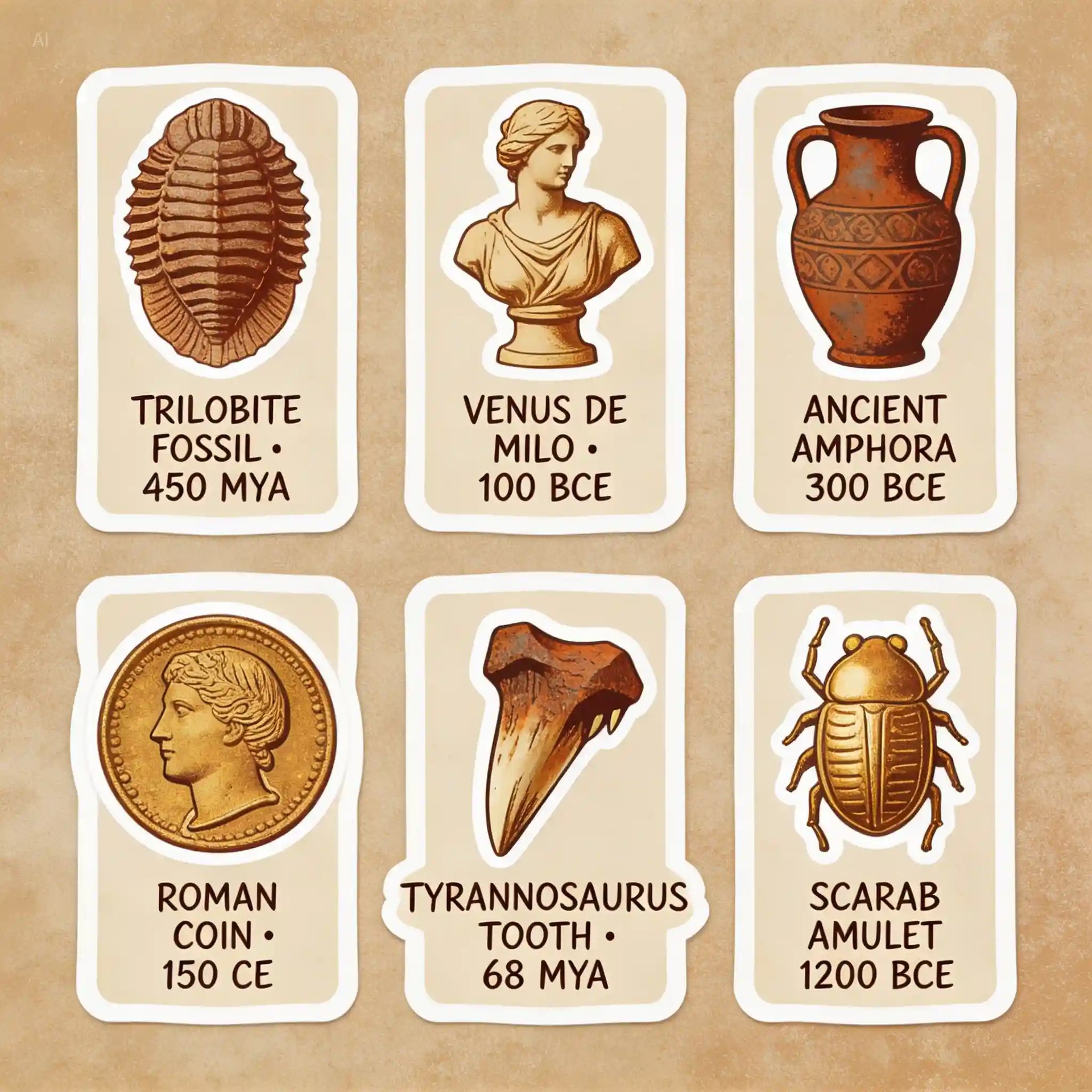
Explore different use cases and parameter configurations
A text description of the image you want to generate
0/2995Click to upload or drag and drop
Supported formats: JPEG, PNG, WEBP Maximum file size: 30MB; Maximum files: 14
Upload an image file to use as input for the API
Width-height ratio of the image, determining its visual form.
Basic outputs 2K images, while High outputs 3K images, and Ultra outputs 4K images.
Format of the output image
A configurable parameter. Defaults to true in the Playground.

Explore different use cases and parameter configurations
README
Complete guide to using Seedream 5.0 Lite
ByteDance Seedream 5.0 Lite API for Multimodal Reasoning Image Generation
Access Seedream 5.0 Lite API on Kie AI for reasoning-driven image generation. Try it free in the playground or integrate via API to build scalable text-to-image and image editing workflows.
Seedream 5.0 Lite API Models on Kie AI
Seedream V5.0 Lite Text-to-Image API
Kie AI provides Seedream V5.0 Lite text-to-image API for generating high-quality visuals directly from prompts. Use it to create marketing graphics, concept visuals, and structured images with strong reasoning and consistent output quality. ByteDance’s newer Seedream 5.5 API is also available on Kie.ai.
Seedream V5.0 Lite Edit API (Image-to-Image)
Kie AI also offers Seedream V5.0 Lite edit API for image-to-image generation. Upload an image and apply edits, style changes, or creative adjustments using simple instructions to quickly produce new visual variations. For projects that call for precise local editing, multi-layer separation, and denser visual information handling, consider stepping up to the newer Seedream 5.0 Pro API.
What’s New: Seedream 5.0 Lite API Core Highlights
Unified Multimodal Reasoning in Seedream 5.0 Lite API
Seedream 5.0 Lite API combines multimodal understanding with deep thinking to improve image generation accuracy. On Kie AI, Seedream API better interprets vague prompts, aligns visuals with intent, and delivers consistent creative results.
World Knowledge Enhanced Generation with Seedream AI API
Powered by an expanded world knowledge system, Seedream AI API creates visuals that follow real-world logic. Kie AI users can generate educational graphics, structured diagrams, and professional visuals with stronger accuracy and clarity.
Online Search and the Seedream 5 Lite API
ByteDance describes Seedream 5.0 Lite as having online search for real-time news and topics. The Kie.ai endpoints have no search setting: requests take prompt, aspect_ratio, quality and output_format, plus image_urls for editing. To create visuals about current trends, put the facts, names and dates you need into the prompt.
Key Features of Seedream 5.0 Lite API on Kie AI
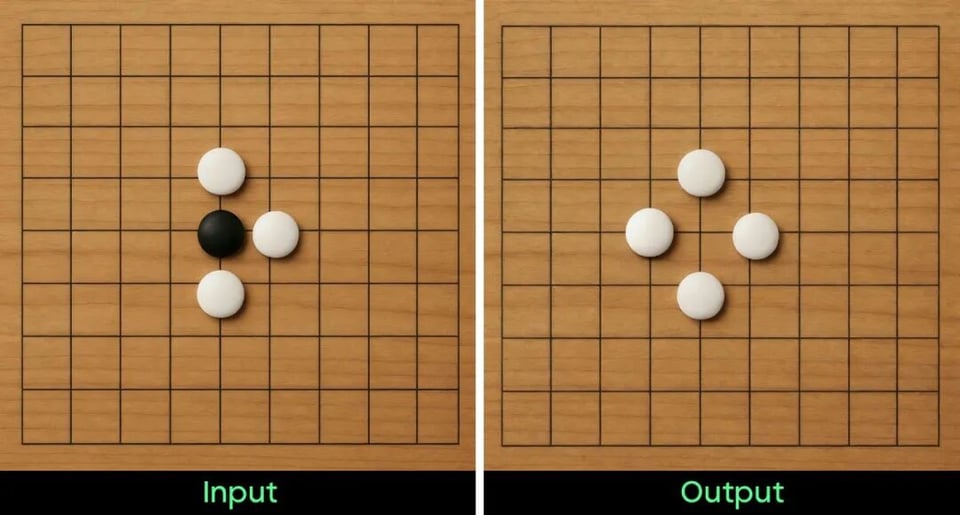
Visual Reasoning Image Generation with Seedream AI API
Seedream AI API supports multi-step visual reasoning to create images that follow logic, spatial rules, and real-world structure. It understands composition and relationships, helping users generate coherent visuals with stronger accuracy and fewer retries.
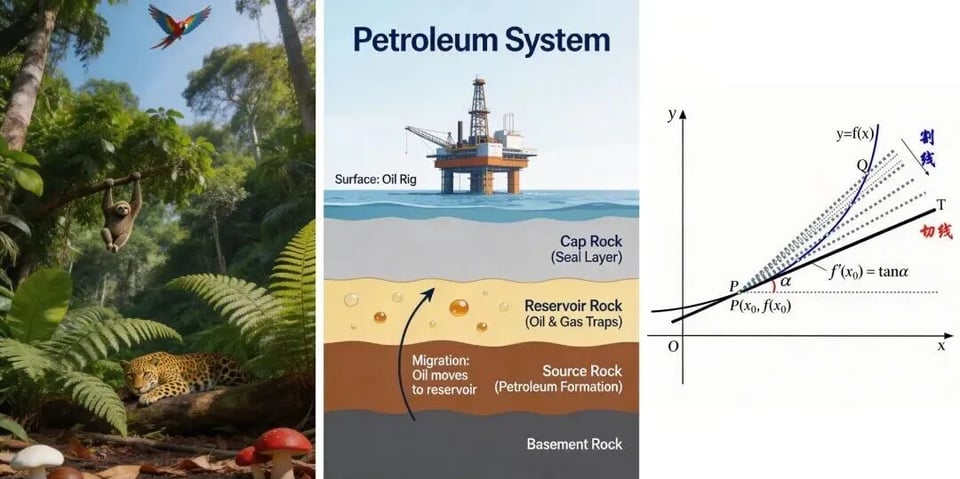
Information Visualization with Seedream 5.0 Lite API
Seedream 5.0 Lite API transforms complex knowledge into clear diagrams, educational visuals, and presentation graphics. By combining reasoning with structured understanding, it helps users turn abstract ideas into readable and visually organized content.
Trend and News Graphics via Seedream API
Seedream API can turn facts you supply in the prompt into marketing visuals, news-style graphics and trend-driven content. Because the Kie.ai endpoints have no search setting, include current figures, names and dates in the prompt instead of relying on live data.

Precise Style Transfer in Seedream 5 Lite API
Seedream 5 Lite API enables accurate style transfer using reference images. It understands artistic tone, lighting, and visual mood, allowing creators to apply consistent styles without writing complex prompts or detailed technical instructions.
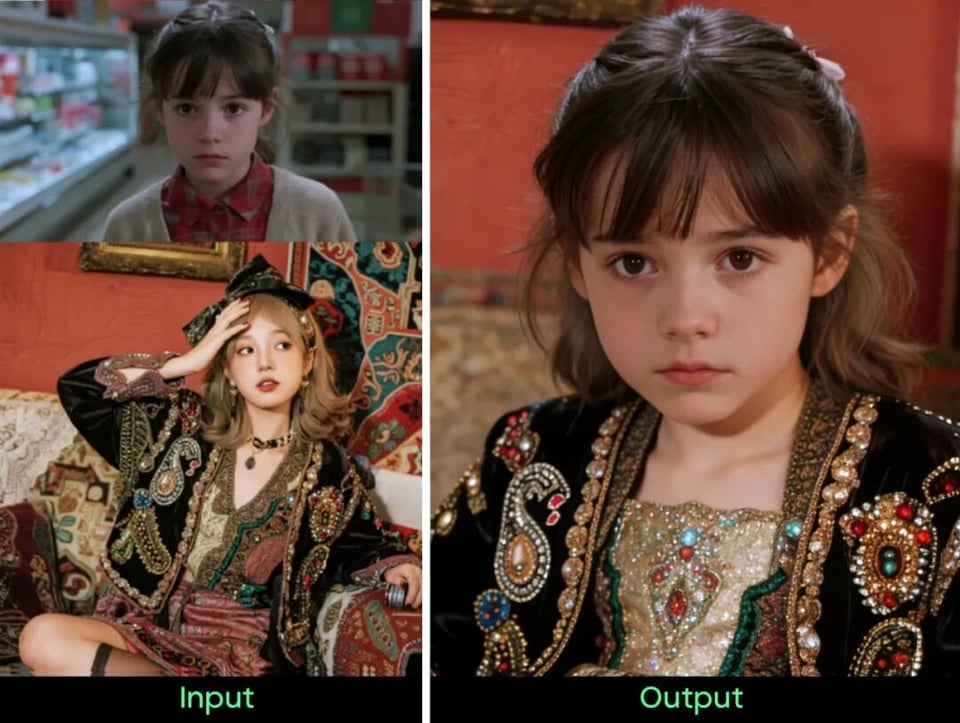
Intelligent Image Editing in Seedream AI API
Seedream AI API can interpret short or vague editing instructions and infer user intent like a professional designer. It performs precise edits while preserving non-edited areas, making image refinement faster and more controllable.
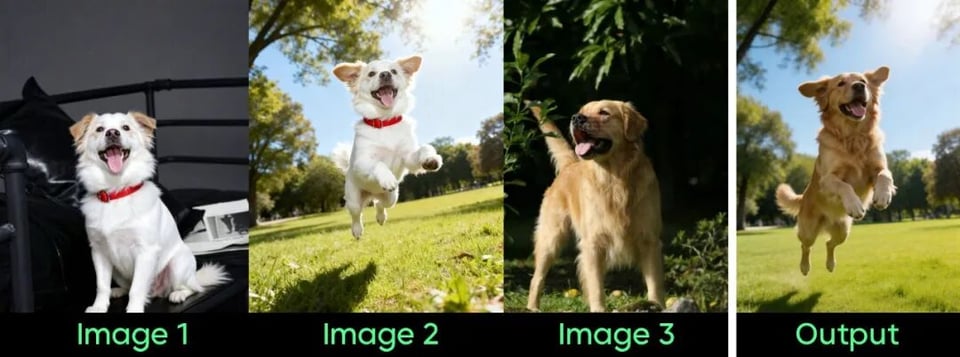
Complex Multi-Subject Generation with Seedream 5.0 API
Seedream 5.0 API handles complex scenes involving multiple subjects with accurate attribute control. It reduces hallucination and missing elements, ensuring stable generation results even when prompts include detailed spatial or object relationships.

Seedream 5.0 Lite API Benchmark & Performance Evaluation
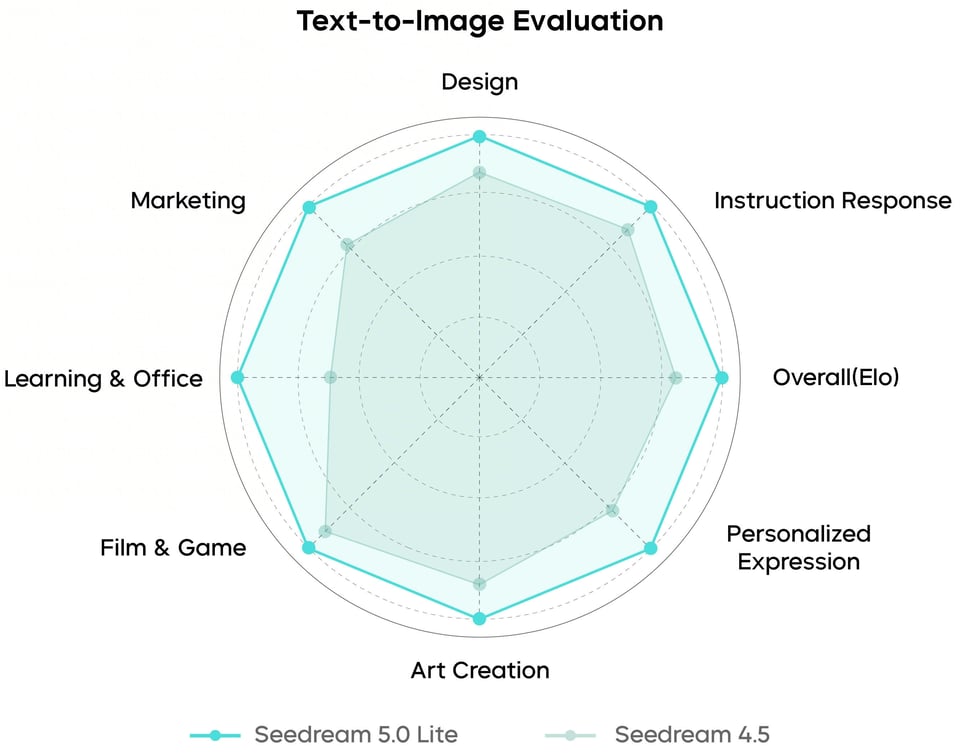
Seedream 5.0 Lite Text-to-Image Benchmark
Seedream 5.0 Lite shows stronger text-to-image performance with improved prompt understanding, reasoning, and image consistency. Benchmark results highlight higher Elo scores and better alignment with user intent in real-world generation tasks.
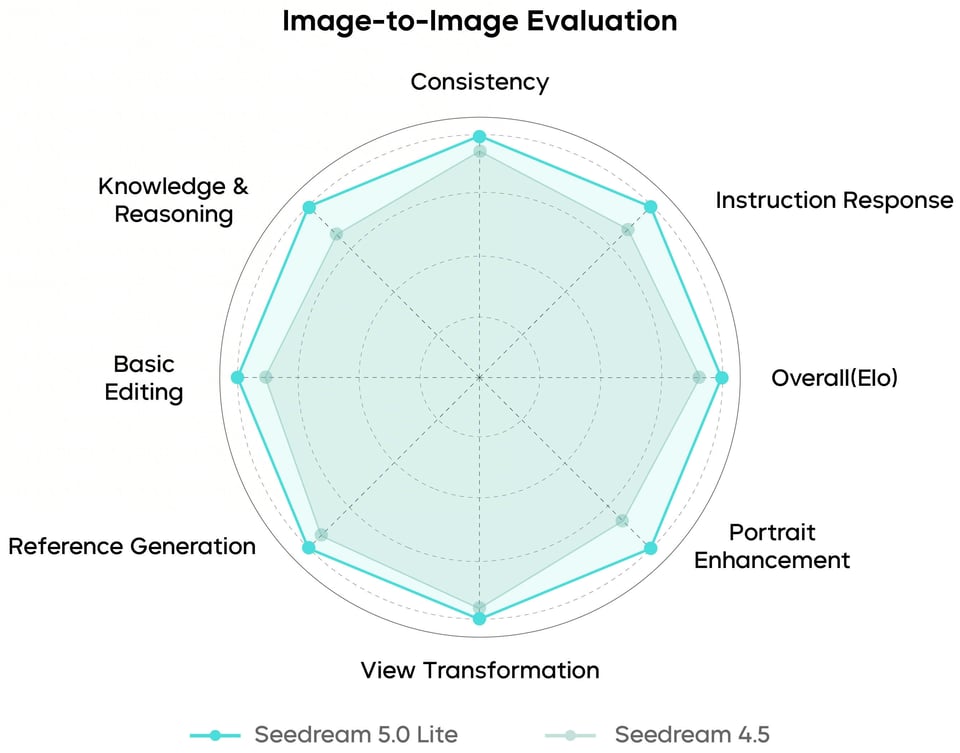
Seedream 5.0 Lite Image-to-Image Benchmark
In image-to-image testing, Seedream 5.0 Lite delivers more stable editing results and improved control. It better follows edit instructions while preserving non-edited areas, making iterative visual workflows more reliable and efficient.
How to Try Seedream 5.0 Lite API Free on Kie AI
Step 1 — Try Seedream 5.0 Free in the Playground
Step 2 — Get Your API Key and Review Documentation
Step 3 — Use Seedream AI API in Your Workflow
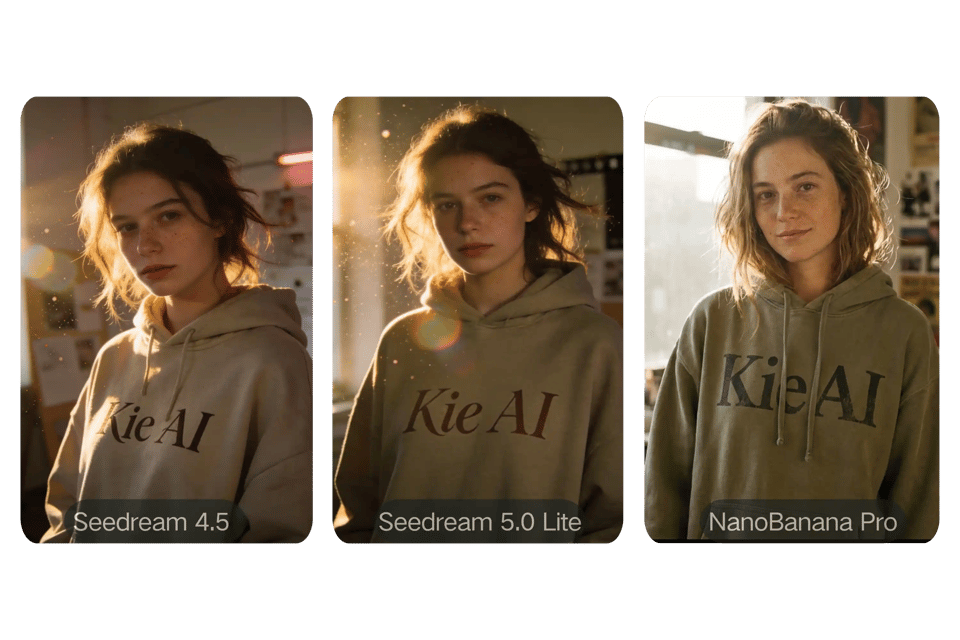
Seedream 5.0 Lite vs Seedream 4.5 and Nano Banana Pro
Seedream 5.0 Lite vs 4.5 Upgrade and Nano Banana Pro
Seedream 5.0 Lite improves on Seedream 4.5 with stronger multimodal reasoning, better instruction accuracy, and more consistent editing results. Compared with Nano Banana Pro, it focuses more on precise, layout-aware generation and controlled workflows, while Nano Banana Pro emphasizes fast creative generation and remix-style editing.On Kie AI, all three models are available, allowing users to compare and choose based on their own workflow needs.
Why Choose Seedream 5.0 Lite API on Kie AI
Free Access to Seedream 5.0 API for New Users
New users can test Seedream 5.0 Lite API with the 80 free credits Kie AI gives every new account, or choose affordable starter credits to continue building. Flexible pricing options make it easy to scale based on different project sizes and usage needs.
Affordable Seedream 5.0 API Pricing with Stable Performance
Seedream 5.0 Lite costs 5.5 credits (about $0.0275) per image on Kie AI, for both text-to-image and image-to-image. Enjoy strong cost efficiency, consistent output quality, and stable API performance for both experimentation and large-scale workflows.
Access Multiple Seedream AI APIs in One Platform
Kie AI provides unified access to multiple Seedream AI APIs in one platform. Manage models more efficiently, simplify integration, and scale your image generation workflow without switching tools or infrastructure.