The positive prompt for the generation
0/5000The negative prompt for the generation
0/500Click to upload or drag and drop
Supported formats: MPEG, WAV, X-WAV, AAC, MP4, OGG Maximum file size: 50MB
Audio URL for the generation
The resolution of output
The ratio of output
Total duration of output
Wether to enable the prompt optimizer
Wether to enable the watermark
The random seed to use for the generation.(>=0,<=2147483647)
A configurable parameter. Defaults to true in the Playground.
The positive prompt for the generation
0/5000The negative prompt for the generation
0/500Click to upload or drag and drop
Supported formats: JPEG, PNG, WEBP Maximum file size: 30MB
The first frame of output
Click to upload or drag and drop
Supported formats: JPEG, PNG, WEBP Maximum file size: 30MB
The last frame of output
Click to upload or drag and drop
Supported formats: MP4, QUICKTIME, X-MATROSKA Maximum file size: 30MB
Audio URL to guide generation
Click to upload or drag and drop
Supported formats: MPEG, WAV, X-WAV, AAC, MP4, OGG Maximum file size: 50MB
Audio URL for the generation
The resolution of output
Total duration of output
Wether to enable the prompt optimizer
Wether to enable the watermark
The random seed to use for the generation(>=0,<=2147483647)
A configurable parameter. Defaults to true in the Playground.
The positive prompt for the generation
0/5000The negative prompt for the generation
0/500Click to upload or drag and drop
Supported formats: JPEG, PNG, WEBP Maximum file size: 30MB; Maximum files: 5
An array of reference image URLs. At least one of the following must be provided: a reference image or a reference video; the total number of images and videos cannot exceed 5.
Click to upload or drag and drop
Supported formats: MP4, QUICKTIME Maximum file size: 10MB; Maximum files: 5
An array of reference video URLs. At least one of the reference images and reference videos must be passed in; the total number of images and videos cannot exceed 5
Click to upload or drag and drop
Supported formats: JPEG, PNG, WEBP Maximum file size: 30MB
The URL of the first frame image; a maximum of one image can be passed. The aspect_ratio will be automatically ignored after passing the URL, and an approximate aspect ratio video will be generated based on the aspect ratio of the first frame image.
Click to upload or drag and drop
Supported formats: MPEG, WAV Maximum file size: 30MB
Audio URL. Used to specify the timbre of the main character in the reference material.
The resolution of output
Output Video Aspect Ratio. If first_frame is not passed: the video will be generated according to the specified aspect_ratio. First_frame has been passed in: Aspect_ratio is automatically ignored, and an approximate aspect ratio video is generated based on the aspect ratio of the first frame.
Output video duration, in seconds. Values must be integers between 2 and 10, with a default value of 5
Enable intelligent prompt rewriting. Enabling it uses a larger model to expand the input prompt, which works better for short prompts, but increases processing time
Add a watermark. The watermark is located in the bottom right corner of the video, and the text is fixed as "AI generated".
The random seed to use for the generation(>=0,<=2147483647)
A configurable parameter. Defaults to true in the Playground.
Click to upload or drag and drop
Supported formats: MP4, QUICKTIME Maximum file size: 100MB
The source video to edit
The positive for the generation
0/5000Click to upload or drag and drop
Supported formats: JPEG, PNG, WEBP, JPG Maximum file size: 30MB
List of reference images for video editing
The negative for the generation
0/500Output video resolution
Output video duration in seconds. Default 0 means using the full input video duration without truncation If a value is provided, the output is clipped from second 0 to the specified length Valid values are 0 or any integer in [2,10]
Output video aspect ratio
auto:The model intelligently determines whether to regenerate audio based on the prompt. origin:Force preservation of original audio from input video
Enable intelligent prompt rewriting. Enabling it uses a larger model to expand the input prompt, which works better for short prompts, but increases processing time.
Add a watermark. The watermark is located in the bottom right corner of the video, and the text is fixed as "AI generated".
Random seed, range 0-2147483647. Automatically generated by the system if not transmitted.
A configurable parameter. Defaults to true in the Playground.
README
Complete guide to using wan/2-7-text-to-video
Wan 2.7 视频 API – T2V, I2V, R2V 及视频编辑
在 Kie.ai 调用 Wan 2.7 完整的四大模型套件——无论是通过文本或图像生成视频、基于语音参考克隆角色,还是通过单一指令编辑现有视频素材。一个 API Key,解锁所有模式。
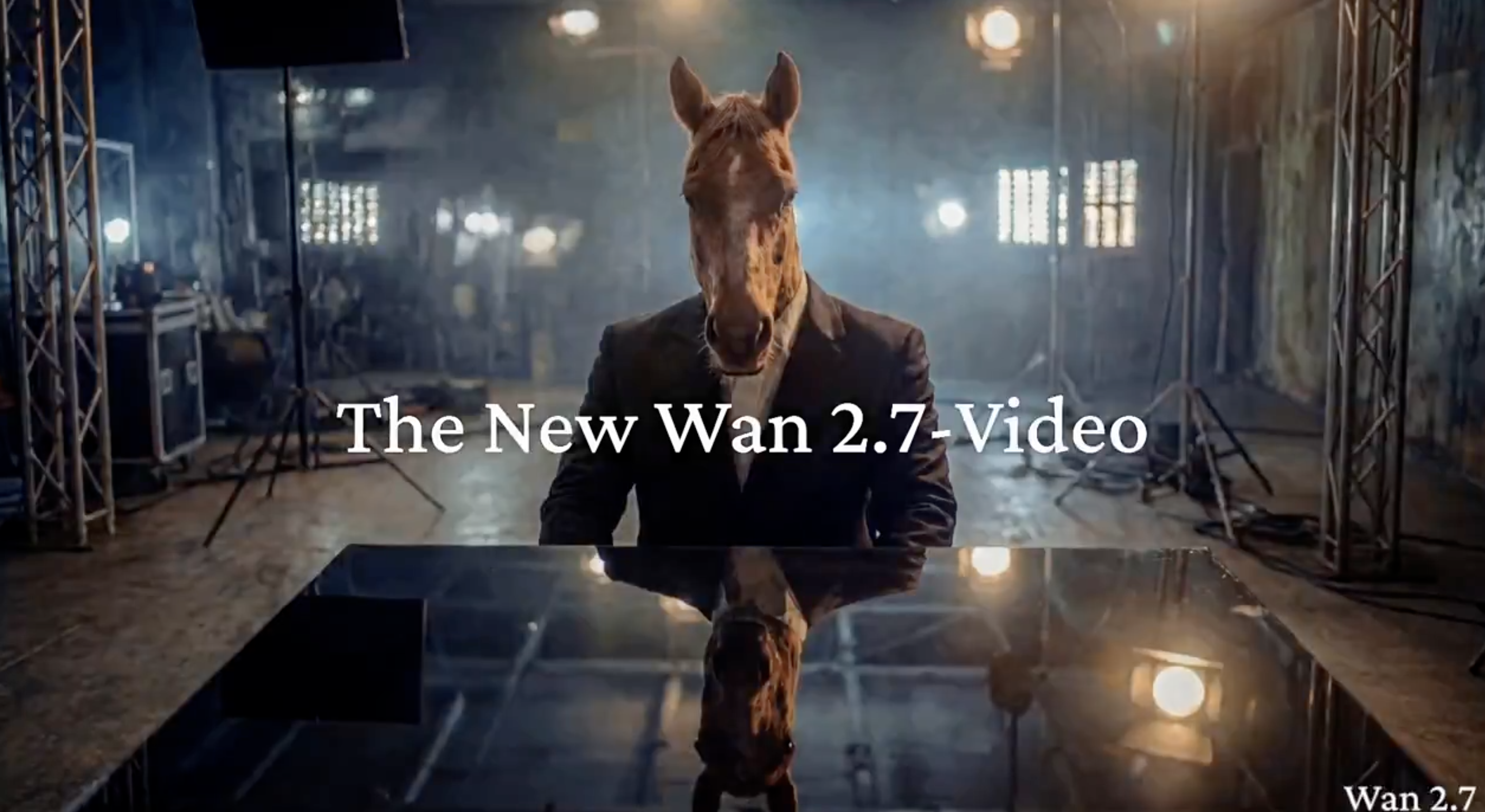
Kie AI 平台上用于 AI 视频生成的 Wan 2.7 视频 API 模式
Wan 2.7 T2V – 用于即刻生成视频的文生视频 API
只需数秒,即可将纯文本提示词转化为 720P–1080P 视频。Wan2.7-T2V 支持“思考模式”,能够以更佳的构图准确度处理复杂的场景描述。非常适合通过 Wan 2.7 API 快速制作社交媒体内容、广告素材及原型设计。 当你已通过 Wan 2.7 Video 完成参考素材生成视频、还需要对结果进行更可控的后续调整时,可转向 Wan 3.0 Video API 的视频编辑能力。
Wan 2.7 I2V – 支持首尾帧控制的图生视频
将单张图片或九宫格多图转化为流畅视频。Wan2.7-I2V 支持首尾帧控制,并自动推断中间的运动轨迹,确保主体特征一致性并大幅减少画面漂移。灵活的时长设置与多角度参考支持,使其成为通过 Wan 2.7 API 打造产品展示与多镜头叙事内容的理想之选。
Wan 2.7 R2V – 支持声音克隆与动作复刻的多参考视频生成
将最多5个图像、视频或音频作为参考输入 Wan2.7-R2V,仅需一次 API 调用,即可精准锁定人物外观、音色、口型同步、运镜及特效。即使是复杂的高动态动作也能稳定重现。其支持的参考数量领跑业界,是打造 AI 数字人及大规模生成角色高度一致的 Wan 2.7 AI 视频的首选模式。
Wan 2.7 Video Edit – 自然语言视频编辑 API
只需一句自然语言指令,即可轻松编辑现有视频。Wan2.7-VideoEdit 可实现局部修改、风格迁移、黑白视频上色及老视频修复——所有操作均可通过 Wan 2.7 API 轻松实现。无需重新生成视频,只需描述您的修改需求,模型即可精准执行。
Kie AI 平台上 Wan 2.7 视频API 的核心特性
Wan 2.7 AI 视频最高支持 1080P 高分辨率输出
Wan 2.7 AI 视频提供 720P 到 1080P 的稳定输出,并支持更长的生成时长以呈现更丰富的场景。借助 Wan 2.7 视频 API,开发者可以快速构建生产级工作流,确保在各类视频生成任务中始终保持一致的高品质。
Wan 2.7 视频API:首尾帧控制确保运动一致性
Wan 2.7 视频API 支持首尾帧控制,实现可预测的运动轨迹与更平滑的画面过渡。这让 Wan 2.7 AI 视频生成更加可控,显著提升多场景视频创作的叙事流畅度。
Wan 2.7 API:九宫格图像输入助力复杂场景构图
Wan 2.7 API 引入了九宫格图像输入功能,为场景布局提供多角度参考。Wan 2.7 AI 视频有效提升了构图准确性,并减少了复杂生成工作流中的画面漂移。
Wan 2.7 AI 视频:支持主体与语音参考,保持角色一致性
Wan 2.7 AI 视频支持主体与语音参考输入,确保角色外观、音色及口型同步的高度一致。Wan 2.7 视频API 非常适合叙事与角色驱动的视频创作。
Wan 2.7 视频API:基于指令的编辑,实现快速迭代
Wan 2.7 视频API 支持提示词驱动的编辑功能,如物体替换、风格转换和场景调整。这让 Wan 2.7 AI 视频工作流更加高效,无需完全重新生成,显著加速迭代进程。
如何在 Kie AI 上使用 Wan 2.7 视频 API
第一步:在 Kie AI Playground 体验 Wan 2.7 视频API
前往 Kie AI Playground 体验 Wan 2.7 视频API,测试其强大功能。在将 Wan 2.7 AI 视频集成到生产工作流之前,您可以通过上传图片、输入提示词或添加参考素材,提前预览 Wan 的视频生成效果。
第二步:获取 Wan 2.7 API Key 并查阅 API 文档
从 Kie AI 控制台获取 Wan 2.7 API Key 并查阅接口文档。了解 Wan 2.7 视频 API 的接口地址、鉴权机制与调用参数,轻松实现文生视频、图生视频及各类 Wan 视频生成工作流。
第三步:生成 Wan 2.7 AI 视频并集成至您的工作流
使用 Wan 2.7 视频 API,通过提示词、图片或参考图生成 Wan 2.7 AI 视频。将 Wan 2.7 生成的视频无缝集成至您的产品工作流、内容生产流程或 AI 视频工具中,实现视频的高效规模化创作。
在 Kie AI 上您可以构建的 Wan 2.7 视频 API 丰富应用场景
使用 Wan 2.7 文生视频 API 制作营销与产品展示视频
Product videos no longer require a production crew. Use the Wan 2.7 T2V API to generate polished ad creatives and demo clips directly from text prompts — or feed in image references via I2V to lock in brand visuals across every output. Multi-angle grid input lets teams iterate on creative directions fast, cutting turnaround from days to minutes.
使用 Wan 2.7 AI 视频高效量产社交媒体内容
Short-form platforms demand volume and consistency. With Wan 2.7 AI video generation on Kie.ai, content teams can produce lifestyle clips, hook videos, and scene transitions at scale — then use the VideoEdit API to swap backgrounds, shift tone, or localize content for different markets via a single natural-language instruction. One API call replaces hours of post-production.
使用 Wan 2.7 API 进行影视前期制作与分镜设计
Translate scripts into visual storyboards before a single frame is shot. Wan 2.7 API supports multi-shot narrative sequencing and camera movement control, letting directors and writers preview scenes with real motion — not static sketches. R2V mode keeps character appearance consistent across shots, making it practical for animatics and pitch decks alike.
通过 Wan 2.7 视频编辑 API 实现视频修复与风格迁移
Repurpose archival or low-quality footage without reshooting. The Wan 2.7 VideoEdit API handles black-and-white colorization, degraded footage restoration, and full style transfers — all triggered by plain-language instructions. Studios and archivists can modernize entire video libraries through batch API calls on Kie.ai, with the original motion structure preserved throughout.
为什么选择 Kie AI 的 Wan 2.7 视频 API?
为 Wan 2.7 视频 API 用户提供免费额度与灵活的计费方案
Kie AI 的 Wan 2.7 视频 API 为新用户提供免费体验额度,零前期成本即可测试 Wan 2.7 AI 视频效果。灵活的计费方案与入门级套餐,让 Wan 2.7 API 轻松满足各类预算与使用需求。
极具性价比的 Wan 2.7 API 定价,助力规模化 Wan AI 视频工作流
Kie AI 提供的 Wan 2.7 AI 视频服务拥有专为规模化应用打造的极具性价比的定价方案。Wan 2.7 视频 API 有效降低单次视频生成成本,让 Wan 2.7 完美适配初创团队、内容创作者以及生产级视频生成工作流。
一站式接入 Wan 2.7 视频 API 与 Wan 2.7 图像 API
Kie AI 一站式提供 Wan 2.7 视频 API 与 Wan 2.7 图像 API,让集成与管理更轻松。Wan 2.7 的 AI 视频与图像工作流可无缝协同,无需跨平台切换,大幅提升创作效率与一致性。