プロンプト拡張はデフォルトで有効
Kie.aiの両方のエンドポイントでは、パラメータを省略した場合も含め、デフォルトでenhance_promptが有効になっています。生成前にプロンプトをより詳細な記述に書き換えることで、品質が目に見えて向上します。プロンプトの書き換えを希望しない場合は、enhance_prompt: falseを指定してください。
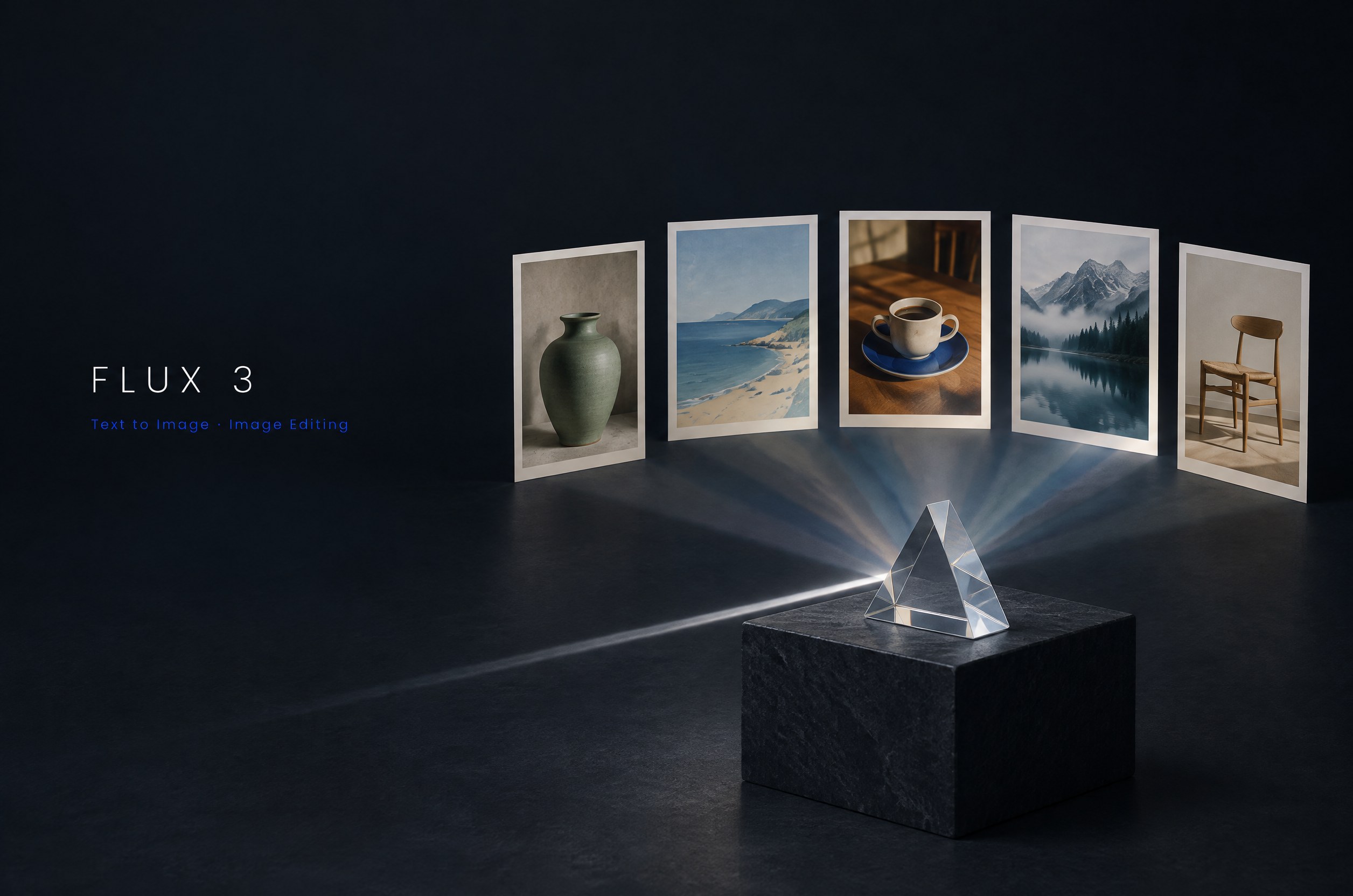
Flux 3はBlack Forest Labsの新世代画像モデルです。Kie AIではまず、最大4Kの高速なテキストから画像生成および複数参照による画像編集に対応するFlux 3 Kleinから提供を開始し、他のFlux 3モデルも順次追加していく予定です。
Describe the image to generate, in any language (up to 5,000 characters).
0/5000Output image width. Both must be passed at the same time; JSON integers, each side ≥256 and ≤4096; aspect ratio between 1:2.5 and 2.5:1. Once passed, aspect_ratio and resolution are ignored.
Output image height. Both must be passed at the same time; JSON integers, each side ≥256 and ≤4096; aspect ratio between 1:2.5 and 2.5:1. Once passed, aspect_ratio and resolution are ignored.
Output aspect ratio.
Output resolution: 1K, 2K or 4K. Higher resolutions cost more and take longer.
Output image format.
Number of images to generate with the same settings.
Random seed. Omit for a random result; with the same seed and parameters the result is reproducible. When generating multiple images, image i uses seed + i. 0-2147483647
Rewrites the prompt into a fuller description before generating, which noticeably improves quality. Enabled by default; pass false to turn it off. Recommended to turn off when your request must be followed literally (exact text edits, "keep X unchanged and only change Y", fixed compositions) or when latency matters.
A configurable parameter. Defaults to true in the Playground.
Explore different use cases and parameter configurations
Describe the edit in plain language: what to change and what to keep. Refer to reference images by their order ("image 1", "image 2"). Up to 5,000 characters, any language.
0/5000Click to upload or drag and drop
Supported formats: JPEG, PNG, WEBP Maximum file size: 30MB; Maximum files: 10
1 to 10 reference images (JPEG, PNG or WebP, up to 30 MB each). The order defines "image 1", "image 2" in your prompt. Reference images are free, but more images take longer.
Output image width. Both must be passed at the same time; JSON integers, each side ≥256 and ≤4096; aspect ratio between 1:2.5 and 2.5:1. Once passed, aspect_ratio and resolution are ignored.
Output image height. Both must be passed at the same time; JSON integers, each side ≥256 and ≤4096; aspect ratio between 1:2.5 and 2.5:1. Once passed, aspect_ratio and resolution are ignored.
Output aspect ratio. auto (default) follows the first reference image.
Output resolution: 1K, 2K or 4K. Higher resolutions cost more and take longer.
Output image format.
Number of images to generate with the same settings.
Random seed. Omit for a random result; with the same seed and parameters the result is reproducible. When generating multiple images, image i uses seed + i. 0-2147483647
Rewrites the prompt into a fuller description before generating, which noticeably improves quality. Enabled by default; pass false to turn it off. Recommended to turn off when your request must be followed literally (exact text edits, "keep X unchanged and only change Y", fixed compositions) or when latency matters.
A configurable parameter. Defaults to true in the Playground.
Explore different use cases and parameter configurations
Complete guide to using Flux 3
Black Forest Labsは、FLUX 3を画像、動画、音声、アクション予測に対応する単一のマルチモーダルモデルとして位置づけています。このページでは、そのオープンウェイト画像モデルであるFLUX 3 Image Kleinを、Kie.ai上の2つのAPIモデル(flux-3/klein-text-to-imageおよびflux-3/klein-edit-image)として提供します。テキストからの画像生成、指示に基づく画像編集、複数の参照画像の統合が可能です。
どちらのエンドポイントもPOST /api/v1/jobs/createTaskで実行され、callBackUrlまたはタスク詳細取得(Get Task Details)エンドポイントを通じて結果を返します。
| Parameter | Text-to-image | Edit |
|---|---|---|
| model | flux-3/klein-text-to-image | flux-3/klein-edit-image |
| prompt | 必須。最大5000文字のテキストプロンプト。 | 必須。画像の編集方法を記述する指示(最大5000文字)。 |
| image_urls | 使用しません。 | 必須。1〜10個の参照画像ファイルURL(ファイル本体ではありません)。対応形式:image/jpeg、image/png、image/webp。画像あたりMax 30.0MB。 |
| aspect_ratio | 1:1(デフォルト)、4:3、3:4、3:2、2:3、16:9、9:16、21:9、9:21。 | auto(デフォルト、最初の入力画像の比率に一致)、1:1、4:3、3:4、3:2、2:3、16:9、9:16、21:9、9:21。 |
| resolution | 1K(デフォルト)、2K、または4K。 | 1K(デフォルト)、2K、または4K。 |
| 幅と高さ | 任意指定。256〜4096の整数。両方同時に指定し、width:heightの比率を1:2.5〜2.5:1の範囲にする必要があります。指定した場合、aspect_ratioとresolutionは無視されます。 | 任意指定。256〜4096の整数。両方同時に指定し、width:heightの比率を1:2.5〜2.5:1の範囲にする必要があります。指定した場合、aspect_ratioとresolutionは無視されます。 |
| enhance_prompt | デフォルトでオン(省略時を含む)。生成前にプロンプトをより詳細な記述に書き換えるため、品質が目に見えて向上します。オフにするにはfalseを渡してください。 | デフォルトでオン(省略時を含む)。生成前にプロンプトをより詳細な記述に書き換えるため、品質が目に見えて向上します。オフにするにはfalseを渡してください。 |
| output_format | png(デフォルト)、jpeg、webp。 | png(デフォルト)、jpeg、webp。 |
| num_images | 1〜4(デフォルトは1)。 | 1〜4(デフォルトは1)。 |
| seed | 任意指定。0〜2147483647の整数。 | 任意指定。0〜2147483647の整数。 |
各画像は2026年10月にKie.ai上のFlux 3 Kleinで生成され、Web用にリサイズされています。
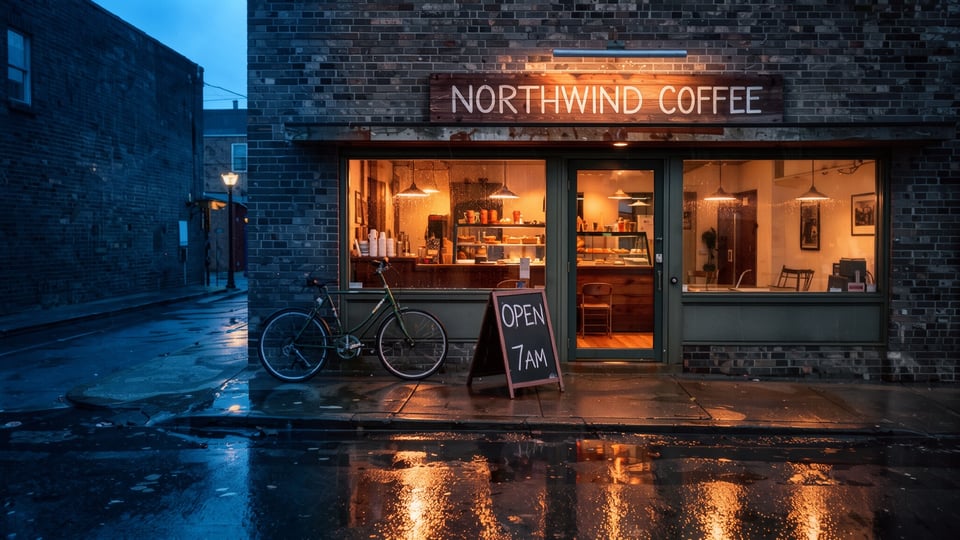
flux-3/klein-text-to-imageに対し、夕暮れ時の街角の小さなコーヒーショップ、白いペイントの大文字で「NORTHWIND COFFEE」と書かれた木製看板、歩道に置かれた「OPEN 7AM」と書かれたチョークのA型看板、窓からの温かい光、壁に立てかけられた自転車、光を反射する濡れた舗装道路を、4K解像度、16:9のアスペクト比、jpeg出力でリクエストしました。4096x2304 px(4K、16:9)のJPEGが返されました。2026年10月のテスト出力では、木製看板の「NORTHWIND COFFEE」と歩道の看板の「OPEN 7AM」の両方が指定通りに描画され、壁に立てかけられた自転車、光を反射する濡れた舗装道路、夕暮れの空、そして100%クロップでも細部が保たれた窓越しに見える店内の棚やカップが確認できました。
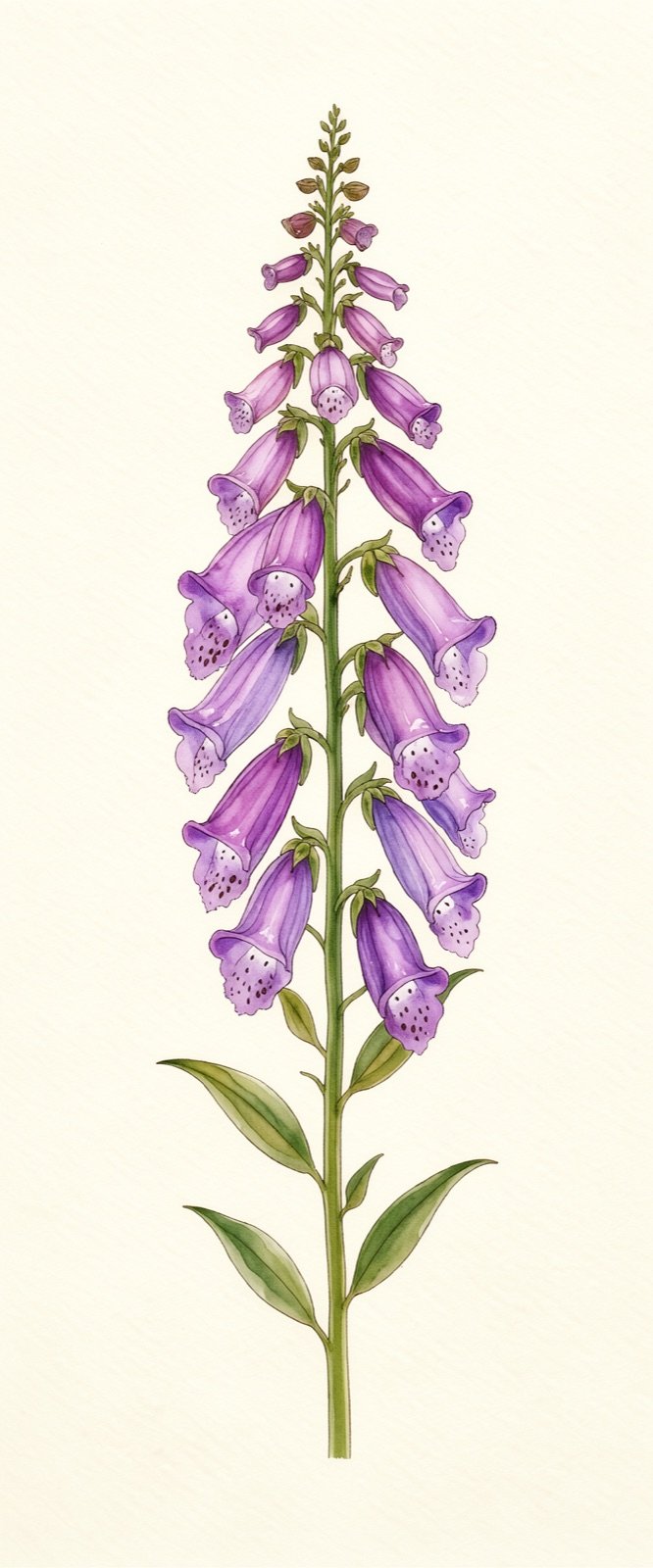
flux-3/klein-text-to-imageに対し、クリーム色の紙と無地の背景に、紫色の釣鐘型の花がついた1本のジギタリスの茎を描いた縦長の水彩ボタニカルイラストを、カスタムのwidthとheightを1000 x 2400、num_imagesを2、png出力に設定してリクエストしました。1回のリクエストから、指定した幅と高さに一致する1000x2400 pxのPNG画像が2枚返されました。どちらの出力もクリーム色の紙に描かれた水彩のジギタリスの茎であり、2枚の画像は花の数と配置が異なっています。
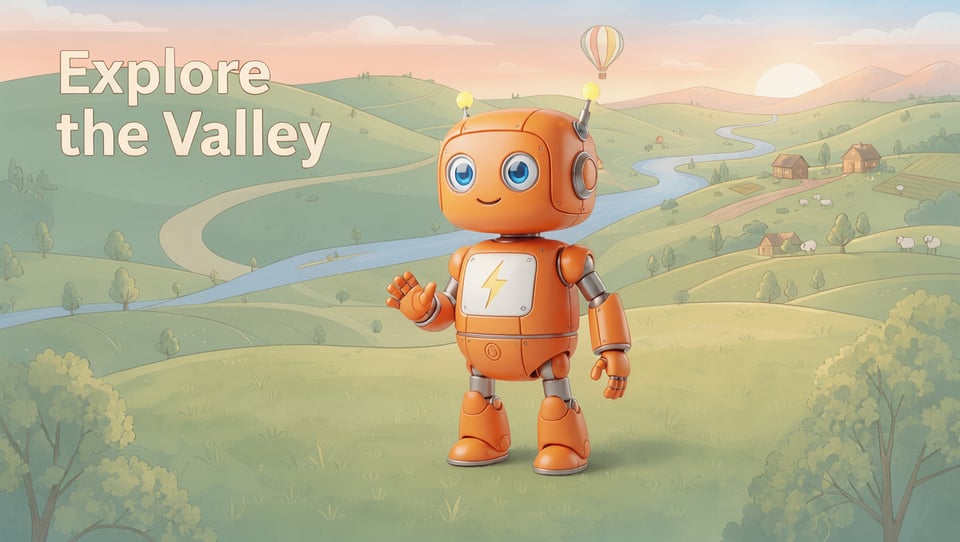
flux-3/klein-edit-imageに2枚の参照画像(1枚目にオレンジ色のロボットマスコットの画像、2枚目に「Explore the Valley」というタイトルのイラスト風の渓谷風景バナー)を渡し、1K解像度、16:9のアスペクト比、jpeg出力で、1枚目の画像のロボットをデザイン、色、比率を保ったまま2枚目の画像の芝生の上に配置し、カメラに向かって手を振らせるよう指示しました。1360x768 pxのJPEGが返されました。テスト出力では、ロボット(オレンジ色のボディ、青い目、稲妻の胸バッジ、先端が黄色い2本のアンテナ)が芝生の上で手を振って立ち、風景の「Explore the Valley」というタイトルも画像内に残りましたが、ロボットは風景のイラスト調のスタイルには馴染まず1枚目の滑らかな3Dレンダリングの見た目を維持したため、2つのスタイルの違いが目立つ結果となりました。
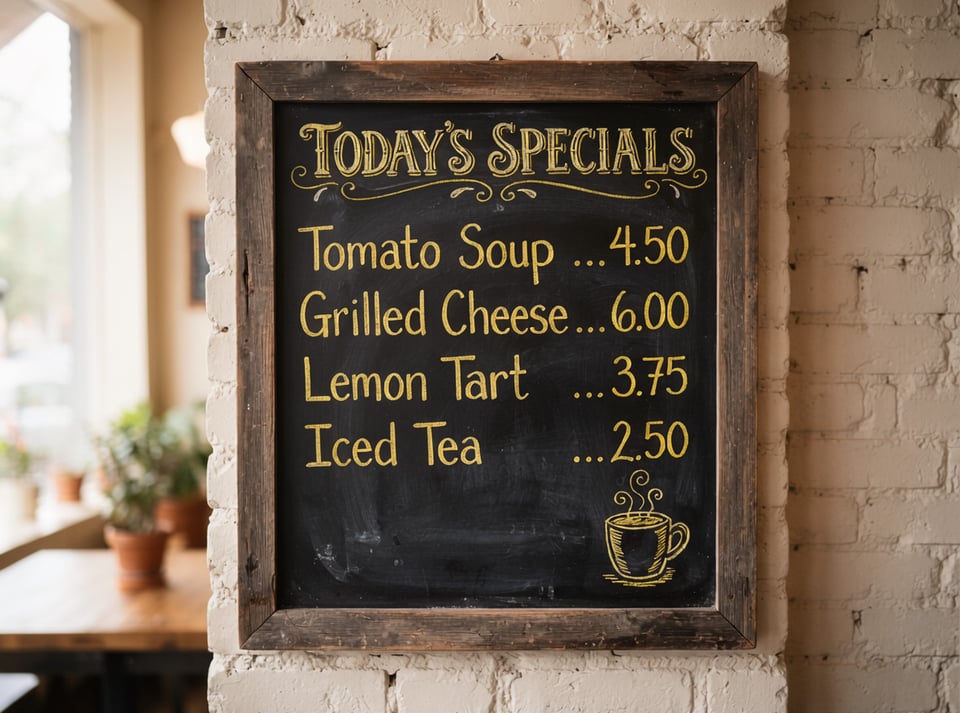
flux-3/klein-edit-imageに黒板メニューの写真を1K解像度、jpeg出力で渡し、すべての単語、数字、価格を同じ位置に保ち、他には何も変更せず、チョークの文字の色だけをすべて黄色に変更するよう指示しました。1184x880 pxのJPEGが返されました。「Today's Specials」ボード上のすべての単語と価格はそのまま維持され黄色に変わりましたが、プロンプトでは文字のみを指定したにもかかわらず、コーヒーカップのイラストと装飾の模様も黄色に変わりました。
Kie.aiのこのページでは、FLUX 3 Image Klein(flux-3/klein-text-to-imageおよびflux-3/klein-edit-image)のみを提供しています。
| Model | Black Forest Labsによる概要 | Kie.aiのこのページでの提供状況 |
|---|---|---|
| FLUX 3 Image Klein | FLUX 3 Imageファミリーのオープンウェイトモデル(56億パラメータ、単一のコンシューマー向けGPUで動作し、非蒸留版と蒸留版が公開されています)。テキストからの画像生成、指示に基づく画像編集、複数の参照画像を1枚の画像に統合する処理に対応しています。 | 対応 — flux-3/klein-text-to-imageおよびflux-3/klein-edit-imageとして提供 |
| FLUX 3 Image | 企業向けの商用ウェイトライセンスで利用可能。Black Forest Labsは、ネイティブの2Kおよび4K生成と最大10枚の参照画像に対応することを示しています。 | No |
| FLUX 3 Video | Black Forest LabsによりFLUX 3ファミリーの一部として記載されており、画像、動画、音声、およびアクション予測に対応する単一のマルチモーダルモデルと説明されています。 | No |
| FLUX 3 Max | Black Forest LabsによりFLUX 3ファミリーの一部として記載されています。 | No |
| FLUX 3 Action | Black Forest LabsによりFLUX 3ファミリーの一部として記載されています。 | No |
Kie.aiの両方のエンドポイントでは、パラメータを省略した場合も含め、デフォルトでenhance_promptが有効になっています。生成前にプロンプトをより詳細な記述に書き換えることで、品質が目に見えて向上します。プロンプトの書き換えを希望しない場合は、enhance_prompt: falseを指定してください。
widthとheightには256〜4096の整数値を指定できます(幅と高さの比率は1:2.5〜2.5:1の範囲内)。これらは両方同時に指定する必要があり、指定した場合はaspect_ratioとresolutionは無視されます。
Kie.aiはこのモデルをプレイグラウンド付きのAPIとして提供しており、アプリのダウンロードやインストールは不要です。コードを書かずに、このページのプレイグラウンドでモデルを試すことができます。
Kie.aiマーケット内のすべてのモデルは同じ認証方式を使用します。Kie.aiのAPIキー管理ページで取得したキーを使い、Authorization: Bearer YOUR_API_KEYヘッダーを指定してください。アカウントにはすべての生成サービスで共通のクレジット残高が1つあり、残りクレジット取得APIで確認できます。
flux-3/klein-text-to-imageとflux-3/klein-edit-imageはどちらもPOST /api/v1/jobs/createTaskを使用し、1K、2K、4Kの解像度プリセット、256〜4096のカスタムの幅と高さ、および1リクエストあたり最大4枚の画像生成(num_images)に対応しています。