README
Complete guide to using 4o-image-api
Affordable GPT-Image-1 API
Integrate the GPT-Image-1 API on Kie.ai for fast, reliable, and scalable access to OpenAI’s 4o Image Generation Model, with clear API documentation and dedicated developer support.
GPT-Image-1 API: Integrate OpenAI’s 4o Image Generation Model
The GPT-Image-1 API, also known as the 4o Image API, is OpenAI’s latest AI image generation model. Unlike traditional diffusion models, it unifies text and vision understanding, allowing developers to produce high-resolution, context-aware images directly from natural language prompts. Whether for app interfaces, marketing visuals, or AI design tools, it delivers exceptional accuracy, compositional control, and visual detail.Through Kie.ai, developers can access the 4o image generation API at affordable API pricing, with fast responses and scalable infrastructure—making it the most efficient way to bring GPT-Image-1 into real-world applications.
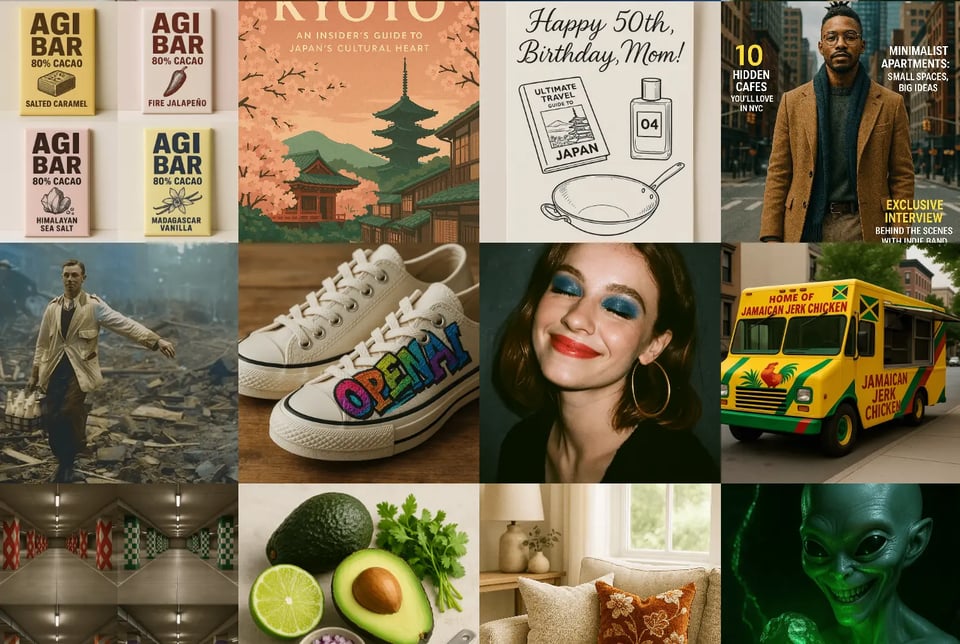
Key Features of ChatGPT 4o Image Generation API
Text-to-Image and Image-to-Image
The 4o Image Generation API (powered by GPT-Image-1 model) supports both text-to-image and image-to-image workflows. Developers can create high-resolution visuals from simple text prompts or refine existing images through intelligent editing and variation features.
Accurate Text Rendering in Images
One of the standout improvements of the 4o Image API is its ability to render text clearly within generated images. Whether it’s signage, UI elements, or product labels, the GPT-Image-1 API ensures readable, contextually correct text placement—solving a long-standing limitation in AI image generation.
Precise Instruction Following
The GPT-Image-1 API excels at interpreting complex prompts and following nuanced instructions. It understands relationships between objects, lighting, and composition, ensuring that each generated image aligns closely with the user’s intent.
World Knowledge and Contextual Awareness
Built on OpenAI’s multimodal foundation, GPT-Image-1 integrates deep world knowledge and contextual understanding into every generation. It recognizes real-world objects, cultural elements, and scene logic, producing visuals that feel natural, grounded, and contextually accurate for diverse use cases.
Diverse Artistic and Visual Styles
From photorealistic renders to Ghibli-style anime illustrations, the 4o Image Generation API supports a wide spectrum of artistic directions. Developers can easily adjust tone, lighting, and visual aesthetics to match brand identity or creative direction.
Consistent Characters and Styles
The GPT-4o Image API maintains remarkable character and style consistency across multiple generations. Whether you’re designing branded avatars, recurring characters, or sequential scenes, the API preserves key visual traits, ensuring coherent outputs throughout creative workflows.
Affordable 4o Image API Pricing on Kie.ai
The GPT-Image-1 API pricing on Kie.ai is affordable and flexible — no subscriptions, no token math, and no hidden fees. Instead of OpenAI’s complex token-based billing (where output images are billed at around $40 per million tokens) or FAL’s BYOK setup, Kie.ai offers clear per-call pricing that developers can easily predict and control.
Kie.ai uses a credit-based system with no recurring subscriptions. You can start with as little as $5, and purchasing more credits unlocks additional discounts, providing a simple and cost-effective way to use the 4o Image API.
| Output Type | Price (USD per API Call) |
|---|---|
| 1 Image Output | $0.03 |
| 2 Image Outputs | $0.035 |
| 4 Image Outputs | $0.04 |
GPT-Image-1 API Examples — Real-World Applications of the 4o Image
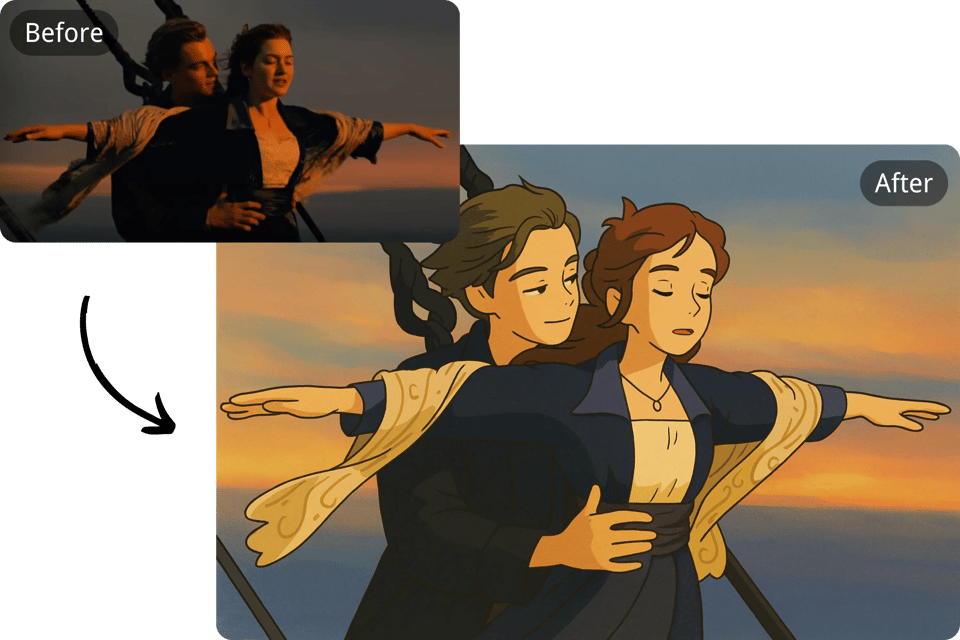
Studio Ghibli Style Art
With Kie.ai's GPT-4o Image API, users can generate visuals inspired by Studio Ghibli's iconic style. By providing descriptive prompts, the GPT-Image-1 API produces images with the whimsical and detailed aesthetics characteristic of Ghibli films, aiding in concept art and creative projects.Prompt: "Transform this photo into ghibli style".
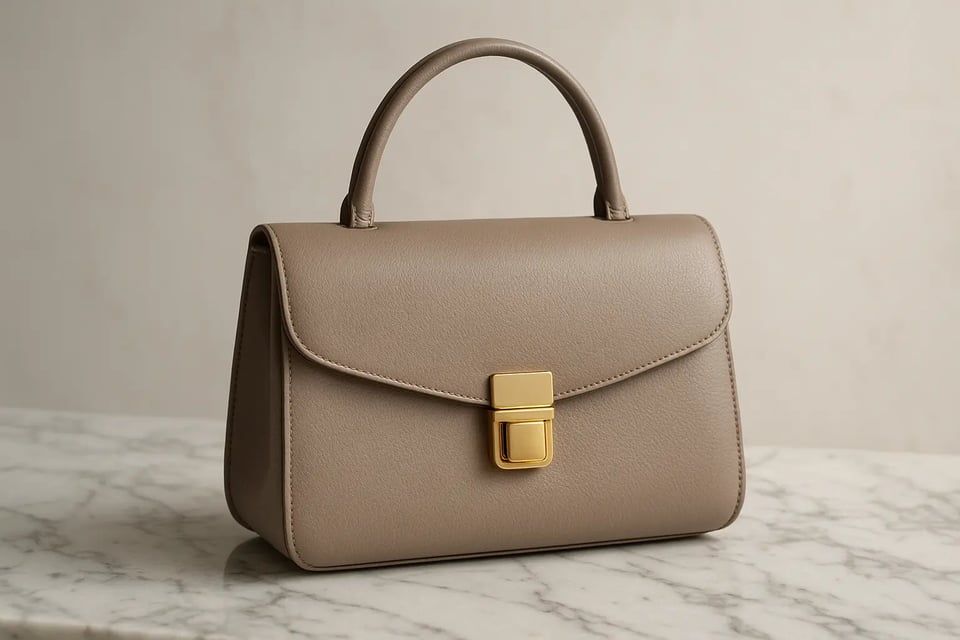
Product Visualization & Presentation
Utilizing the OpenAI 4o Image Generation API, businesses can create realistic product mockups and presentations. For instance, generating high-quality images of a new gadget from textual descriptions enables companies to showcase products without the need for physical prototypes.Prompt:"A luxury leather handbag in soft taupe, with a gold clasp, resting on a marble surface".
Information & Infographic Design
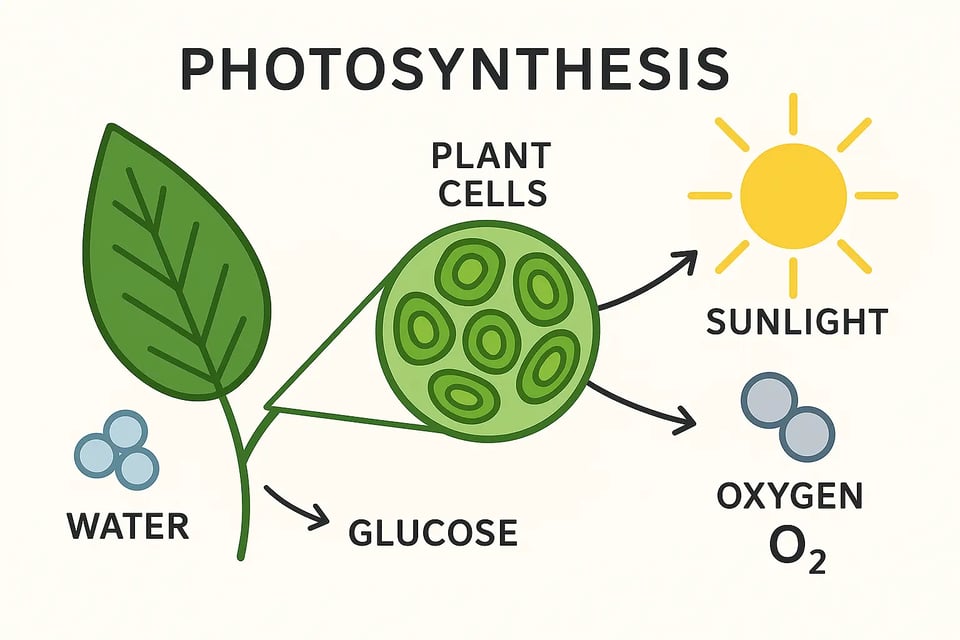
Powered by deep contextual understanding, the OpenAI 4o Image API can produce informative visuals and diagrams that clearly convey complex data. By leveraging the model’s world knowledge, users can generate educational infographics or business charts that are both accurate and visually engaging.Prompt:"A diagram explaining the process of photosynthesis, including plant cells, sunlight, and water molecules in a clean, labeled layout".
Consistent Character and Asset Design
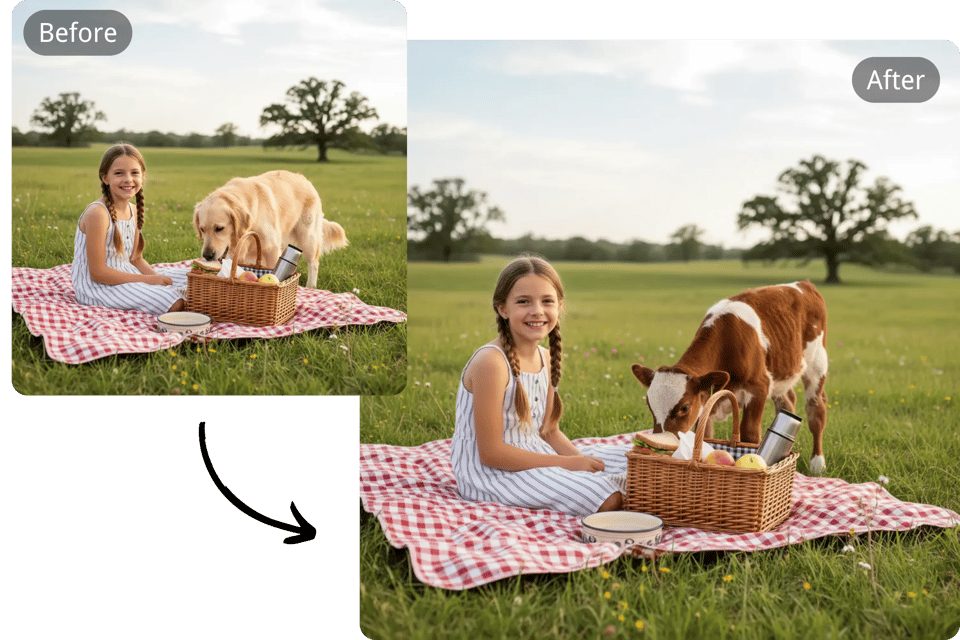
The GPT-4o Image Generation API helps developers and game artists maintain character and style consistency across multiple scenes. By specifying attributes and styles, the API produces detailed character images, ensuring uniformity across different scenes and iterations.Prompt:"Change the dog in the picture into a calf"
Why Choose Kie.ai for the GPT Image 1 API
Text-to-Image and Image Editing on One Endpoint
4o-image-api runs on POST /api/v1/jobs/createTask for both text-to-image and editing: send a prompt, up to 5 reference images, or both, in one of three aspect ratios; the full parameter list is in the playground and API docs above. Pricing is shown in the pricing card above.
Use files_url, Not the Deprecated file_url
Pass reference images in files_url. The single file_url field is deprecated; use files_url instead. Reference images must be publicly reachable URLs. Files that are not hosted yet can be uploaded first with the Kie.ai File Upload API (Base64, file stream or remote URL).
14-Day Storage, Callbacks and 80 Free Credits
Generated images are stored for 14 days and expire after that. Pass a callBackUrl to receive the result when the task finishes, verify each callback with the HMAC signature described in the Kie.ai webhook guide, and query Get Task Details for the authoritative result. New Kie.ai users receive 80 free credits for testing.
How to Integrate the GPT-Image-1 API on Kie.ai
Step 1: Get Your GPT-Image-1 API Key
Step 2: Make an Image Generation Request
Step 3: Check Task Status or Use Callbacks