A text description of the image you want to generate
0/2995Width-height ratio of the image, determining its visual form.
Basic outputs 2K images, while High outputs 3K images, and Ultra outputs 4K images.
Format of the output image
A configurable parameter. Defaults to true in the Playground.
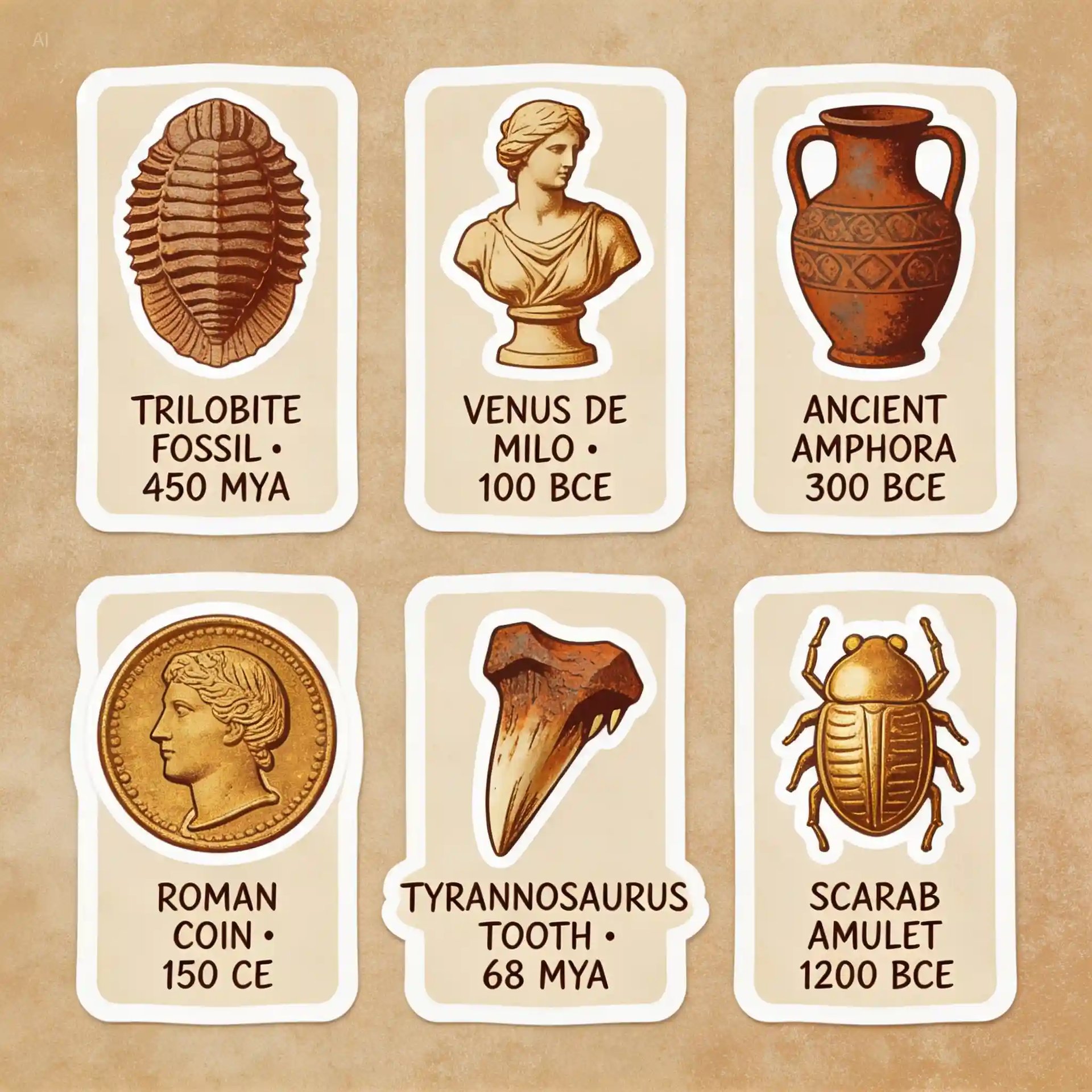
Explore different use cases and parameter configurations
A text description of the image you want to generate
0/2995Click to upload or drag and drop
Supported formats: JPEG, PNG, WEBP Maximum file size: 30MB; Maximum files: 14
Upload an image file to use as input for the API
Width-height ratio of the image, determining its visual form.
Basic outputs 2K images, while High outputs 3K images, and Ultra outputs 4K images.
Format of the output image
A configurable parameter. Defaults to true in the Playground.

Explore different use cases and parameter configurations
README
Complete guide to using Seedream 5.0 Lite
ByteDance Seedream 5.0 Lite API for Multimodal Reasoning Image Generation
Access Seedream 5.0 Lite API on Kie AI for reasoning-driven image generation. Try it free in the playground or integrate via API to build scalable text-to-image and image editing workflows.
Seedream 5.0 Lite API Models on Kie AI
Seedream V5.0 Lite Text-to-Image API
Kie AI provides Seedream V5.0 Lite text-to-image API for generating high-quality visuals directly from prompts. Use it to create marketing graphics, concept visuals, and structured images with strong reasoning and consistent output quality.
Seedream V5.0 Lite Edit API (Image-to-Image)
Kie AI also offers Seedream V5.0 Lite edit API for image-to-image generation. Upload an image and apply edits, style changes, or creative adjustments using simple instructions to quickly produce new visual variations. For projects that call for precise local editing, multi-layer separation, and denser visual information handling, consider stepping up to the newer Seedream 5.0 Pro API.
What’s New: Seedream 5.0 Lite API Core Highlights
Unified Multimodal Reasoning in Seedream 5.0 Lite API
Seedream 5.0 Lite API combines multimodal understanding with deep thinking to improve image generation accuracy. On Kie AI, Seedream API better interprets vague prompts, aligns visuals with intent, and delivers consistent creative results.
World Knowledge Enhanced Generation with Seedream AI API
Powered by an expanded world knowledge system, Seedream AI API creates visuals that follow real-world logic. Kie AI users can generate educational graphics, structured diagrams, and professional visuals with stronger accuracy and clarity.
Real-Time Retrieval Capabilities in Seedream 5 Lite API
Seedream 5 Lite API introduces real-time retrieval to support up-to-date image creation. Through Kie AI, Seedream API can generate timely visuals for trends, marketing, and data-driven content while keeping results relevant and context-aware.
Key Features of Seedream 5.0 Lite API on Kie AI
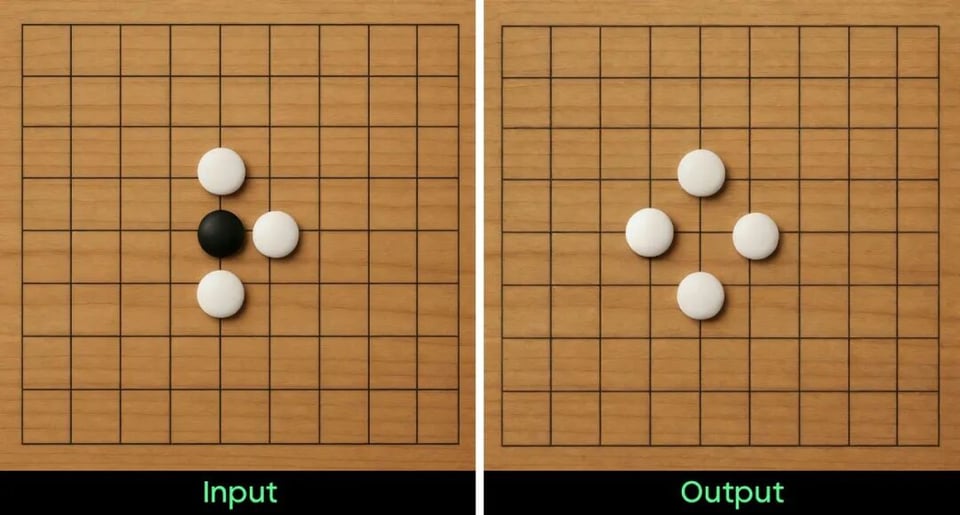
Visual Reasoning Image Generation with Seedream AI API
Seedream AI API supports multi-step visual reasoning to create images that follow logic, spatial rules, and real-world structure. It understands composition and relationships, helping users generate coherent visuals with stronger accuracy and fewer retries.
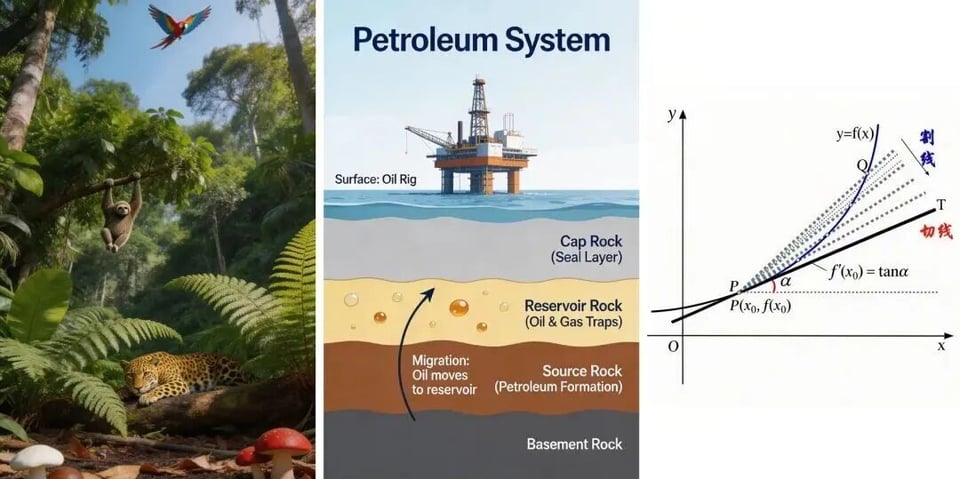
Information Visualization with Seedream 5.0 Lite API
Seedream 5.0 Lite API transforms complex knowledge into clear diagrams, educational visuals, and presentation graphics. By combining reasoning with structured understanding, it helps users turn abstract ideas into readable and visually organized content.
Real-Time Trend-Based Creation via Seedream API
Seedream API includes real-time retrieval capabilities to generate visuals based on current events and live data. This makes it ideal for marketing campaigns, news-related graphics, and trend-driven content that requires timely and relevant outputs.

Precise Style Transfer in Seedream 5 Lite API
Seedream 5 Lite API enables accurate style transfer using reference images. It understands artistic tone, lighting, and visual mood, allowing creators to apply consistent styles without writing complex prompts or detailed technical instructions.
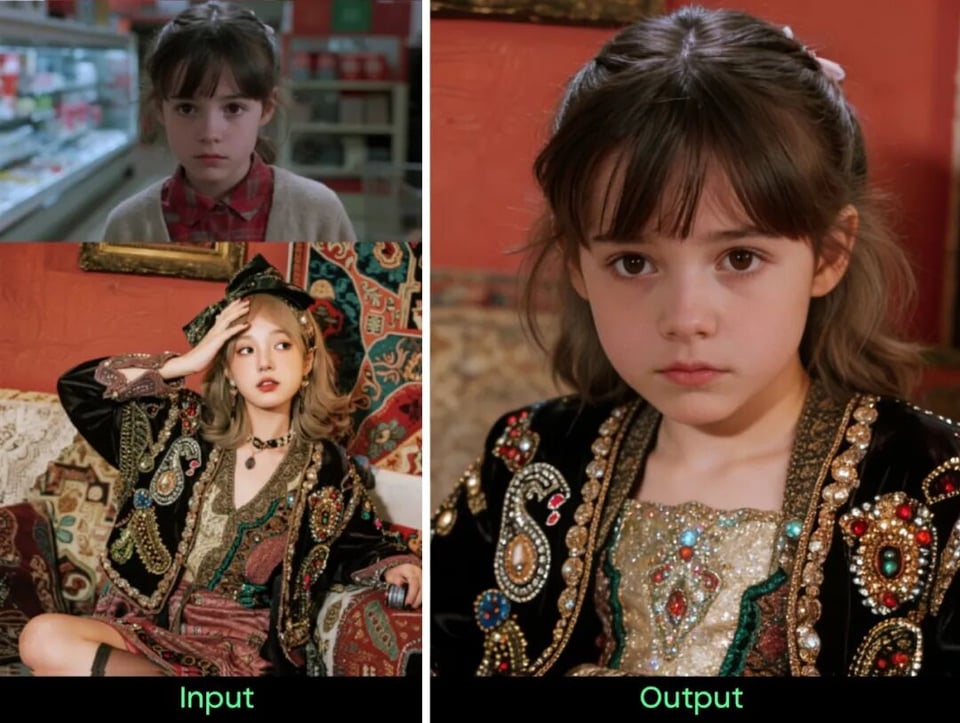
Intelligent Image Editing in Seedream AI API
Seedream AI API can interpret short or vague editing instructions and infer user intent like a professional designer. It performs precise edits while preserving non-edited areas, making image refinement faster and more controllable.
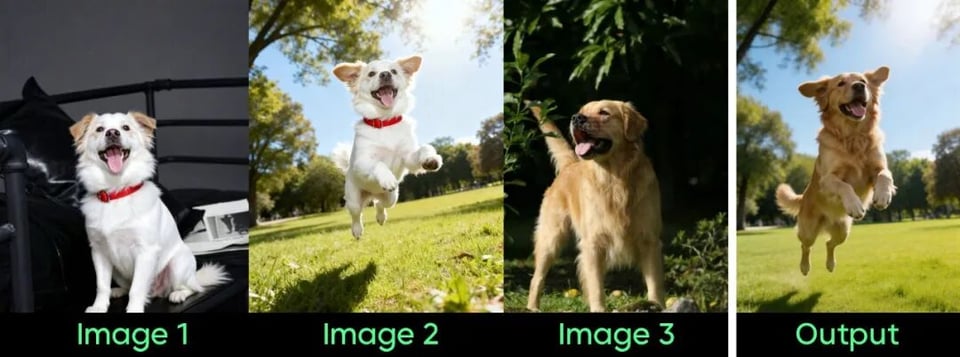
Complex Multi-Subject Generation with Seedream 5.0 API
Seedream 5.0 API handles complex scenes involving multiple subjects with accurate attribute control. It reduces hallucination and missing elements, ensuring stable generation results even when prompts include detailed spatial or object relationships.

Seedream 5.0 Lite API Benchmark & Performance Evaluation
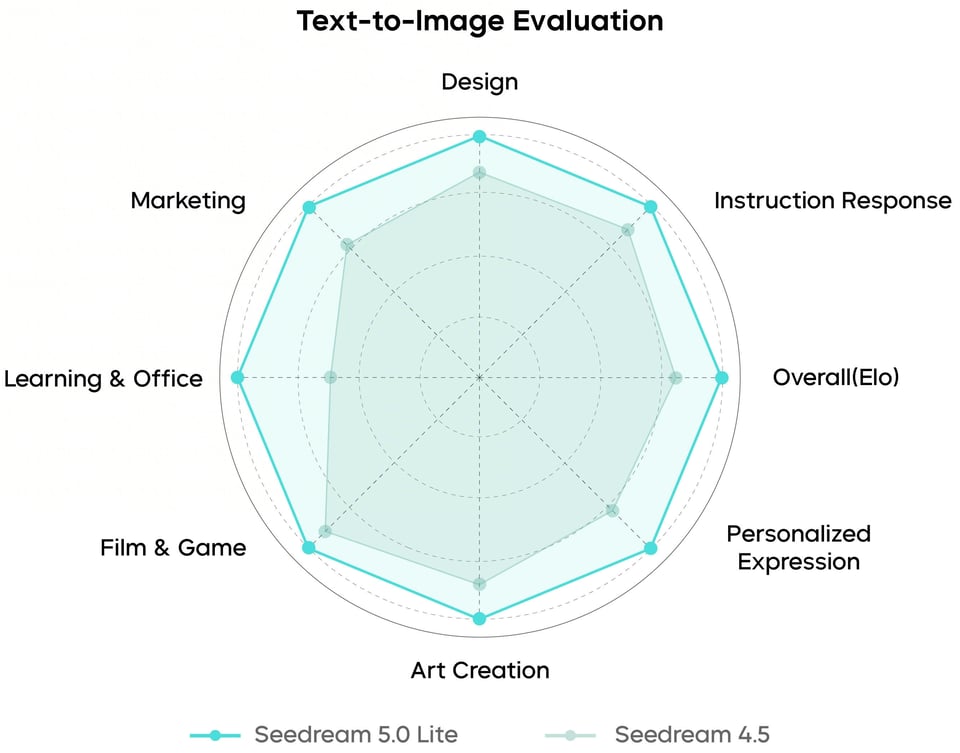
Seedream 5.0 Lite Text-to-Image Benchmark
Seedream 5.0 Lite shows stronger text-to-image performance with improved prompt understanding, reasoning, and image consistency. Benchmark results highlight higher Elo scores and better alignment with user intent in real-world generation tasks.
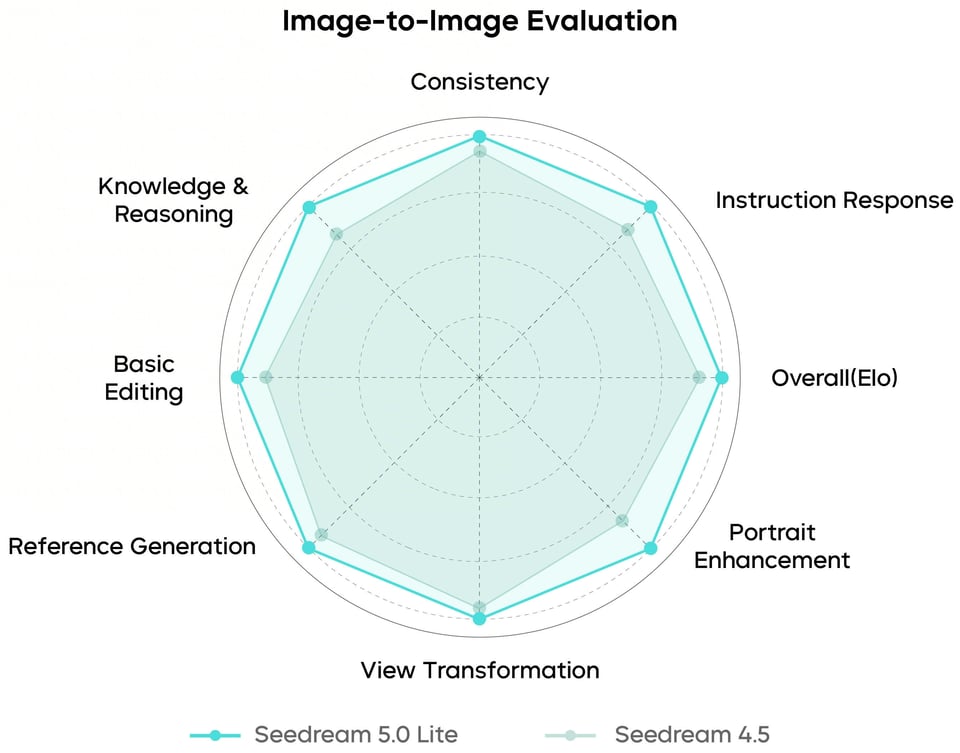
Seedream 5.0 Lite Image-to-Image Benchmark
In image-to-image testing, Seedream 5.0 Lite delivers more stable editing results and improved control. It better follows edit instructions while preserving non-edited areas, making iterative visual workflows more reliable and efficient.
How to Try Seedream 5.0 Lite API Free on Kie AI
Step 1 — Try Seedream 5.0 Free in the Playground
Step 2 — Get Your API Key and Review Documentation
Step 3 — Use Seedream AI API in Your Workflow
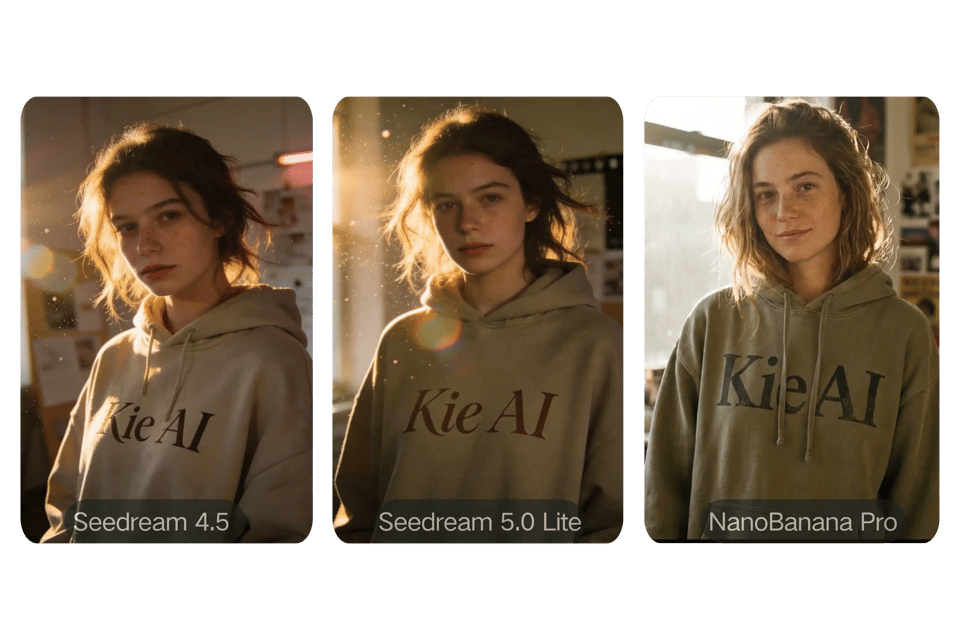
Seedream 5.0 Lite vs Seedream 4.5 and Nano Banana Pro
Seedream 5.0 Lite vs 4.5 Upgrade and Nano Banana Pro
Seedream 5.0 Lite improves on Seedream 4.5 with stronger multimodal reasoning, better instruction accuracy, and more consistent editing results. Compared with Nano Banana Pro, it focuses more on precise, layout-aware generation and controlled workflows, while Nano Banana Pro emphasizes fast creative generation and remix-style editing.On Kie AI, all three models are available, allowing users to compare and choose based on their own workflow needs.
Why Choose Seedream 5.0 Lite API on Kie AI
Free Access to Seedream 5.0 API for New Users
New users can test Seedream 5.0 Lite API with free credits on Kie AI, or choose affordable starter credits to continue building. Flexible pricing options make it easy to scale based on different project sizes and usage needs.
Affordable Seedream 5.0 API Pricing with Stable Performance
Kie AI offers affordable Seedream 5.0 API pricing built for real production use. Enjoy strong cost efficiency, consistent output quality, and stable API performance for both experimentation and large-scale workflows.
Access Multiple Seedream AI APIs in One Platform
Kie AI provides unified access to multiple Seedream AI APIs in one platform. Manage models more efficiently, simplify integration, and scale your image generation workflow without switching tools or infrastructure.