The prompt to fill the masked part of the image.
Click to upload or drag and drop
Supported formats: JPEG, PNG, WEBP Maximum file size: 10MB; Maximum files: 5
A set of images to use as character references. Currently only 1 image is supported, rest will be ignored. (maximum total size 10MB across all character references). The images should be in JPEG, PNG or WebP format
The rendering speed to use. Default value: "BALANCED"
The style type to generate with. Cannot be used with style_codes. Default value: "AUTO"
Determine if MagicPrompt should be used in generating the request or not. Default value: true
Select description
The resolution of the generated image Default value: square_hd
Seed for the random number generator
Description of what to exclude from an image. Descriptions in the prompt take precedence to descriptions in the negative prompt. Default value: ""
A configurable parameter. Defaults to true in the Playground.

Explore different use cases and parameter configurations
The prompt to fill the masked part of the image.
Click to upload or drag and drop
Supported formats: JPEG, PNG, WEBP Maximum file size: 10MB
The image URL to generate an image from. Needs to match the dimensions of the mask.
Click to upload or drag and drop
Supported formats: JPEG, PNG, WEBP Maximum file size: 10MB
The mask URL to inpaint the image. Needs to match the dimensions of the input image.
Click to upload or drag and drop
Supported formats: JPEG, PNG, WEBP Maximum file size: 10MB; Maximum files: 5
A set of images to use as character references. Currently only 1 image is supported, rest will be ignored. (maximum total size 10MB across all character references). The images should be in JPEG, PNG or WebP format
The rendering speed to use. Default value: "BALANCED"
The style type to generate with. Cannot be used with style_codes. Default value: "AUTO"
Determine if MagicPrompt should be used in generating the request or not. Default value: true
Select description
Seed for the random number generator
A configurable parameter. Defaults to true in the Playground.

Explore different use cases and parameter configurations
The prompt to remix the image with
Click to upload or drag and drop
Supported formats: JPEG, PNG, WEBP Maximum file size: 10MB
The image URL to remix
Click to upload or drag and drop
Supported formats: JPEG, PNG, WEBP Maximum file size: 10MB; Maximum files: 5
A set of images to use as character references. Currently only 1 image is supported, rest will be ignored. (maximum total size 10MB across all character references). The images should be in JPEG, PNG or WebP format
The rendering speed to use. Default value: "BALANCED"
The style type to generate with. Cannot be used with style_codes. Default value: "AUTO"
Determine if MagicPrompt should be used in generating the request or not. Default value: true
Select description
Select description
Seed for the random number generator
Strength of the input image in the remix Default value: 0.8
Description of what to exclude from an image. Descriptions in the prompt take precedence to descriptions in the negative prompt. Default value: ""
Click to upload or drag and drop
Supported formats: JPEG, PNG, WEBP Maximum file size: 10MB; Maximum files: 5
A set of images to use as style references (maximum total size 10MB across all style references). The images should be in JPEG, PNG or WebP format
Click to upload or drag and drop
Supported formats: JPEG, PNG, WEBP Maximum file size: 10MB
A set of masks to apply to the character references. Currently only 1 mask is supported, rest will be ignored. (maximum total size 10MB across all character references). The masks should be in JPEG, PNG or WebP format
A configurable parameter. Defaults to true in the Playground.

Explore different use cases and parameter configurations
Ideogram Character API: Ensuring Perfect Character Consistency in Every Scene
Kie.ai's Ideogram Character API lets you seamlessly generate, edit, and remix characters while maintaining consistent visual identity across different styles and contexts.
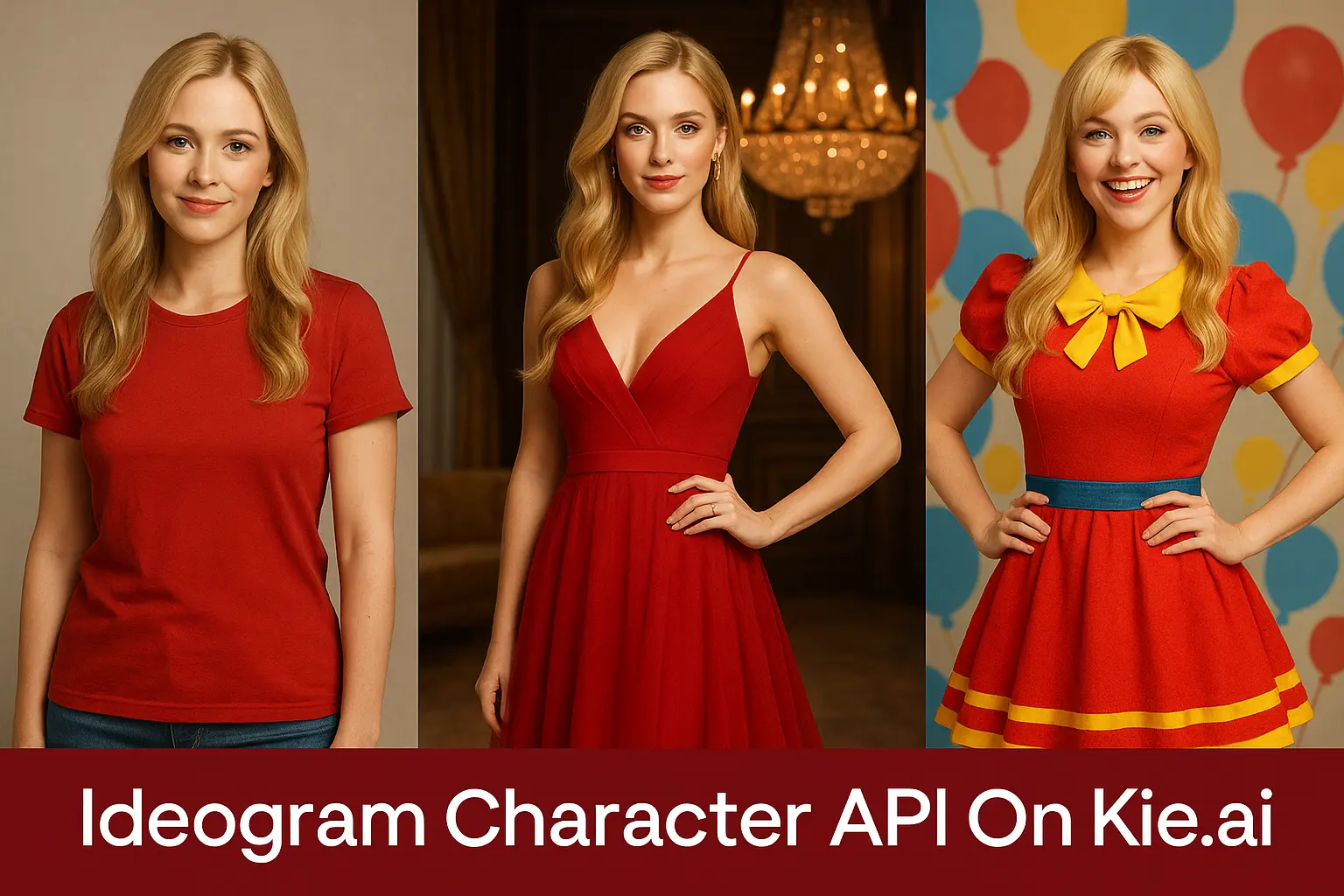
What is Ideogram Character API
Ideogram Character is a groundbreaking character consistency model developed by Ideogram AI, designed to generate infinite variations of characters—both real and fictional—using just a single reference image. Leveraging advanced facial and hair detection algorithms, this Character Consistency Model creates a precise identity map that preserves core traits such as facial features, proportions, and distinctive characteristics across diverse scenes, styles, and contexts, ensuring striking visual fidelity and high-fidelity output even in complex transformations. Building on this innovative foundation, the Ideogram Character API extends these capabilities to developers and creators, enabling seamless integration for applications in storytelling, branding, and personalized visual generation workflows. Kie.ai provides access to Ideogram Character API, offering flexible endpoints for base generation, edit, and remix operations, with options for Ideogram Character API Free trials to facilitate easy adoption and exploration of its Ideogram Character Consistency features.
What You Can Do with Kie.ai's Ideogram Character API
Ideogram Character API Base
Ideogram Character API’s Base operation enables the creation of visually consistent character images from a single reference. By supplying a clear image and a descriptive prompt, users can generate new scenes or poses while maintaining defining traits like facial structure and hairstyle.
Ideogram Character API Edit
With the Ideogram Character API’s Edit operation, creators can fine-tune generated or existing characters without sacrificing identity consistency. It allows adjustments to pose, expression, clothing, or even mask regions—facilitating precise control over how the character appears.
Ideogram Character API Remix
Ideogram Character API’s Remix operation transforms consistent characters into new artistic styles or scenarios. By combining a reference image with a prompt, it enables seamless style transfer while preserving the character’s recognizable features and identity.
Kie.ai's Ideogram Character API Tutorial: Professional Access Guide
Obtain Your Ideogram Character API Key
To access the Ideogram Character API, begin by creating an account on Kie.ai. Once registered, navigate to the API dashboard to generate your unique API key. This key is essential for authenticating your requests and accessing the various endpoints offered by the Ideogram Character API, including character generation, editing, and remixing functionalities.
Configure Your Ideogram Character API Request
When preparing to make an API call, select the appropriate model endpoint based on your desired operation: - Character Generation: Utilize the model designed for generating consistent character images from a single reference. - Character Editing: Choose the model tailored for refining and customizing character masks. - Character Remixing: Opt for the model that facilitates style transfer and prompt enhancement. For each request, provide the necessary input parameters, such as a clear reference image URL, descriptive prompts, and any optional configurations like image resolution, rendering speed, and style preferences. Proper configuration ensures optimal results and maintains character consistency across different outputs.
Submit the Ideogram Character API Request
With your API key and input parameters ready, send a POST request to the appropriate endpoint, typically structured as /api/v1/ideogram-character/createTask. Include your API key in the authorization header and the input data in the request body.
Monitor and Retrieve Results
To check the status of your task, use the taskId provided in the initial response to make a GET request to the task status endpoint. Once the task is complete, you can download the resulting image or integrate it into your application as needed. Our Ideogram Character API ensures that the generated characters maintain visual consistency, preserving key traits like facial features and hairstyle across different scenes and styles.


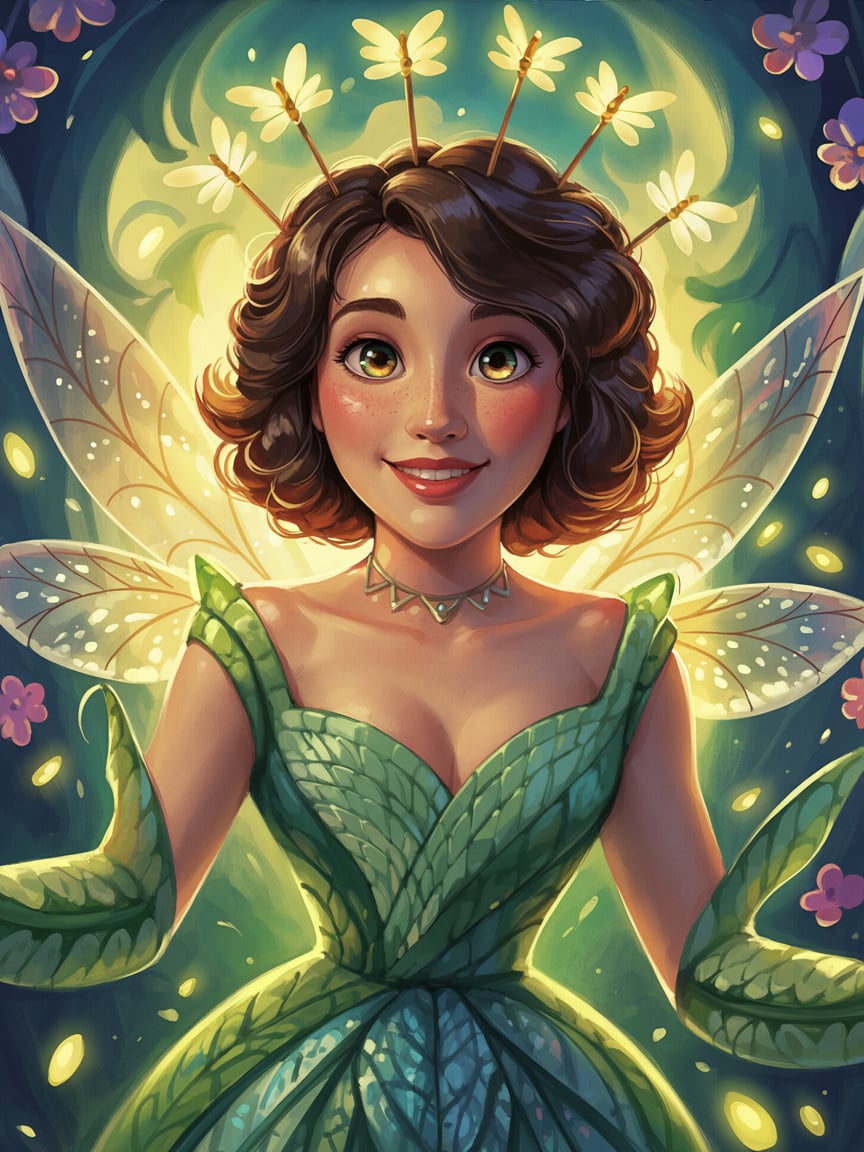
Why Choose Kie.ai for Your Ideogram Character API Platfrom
Ideogram Character API for Consistent Character Identity
Ideogram Character API is designed to maintain character identity across different scenarios. With advanced Ideogram Character Consistency, it preserves key visual traits—such as facial features and hairstyle—while adapting characters seamlessly to new poses, scenes, or artistic styles.
Ideogram Character API with Flexible Operations
Supporting Base, Edit, and Remix, Kie.ai's Ideogram Character API provides creators with versatile tools for character generation. From producing new images with a single reference to refining masks or applying style transfers, it empowers users to explore creative storytelling and branding with ease.
Affordable Credit-Based Ideogram Character API Pricing
Through Kie.ai, the Ideogram Character API is available with transparent, credit-based pricing. This flexible model allows creators to scale usage according to project needs, ensuring cost efficiency without the restrictions of traditional subscription plans.
Comprehensive Ideogram Character API Documentation and Support
Kie.ai offers comprehensive documentation, tutorials, and responsive support to guide users through the Ideogram Character API. Whether experimenting with initial projects or managing large-scale workflows, creators can rely on detailed resources backed by the Ideogram AI ecosystem.
Comparing Ideogram Character with Nano Banana and Flux Kontext in Character Consistency
Ideogram Character delivers exceptional consistency in generating character variations from a single reference image, making it a powerful tool for storytelling, branding, and photorealistic content creation. Its intuitive operations, including base generation, edit, and remix, provide creators with unmatched flexibility. As the AI image generation landscape evolves, emerging models like Nano Banana AI and Flux AI (Flux Kontext) have gained attention for their innovative approaches to character consistency and editing. The table below compares Ideogram Character with these models across key performance metrics.
| Feature | Ideogram Character | Nano Banana | Flux Kontext |
|---|---|---|---|
| Text and Image Upload Support | Supports single reference image uploads with detailed text prompts for scene and style customization | Supports text prompts and image uploads, with integrated editing for precise modifications | Supports both text prompts and image uploads, with advanced inpainting and depth control |
| Prompt Understanding | Excels at interpreting detailed prompts for character placement and style transfer, with automated facial/hair detection | Handles complex, multi-step instructions with high accuracy, ideal for precise text-based edits | Strong text-to-image capability with reliable fidelity, enhanced by semantic understanding |
| Style and Consistency | Superior Ideogram Character Consistency, preserving character identity across scenes and styles | Maintains character and background stability across variations, with strong scene coherence | Provides stable results with flexible outputs, but may struggle with complex scene relationships |
| Resolution and Detail | High-fidelity output with precise detail retention for photorealistic character rendering | High-resolution output with fine detail retention, especially for character restoration | Multiple model tiers (e.g., Dev, Pro, Max) balance detail and performance, up to ~4 MP outputs |
Tips for Using Ideogram Character API Effectively
Choose a High-Quality Reference Image
Select a single reference image with clear facial features in a frontal or ¾ view. High-resolution images with good lighting and no obstructions (e.g., shadows or blurriness) ensure Ideogram Character API accurately captures traits like facial structure or hair, enhancing consistency. For example, a sharp portrait outperforms a low-quality or angled photo.
Craft Precise Text Prompts
Write detailed text prompts specifying the setting, mood, or style, such as “a character on a vibrant tropical beach under natural light” or “a figure in a dramatic, dimly lit ballroom.” Avoid vague prompts to ensure Ideogram Character API produces accurate outputs. Include descriptors like “photorealistic” or “cinematic” for tailored results.
Use Consistent Reference Images
Maintain the same high-quality reference image across different prompts to ensure Ideogram Character Consistency. This helps preserve the character’s core identity when generating variations in diverse contexts, such as “a character in a futuristic city” or “a character in a historical setting.”
Ensure Input Compatibility
Verify that the reference image meets Ideogram Character’s requirements (clear facial features) and that text prompts are concise yet descriptive to avoid misinterpretation. For complex scenes, include specific components (e.g., background, lighting, character action) to improve output accuracy.