Automatically append previous messages to maintain multi-turn context. May increase token usage.
How can I help you today?
README
Complete guide to using claude-haiku-4-5
Run Claude Haiku 4.5 API on Kie AI with Affordable Pricing
Access Claude Haiku 4.5 API on Kie AI to build fast, scalable AI applications. Try Claude Haiku 4.5 free, integrate Claude AI API into chatbots, coding tools, and automation workflows, and scale with flexible plans.
What Is Claude Haiku 4.5 in Anthropic Claude API
Introducing Anthropic Claude Haiku 4.5 and Claude Haiku 4.5 API
Claude Haiku 4.5 API is Anthropic’s latest lightweight model built for speed, efficiency, and real-time AI applications. Through Kie AI, developers can access claude ai api to build chatbots, coding assistants, and automation workflows with fast responses and lower token costs while maintaining strong reasoning and coding performance.
Technical Claude Haiku 4.5 vs Claude Sonnet 4.5
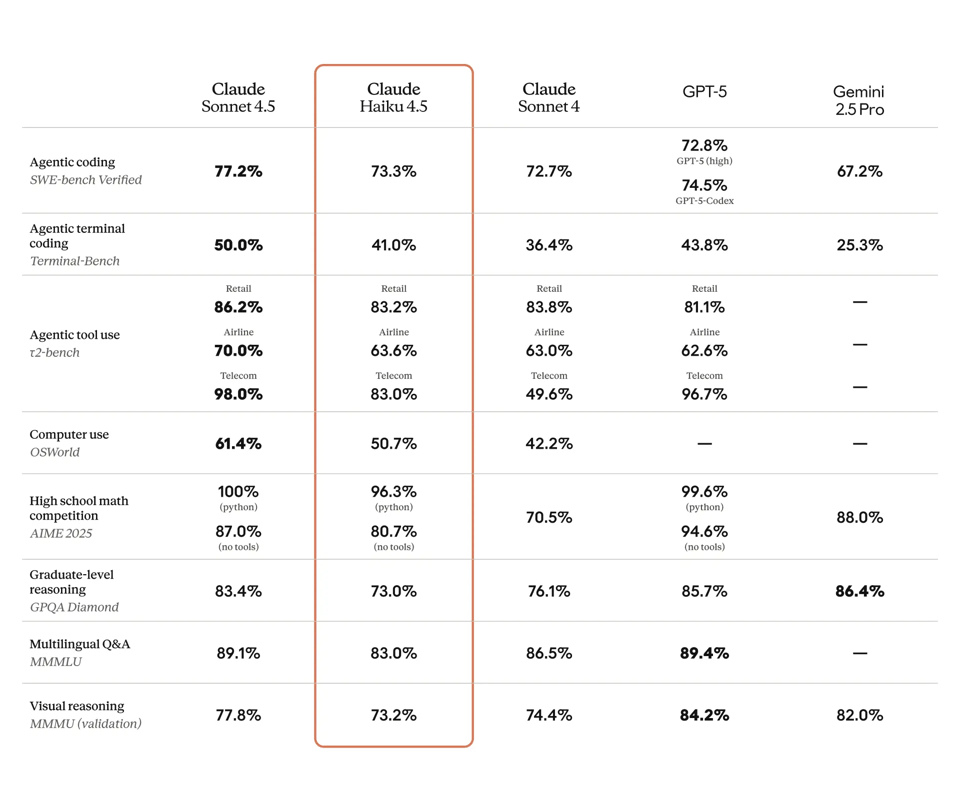
Comparing anthropic claude haiku 4.5 and Claude Sonnet 4.5, main difference lies in speed and efficiency. Claude haiku 4.5 api focuses on low latency and cost-efficient claude api workloads, making it suitable for chat assistants, automation agents, and coding copilots. Sonnet 4.5 provides deeper reasoning and stronger performance for complex planning, research tasks, and advanced development scenarios.
Core Capabilities of Claude Haiku 4.5 API
Ultra-Fast Responses for Real-Time Claude Haiku 4.5 API Applications
Claude Haiku 4.5 API is designed for low-latency AI systems that require instant responses. Using claude ai api, developers can power chat assistants, coding copilots, and automation agents with fast inference speeds, making claude haiku 4.5 api well suited for real-time applications and high-traffic AI services.
Cost-Efficient Claude AI API for Scalable Workloads
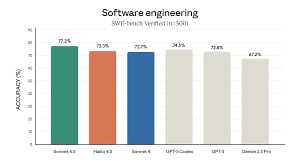
Claude haiku 4.5 api delivers strong model performance at a significantly lower token cost than larger models. This efficiency allows teams to scale claude api workloads across chatbots, content tools, and automation pipelines while maintaining predictable infrastructure costs and stable performance.
Strong Coding Support Through Claude API
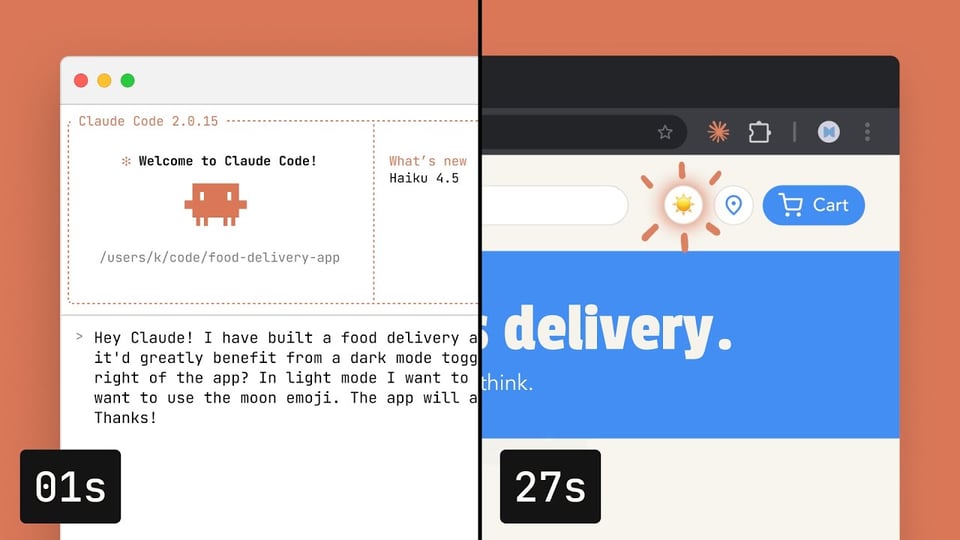
Developers can use claude haiku 4.5 api to assist with programming tasks such as code generation, debugging, and rapid prototyping. With reliable coding capabilities, claude ai api helps streamline development workflows and supports tools like AI coding assistants and automated software agents.
Built for High-Volume AI Automation and Agents
Claude haiku 4.5 api supports scalable automation systems where many AI agents operate simultaneously. Through claude ai api, developers can deploy AI workflows for customer support, data processing, and intelligent automation while maintaining fast response times and efficient resource usage.
How to Access Claude Haiku 4.5 API Free on Kie AI
Step 1 — Test Claude Haiku 4.5 Free in Kie AI Playground
Step 2 — Get Claude API Key and Review Documentation
Step 3 — Send Your First Claude Haiku 4.5 API Request