
Kie.ai brings Black Forest Lab image models into a clear Flux API structure for two major workflows: FLUX.2 for image generation and reference-guided creation, and FLUX.1 Kontext for prompt-based image editing and visual refinement. This helps developers choose the right model family before testing requests, reviewing parameters, and moving into production integration. Specific model availability, request parameters, and input or output options may change over time, so developers should refer to the latest Kie.ai API documentation.
Image to VideoText to VideoVideo to Video
Seedance2.5
Seedance 2.5 on KIE is ByteDance’s upgraded AI video model, built for longer, more controllable video generation. It supports up to 30-second videos, multimodal references, precise editing, and improved consistency for more cinematic and production-ready creative workflows.
Text to Video
Wan 3.0
Wan3.0 is Alibaba’s next-generation all-in-one video generation model built for multimodal creation. It supports text, image, video, audio, and structured references to produce more consistent, realistic, and controllable video content with enhanced storytelling and editing capabilities.
Image to VideoText to VideoVideo to Video
Seedance 2
Seedance 2.0 on KIE is a multimodal Al video model by ByteDance, optimized for fast and realistic video generation. It supports high-quality virtual human video creation with strong multi-shot consistency, enabling more lifelike and cinematic outputs across scenes.
Text to ImageImage to Image
GPT Image 2
GPT Image 2 is OpenAI’s next-gen image model built for stronger photorealism, cleaner image editing, sharper text rendering, and more polished product photography. Designed for more advanced visual workflows, it pushes image generation beyond basic text-to-image output and into higher-quality creative, commercial, and design-ready use cases.
Text to ImageImage to Image
Nano Banana 2
Meet Nano Banana 2, Google’s Gemini 3.1 Flash Image model, now available via Kie AI API. Built for developers, it combines lightning-fast speed with Pro-level quality, accurate text rendering, strong character consistency, and scalable image generation and editing workflows.
Chat
Grok 4.6
Grok 4.6 is xAI’s latest frontier AI model, designed to enhance long-running agents, advanced reasoning, coding intelligence, and interactive AI experiences. Building on Grok 4.5, it delivers improved performance for complex multi-step tasks, knowledge work, software engineering, and creative applications.
All Models
3 models found3 MODELS
Providers(1/25)
Tasks(15)
Black Forest Labs
Black Forest Labs
Flux 3 (Coming Soon)
Text to VideoImage to Video
Black Forest Labs
FLUX.2
starting from
$0.025-40%
5 Credits/image
Text to ImageImage to Image
Black Forest Labs
Flux Kontext
Text to ImageImage to Image
Black Forest Labs
Flux Kontext
In a world where visuals drive engagement, FLUX.1 Kontext API on Kie.ai empowers you to edit images like never before. Harness cutting-edge AI to transform photos with simple text commands, delivering professional results that save time and boost creativity. Whether you're optimizing e-commerce listings or crafting marketing masterpieces, Kie.ai's FLUX.1 Kontext API is your gateway to efficient, high-quality image innovation.
One Flux API Platform for High-Quality Image Generation and Editing
Explore Black Forest Lab models on Kie.ai, including FLUX.2 and FLUX.1 Kontext, for polished visual creation, prompt-based editing, reference-guided images, and style exploration.
Explore Black Forest Lab API for Flux Image Generation and Editing
FLUX.2 API
FLUX.2 API is built for advanced image generation workflows that need strong prompt following, realistic visual quality, and reference-guided creation. Through Kie.ai, developers can use Flux API access to build product image generators, marketing visual tools, creative design platforms, and AI image automation features with Black Forest Lab models. Current FLUX.2 API model options include FLUX.2 Pro API and FLUX.2 Flex API.
FLUX.1 Kontext API
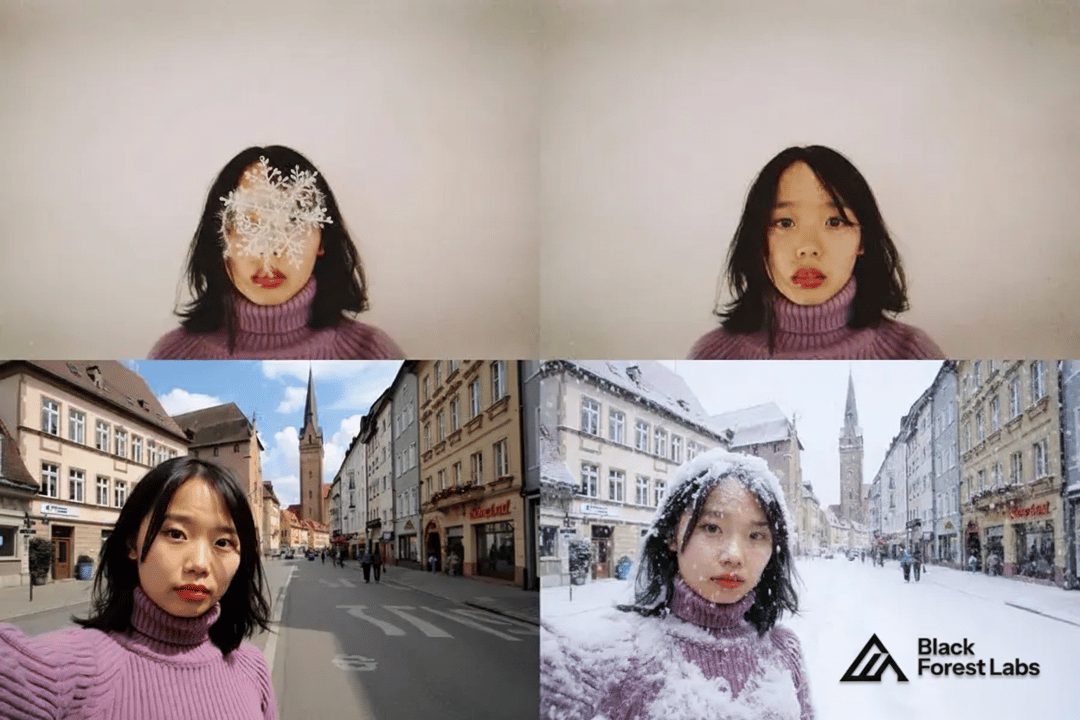
FLUX.1 Kontext API focuses on prompt-based image editing and context-aware visual refinement. It works well for workflows where users start from an existing image and need to modify objects, adjust backgrounds, preserve key visual elements, change styles, or refine creative assets through natural-language instructions. On Kie.ai, this Flux API category gives developers access to Black Forest Lab image editing capabilities for design tools, e-commerce editing, character consistency, brand asset refinement, and automated visual production. Current FLUX.1 Kontext API model options include FLUX.1 Kontext Pro API and FLUX.1 Kontext Max API.
What Makes Flux API Models Powerful for Image Generation and Editing
Choose the Right Flux API Model for Each Visual Task
Flux API models on Kie.ai can match different levels of visual work, from fast concept generation to refined image creation and context-aware editing. This gives users more flexibility when working with product visuals, campaign images, character scenes, design drafts, or edited image variations. For the latest model list and exact capabilities, users should check the current Kie.ai API documentation.
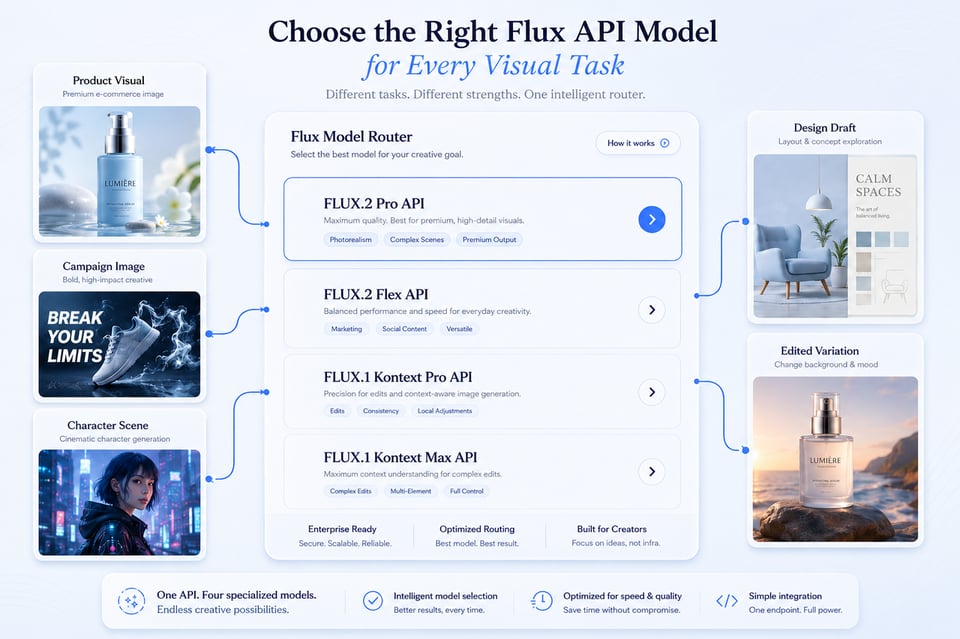
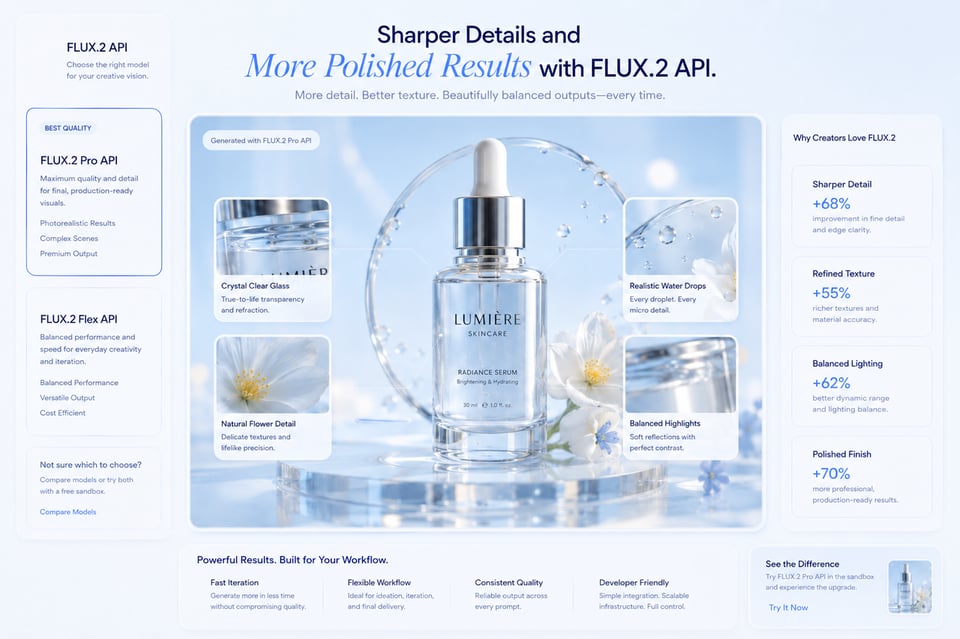
Sharper Details and More Polished Results with FLUX.2 API
FLUX.2 API focuses on producing images with cleaner details, more realistic textures, and stronger overall visual polish. It can handle materials, lighting, surfaces, subject placement, and composition with better stability, making it suitable for product images, portraits, lifestyle scenes, advertising concepts, and other outputs that need to look clear and production-ready.
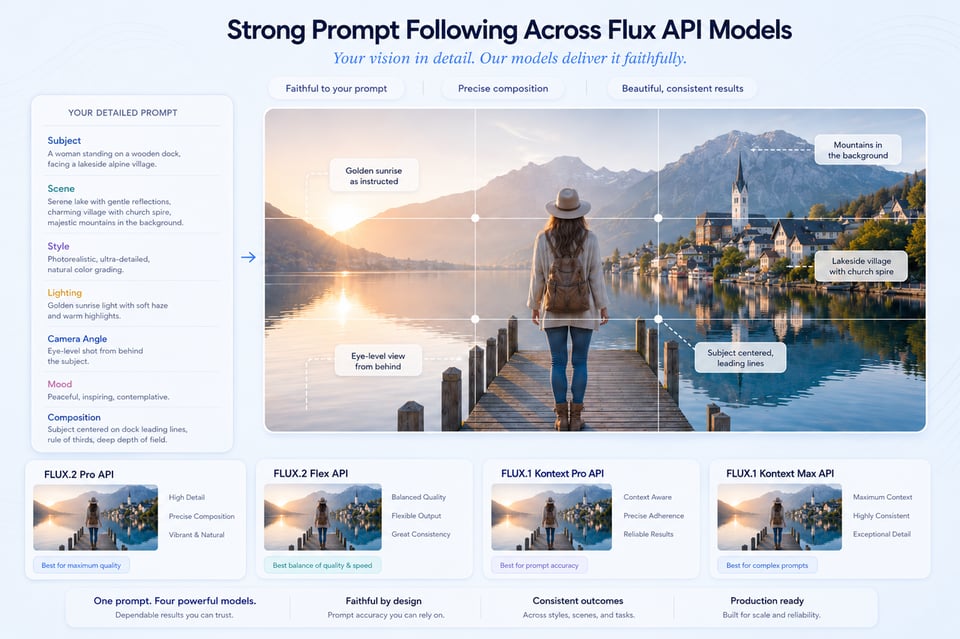
Strong Prompt Following Across Flux API Models
Flux API models can understand detailed visual instructions across subject, scene, style, lighting, camera angle, mood, and composition. This helps the final image stay closer to the intended creative direction, especially when the prompt includes multiple requirements or a more specific visual structure.
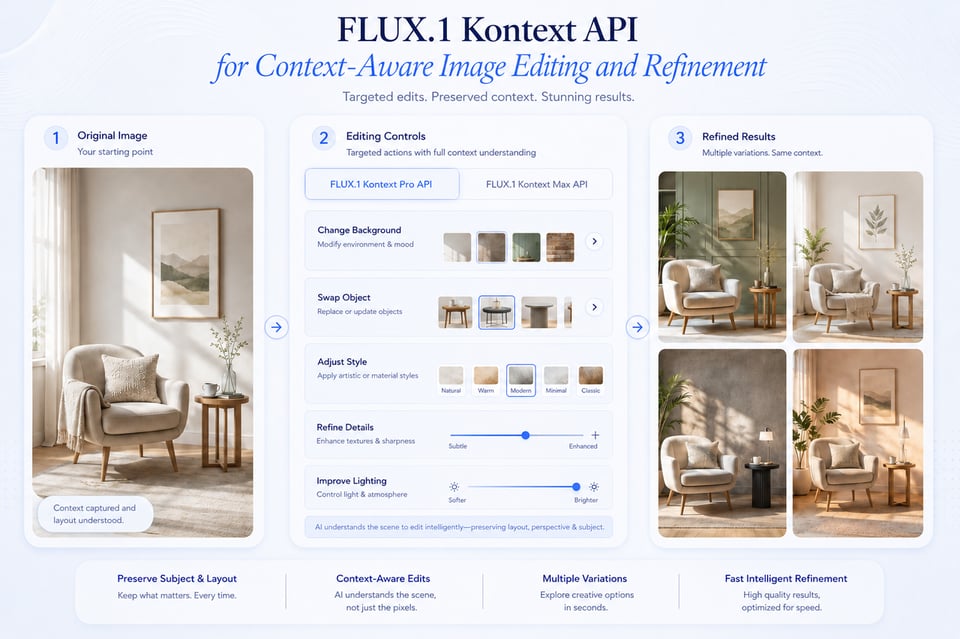
FLUX.1 Kontext API for Context-Aware Image Editing and Refinement
FLUX.1 Kontext API is designed for editing tasks that need to preserve the existing image context while making targeted changes. It can help adjust backgrounds, replace objects, refine product scenes, restyle images, or improve selected details without completely losing the original subject, layout, or visual direction.
From Testing to Production: Build with Flux API on Kie.ai
01
Step 1: Get Your Flux API Key from Kie.ai
Create or log in to your Kie.ai account, then generate your Flux API key from the dashboard. This key lets you access Black Forest Lab API models available through Kie.ai, including options for image generation, reference-guided creation, and prompt-based image editing.
02
Step 2: Test FLUX.2 API and FLUX.1 Kontext API in the Playground
Use the Kie.ai Playground to test different prompts, image styles, editing instructions, and model options before moving into a real workflow. FLUX.2 API is suitable for creating new visuals with stronger image quality and prompt control, while FLUX.1 Kontext API is better for editing, refining, or transforming existing images through natural-language instructions.
03
Step 3: Choose the Right Flux API Model for Your Visual Task
Select the model based on the kind of result you need. FLUX.2 API can fit image generation tasks such as product visuals, marketing assets, character scenes, and design concepts. FLUX.1 Kontext API is more suitable for image editing tasks such as background changes, object replacement, style refinement, and context-aware visual updates.
04
Step 4: Use Flux API Outputs in Your Product or Workflow
After testing and selecting the right model, use the generated or edited image in product pages, campaigns, design drafts, content assets, brand visuals, AI creative tools, or automated image workflows. Specific model options, including FLUX.2 Pro, FLUX.2 Flex, FLUX.1 Kontext Pro, and FLUX.1 Kontext Max, should be confirmed in the latest Kie.ai API documentation.
Where FLUX Image Generation API Turns Image Ideas into Finished Visuals
Premium Product Launch Visuals with FLUX.2 API
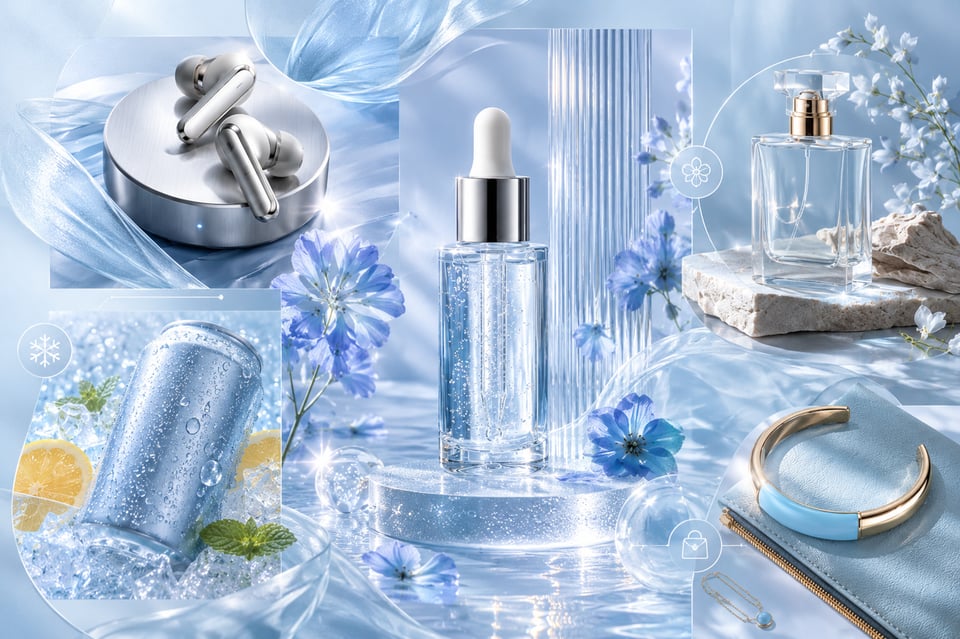
For product launches, FLUX.2 API helps create images that feel closer to a polished studio campaign than a simple product render. A serum bottle can stand on frosted glass with soft morning light and subtle water reflections, a wireless earbud case can appear on a brushed metal surface with layered shadows, or a sparkling drink can sit in a fresh summer setup with ice texture, citrus slices, and bright condensation. These images work well when a product needs a stronger first impression for hero banners, product cards, landing pages, or promotional campaigns.
Cinematic Character Posters with Flux API
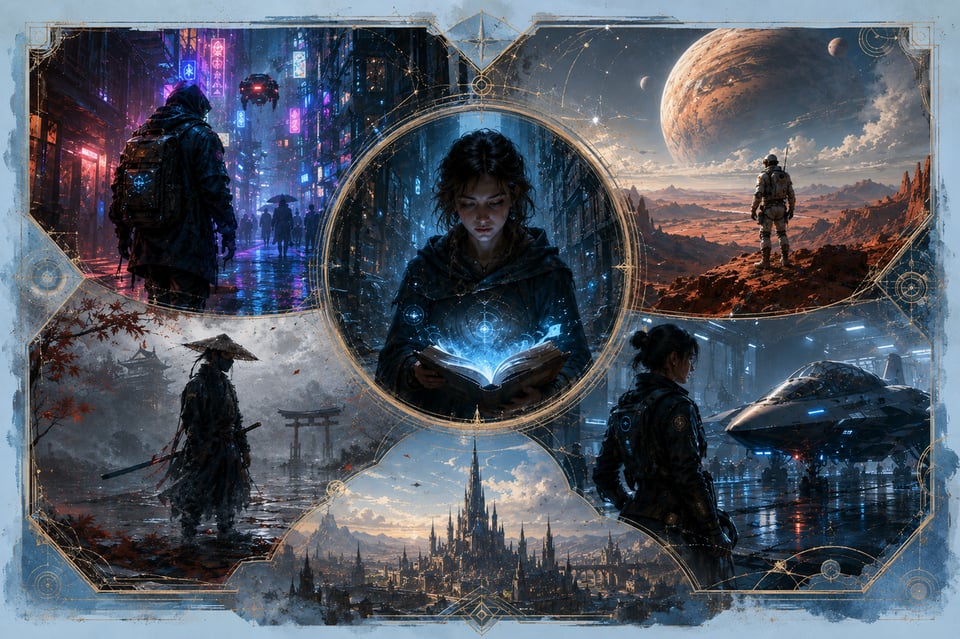
A character concept becomes more compelling when the image includes setting, lighting, and story atmosphere. With Flux API, a cyberpunk courier can walk through a rain-soaked neon alley, a young mage can hold a glowing book inside a silent ruined library, or a sci-fi explorer can stand on a red desert ridge beneath an enormous planet. Instead of producing a simple portrait, this use case focuses on creating a memorable character visual with mood, identity, and a clear narrative feel.
Text-Ready Campaign Backgrounds with FLUX.2 API
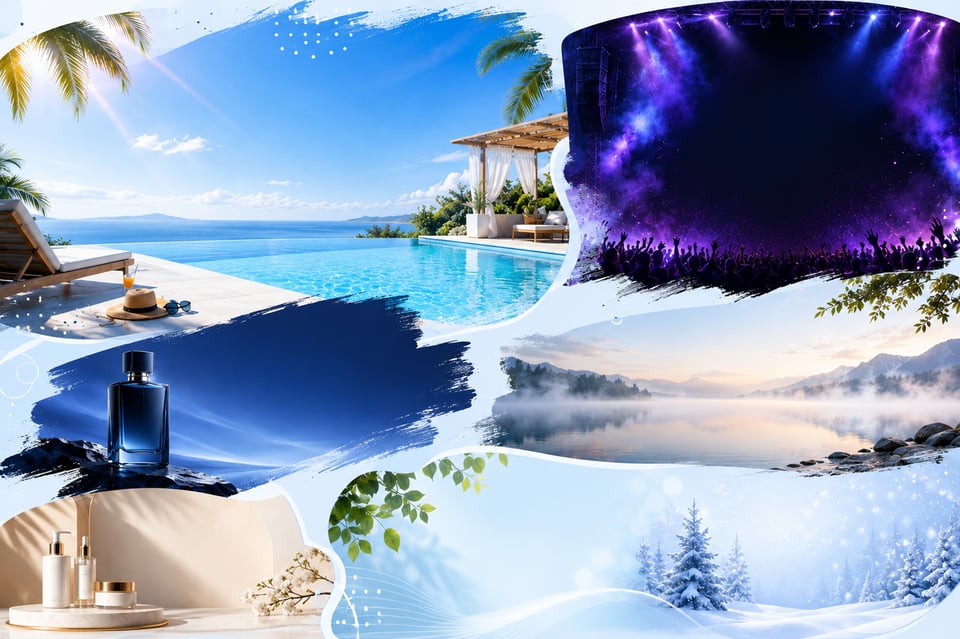
Campaign visuals often need space for titles, slogans, product names, or social media copy. FLUX.2 API can create a summer sale banner with open blue sky above a clean poolside scene, a concert visual with stage lights and smoke around a darker typography area, or a product teaser with the main object placed to one side against a smooth gradient backdrop. The result is easier to turn into posters, ad creatives, social covers, website banners, or launch graphics without fighting against a crowded layout
Product Photos into Campaign Visuals with FLUX.1 Kontext API
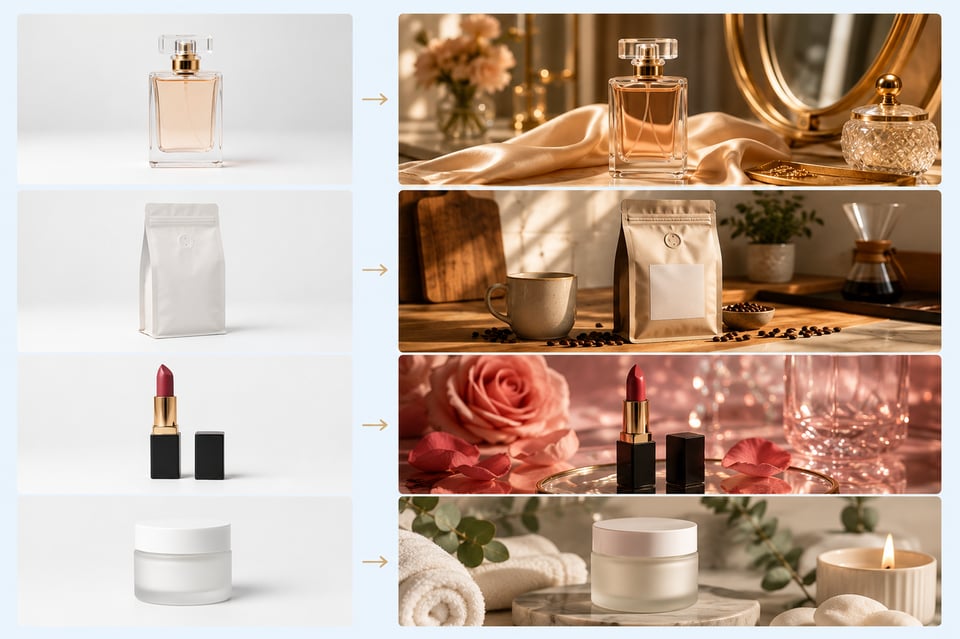
A plain product photo does not always communicate the right mood, even when the product itself is clear. FLUX.1 Kontext API can turn a perfume bottle into a luxury vanity visual with silk fabric, mirror reflections, and warm golden light; move a coffee package into a cozy kitchen counter scene with scattered beans and soft morning shadows; or reshape a lipstick shot into a glossy beauty image with rose petals, glass highlights, and clean editorial lighting. The result feels less like a raw product photo and more like a finished visual for ads, product pages, or branded content.
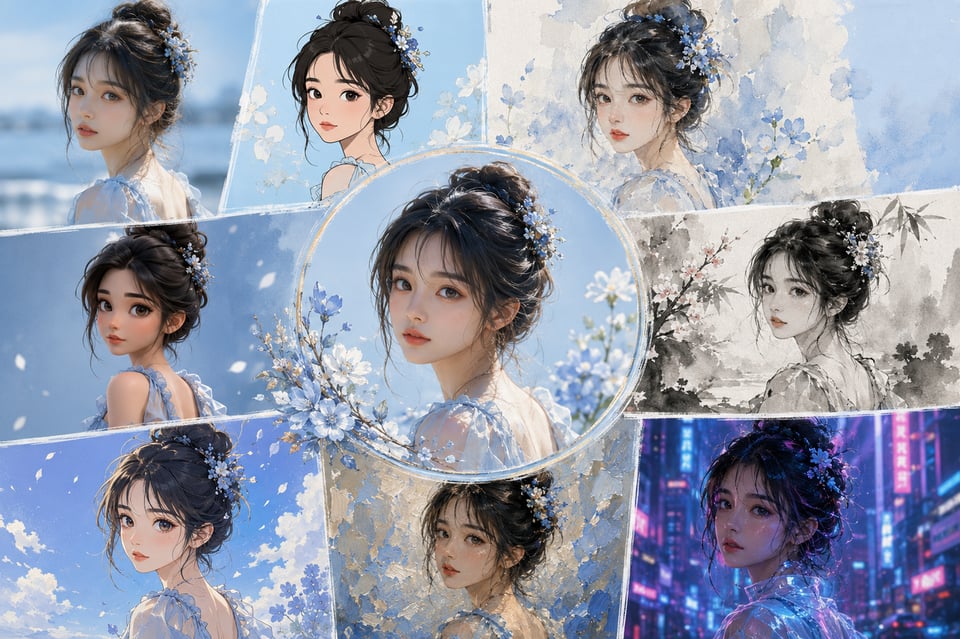
One Female Portrait, Multiple Visual Styles with FLUX Kontext API
One portrait can become a full style exploration instead of a single final image. FLUX Kontext API can transform the same female portrait into a realistic editorial photo, a clean cartoon illustration, a soft watercolor painting, a traditional ink-wash artwork, a stylized 3D character render, an anime-style portrait, an oil-painting-inspired image, or a futuristic neon cyberpunk look. This makes it easier to compare different creative directions while keeping the original face, identity, and character presence recognizable.
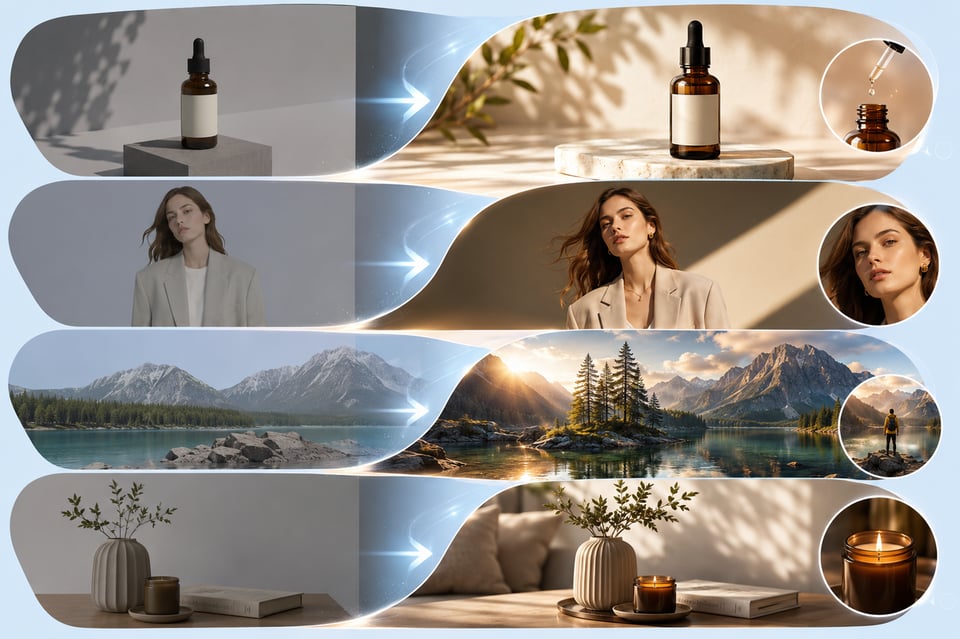
AI-Generated Images Refined into Final Visuals with Black Forest Lab API
Some AI-generated images have a strong concept but still feel unfinished. Black Forest Lab API models can refine a product render into a cleaner studio-style image with more natural reflections, improve a fashion visual with better lighting and a clearer focal point, or adjust a campaign image so the main subject stands out more strongly from the background. Instead of discarding an almost-good result, users can turn it into a more polished image for a landing page, ad creative, social post, or design presentation.
Why Kie.ai Is a Better Way to Use Black Forest Lab API
Affordable Flux API Pricing for Testing and Scaling
Kie.ai offers affordable Flux API pricing for users who want to explore Black Forest Lab image models without heavy upfront cost. Free credits make it easier to test FLUX.2 API and FLUX.1 Kontext API first, compare image generation and editing results, and understand which model direction fits the visual task. As usage grows, scalable pricing helps teams continue creating product visuals, campaign images, edited assets, and style variations while keeping production cost easier to evaluate.
One Platform for FLUX.2 API and FLUX.1 Kontext API
Kie.ai brings different Black Forest Lab API models into one platform, making it easier to work with both image generation and image editing options in one place. Users can choose FLUX.2 API for polished image creation, reference-guided visuals, and high-quality image outputs, or FLUX.1 Kontext API for prompt-based editing, image refinement, and context-aware visual changes. This gives teams more flexibility when working on product launches, character visuals, campaign backgrounds, edited product photos, or multi-style portrait variations.
Easy Flux API Testing Before Production Use
Before moving into production, users can test Flux API model behavior through Kie.ai and compare how different models respond to prompts, visual styles, reference images, and editing instructions. This helps users understand whether FLUX.2 API or FLUX.1 Kontext API is better suited for a specific task before committing to larger usage. Testing first also reduces guesswork when preparing image generation, editing, or refinement features.
Complete Black Forest Lab API Documentation
Kie.ai provides complete Black Forest Lab API documentation to help users understand model options, request parameters, input formats, output settings, task handling, and model-specific requirements. Since Flux API model availability and capabilities may update over time, users should always check the latest Kie.ai API documentation before relying on a specific model, parameter, or workflow in production.
Flexible Flux API Options for Different Visual Goals
Not every image task needs the same model behavior. Some visuals need sharp details, realistic lighting, and polished commercial quality, while others need context-aware editing, style transformation, or refinement of an existing image. Kie.ai gives users flexible Flux API options for different visual goals, from premium product launch visuals and cinematic character posters to text-ready campaign backgrounds and edited AI images.
24/7 Flux API Service for Always-On Image Creation
Kie.ai provides 24/7 Flux API service for users who need stable access to Black Forest Lab image models across different time zones and production schedules. Whether teams are testing FLUX.2 API, refining visuals with FLUX.1 Kontext API, or preparing image assets for ongoing campaigns, continuous service helps keep image creation and editing available whenever it is needed.
FAQs About Flux API on Kie.ai
FAQ
What can I create with Flux API on Kie.ai?
Flux API on Kie.ai can be used for image generation, image editing, reference-guided creation, style exploration, and visual refinement. It is suitable for product launch visuals, campaign backgrounds, character posters, portrait style variations, edited product photos, and AI-generated images that need further polish before use.
FAQ
Can I use FLUX.2 API for both realistic and creative images?
Yes. FLUX.2 API can support realistic product images, polished portraits, lifestyle visuals, cinematic scenes, poster-style graphics, and more stylized creative concepts. The final result depends on the prompt, selected model, image direction, and available settings in the current API documentation.
FAQ
Is FLUX.1 Kontext API suitable for editing existing images?
Yes. FLUX.1 Kontext API is designed for image editing and visual refinement based on natural-language instructions. Users can adjust scenes, restyle an image, refine details, change visual direction, or improve an existing image while keeping important parts of the original image recognizable.
FAQ
Can I test Flux API before using it in production?
Yes. Kie.ai allows users to test Flux API models before larger-scale use. Free credits and playground testing can help users compare output quality, prompt behavior, editing results, and model fit before deciding how to use FLUX.2 API or FLUX.1 Kontext API in a real product or content workflow.
FAQ
Does Kie.ai provide documentation for Black Forest Lab API?
Yes. Kie.ai provides complete Black Forest Lab API documentation covering model options, request structure, input formats, output settings, task handling, and other model-specific requirements. Since model availability and parameters may change, users should always check the latest Kie.ai API documentation before production use.
FAQ
Can Flux API help improve AI images that are already close to the desired result?
Yes. Flux API can help refine images that already have a strong concept but still feel unfinished. Users can improve lighting, strengthen the focal point, adjust visual balance, clean up awkward details, or make an image feel more polished and ready for landing pages, ads, social posts, or design presentations.
FAQ
Which Flux API model should I choose on Kie.ai?
The best choice depends on the visual task. FLUX.2 API is generally suitable for generating polished new images, while FLUX.1 Kontext API is useful for editing and refining existing images. Specific options such as FLUX.2 Pro, FLUX.2 Flex, FLUX.1 Kontext Pro, and FLUX.1 Kontext Max should be confirmed in the latest Kie.ai API documentation.