透過背景用のプロンプト作成
backgroundをtransparentに設定する場合、JPEGは透過に対応していないため、output_formatにはpngまたはwebpを選択してください。プロンプトには被写体のみを記述してください。背景、シーン、または表面について言及すると、透過されない結果が生成される場合があります。
Qwen Image 2.1は、画像生成と編集を1つに統合したアリババのコンパクトで効率的なAI画像モデルです。テキストから画像生成、ネイティブの透過画像、最大10枚の画像を使用した複数参照編集、部分編集、および人物、製品、テキストの忠実度の向上をサポートしています。
Describe the image you want to generate. Any language is supported, up to 5000 characters.
0/5000Output aspect ratio. The actual pixel size also depends on the resolution tier.
Output resolution tier. Only 1K and 2K are supported. 2K takes noticeably longer to generate.
Background type. transparent outputs a PNG or WebP with a real alpha channel and cannot be used with JPEG. When using transparent, describe only the subject — prompts that mention a background, scene, surface, etc. may produce a non-transparent result.
Output image format. JPEG has no alpha channel, so it cannot be combined with a transparent background.
Rewrites the prompt into a fuller scene description before generating, which noticeably improves quality. Enabled by default (also when the parameter is omitted); pass false to turn it off.
The same seed with the same prompt and parameters reproduces the same image on the same model version. The seed actually used is returned with the result.
A configurable parameter. Defaults to true in the Playground.
Explore different use cases and parameter configurations
Click to upload or drag and drop
Supported formats: JPEG, PNG, WEBP Maximum file size: 30MB; Maximum files: 10
Reference images, 1 to 10 of them. Their order is the order the prompt refers to ("the first image", "the second image"). JPEG, PNG and WebP are supported, up to 30MB and 25MP each. The more references you add the less detail each one keeps, so stay within 4 when fidelity matters. When combining several people or objects into one picture, a landscape ratio such as 3:2 or 16:9 usually works better.
Describe what you want the result to look like. Any language is supported, up to 5000 characters. When a mask is uploaded, describe what should be generated inside the white area instead.
0/5000Click to upload or drag and drop
Supported formats: JPEG, PNG, WEBP Maximum file size: 30MB
Optional inpainting mask, which switches the request to local-edit mode. A black and white image where white marks the area to change and black stays untouched. It must be used with exactly one reference image, should have the same aspect ratio as that image, and cannot be combined with a transparent background. In local-edit mode the output ratio follows the reference image, so the aspect ratio and prompt rewriting settings are ignored.
Output aspect ratio. Defaults to auto, which takes the aspect ratio of the first reference image and snaps it to the nearest supported ratio. Ignored in local-edit mode.
Output resolution tier. Only 1K and 2K are supported. 2K takes noticeably longer to generate.
Background type. transparent outputs a PNG or WebP with a real alpha channel and cannot be used with JPEG. When using transparent, describe only the subject — prompts that mention a background, scene, surface, etc. may produce a non-transparent result.
Output image format. JPEG has no alpha channel, so it cannot be combined with a transparent background.
Rewrites the prompt into a fuller scene description before generating, which noticeably improves quality. Enabled by default (also when the parameter is omitted); pass false to turn it off.
The same seed with the same prompt and parameters reproduces the same image on the same model version. The seed actually used is returned with the result.
A configurable parameter. Defaults to true in the Playground.
Explore different use cases and parameter configurations
Complete guide to using Qwen Image 2.1
Qwen Image 2.1は、Qwenのオープンウェイトなテキストから画像生成・画像編集モデルです。Kie.aiでは、qwen2-1/text-to-imageとqwen2-1/image-to-imageの2つのAPIモデルとして実行されます。Qwenによると、このモデルは透過(RGBA)画像の生成と編集に対応し、最大10枚の参照画像をサポートし、円、ペイント注釈、または個別のマスクによる局所編集が可能です。Kie.aiでは、局所編集にmask_urlで渡されたマスクを使用します。
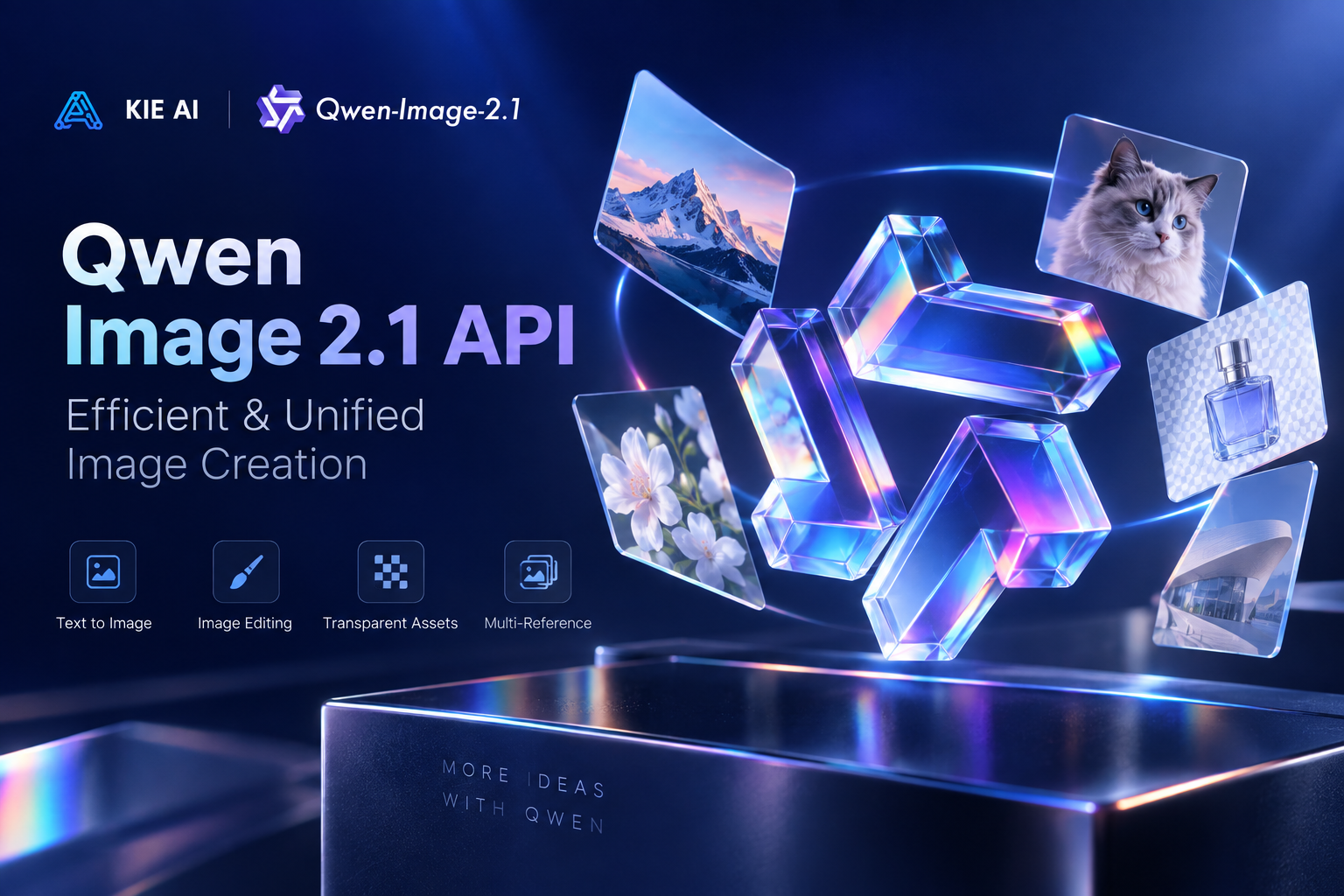
両モデルともPOST /api/v1/jobs/createTaskエンドポイントを使用し、callBackUrlまたはGet Task Detailsを介して結果を返します。
| Parameter | Text-to-image | Image-to-image |
|---|---|---|
| モデル名 | qwen2-1/text-to-image | qwen2-1/image-to-image |
| prompt | 必須。任意の言語、最大5000文字(これより長い場合は拒否されます)。 | 必須。任意の言語、最大5000文字(これより長い場合は拒否されます)。 |
| image_urls | 該当なし。 | 必須。プロンプトが参照する順序(「最初の画像」など)で1〜10個のhttp(s) URLを指定します。JPEG、PNG、WebPに対応し、各画像は最大30MB・25MPまでです。各URLはGETで直接取得可能である必要があり、画像を取得できない場合はタスクが失敗します。 |
| mask_url | 該当なし。 | 局所編集モードに切り替えるオプションのインペインティングマスク。白は変更する領域、黒は維持する領域を示します。image_urls内のちょうど1枚の画像と併用する必要があります。局所編集モードでは、aspect_ratioとenhance_promptは無視され、透過背景と組み合わせることはできません。 |
| aspect_ratio | 1:1(デフォルト)、4:3、3:4、3:2、2:3、16:9、9:16、21:9、9:21。 | auto(デフォルト、最初の参照画像に従い、サポートされている最も近い比率にスナップします)または1:1、4:3、3:4、3:2、2:3、16:9、9:16、21:9、9:21。mask_urlが使用されている場合は無視されます。 |
| resolution | 1K(デフォルト、高速)または2K(ピクセル数が4倍、時間がかかります)。1Kと2Kのみが受け付けられ、4Kは拒否されます。 | 1K(デフォルト)または2K(かなり時間がかかり、参照画像を使用すると最大約3分かかります)。1Kと2Kのみが受け付けられ、4Kは拒否されます。 |
| background | opaque(デフォルト)またはtransparent。transparentは実際のアルファチャンネルを持つPNGまたはWebPを出力し、JPEGとは併用できません。 | opaque(デフォルト)またはtransparent。mask_urlやJPEGと組み合わせることはできません。 |
| output_format | png(デフォルト)、webp、jpeg。 | png(デフォルト)、webp、jpeg。 |
| enhance_prompt | デフォルトでオン。プロンプトをより詳細なシーンの説明に書き換えます。オフにするにはfalseを渡します。 | デフォルトでオン。オフにするにはfalseを渡します。mask_urlが使用されている場合は無視されます。 |
| seed | オプション。同じサービスバージョン内では、同じシード+同じプロンプト+同じパラメータで同じ画像が再現されます。 | オプション。同じサービスバージョン内では、同じシード+同じプロンプト+同じパラメータで同じ画像が再現されます。 |
以下の各画像は、2026年10月にKie.ai上のQwen Image 2.1で生成され、Web用にリサイズされたものです。
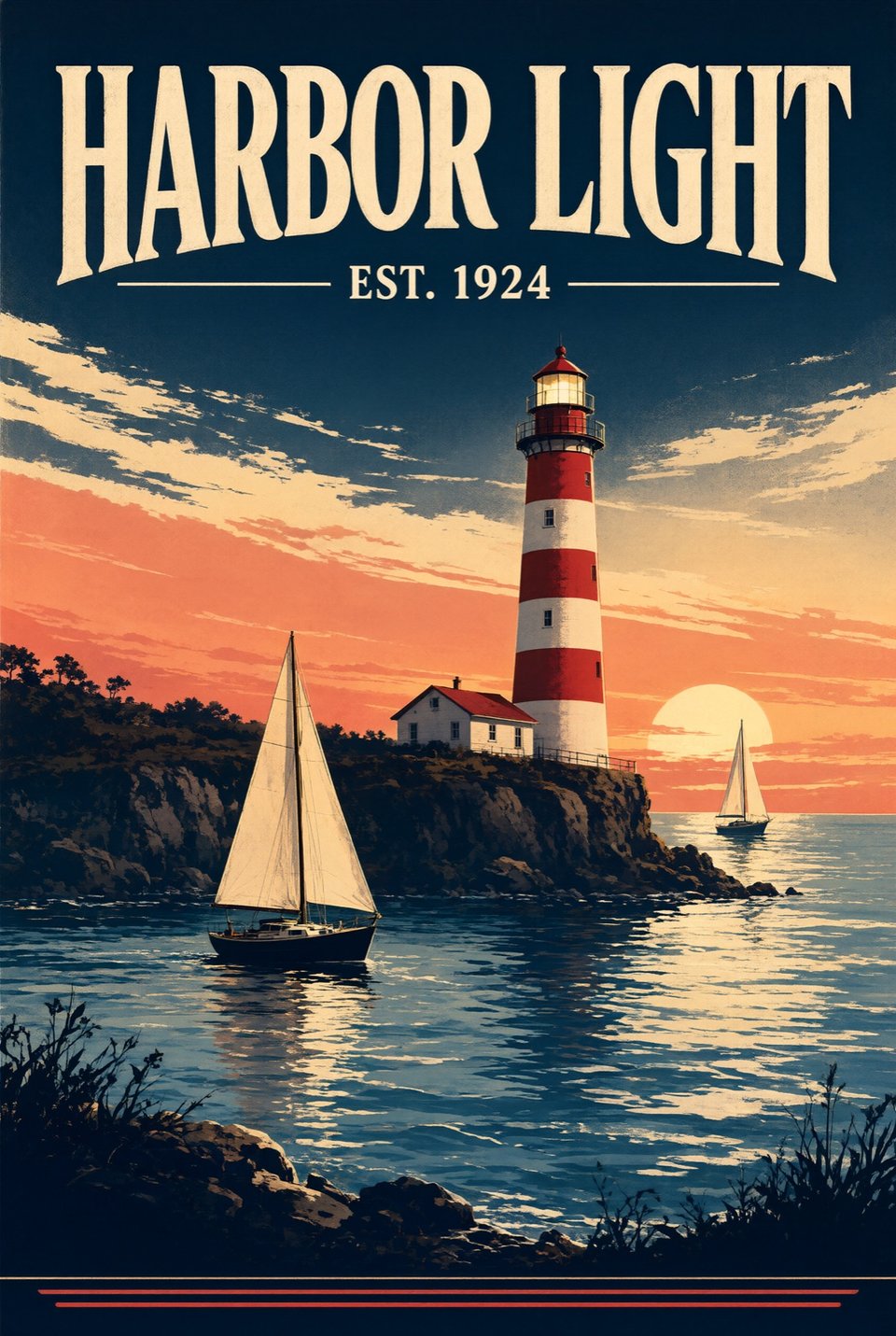
qwen2-1/text-to-imageを2K、アスペクト比2:3、pngフォーマットで使用し、プロンプトで「HARBOR LIGHT」という見出しと「EST. 1924」という行を含むヴィンテージの旅行ポスターを要求しました。出力は1696 x 2528 pxで、両方のテキストが記述通りに正確にレンダリングされ、灯台と2隻のヨットも描かれていました。ただし、プロンプトではネイビー、コーラル、クリームの限定されたパレットによるフラットなスクリーン印刷スタイルを要求しましたが、結果はグラデーションの夕焼け空を持つ絵画風の仕上がりになりました。
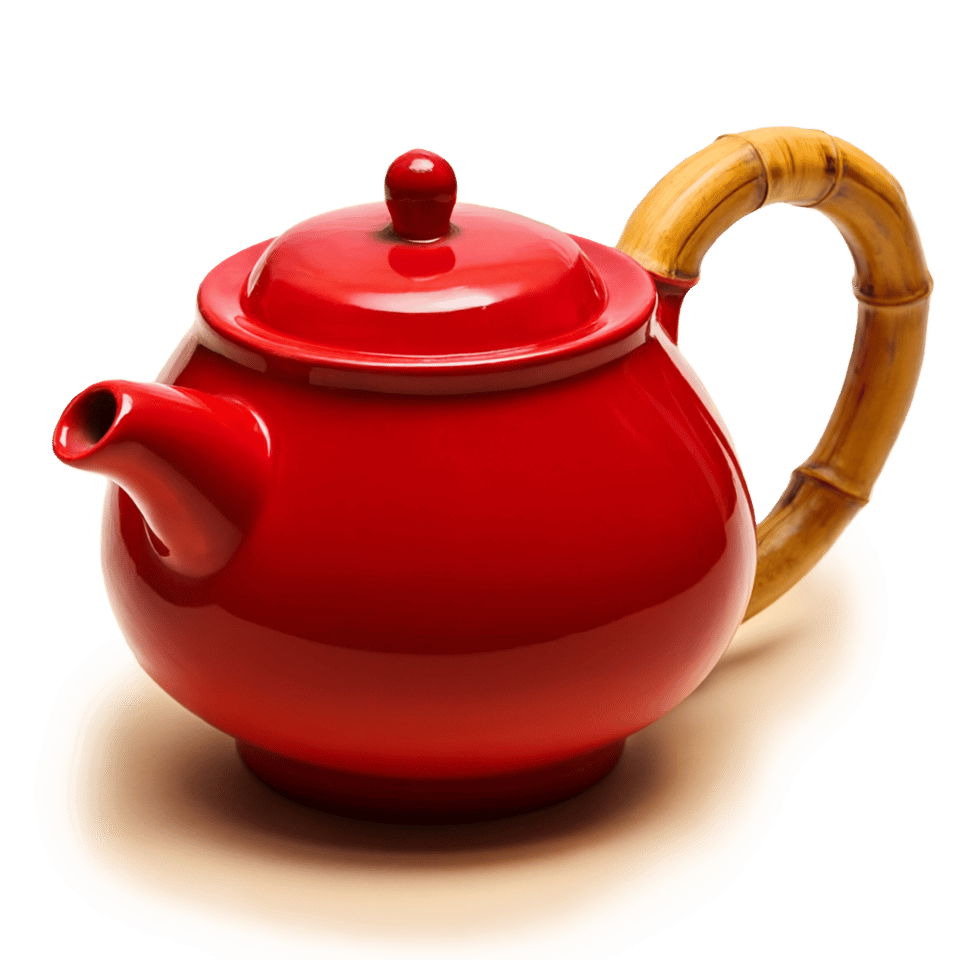
qwen2-1/text-to-imageを1K、アスペクト比1:1、透過背景、pngフォーマットで使用し、プロンプトで竹の持ち手が付いた赤い陶器のティーポットを要求しました。出力はアルファチャンネルを持つ1024 x 1024 pxの画像として返され、四隅は完全に透過しており、ポットの下の柔らかい影は半透明のピクセルとして保持されていました。
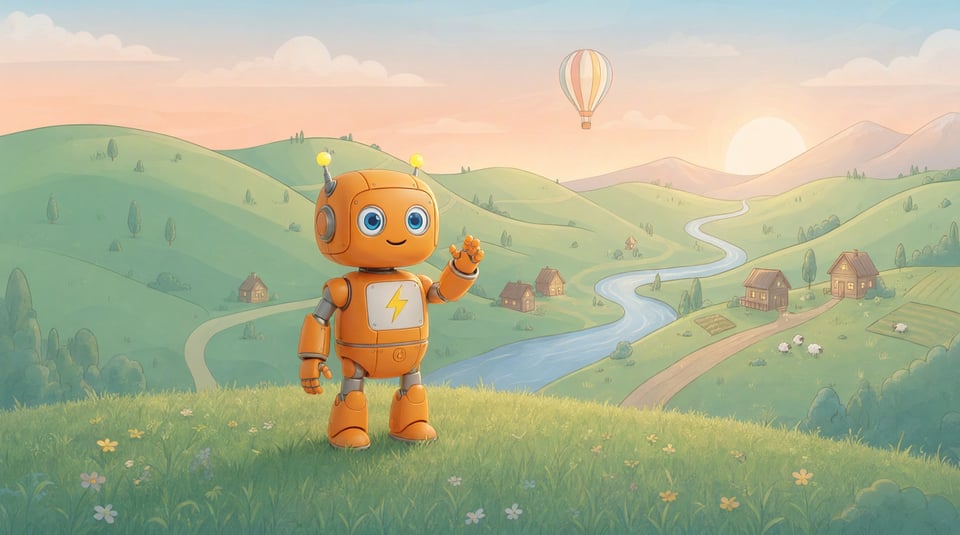
qwen2-1/image-to-imageを16:9および1Kで2つの参照画像(1つ目は当社のオレンジ色のロボットマスコットの画像、2つ目はイラスト風の渓谷の風景バナー)とともに使用したところ、出力は1376 x 768 pxで返されました。ロボットはオレンジ色、デザイン、稲妻のバッジ、黄色のアンテナを維持したまま草の上に立って手を振っており、風景のイラストスタイルで描き直されていました。風景画像にあった「Explore the Valley」というタイトルは結果には含まれていませんでした。
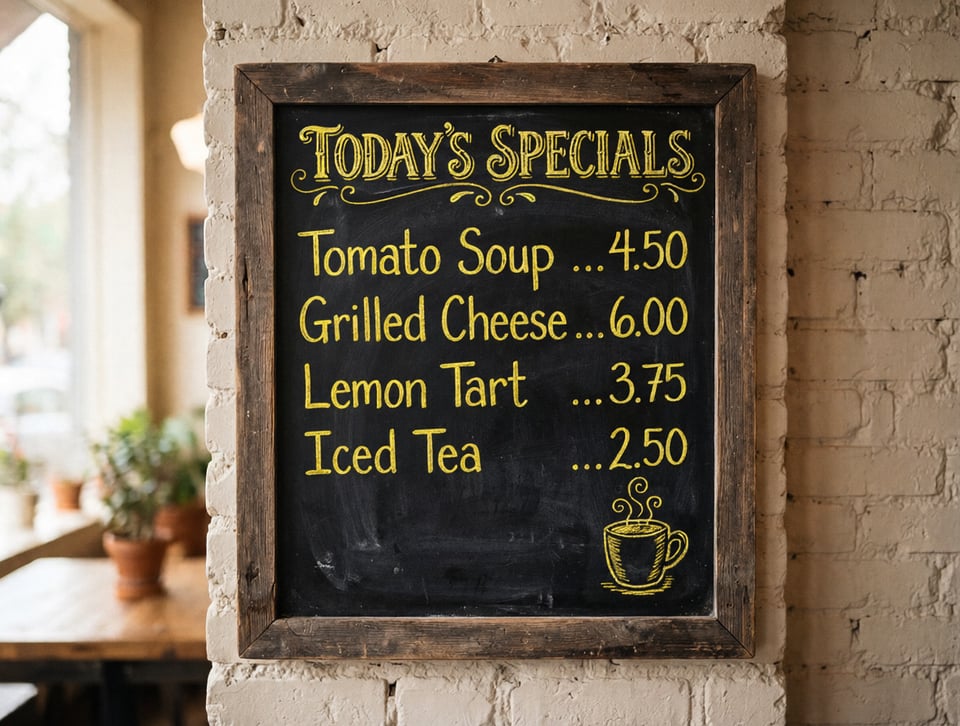
qwen2-1/image-to-imageを使用して黒板メニューの写真を1K、デフォルトのautoアスペクト比で編集し、プロンプトですべての単語と価格を同じに保ったまま、チョークの文字をすべて黄色にするよう要求しました。出力は1184 x 896 pxで、すべての単語と価格が同じまま黄色に変わりました。ただし、プロンプトでは文字のみに言及していたにもかかわらず、黒板上のコーヒーカップのイラストも黄色に変わりました。
透過背景、マスクベースの部分編集、3枚を超える参照画像、または研究用に自前で実行できる重みが必要な場合はQwen Image 2.1を使用してください。それ以外の場合は、プレイグラウンドで両方を試してみてください。
| Qwen Image 2.1 | Qwen Image 3.0 | |
|---|---|---|
| Kie.ai APIモデル | qwen2-1/text-to-image, qwen2-1/image-to-image | qwen3, qwen3-pro |
| 参照画像(画像から画像生成) | 最大10枚の入力画像 | 最大3枚の入力画像 |
| 透過背景パラメータ | 対応(アルファチャンネル付きPNGまたはWebP) | ドキュメントに透過背景パラメータの記載なし |
| 部分編集用のマスクパラメータ | mask_urlで対応 | ドキュメントにマスクパラメータの記載なし |
| Resolution | 1Kまたは2K | 1Kまたは2K |
| Hugging Face上のオープンウェイト(2026年10月) | Qwen Research License Agreementに基づきQwenが公開(Turboチェックポイントを含む) | QwenのHugging Faceページにある11個のQwen-ImageモデルにQwen Image 3.0は含まれていません |
backgroundをtransparentに設定する場合、JPEGは透過に対応していないため、output_formatにはpngまたはwebpを選択してください。プロンプトには被写体のみを記述してください。背景、シーン、または表面について言及すると、透過されない結果が生成される場合があります。
image_urlsには1〜10枚の画像を指定できますが、渡す参照画像が多いほど、各画像のディテールが失われやすくなります。再現度を重視する場合は、参照画像を4枚以内に抑えてください。複数の人物やオブジェクトを組み合わせる場合は、通常3:2や16:9などの横長のアスペクト比にするとより良い結果が得られます。
mask_urlを渡すと、qwen2-1/image-to-imageは部分編集モードに切り替わり、白色の領域が変更対象となり、黒色の領域はそのまま維持されます。マスクを指定する場合はimage_urlsに画像を1枚だけ指定してください。また、aspect_ratioとenhance_promptは無視され、透過背景はmask_urlと併用できない点に注意してください。
enhance_promptパラメータはデフォルトで有効になっており、プロンプトをより詳細なシーン描写に書き換えます。記述したとおりのプロンプトを使用したい場合は、falseを渡して無効にしてください。同じサービスバージョン内で同じプロンプトとパラメータを使用する際に同一の画像を再現するには、seed値を渡してください。
Kie.aiはこのモデルをプレイグラウンド付きのAPIとして提供しており、アプリのダウンロードやインストールは不要です。このページで直接プロンプトをテストし、標準的なHTTPリクエストを使用して同じcreateTaskエンドポイント経由でアプリケーションからqwen2-1/text-to-imageとqwen2-1/image-to-imageの両方を呼び出すことができます。
Kie.aiマーケット内のすべてのモデルは同じ認証方式を使用しており、Kie.aiのAPIキー管理ページで取得したキーを含むAuthorization: Bearer YOUR_API_KEYヘッダーを使用します。アカウントにはすべての生成サービスで共有される1つのクレジット残高があり、残りクレジット取得APIで確認できます。
Kie.ai APIを通じて、Qwen Image 2.1は最大10個のhttp(s)参照URLを使用した複数画像編集、部分インペインティング用のmask_url、PNGまたはWebPでの透過RGBA出力、および1Kまたは2Kの解像度選択をサポートしています。