grok imagine image 2.0 taskId
Text prompt describing the desired image.
0/390000Please enter the index numbers of the segment array items you want to use.
no output
Click to upload or drag and drop
Supported formats: JPEG, PNG, WEBP Maximum file size: 30MB; Maximum files: 5
Upload an image file to use as input for the API
Text prompt describing the desired image.
0/390000Specifies the width-to-height ratio of the generated image. Controls the aspect ratio of the output.
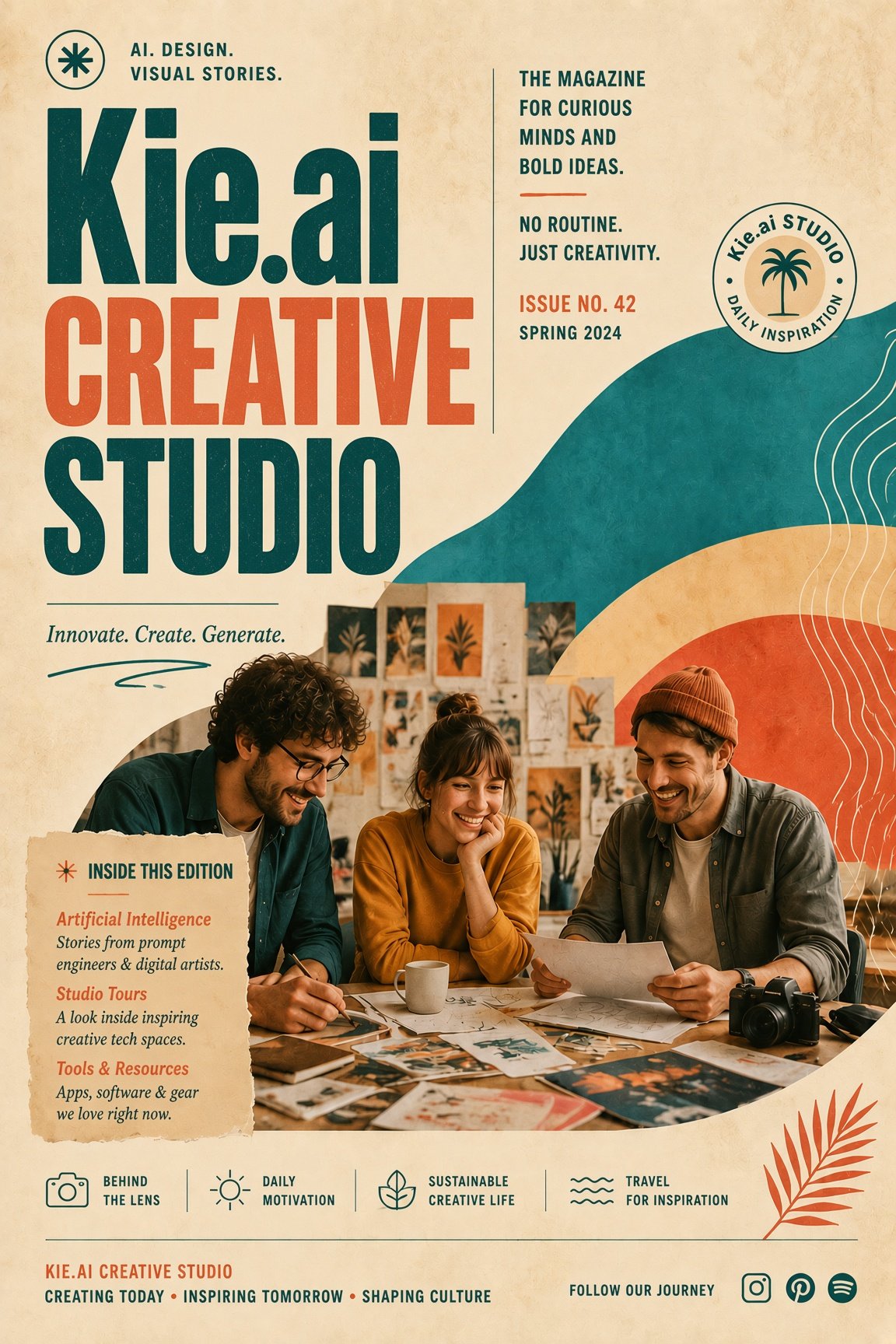
Explore different use cases and parameter configurations
Text prompt describing the desired image.
0/8000Specifies the width-to-height ratio of the generated image. Controls the aspect ratio of the output.
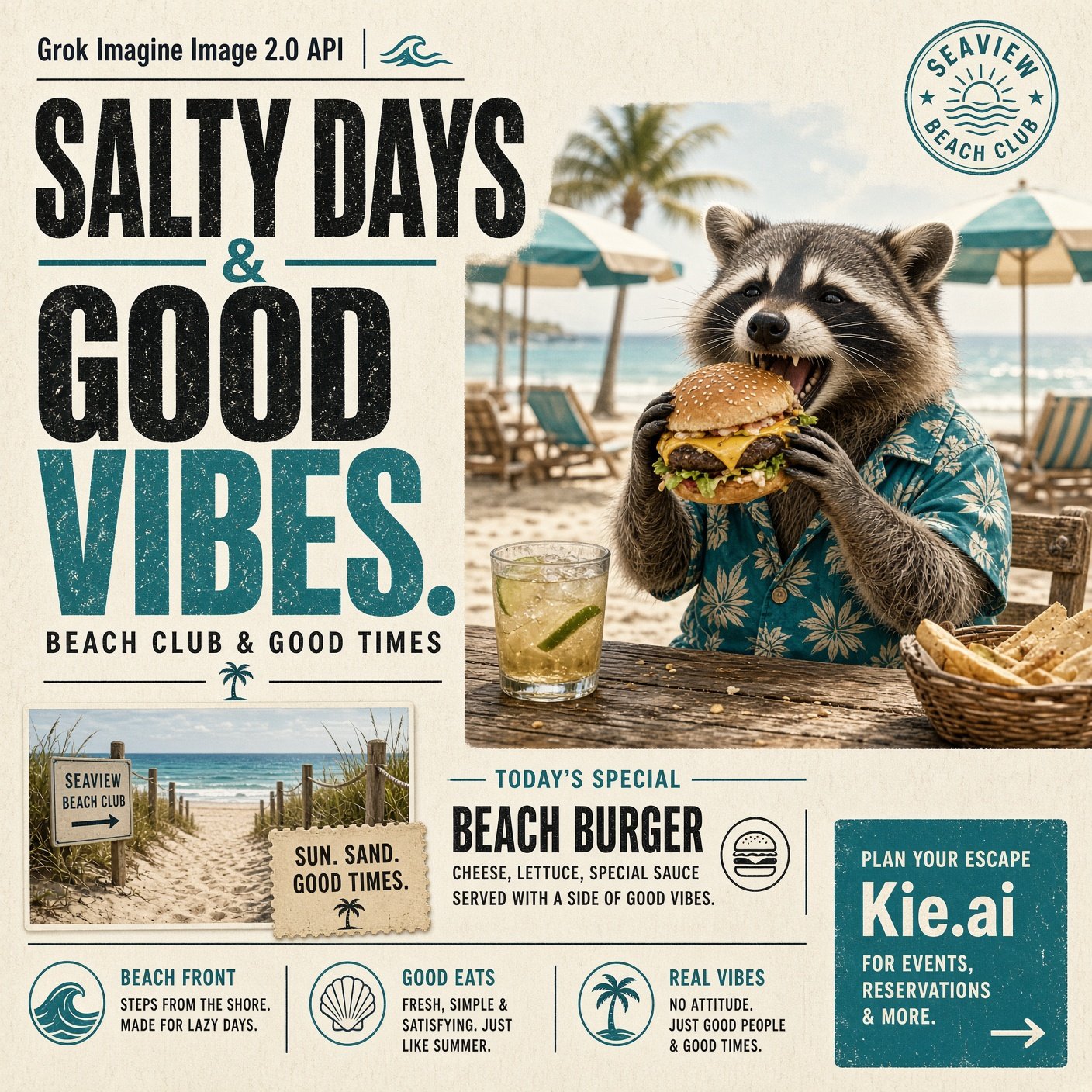
Explore different use cases and parameter configurations
Click to upload or drag and drop
Supported formats: JPEG, PNG, WEBP Maximum file size: 30MB
Image url of source image
grok imagine image 2.0 generated taskId
README
Complete guide to using grok-imagine-image-2-0/segment-edit
Grok Imagine Image 2.0 API Brings More Precise Image Creation
Access xAI’s latest image generation and editing capabilities through Grok Imagine Image 2.0 API on Kie.ai, with stronger prompt accuracy, improved visual control, and more flexible creative refinement.
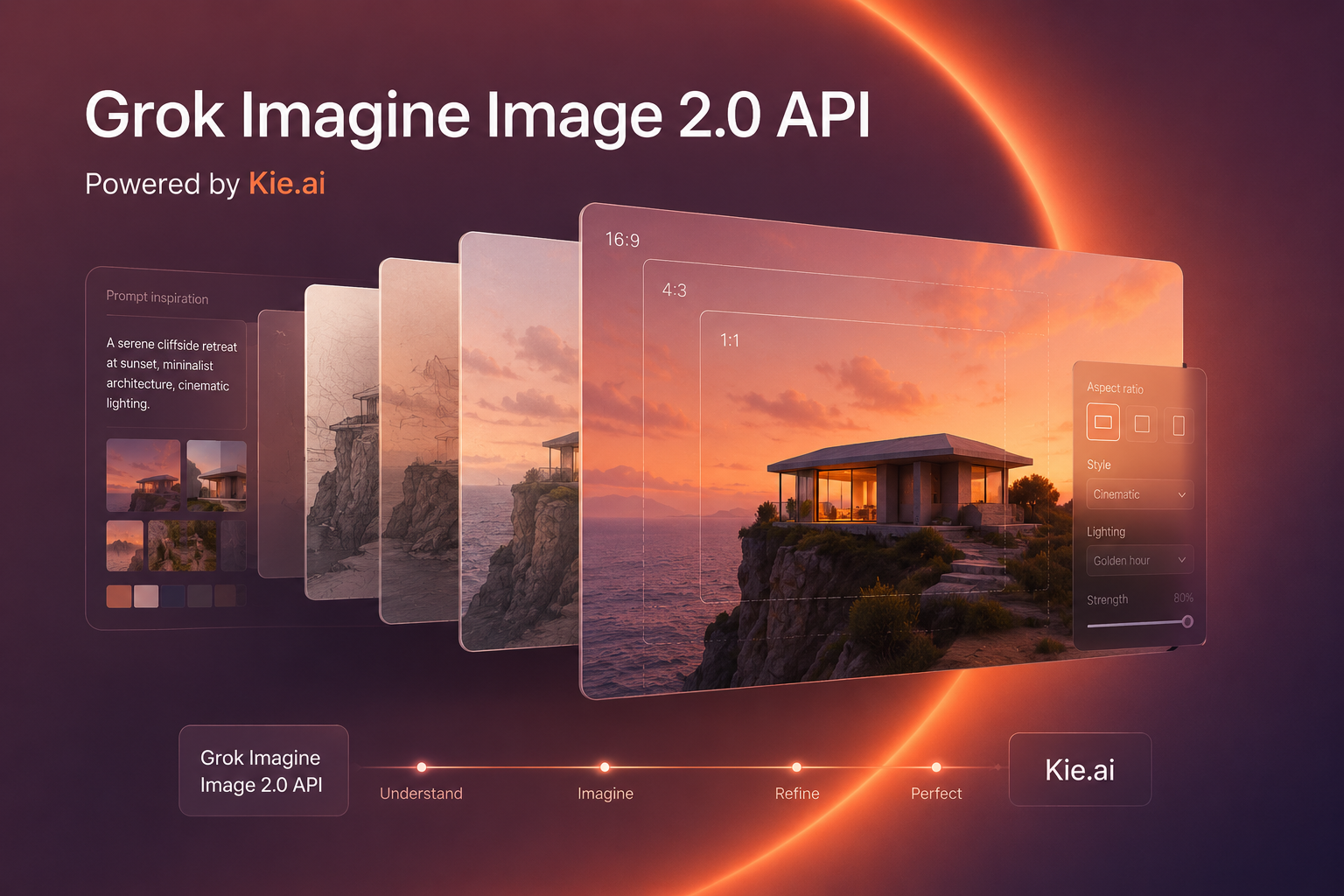
Create and Refine Visuals with Grok Imagine Image 2.0 API
Grok Imagine Image 2.0 is xAI’s latest image model built for more precise generation and editing across photography, design, illustration, and other visual styles. It follows detailed creative instructions more closely, handles typography and complex layouts with greater clarity, and maintains important visual details during iterative edits. Kie.ai now provides access to Grok Imagine Image 2.0 API, making both text-driven creation and reference-based image transformation available through a straightforward API integration.
Grok Imagine Image 2.0 Text To Image API
Turn detailed natural-language prompts into polished visuals with Grok Imagine Image 2.0 Text To Image API. From realistic photography and illustrated scenes to posters, infographics, editorial graphics, and typography-rich compositions, prompts can guide subjects, environments, visual styles, written elements, and overall layout within a single generation. Stronger instruction following helps complex ideas remain coherent even when multiple creative requirements appear in the same prompt.
Grok Imagine Image 2.0 Image To Image API
Transform existing visuals while retaining the elements that should remain recognizable with Grok Imagine Image 2.0 Image To Image API. Reference images can guide changes to subjects, environments, colors, styles, objects, and composition, while improved editing precision helps avoid unnecessary changes elsewhere in the image. This makes Imagine Image 2.0 API suitable for visual refinement, creative restyling, reference-based generation, and more controlled image transformations.
What’s New in Grok Imagine Image 2.0 API for Image Generation and Editing
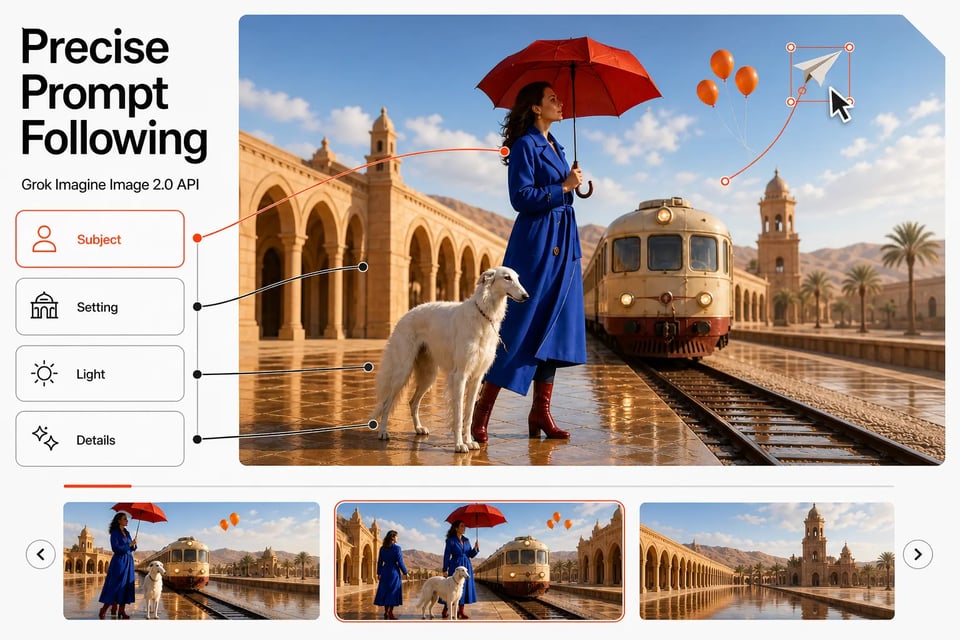
Grok Imagine Image 2.0 API Brings More Precise Prompt Following
Complex prompts can combine subjects, environments, composition, visual style, text, and smaller scene details within the same request. Grok Imagine Image 2.0 API is designed to follow these layered instructions more closely, helping secondary requirements remain visible instead of being lost as the visual becomes more detailed.
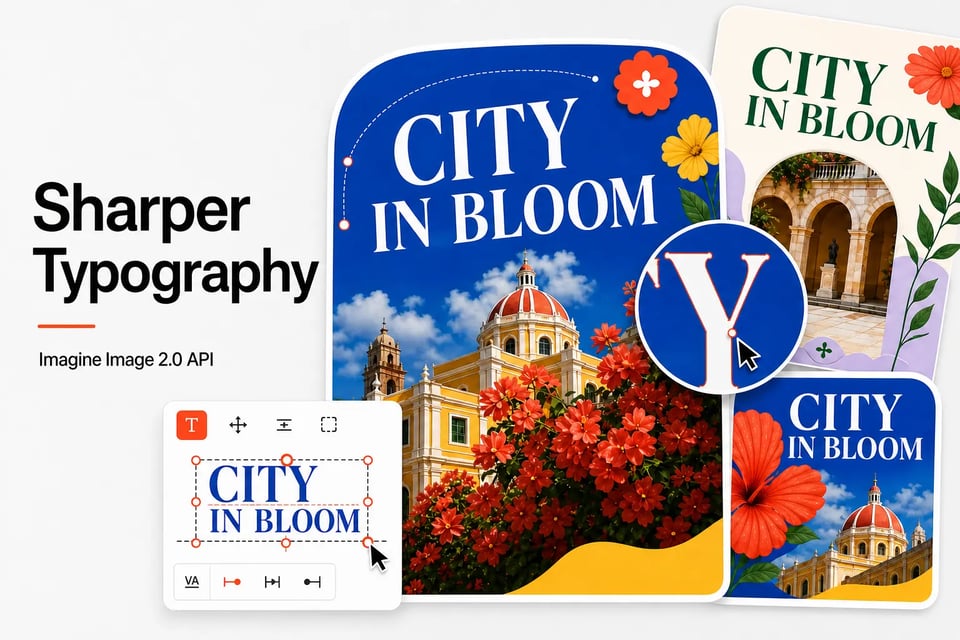
Sharper Typography Comes with Imagine Image 2.0 API
Posters, infographics, editorial graphics, illustrated guides, and other text-rich visuals benefit from improved typography and more structured layout planning. Imagine Image 2.0 API handles written elements as part of the overall composition, helping headlines, supporting text, imagery, and surrounding design elements work together with greater visual clarity.
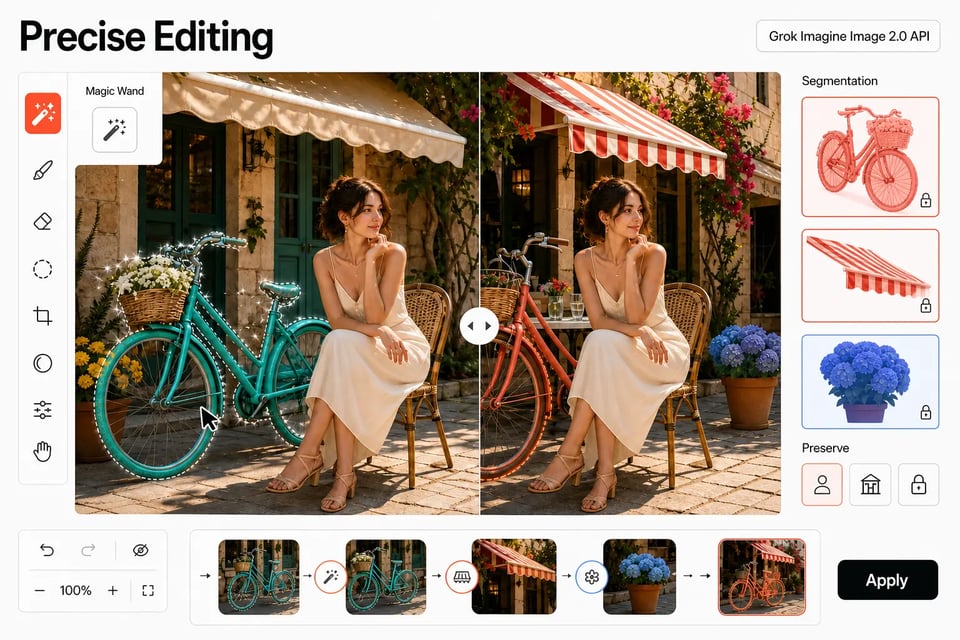
Precise Editing Expands with Grok Imagine Image 2.0 API
Image 2.0 introduces more focused ways to change specific areas while preserving the rest of the composition. Magic Wand can target a selected region, while Segmentation can isolate more precise parts of an image for modification, making localized adjustments easier without unnecessarily rebuilding the entire scene. Check the latest Kie.ai API documentation to confirm which Grok Imagine Image 2.0 API editing capabilities and request methods are currently available.
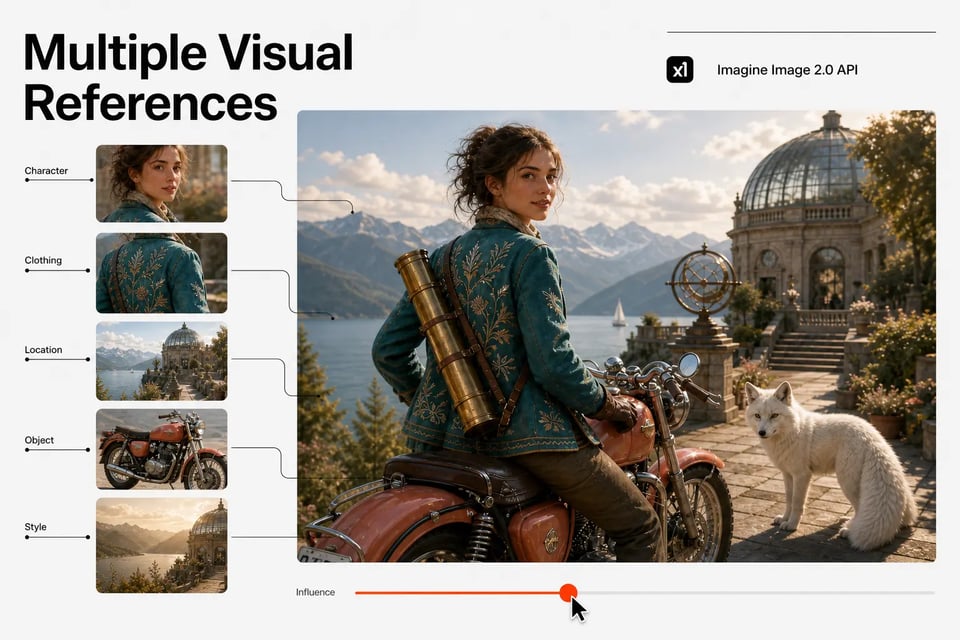
Multiple Visual References Come Together through Imagine Image 2.0 API
Characters, clothing, locations, objects, props, or stylistic references can contribute to the same creative direction rather than relying on a single source image. Imagine Image 2.0 API makes reference-based generation more flexible when several separate visuals need to influence different parts of the final composition.
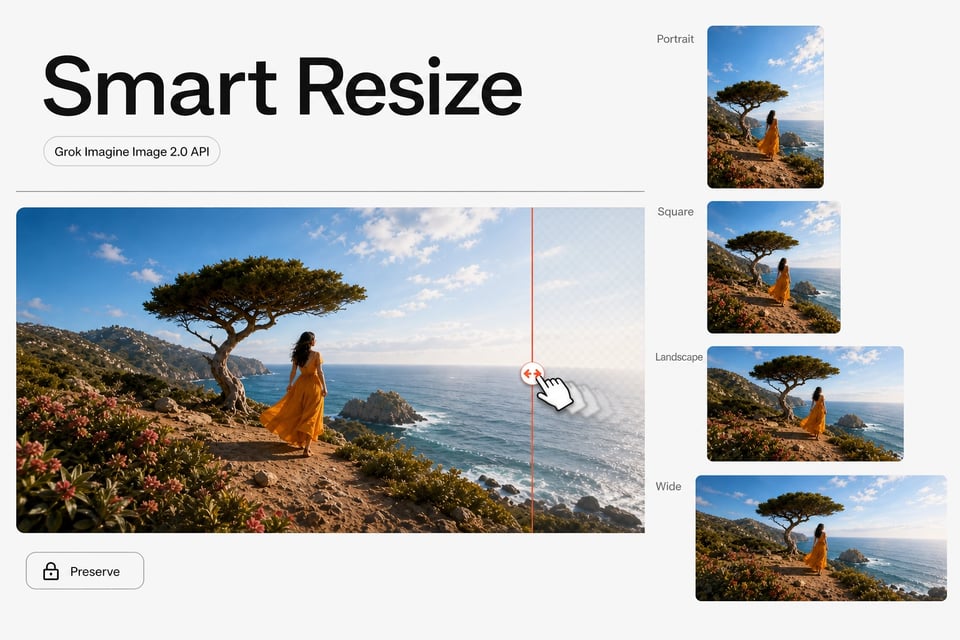
Smart Resize Gives Grok Imagine Image 2.0 API More Flexible Framing
A finished image can be adapted to a different format without relying only on conventional cropping. Smart Resize can extend and recompose the surrounding scene for portrait, square, landscape, and wider layouts while preserving the central visual direction. For supported aspect ratios, resize behavior, and currently available request parameters, check the latest Kie.ai API documentation before integration.
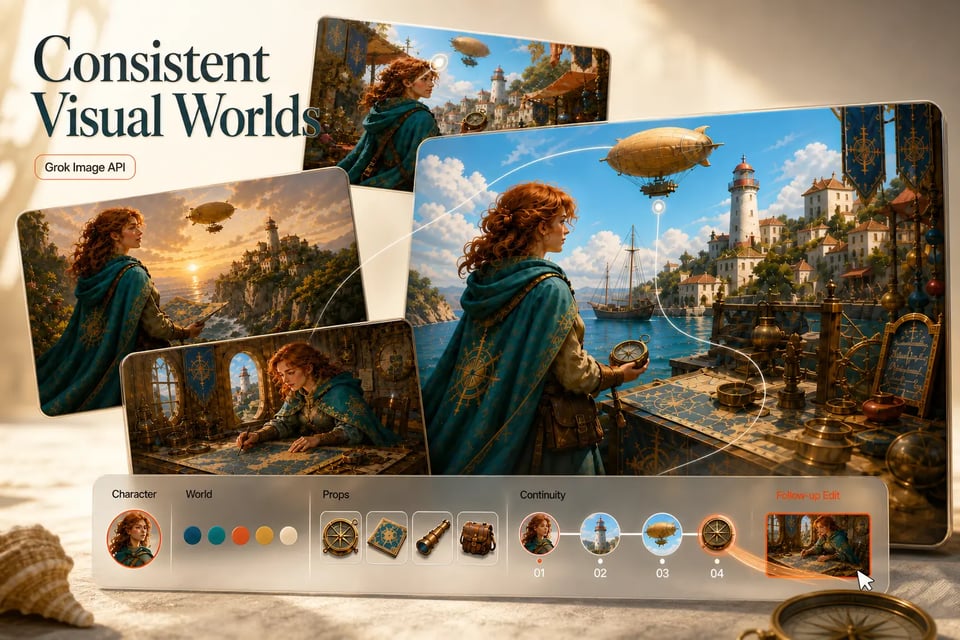
Build More Consistent Visual Worlds with Grok Image API
Related generations can retain more recognizable characters, environments, props, and stylistic choices from one image to the next. The consistency improvements in Grok Imagine Image 2.0 API make it easier to create connected visual assets that share the same overall look, whether they are produced as separate scenes, supporting elements, or follow-up edits.
How Grok Imagine Image 2.0 Compares with Leading Image Generation Models
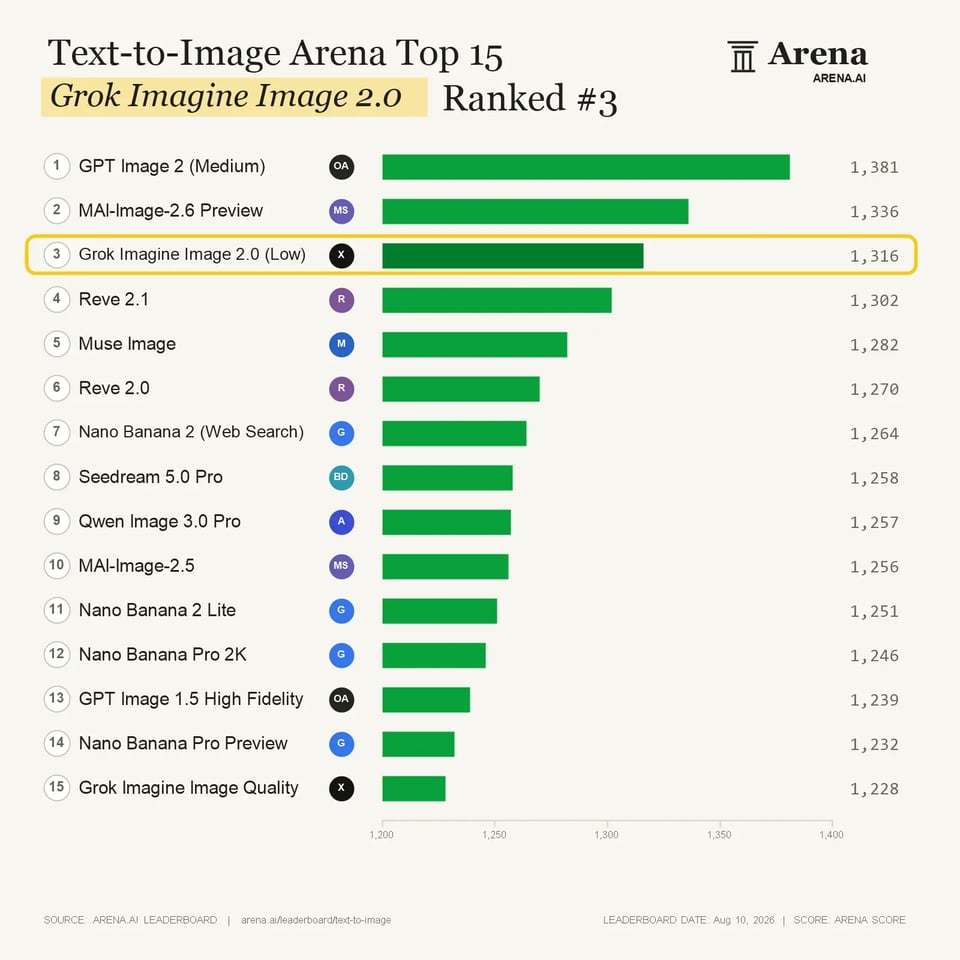
Grok Imagine Image 2.0 Text To Image for Advanced Visual Generation
Grok Imagine Image 2.0 ranks among the top-performing systems in the Text-to-Image Arena with an Elo score of 1316±12, competing alongside GPT Image, MAI Image, Reve, Gemini, and Seedream. The evaluation highlights strong capabilities in turning detailed prompts into complete visual compositions, including complex scenes, multiple objects, artistic styles, and typography-focused designs.
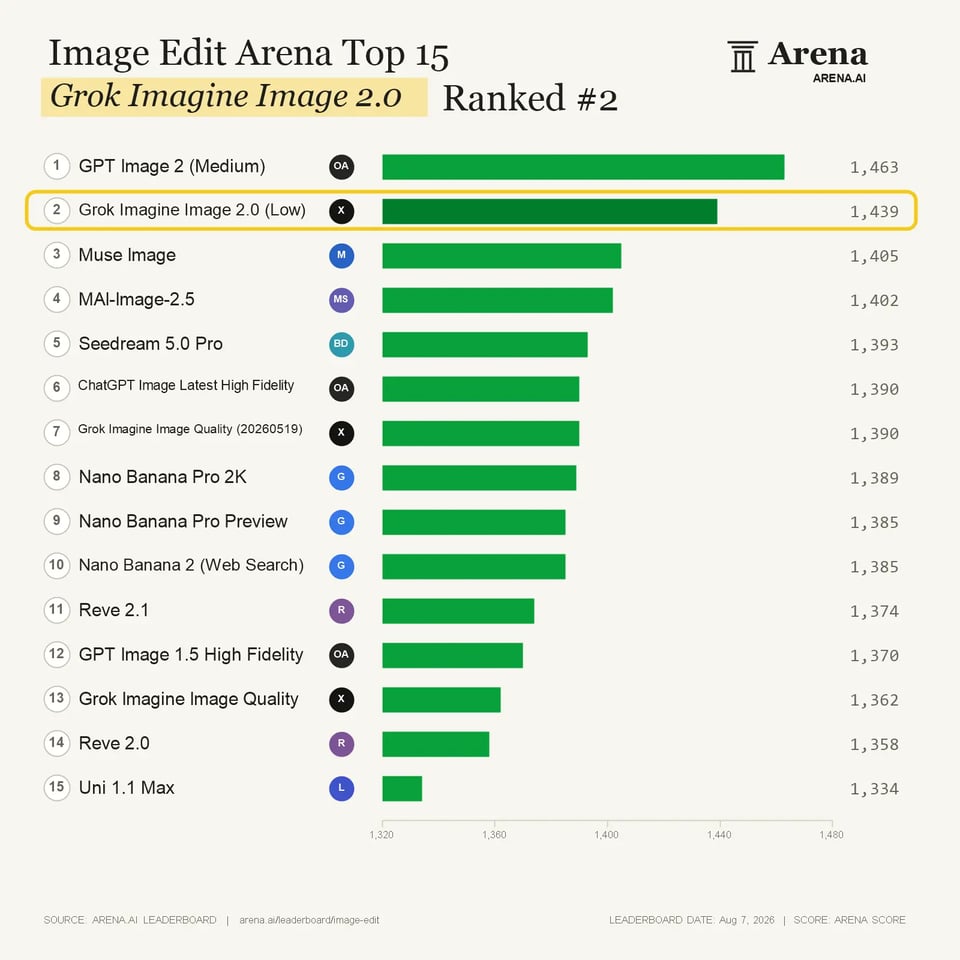
Grok Imagine Image 2.0 Image To Image for More Precise Image Editing
Grok Imagine Image 2.0 ranks second in the Image Edit Arena with an Elo score of 1439±8, placing it among the strongest image editing solutions alongside GPT Image, Muse Image, MAI Image, Gemini, and Seedream. The evaluation highlights effective reference-based transformation, visual preservation, and controlled editing for tasks that require targeted changes without losing the original image identity.
A Simple Way to Integrate Grok Imagine Image 2.0 API with Kie.ai
Get started with our product in just a few simple steps...
Get Access to Grok Imagine Image 2.0 API through Kie.ai
Choose Text To Image or Image To Image Generation with Grok Imagine Image 2.0 API
Submit Your Request and Receive Grok Imagine Image 2.0 Outputs
Comparing Grok Imagine Image 2.0 and GPT Image 2 Through Real Creative Examples
Grok Imagine Image 2.0 and GPT Image 2 both demonstrate strong visual understanding when handling complex prompts, but their outputs can differ in composition, interpretation, and editing approach. These examples compare how both image systems respond to the same creative requirements across concept generation, text-heavy scenes, and reference-based editing.
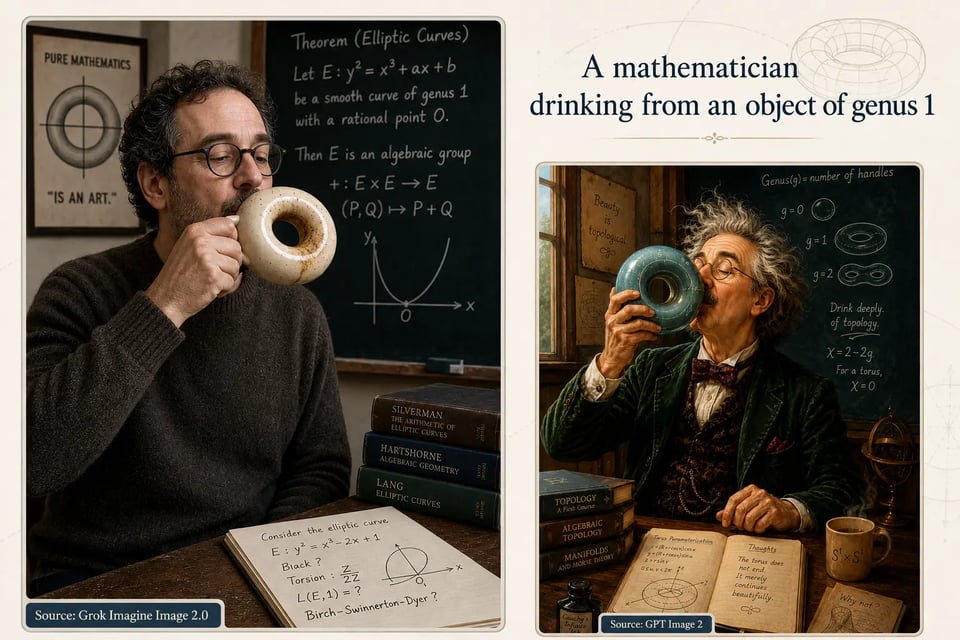
Grok Imagine Image 2.0 vs GPT Image 2 for Abstract Concept Visualization
For the mathematician concept, both systems transform an unusual idea into a visual scene with academic elements and mathematical references. Grok Imagine Image 2.0 presents the torus concept as a physical object within a realistic environment, while GPT Image 2 creates a more expressive interpretation with additional artistic details and a stronger narrative atmosphere.
Grok Imagine Image 2.0 vs GPT Image 2 for Complex Scenes with Text Integration
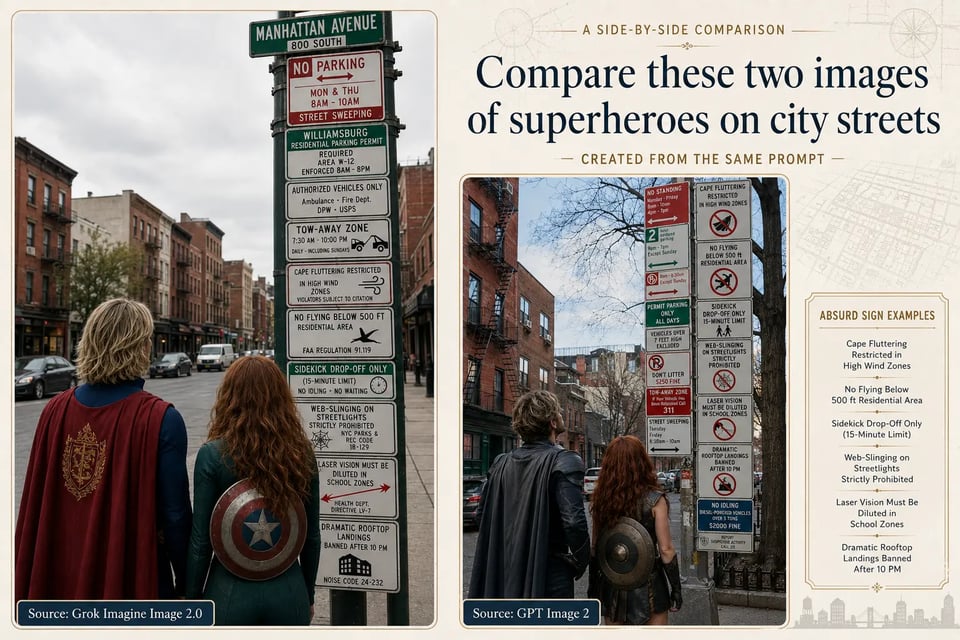
In the superhero street-sign example, both systems recreate the same urban scenario while adding fictional signage and environmental details. Grok Imagine Image 2.0 maintains a more documentary-style street composition, whereas GPT Image 2 introduces a denser arrangement of visual information with a more illustrative presentation. The two outputs show different approaches to combining characters, surroundings, and text elements within one image.
Grok Imagine Image 2.0 vs GPT Image 2 for Reference-Based Image Editing
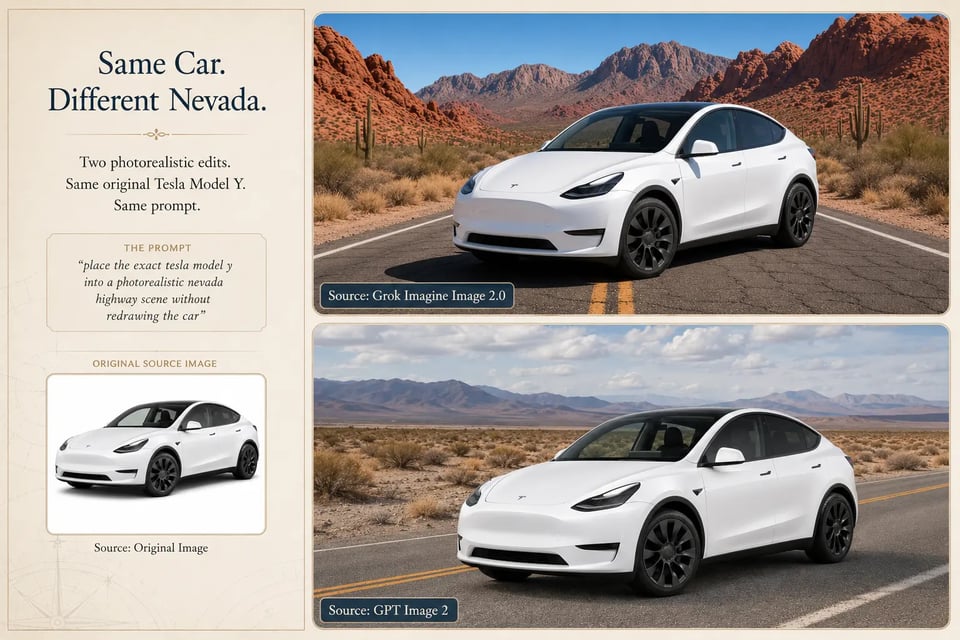
For the Tesla Model Y editing example, both systems use the original vehicle image as the visual reference and place it into a Nevada desert environment. Grok Imagine Image 2.0 keeps the vehicle structure and appearance closer to the source image, while GPT Image 2 creates a slightly different interpretation of the same scene with changes in perspective and environmental presentation.
Explore Creative Possibilities with Imagine Image 2.0 API
Create Marketing Posters and Promotional Visuals with Grok Imagine Image 2.0 API
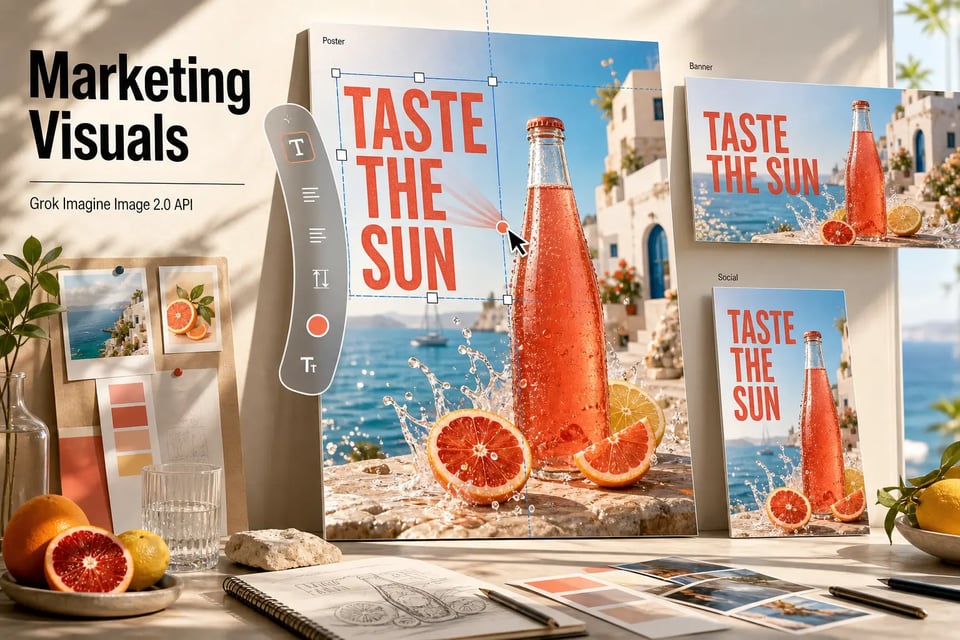
Marketing teams can create campaign posters, event graphics, product promotions, and social media visuals that combine imagery, branding elements, and text-based information in one composition. Stronger layout understanding helps organize headlines, supporting details, and visual elements for more structured promotional designs.
Design Product Images and E-commerce Visuals with Grok Imagine Image 2.0 API
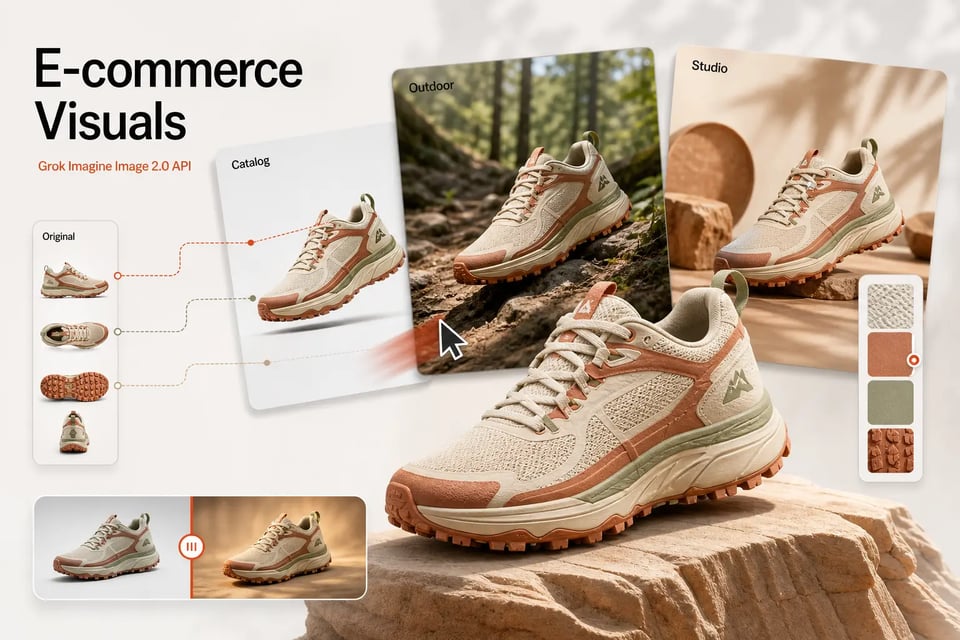
Product teams can generate new product scenes, adjust existing product images, or explore different environments and styles without rebuilding the entire visual concept. Reference-based editing makes it easier to maintain the original product appearance while adapting backgrounds, lighting, compositions, and creative directions.
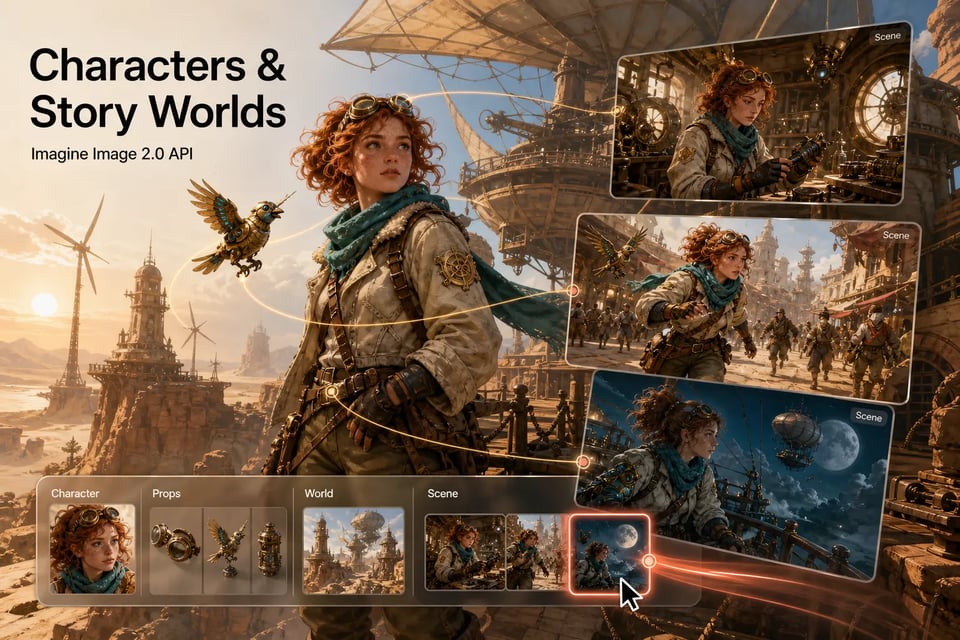
Develop Characters and Story Worlds with Imagine Image 2.0 API
Creators can build consistent characters, environments, props, and scenes for illustrations, games, comics, and visual storytelling projects. Image 2.0 supports repeated visual exploration where different assets need to share similar styles, appearances, and creative themes.
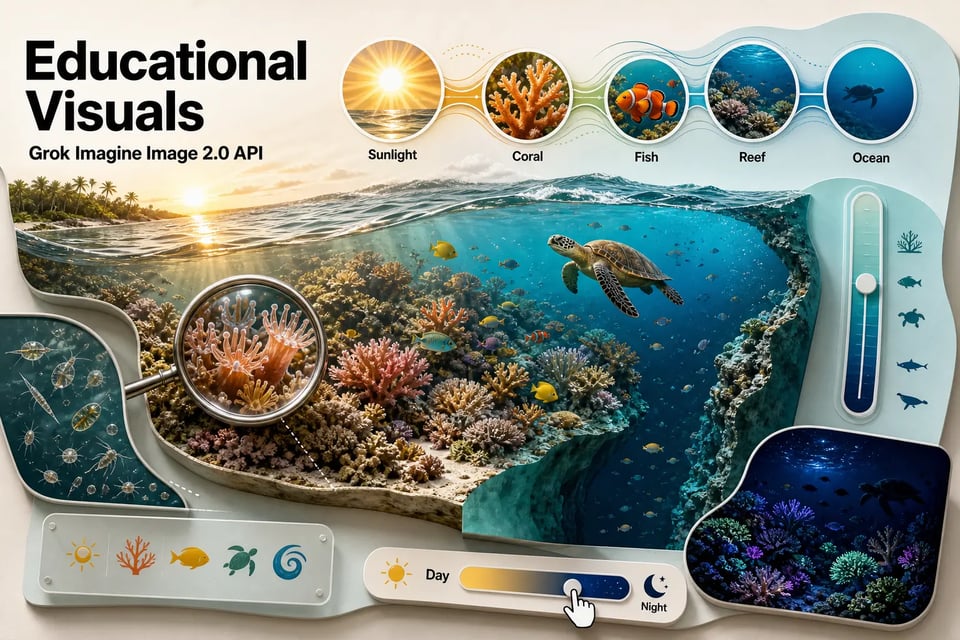
Generate Infographics and Educational Visual Content with Grok Imagine Image 2.0 API
Complex information can be transformed into visual explanations through diagrams, illustrated guides, timelines, and educational graphics. Improved typography and layout handling help combine written information with visual elements while maintaining a clearer overall structure.
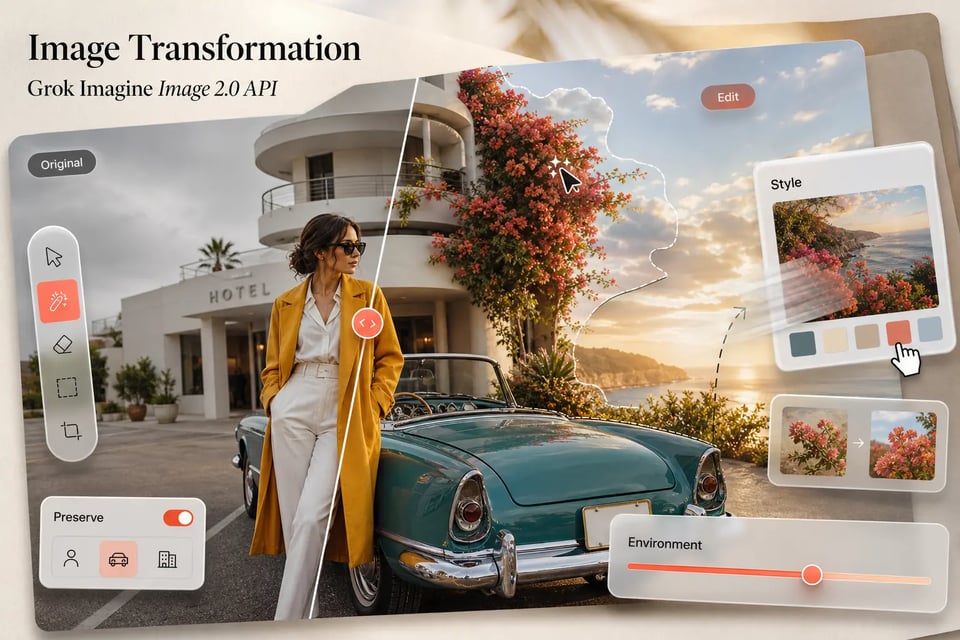
Transform Existing Images through Grok Imagine Image 2.0 API Editing
Existing photographs, illustrations, and creative assets can be refined through style changes, environment adjustments, object modifications, and visual transformations. Image editing capabilities allow creators to explore new variations while keeping important parts of the original image recognizable.
What Makes Kie.ai the Right Platform for Grok Imagine Image 2.0 API
Access Grok Imagine Image 2.0 API Through an All-in-One Platform
Kie.ai brings Grok Imagine Image 2.0 API together with other advanced AI models in one platform, making it easier to explore different image generation and editing capabilities without managing multiple separate services. This unified approach helps users compare options and choose suitable solutions for different creative requirements.
Build Faster with Clear Grok Imagine Image 2.0 API Documentation
Detailed documentation provides guidance on available features, request formats, and integration methods, helping users understand how to work with Grok Imagine Image 2.0 API more efficiently. Clear resources make it easier to move from initial exploration to practical implementation.
Explore Flexible Grok Image API Access for Different Creative Needs
Kie.ai provides access to Grok image capabilities across multiple visual creation scenarios, including generating new images from prompts and transforming existing visuals through image-based inputs. This allows users to explore different creative approaches within a single platform.
Compare Grok Imagine Image 2.0 API Pricing with Flexible Usage Options
Grok Imagine Image 2.0 API Pricing provides flexible choices for different project requirements. Kie.ai helps users select a suitable usage approach based on their image generation and editing needs, making advanced visual capabilities more accessible for different scales of projects.
Get Reliable Support for Grok Imagine Image 2.0 API Integration
Kie.ai provides ongoing support for API usage, integration questions, and technical concerns during implementation. This helps users resolve potential issues more efficiently while focusing on building image-based products and creative applications.
Enjoy 24/7 Service Support for Grok Imagine Image 2.0 API Usage
Continuous service support helps maintain a smoother experience when working with image generation and editing capabilities. Kie.ai provides 24/7 assistance to help users address questions and keep their projects progressing.