A text description of the image you want to generate
0/20000Click to upload or drag and drop
Supported formats: JPEG, PNG, WEBP Maximum file size: 30MB; Maximum files: 10
Input images to transform or use as reference (supports up to 10 images)
Resolution of the generated image. Higher resolutions take longer to generate.
Format of the output image
Explore different use cases and parameter configurations
README
Complete guide to using nano-banana-2
Nano Banana 2 API: Gemini 3.1 Flash Image for Fast 4K Creation
Integrate the powerful Nano Banana 2 API on kie.ai. Experience Google's Gemini 3.1 Flash Image technology featuring 4K generation, lightning-fast speeds, and perfect character consistency for developers.
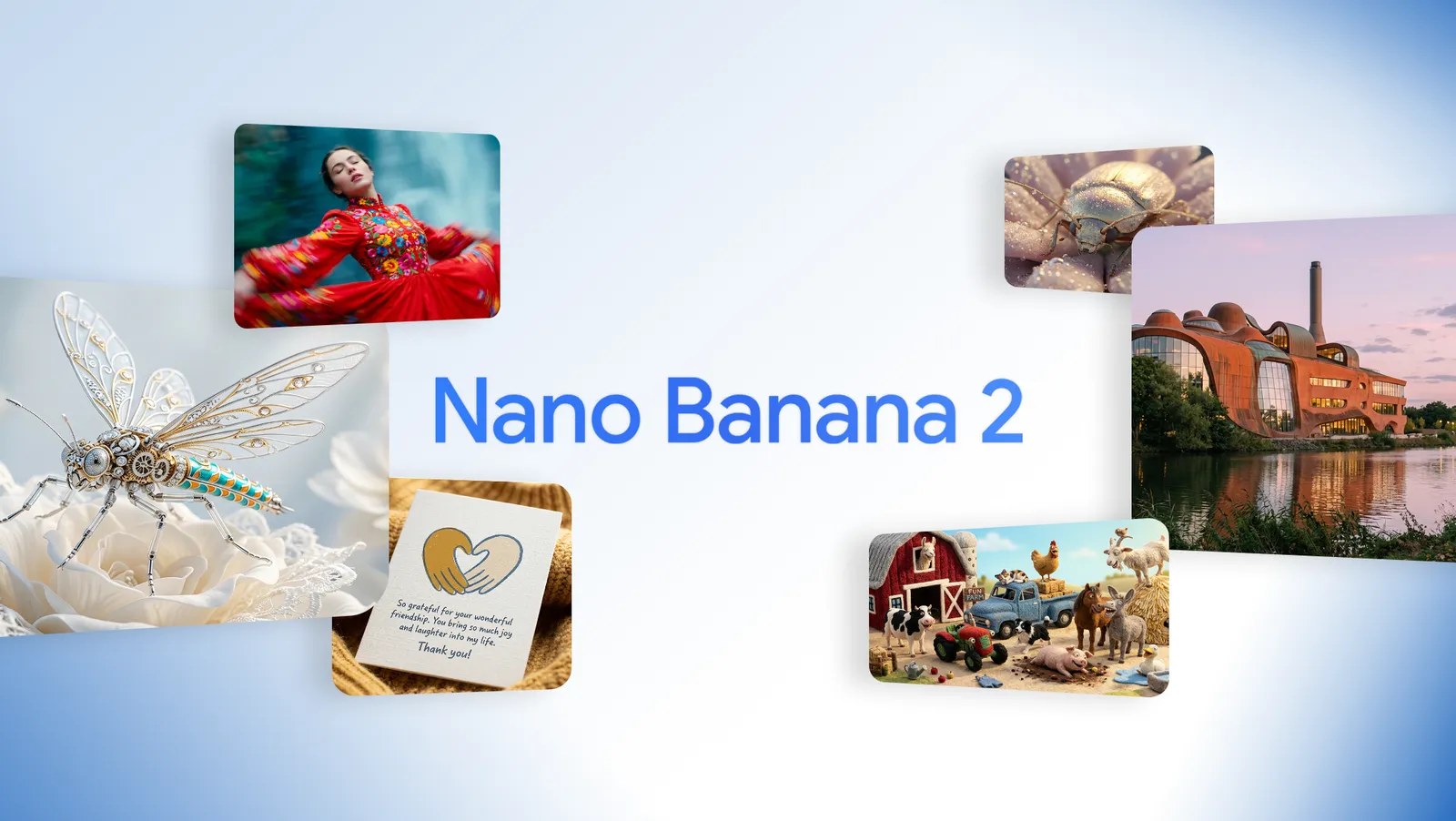
Nano Banana 2 API Models Available on Kie AI
Nano Banana 2 Text to Image API for Fast Image Generation
Kie AI provides Nano Banana 2 text to image API powered by Gemini 3.1 Flash Image, delivering high-quality visuals, fast generation speed, and strong prompt understanding for scalable creative workflows.
Nano Banana 2 Photo Edit API (Image to Image) for Smart Editing
Kie AI supports Nano Banana 2 photo edit API for image to image workflows, enabling precise editing, style transfer, and visual refinement while maintaining subject consistency and production-ready image quality.
Nano Banana 2 API Highlights on Kie AI
Pro-Level Quality at Flash Speed with Nano Banana 2 API
Nano Banana 2 API on Kie AI delivers Pro-level visual quality while keeping Flash-speed generation. Developers can create high-detail images faster, improving workflow efficiency without sacrificing consistency or realism.
Gemini 3.1 Flash Image Architecture for Smarter Reasoning
Built on Gemini 3.1 Flash Image, nano banana 2 api improves reasoning, spatial understanding, and world knowledge. Kie AI helps developers generate images that better follow complex prompts and real-world context.
Key Features of Nano Banana 2 API on Kie AI
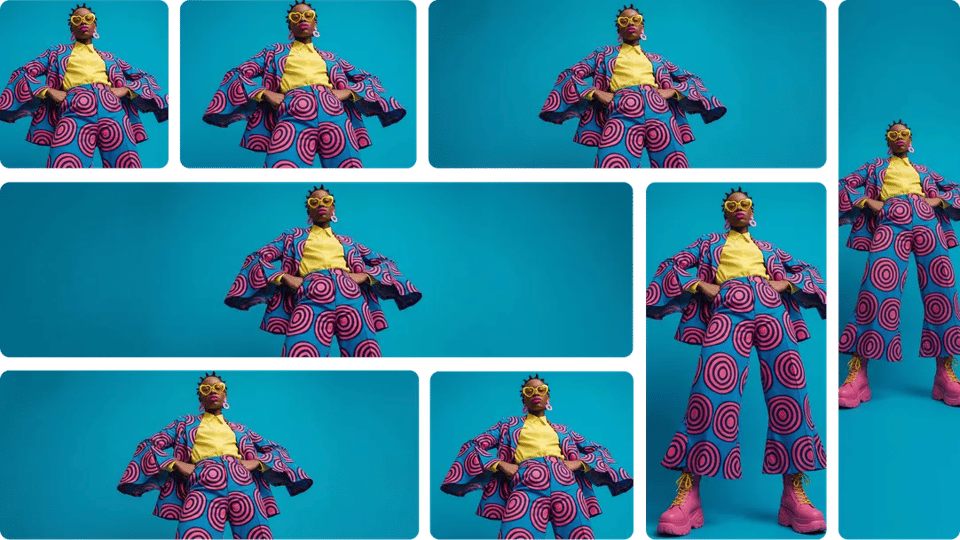
4K Output and New Ultra Wide Ratios in Nano Banana 2 API
Nano banana 2 supports production-ready 4K output and newly added ultra wide ratios like 4:1, 1:4, and 8:1. Kie AI helps developers generate flexible visuals optimized for banners, ads, and cinematic layouts.
Flash Speed Generation with Nano Banana 2 Gemini 3.1 Flash Image
Nano Banana 2 (Gemini 3.1 Flash Image) combines Flash-speed generation with strong visual fidelity. Kie AI helps developers produce rich lighting, sharper textures, and high-quality images without slowing pipelines.
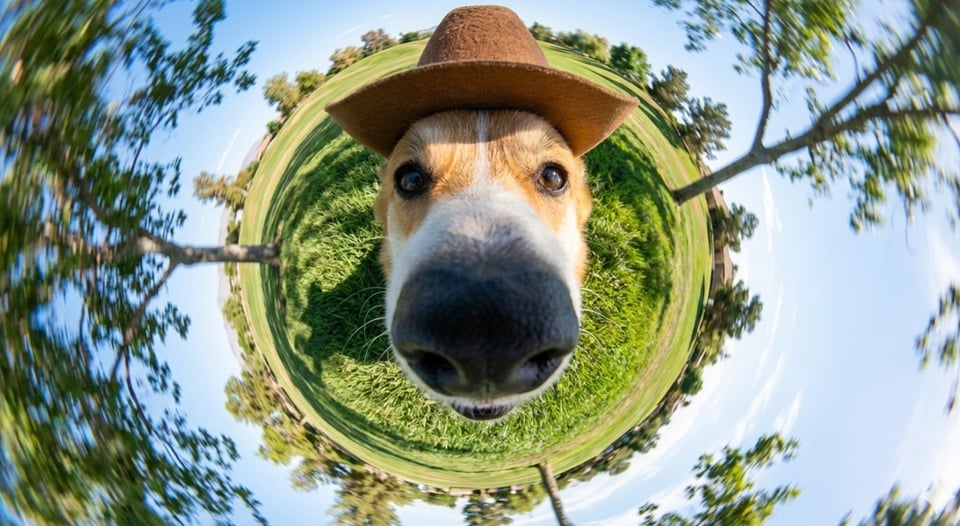
Advanced World Knowledge in Nano Banana 2 Model
Nano banana 2 model on Kie AI uses strong world knowledge to understand real objects, scenes, and context. This helps nano banana 2 api generate more accurate visuals aligned with real-world references and intent.
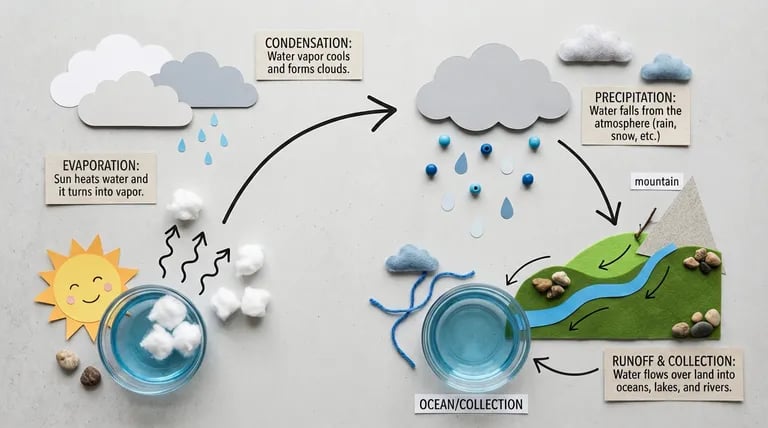
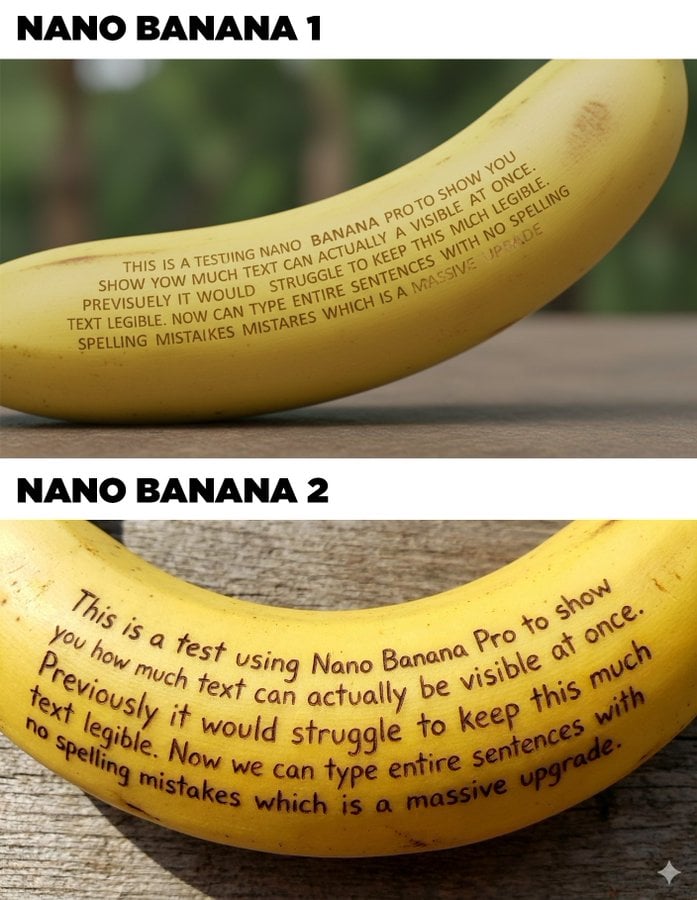
High Fidelity Text Rendering with Nano Banana 2 AI API
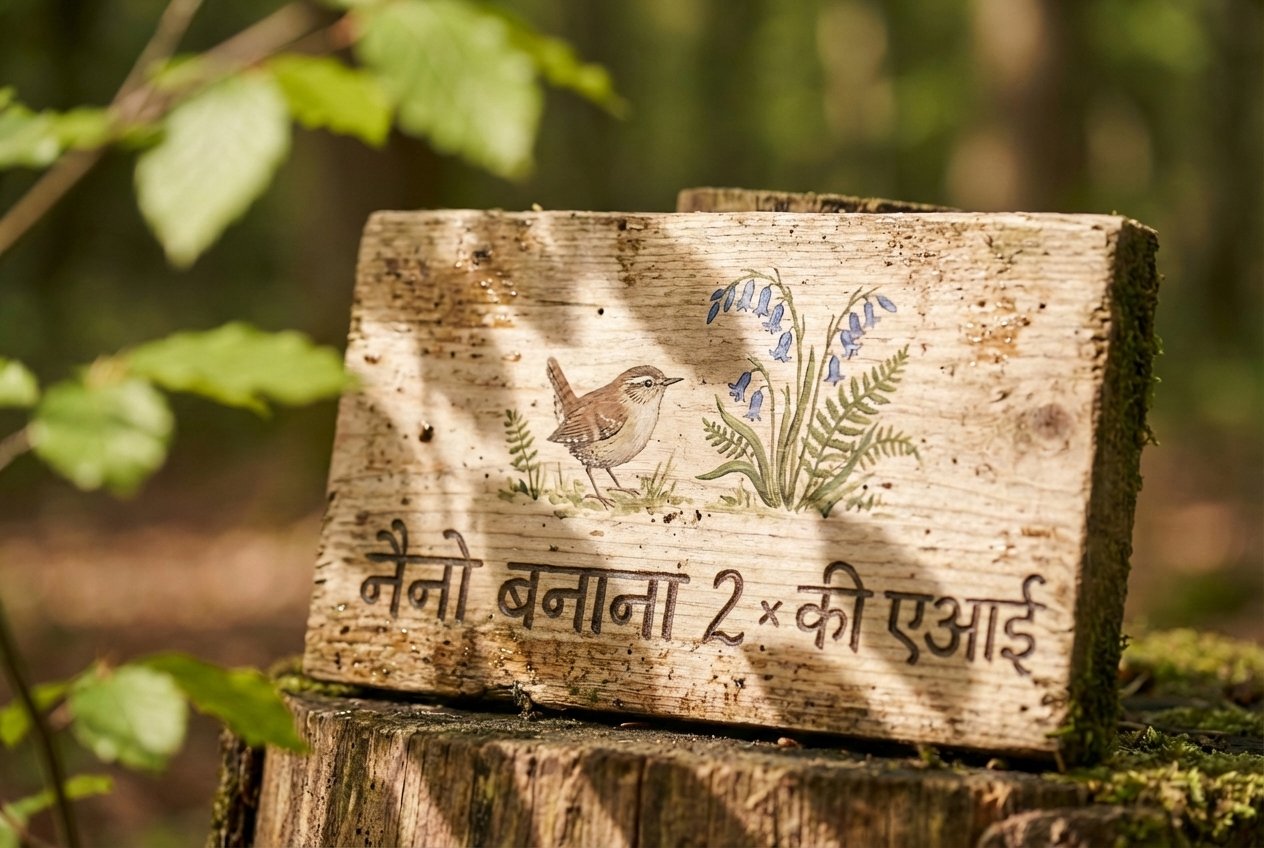
Nano banana 2 ai api delivers clear, readable text inside images with improved localization support. Kie AI enables developers to create marketing visuals, posters, and UI assets with reliable text rendering quality.
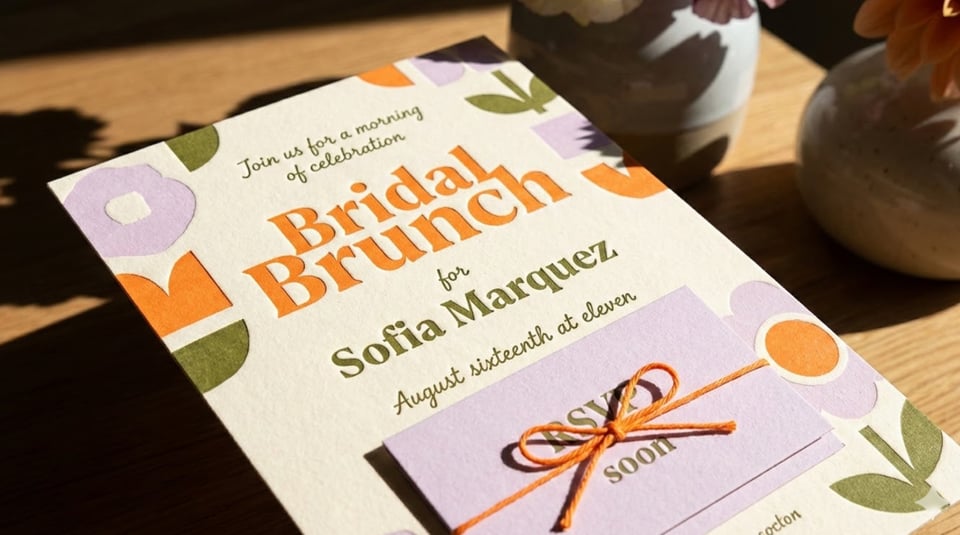
Subject Consistency Across Multi-Character Workflows
NanoBanana 2 api maintains strong subject consistency across multiple characters or objects. On Kie AI, this feature helps developers build storyboards and visual sequences without losing identity or design coherence.
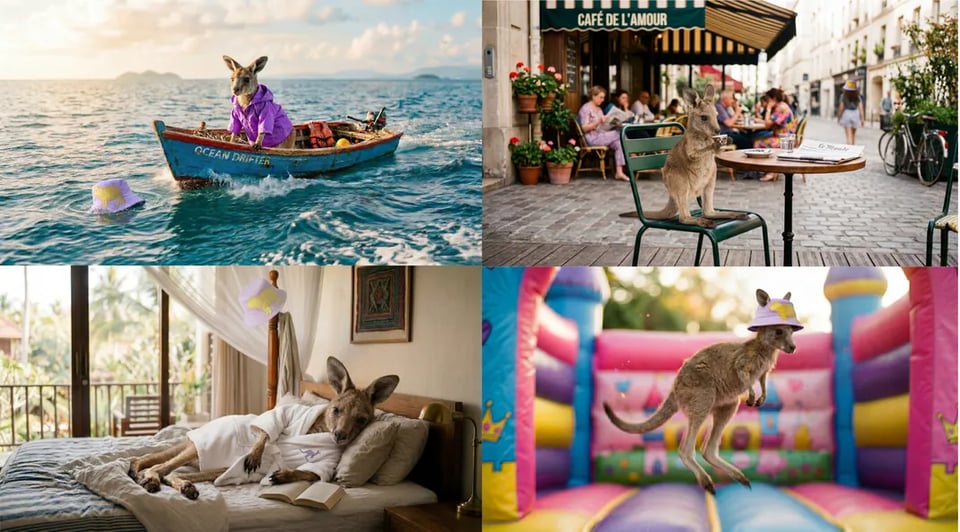
Enhanced Instruction Following for Nano Banana API Developers
Nano Banana api on Kie AI follows complex prompts more accurately, helping developers control composition, style, and details. This improves predictability and reduces trial and error in creative workflows.
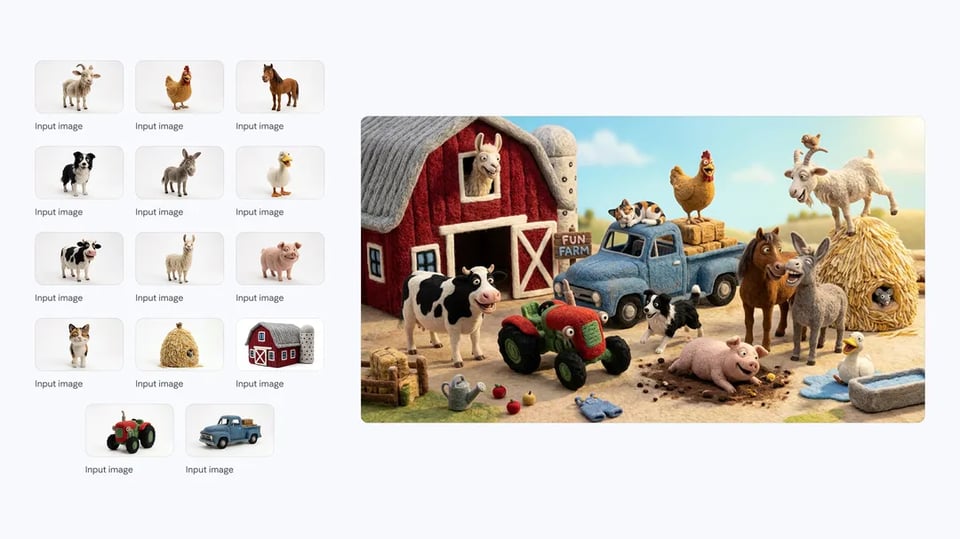
How to Access Nano Banana 2 API with Free Testing on Kie AI
Step 1 — Try Nano Banana 2 API Free in Kie AI Playground
Step 2 — Get Nano Banana API Key and Review Documentation
Step 3 — Make Your First Nano Banana 2 API Request
What You Can Build with Nano Banana 2 API on Kie AI
Impossible Selfies with Nano Banana 2 AI API
Use nano banana 2 ai api to create impossible selfies by adding new elements, changing scenes, or transforming style while keeping identity consistent. Kie AI helps developers build fun, shareable selfie experiences at scale.
Combine Photos Using Nano Banana 2 Image Edit API
Nano banana 2 image edit api makes it easy to combine photos into one coherent image. On Kie AI, developers can merge multiple inputs, keep visual balance, and generate natural results for creative or social content.
Turn Photos into Figurines with Nano Banana 2
With nano banana 2 image edit api, developers can transform real photos into figurine-style visuals while preserving subject identity. Kie AI enables consistent character styling, ideal for collectibles, avatars, and creative apps.
Try Different Looks with NanoBanana 2 API
NanoBanana 2 api helps users try different looks by changing hairstyle, fashion, or visual style from a single image. Kie AI supports fast experimentation, helping apps offer instant makeover or style exploration features.
Nano Banana 2 API vs Other Nano Banana Models
Nano Banana vs Nano Banana 2
Nano Banana 2 API upgrades the original Nano Banana with higher visual fidelity, faster generation, and support for 4K output powered by Gemini 3.1 Flash Image. Nano Banana focuses on lightweight image creation, and Nano Banana 2 delivers sharper details, stronger reasoning, and production-ready quality for modern workflows.
Nano Banana 2 vs Nano Banana Pro
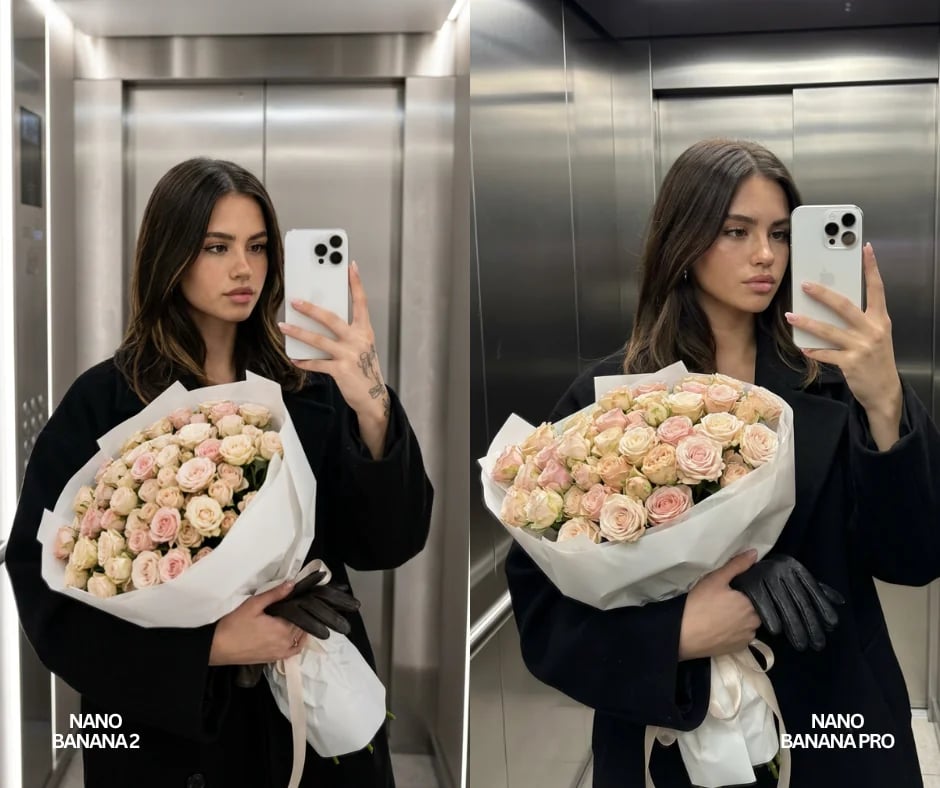
Nano Banana 2 focuses on Flash-speed generation with strong visual quality, making it ideal for rapid workflows and scalable production. Nano Banana Pro is designed for maximum fidelity and advanced control when projects require higher precision or deeper reasoning. On Kie AI, developers can choose the right model based on speed, quality, and cost needs.
Why Choose Nano Banana 2 API on Kie AI
Generate or Transform Images on One Endpoint
nano-banana-2 runs on POST /api/v1/jobs/createTask and takes a prompt of up to 20,000 characters, plus up to 14 input images to transform or use as reference. Pass a callBackUrl to receive the result when the task finishes, verify each callback with the HMAC signature described in the Kie.ai webhook guide, and query Get Task Details for the authoritative result. Pricing for each resolution is shown in the pricing card above.
Pass Image URLs, Not File Content
Input images must be uploaded file URLs rather than file content, in JPEG, PNG or WebP, each up to 30MB. Files that are not hosted yet can be uploaded first with the Kie.ai File Upload API (Base64, file stream or remote URL).
Default Output and Higher Tiers
Output defaults to 1K resolution in JPG with an automatic aspect ratio; set the resolution up to 4K or switch to PNG when you need them. New Kie.ai users receive 80 free credits for testing. The full parameter list is in the playground and API docs above.