

Seedance 2.5 on KIE is ByteDance’s upgraded AI video model, built for longer, more controllable video generation. It supports up to 30-second videos, multimodal references, precise editing, and improved consistency for more cinematic and production-ready creative workflows.

Wan3.0 is Alibaba’s next-generation all-in-one video generation model built for multimodal creation. It supports text, image, video, audio, and structured references to produce more consistent, realistic, and controllable video content with enhanced storytelling and editing capabilities.
Seedream 5.5 is ByteDance Seed's image creation model, released on November 9, 2026. It keeps unedited regions intact across up to 100 rounds of editing, generates images with transparent backgrounds natively, and renders more realistic textures and dense small text.
OpenAI introduces GPT-6.2 Astra as its frontier model for the hardest projects, released on November 17, 2026. It accepts text and image inputs across a 1,050,000-token context window (up to 922,000 input tokens and 128,000 output tokens) and delivers cleaner code, better frontends and 3D models, and better results on demanding tasks with fewer output tokens. On Kie.ai it currently supports chat requests only.
Claude Opus 5.5 is Anthropic's first model in the Claude 5.5 family, delivering frontier-level performance in agentic coding, computer use, and knowledge work. With faster output, clearer communication, and significantly improved computational efficiency, it brings advanced intelligence to demanding, multi-step tasks.
API de Conversão de Fala em Texto para Transcrição de Áudio Confiável
Use a API de Conversão de Fala em Texto para transformar gravações de voz em transcrições precisas, pesquisáveis e bem organizadas, ideais para estudo, pesquisa e revisão de conteúdo.
Como usar a API de Conversão de Fala em Texto para Transcrição Precisa
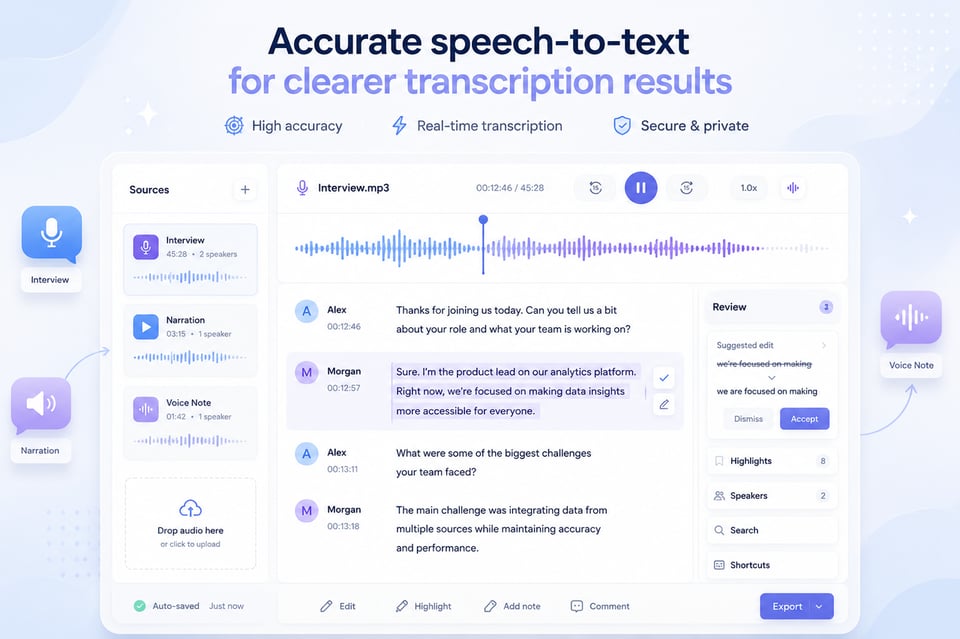
Accurate Speech to Text API for Clearer Transcription Results
Turning spoken words into usable text depends on more than basic recognition. Speech to Text API helps produce clean, readable transcripts that preserve the meaning of the original audio while reducing the need for manual typing. For voice recordings, narration, interviews, explanations, or long spoken files, accurate transcription makes the final text easier to review, edit, organize, and reuse.
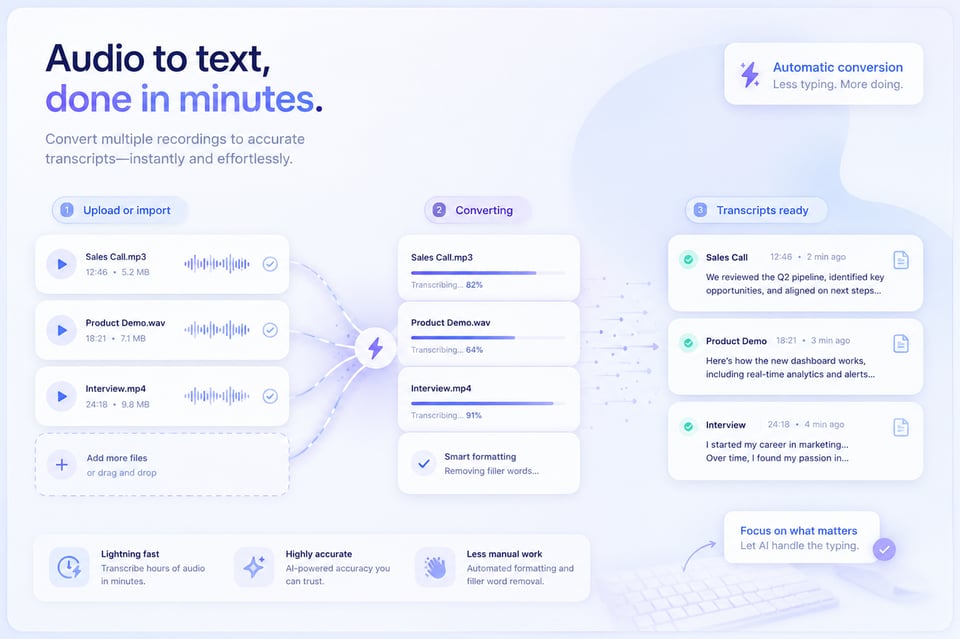
Faster Audio to Text API Conversion with Less Manual Work
Speed matters when audio content needs to become text quickly. Audio to Text API can shorten the transcription process by converting spoken content into text automatically, helping users handle frequent recordings or longer audio files more efficiently. Instead of replaying audio repeatedly and typing by hand, users can start from a generated transcript and focus on checking, refining, or using the content.
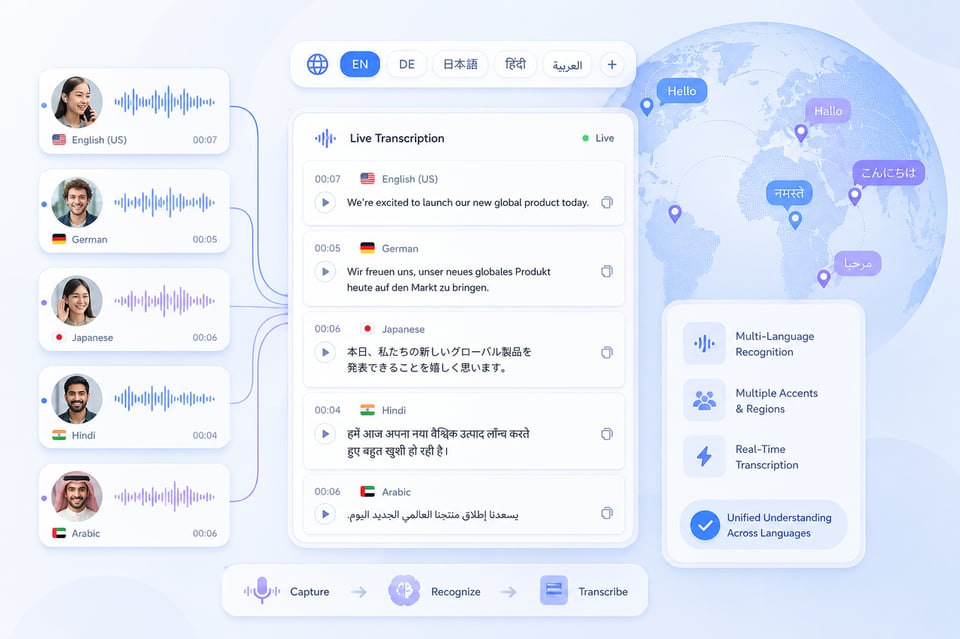
Multilingual Voice Recognition Through Speech to Text API
Global audio content often includes different languages, accents, and pronunciation patterns. Speech to Text API can support multilingual recognition, making it easier to process recordings from different regions and speaking backgrounds. This helps create more consistent text output when audio sources are not limited to a single language or local accent.
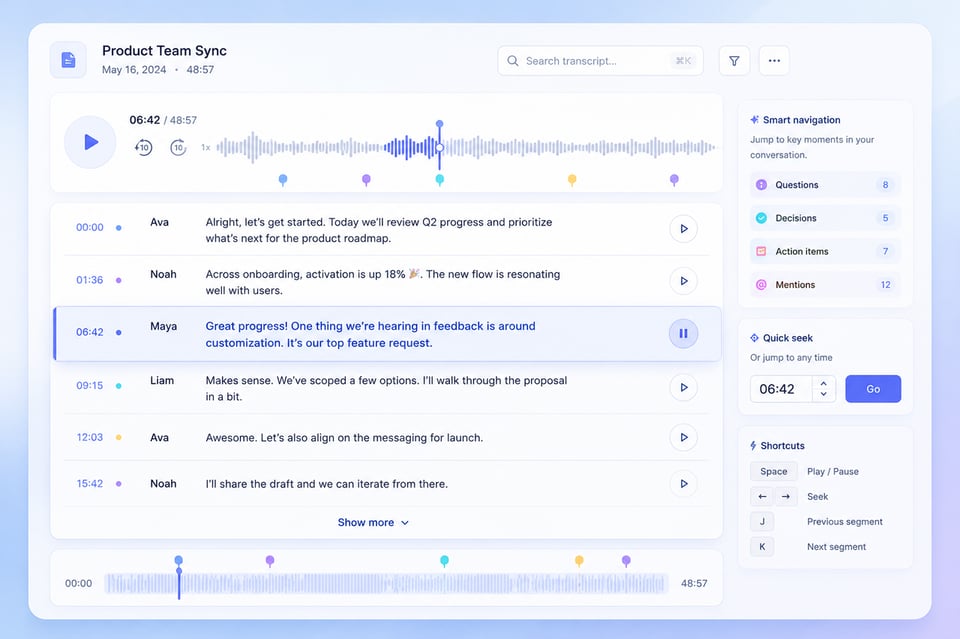
Timestamped Output for More Organized Speech to Text API Results
A plain transcript can be difficult to review when the original audio is long. With timestamped output, Speech to Text API connects text segments with their corresponding audio moments, making it easier to locate specific parts, check important sections, and move between audio and transcript content. This creates a more structured result than a single block of text.
Como a API de Transcrição de Áudio em Texto Transforma Gravações em Texto Utilizável
Step 1: Create an Account and Obtain Your Speech to Text API Key
To start using the Speech to Text API, first sign up or log in to your Kie.ai account. Navigate to the API dashboard to generate a personal API key. This key is essential for authenticating requests and linking all transcription activity to your account. Keep the key secure, as it provides access to usage logs, billing, and model configurations. Proper management of API credentials ensures a smooth and secure workflow for future transcription tasks.
Step 2: Prepare Audio Files for Speech to Text API Transcription
Before sending audio to the Speech to Text API, prepare your input to maximize transcription quality. Verify the file format, sample rate, and channel configuration. Reduce background noise, avoid overlapping voices, and ensure that the speech is clear. Whether processing pre-recorded files or streaming audio, these preparation steps help the model generate more accurate, readable, and structured transcripts.
Step 3: Configure Parameters for Speech to Text API Requests
Set the appropriate transcription options for the Speech to Text API depending on your audio content. Parameters may include language selection, inclusion of timestamps, punctuation, text normalization, and output format. Correct parameter configuration ensures that the transcript meets your requirements, whether for readability, further processing, or integration into downstream workflows.
Step 4: Submit Audio and Retrieve Structured Text via Speech to Text API
Once the audio and parameters are ready, submit your request to the Speech to Text API endpoint. The response provides structured text, often including transcript segments, timestamps, and confidence scores. For long recordings, asynchronous processing may be needed, with job status monitoring and result retrieval. This step converts raw audio into actionable, machine-readable text efficiently and reliably.
Step 5: Review and Utilize Transcripts Generated by Speech to Text API
After receiving the transcription, review the text for completeness and formatting. The structured output can be stored, indexed, searched, edited, or integrated into other applications. If timestamps are included, you can correlate text segments to the original audio, enabling accurate reference, verification, and analysis. Proper use of the Speech to Text API output maximizes the value of your audio content.
Por que Kie.ai é uma Escolha Melhor para Integração da API de Conversão de Fala em Texto
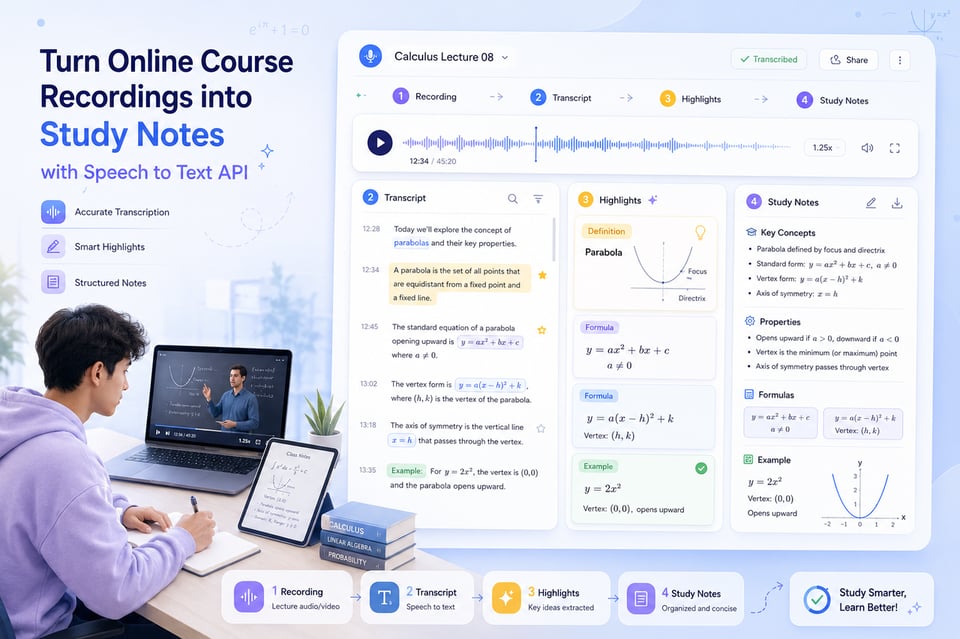
Turn Online Course Recordings into Study Notes with Speech to Text API
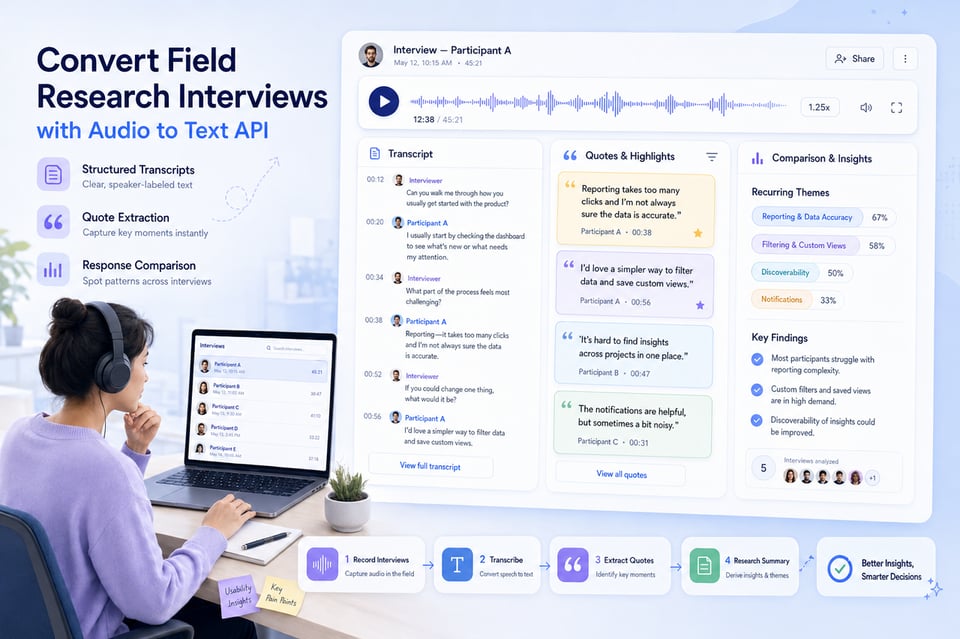
Convert Field Research Interviews with Audio to Text API
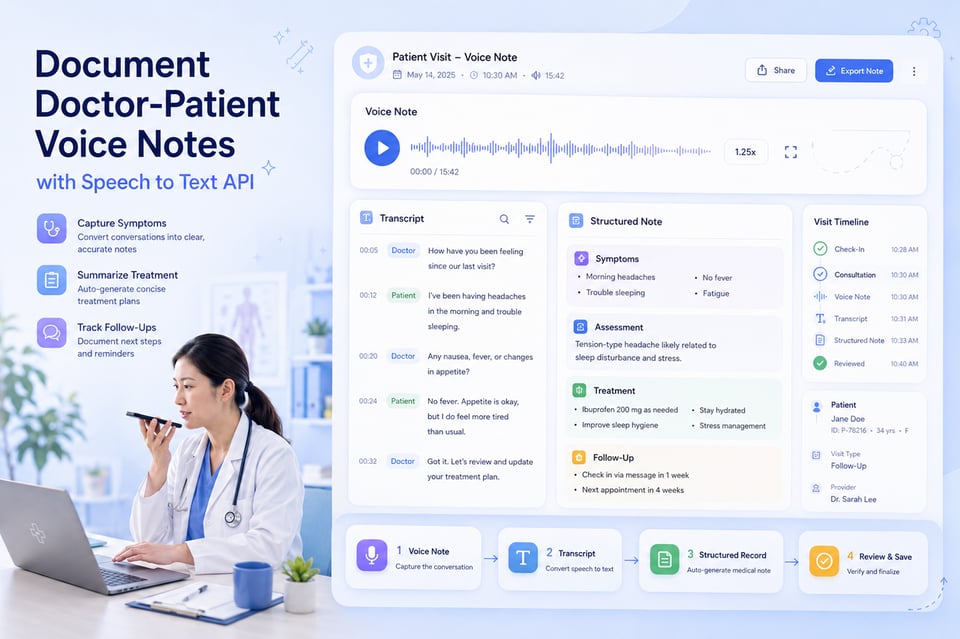
Document Doctor-Patient Voice Notes with Speech to Text API
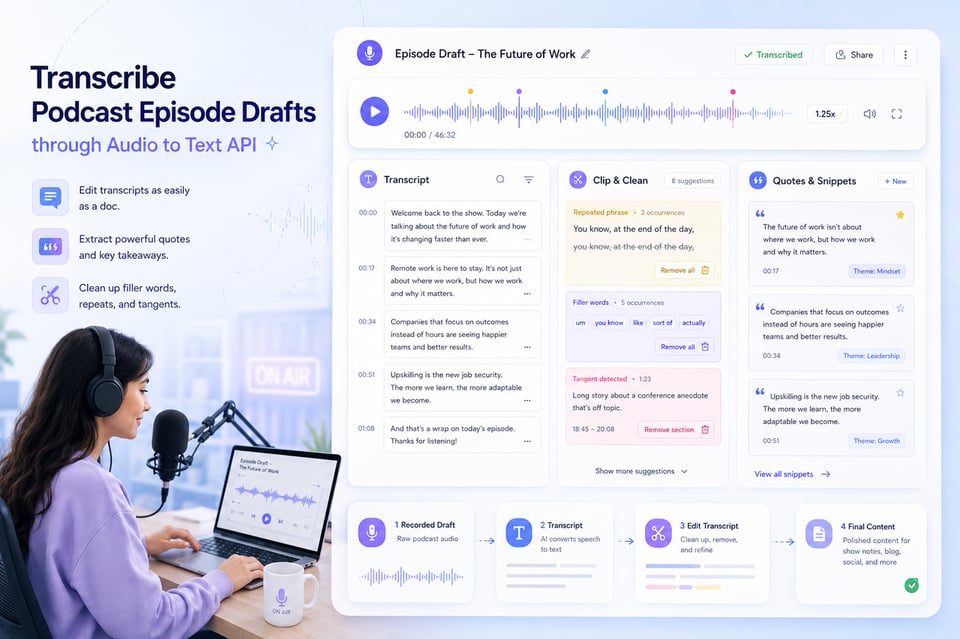
Transcribe Podcast Episode Drafts Through Audio to Text API
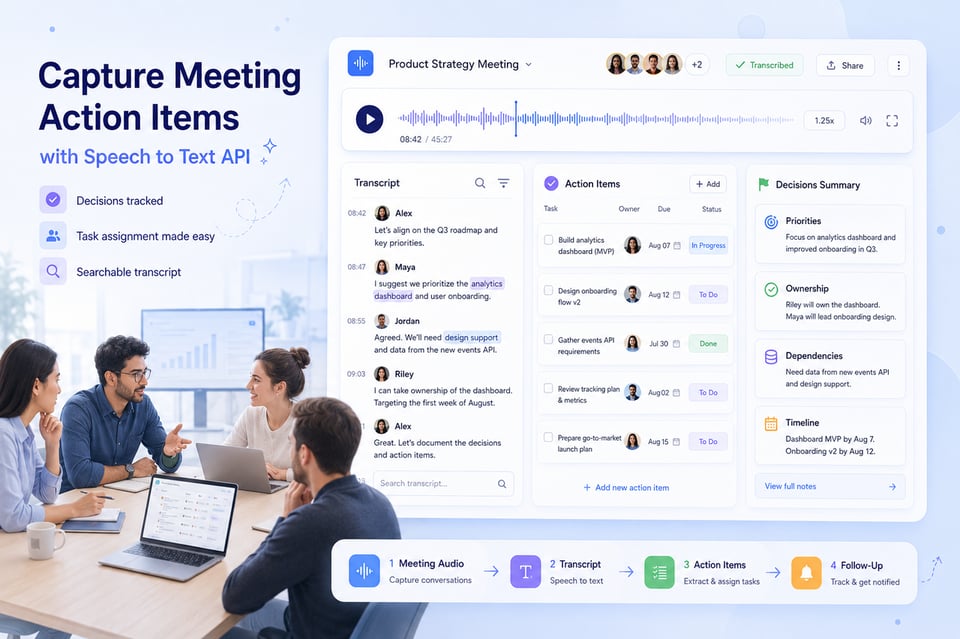
Capture Meeting Action Items with Speech to Text API
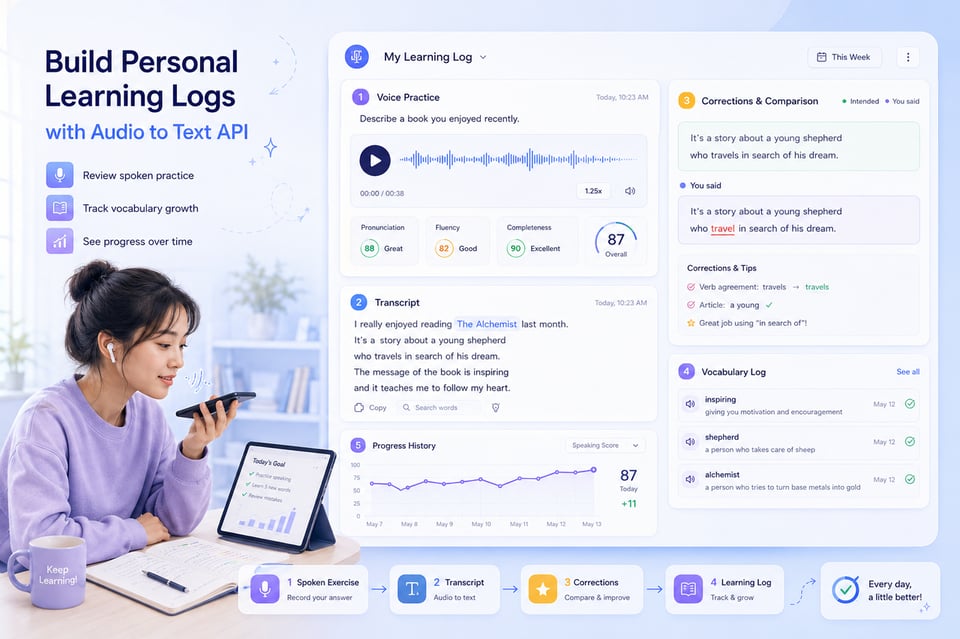
Build Personal Learning Logs with Audio to Text API
Perguntas Frequentes sobre a API de Conversor de Fala em Texto
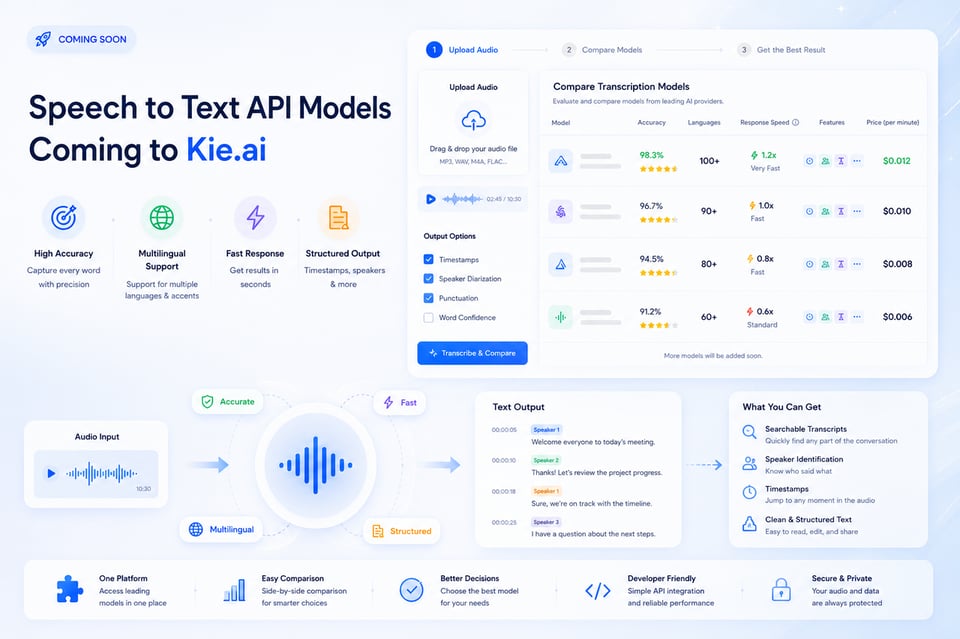
One Platform for Multi-Model Speech to Text API Access
Kie.ai will provide access to multiple Speech to Text API models in a single platform, enabling users to compare performance, speed, and output quality without managing multiple vendors. Teams can evaluate different models side by side, ensuring they select the one that best fits their specific audio content and transcription needs.
Clear and Comprehensive Documentation for Audio to Text API
Future Audio to Text API support will include detailed documentation, parameter references, sample requests and responses, and usage guidelines. This allows users to understand each model’s capabilities, configure transcription requests accurately, and integrate the API smoothly into workflows, reducing trial-and-error during implementation.
Flexible Testing and Evaluation of Speech to Text API
Before full-scale deployment, Kie.ai will allow users to test Speech to Text API models using free or credited trials. Testing helps evaluate transcription accuracy, real-time processing, language support, and structured output features, giving users confidence that the selected API meets their operational requirements.
24/7 Support for Audio to Text API Workflows
Audio transcription is often critical for learning, research, content creation, and productivity. Kie.ai will provide continuous support to help users troubleshoot, optimize API usage, and maintain smooth operation of Audio to Text API models once available. This ensures reliable transcription outcomes, even for complex or high-volume workflows.
Frequently Asked Questions About Speech to Text API
Does Kie.ai currently provide Speech to Text API models?
Kie.ai does not yet offer Speech to Text API models. Support for these models is planned, allowing users to process recorded or streaming audio into structured text once the service becomes available.
Which audio formats will Speech to Text API support?
Speech to Text API models are expected to support common audio formats such as MP3, WAV, M4A, and FLAC. Some models may also process video files that contain audio tracks, such as MP4 or MOV. Exact supported formats should be checked in the latest Kie.ai API documentation after release.
Can Audio to Text API transcribe long recordings?
Audio to Text API can be used for longer recordings when the selected model supports the required file duration and processing mode. For extended audio, users should pay attention to file size limits, processing time, language settings, and whether the model uses synchronous or asynchronous transcription.
Will Speech to Text API support multiple languages?
Speech to Text API models are expected to support multilingual transcription, allowing users to convert spoken content from different language environments into readable text. Actual language coverage may vary by model, so users should review the supported language list before use.
Can Audio to Text API generate timestamps?
Audio to Text API may provide timestamped output at the segment or word level. Timestamps help connect transcript sections with the original audio timeline, making the text easier to review, verify, and organize.
Will Speech to Text API work with noisy audio?
Speech to Text API can improve transcription efficiency for real-world recordings, but output quality still depends on the original audio. Clear speech, stable volume, limited background noise, and suitable recording quality generally produce better transcription results.
Will free testing be available for Audio to Text API?
Once Audio to Text API models are released, Kie.ai may support testing through available account credits. Free testing should not be understood as unlimited usage, and actual testing availability will depend on the user’s credits, selected model, and current pricing rules.