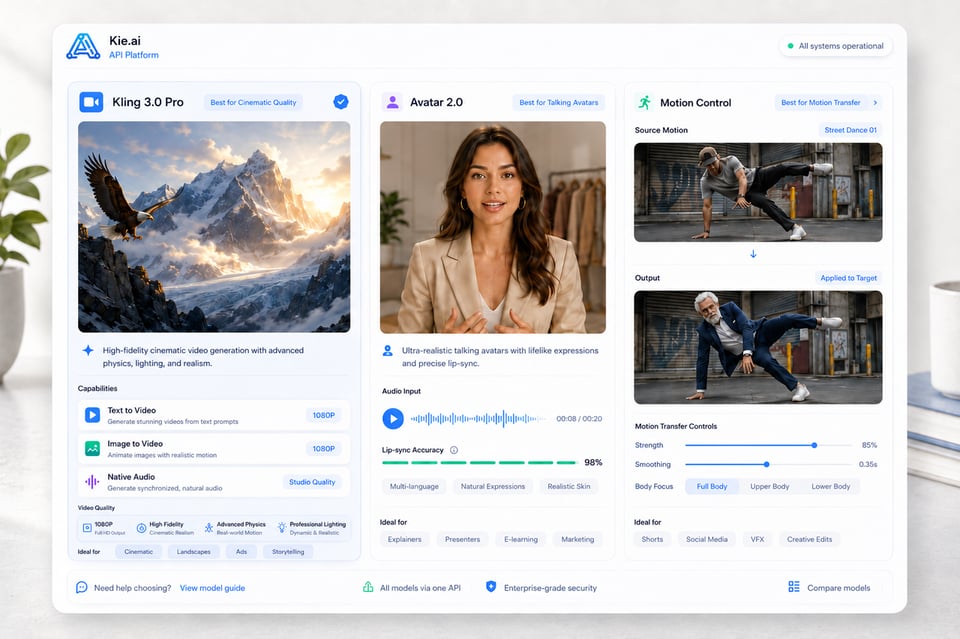
从电影级效果生成到动作驱动表现,Kling AI API 涵盖多个模型方向,而非依赖单一固定流程。Kling 3.0、Kling 3.0 Motion Control、Kling Avatar 2.0 等多种 Kling AI 视频 API 可满足不同创作需求,包括文本生成视频、图像生成视频、原生音频生成、动作迁移以及说话口型同步生成。
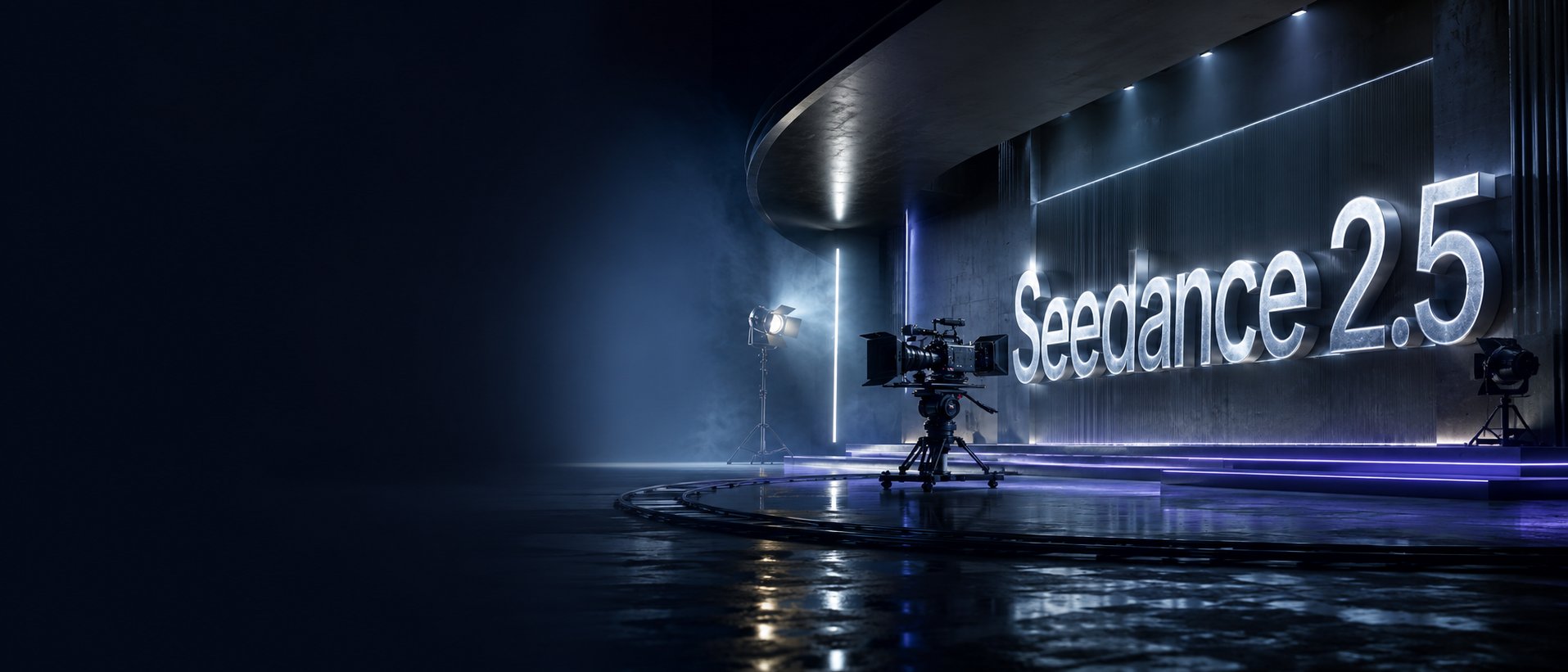
Image to VideoText to VideoVideo to Video
Seedance2.5
Seedance 2.5 on KIE is ByteDance’s upgraded AI video model, built for longer, more controllable video generation. It supports up to 30-second videos, multimodal references, precise editing, and improved consistency for more cinematic and production-ready creative workflows.
Text to Video
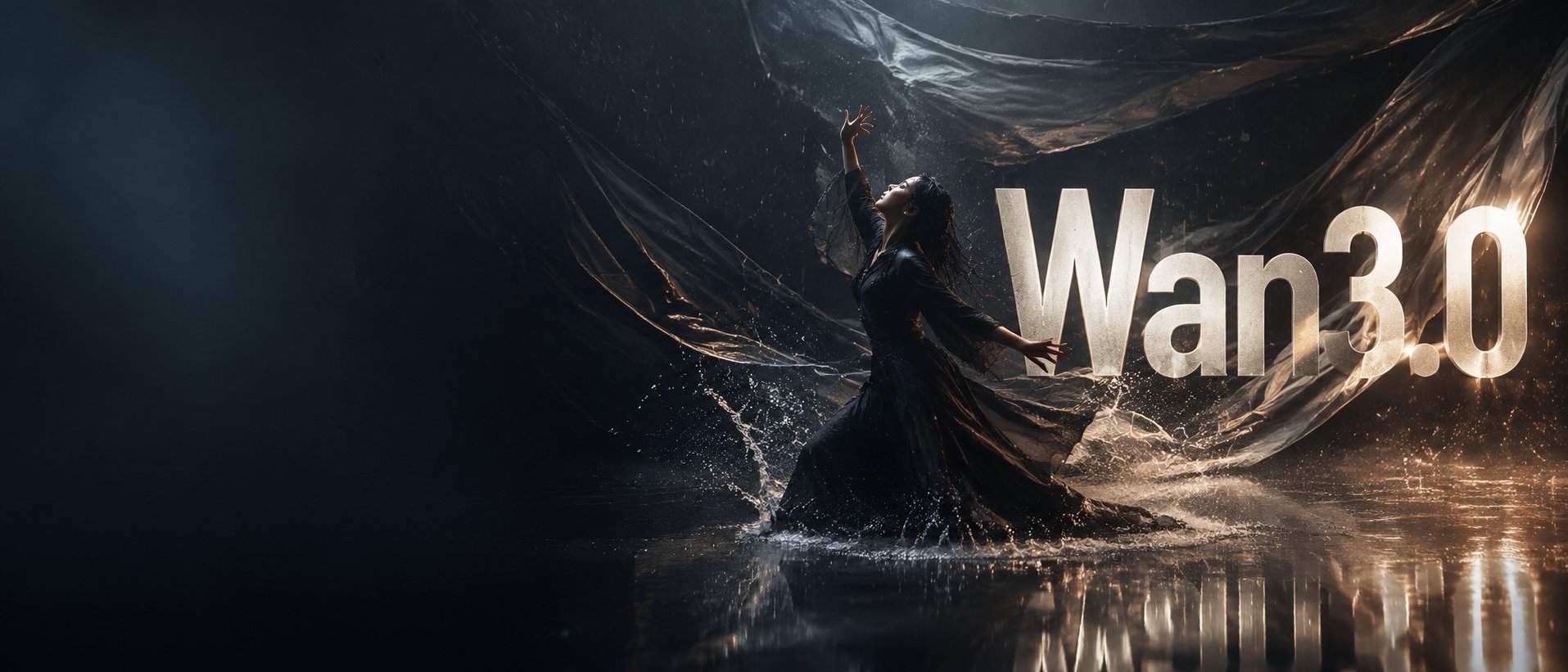
Wan 3.0
Wan3.0 is Alibaba’s next-generation all-in-one video generation model built for multimodal creation. It supports text, image, video, audio, and structured references to produce more consistent, realistic, and controllable video content with enhanced storytelling and editing capabilities.
Image to VideoText to VideoVideo to Video
Seedance 2
Seedance 2.0 on KIE is a multimodal Al video model by ByteDance, optimized for fast and realistic video generation. It supports high-quality virtual human video creation with strong multi-shot consistency, enabling more lifelike and cinematic outputs across scenes.
Text to ImageImage to Image
GPT Image 2
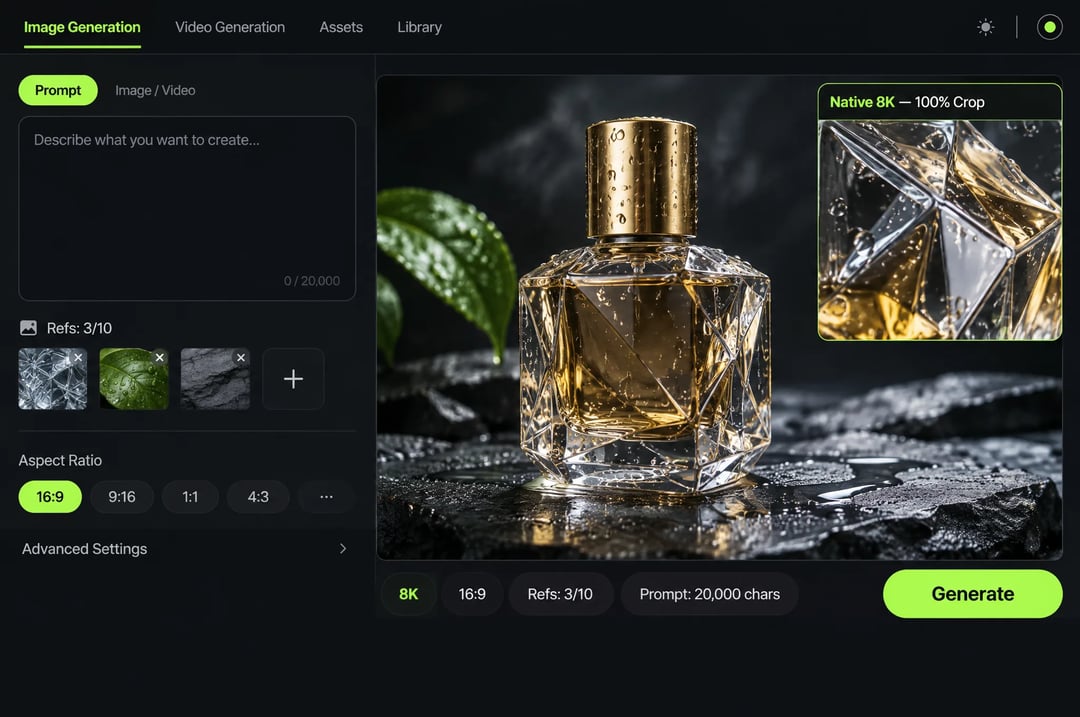
GPT Image 2 is OpenAI’s next-gen image model built for stronger photorealism, cleaner image editing, sharper text rendering, and more polished product photography. Designed for more advanced visual workflows, it pushes image generation beyond basic text-to-image output and into higher-quality creative, commercial, and design-ready use cases.
Text to ImageImage to Image
Nano Banana 2
Meet Nano Banana 2, Google’s Gemini 3.1 Flash Image model, now available via Kie AI API. Built for developers, it combines lightning-fast speed with Pro-level quality, accurate text rendering, strong character consistency, and scalable image generation and editing workflows.
Chat
Grok 4.6
Grok 4.6 is xAI’s latest frontier AI model, designed to enhance long-running agents, advanced reasoning, coding intelligence, and interactive AI experiences. Building on Grok 4.5, it delivers improved performance for complex multi-step tasks, knowledge work, software engineering, and creative applications.
所有模型
12 找到的相关模型12 MODELS
提供商(1/28)
任务(16)
Kling
Kling Image 4.0
Text to ImageImage to Image
Kling
Kling Image 4.0
Kling Image 4.0 is Kling AI's image generation model built on a Native Unified Understanding and Generation Architecture, launched on November 17, 2026. On Kie.ai it runs as two endpoints: kling-4-0/image for native 2K, 4K and 8K generation, multi-image or element references and 2-to-10-image series, and kling-4-0/long-image for full e-commerce product detail pages and webpage designs.
Kling
Kling
Kling 4.0 Flash
Text to VideoImage to Video
Kling
Kling 4.0 Flash
Kling 4.0 Flash is the Flash model in the Kling 4.0 family, which Kling positions for faster generation and greater value. On Kie.ai, the Kling 4.0 Flash API offers two models: Reference to Video, which accepts a prompt with optional reference images, elements, or reference videos, and Keyframe to Video, which generates a video from a single first-frame image. Both output 720p MP4 clips from 3 to 20 seconds.
Kling
Kling
Kling 4.0
Text to VideoImage to Video
Kling
Kling
Kling O3
Text to VideoImage to Video
Kling
Kling
Kling 3.0 Turbo
Text to VideoImage to Video
Kling
Kling
Kling 3.0 Motion Control
Video to Video
Kling
Kling
Kling 3.0
Text to VideoImage to Video
Kling
Kling
Kling 2.6 Motion Control
Video to Video
Kling
Kling
Kling 2.6
starting from
$0.28-20%
55 Credits/5s
Text to VideoImage to Video
Kling
Kling
Kling 2.5 Turbo
Text to VideoImage to Video
Kling
Kling AI Avatar 2.0
Lip Sync
Kling
Kling
Kling V2.1
Text to VideoImage to Video
用于多模态(Multi-Modal)AI 视频创作的 Kling AI API
使用 Kie.ai 探索 Kling AI API 工作流,实现电影级视频生成、参考驱动的动作控制、原生音频输出以及动效头像创建,一个灵活统一的 API 平台。
Kling API 如何助力 AI 视频创作
支持多模态输入的 Kling 视频 API
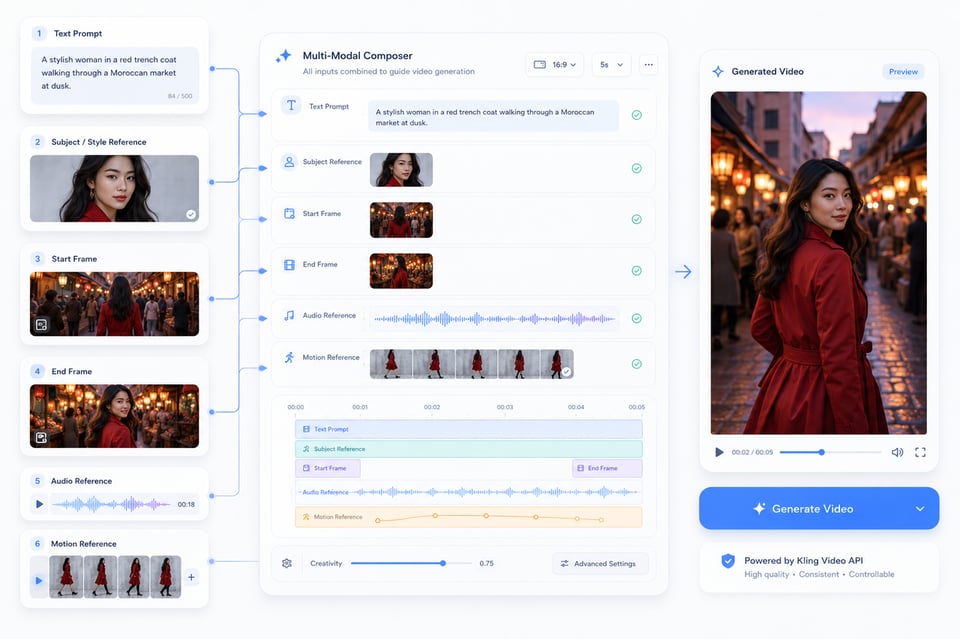
Kling 视频 API 的创作起点不仅限于文字提示。你可以通过文本描述定义场景,上传图片锁定主体或视觉风格,设定起始与结束帧引导剧情发展,使用音频塑造语音或表演,或借助动作参考为生成视频添加自然动作。
动作与场景的连贯性 —— Kling AI 视频 API
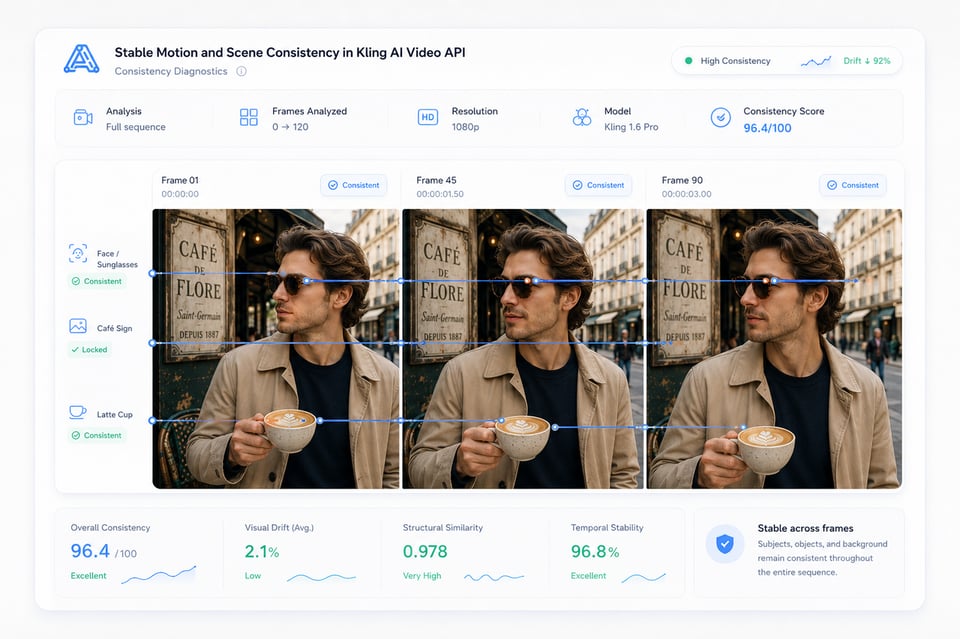
视频输出只有在角色、动作和场景在各帧之间保持连贯时才更具实用性。Kling AI 视频 API 能有效减少角色镜头、产品展示、电影级运镜以及参考驱动输出中的视觉漂移,使面部、物体、背景和动作路径在生成视频中更加一致自然。
音视频一体化生成能力 —— Kling API
在兼容的模型中,Kling API 可以将声音作为视频的一部分生成,而不仅仅是后期添加音频。对白、语音、环境音、物体音效和动作同步可以遵循同一场景逻辑,使首次输出更接近完整视频,而非需要额外音频处理的静音片段。
如何选择最适合的 Kling AI 模型
Kling AI API Model Options for Different Video Tasks
From cinematic generation to motion-driven performance, Kling AI API covers several model directions instead of relying on one fixed workflow. Models such as Kling 3.0, Kling 3.0 Motion Control, Kling Avatar 2.0, and other Kling AI Video API options can support different creation needs, including text-to-video, image-to-video, native audio generation, motion transfer, and talking avatar creation.
Multi-Modal Input Support with Kling Video API
Kling Video API can begin with more than a prompt. A text description may define the scene, an uploaded image can lock the subject or visual style, start and end frames can guide scene progression, audio can shape speech or performance, and motion references can bring real gestures into generated video. These input options make the generation process more directed from the start.
Stable Motion and Scene Consistency in Kling AI Video API
A video output only feels usable when the subject, motion, and scene remain connected across frames. Kling AI Video API helps reduce visual drift in character scenes, product shots, cinematic camera movement, and reference-based outputs, so faces, objects, backgrounds, and motion paths feel more consistent throughout the generated video.
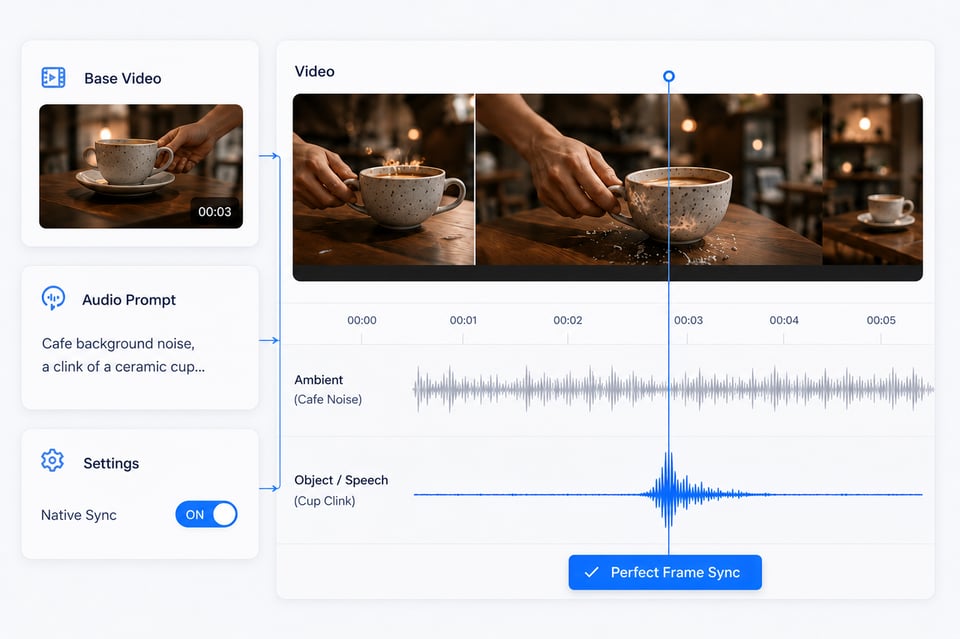
Native Audio-Visual Generation with Kling API
In compatible models, Kling API can generate sound as part of the video rather than treating audio as a later add-on. Dialogue, speech, ambient sound, object sounds, and motion timing can follow the same scene logic, helping the first output feel closer to a complete video instead of a silent clip that still needs separate audio work.
如何在 Kie.ai 上使用 Kling API
| Kling API Model | Main Direction | Best For |
|---|---|---|
| Kling 3.0 | Video generation | Text-to-video, image-to-video, native audio video creation, cinematic short clips, product visuals, and story-driven scenes |
| Kling 3.0 Motion Control | Motion transfer | Reference-based body movement, gesture control, dance videos, character animation, and virtual influencer content |
| Kling Avatar 2.0 | Talking avatar generation | Lip-synced presenters, AI spokespeople, education videos, multilingual narration, and avatar-based communication |
| Kling 3.0 Start/End Frames | Frame-guided video generation | Controlled scene transitions, visual continuity, guided motion paths, and structured video progression |
Kling API 如何将不同视频想法转化为实际的产品工作流
面向创作者的视频功能结合 Kling API
使用Kling AI Video API进行商业内容制作
基于Kling Motion Control API的高性能角色动画视频
基于Kling Avatar API的主持人与解说工作流程
Deploy Kling API into Your Product
为何选择Kie.ai集成Kling AI API
适用于灵活测试与扩展的 Kling AI API 价格方案
Kie.ai 提供具有竞争力的 Kling AI API 定价,适合希望测试创意、对比输出结果并按需扩展视频生成能力的团队。该定价结构覆盖从早期模型测试到高量内容生产的不同使用场景,帮助用户在使用 Kling 视频生成、动作控制及头像工作流时更好地控制成本。
便于快速集成的 Kling AI API 完整文档
清晰易懂的 Kling AI API 文档有助于减少集成过程中的试错时间。Kie.ai 提供了结构化的指引,涵盖认证方式、请求配置、模型选择、输入要求、任务状态查询、结果获取以及特定模型参数等内容,让用户能更高效地从测试阶段过渡到正式生产环境。
24/7 全天候服务的 Kling AI API,保障生产流程稳定运行
Kie.ai为需要跨时区、产品周期及内容生产稳定访问服务的用户提供24/7(全天候)的Kling AI API服务。无论工作流涉及视频生成、动作迁移还是角色创建,持续的服务保障有助于让AI视频功能运行更加顺畅。
统一接入多个Kling AI API模型
Kie.ai将多个Kling AI API模型整合于一处,涵盖视频生成、动作控制、虚拟角色创建、原生音视频输出以及基于参考的工作流。用户无需在不同工具间切换以使用Kling的各项功能,而是可以通过一个更统一的平台探索、比较和管理多个Kling API方向。
关于 Kling API 的常见问题
我可以用Kling API做什么?
Kling API可用于AI视频生成、图像转视频、动作控制类角色视频、原生音视频输出及说话人虚拟角色工作流。适用于创意工具、营销内容、产品视频、社交媒体剪辑、虚拟角色及讲解类视频等多种场景。
我该选哪个Kling API模型?
最佳选择取决于所需输出效果。通用视频生成更适合电影感场景、产品展示和短视频内容;动作控制更适合需要角色跟随参考表演的场景;虚拟角色工作流则更适合口型同步的讲解视频、旁白视频及图像加音频的虚拟讲解者创建。
我可以先试用 Kling API 再进行集成吗?
可以。您可以在 Kie.ai Playground 中免费测试 Kling API,再进入完整集成阶段。这有助于您对比输出效果、调整提示语、检查输入质量,并了解不同 Kling 工作流的响应表现,从而在将 API 集成到您的产品或后端系统前做好准备。
Kling API 支持哪些输入格式?
支持的输入类型取决于所选的 Kling API 模型。常见输入类型包括文本提示、上传图片、起始与结束帧、动作参考视频、角色图像和音频文件等。具体输入规则、文件要求、时长选项及参数支持,请以最新的 API 文档为准。
Frequently Asked Questions About Kling API
FAQ
What can I create with Kling API?
Kling API can be used for AI video generation, image-to-video creation, motion-controlled character videos, native audio-visual output, and talking avatar workflows. It is suitable for creative tools, marketing content, product videos, social media clips, virtual characters, and presenter-style videos.
FAQ
Which Kling API model should I choose?
The best choice depends on the output you need. General video generation is better for cinematic scenes, product visuals, and short-form content. Motion control is better when a character needs to follow a reference performance. Avatar workflows are better for lip-synced presenters, narration videos, and image-plus-audio talking avatar creation.
FAQ
Can I test Kling API before integration?
Yes. You can test Kling API free in the Kie.ai Playground before moving into full integration. This helps you compare outputs, adjust prompts, check input quality, and understand how different Kling workflows respond before connecting the API to your own product or backend system.
FAQ
What inputs does Kling API support?
Supported inputs depend on the selected Kling API model. Common input types may include text prompts, uploaded images, start and end frames, motion reference videos, character images, and audio files. For exact input rules, file requirements, duration options, and parameter support, the latest API documentation should be used as the final reference.
FAQ
Does Kling API support native audio generation?
Some Kling API workflows can support native audio-visual generation, including speech, dialogue, sound effects, ambient sound, and synchronized motion timing. This is useful when the video needs sound and visuals to feel connected from the first output instead of adding audio later through separate tools.
FAQ
Is Kling API suitable for commercial video products?
Yes. Kling API can support commercial use cases such as AI video generators, product ad tools, e-commerce video creation, creator platforms, avatar products, and automated media workflows. For specific commercial usage terms, billing rules, and content policy requirements, users should check the relevant Kie.ai terms and API documentation.
FAQ
Where can I find Kling API documentation and pricing?
Kling API documentation and pricing information can be found on Kie.ai. The documentation helps confirm authentication, model selection, request parameters, task status, result retrieval, and output settings, while the pricing details help estimate cost based on the selected model and actual usage.