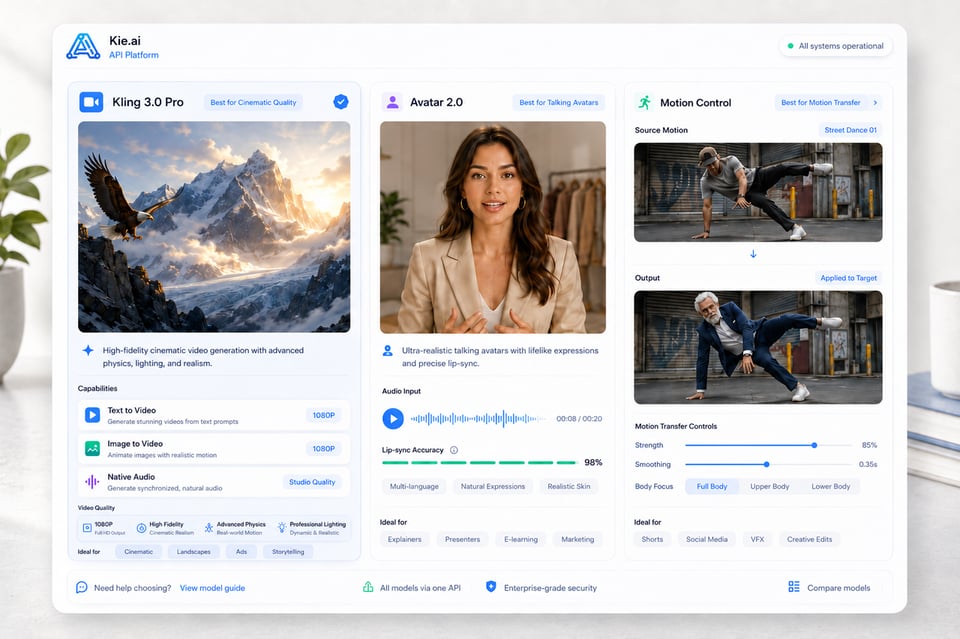
Von der kinospezifischen Generierung bis hin zu bewegungssteuerten Performances – die Kling AI API bietet mehrere Modelle an, anstatt sich auf einen festen Workflow zu beschränken. Modelle wie Kling 3.0, Kling 3.0 Motion Control, Kling Avatar 2.0 und weitere Kling AI Video API-Optionen unterstützen verschiedene Erstellungszwecke, darunter Text-zu-Video, Bild-zu-Video, native Audio-Generierung, Bewegungsübertragung und das Erstellen von sprechenden Avataren.
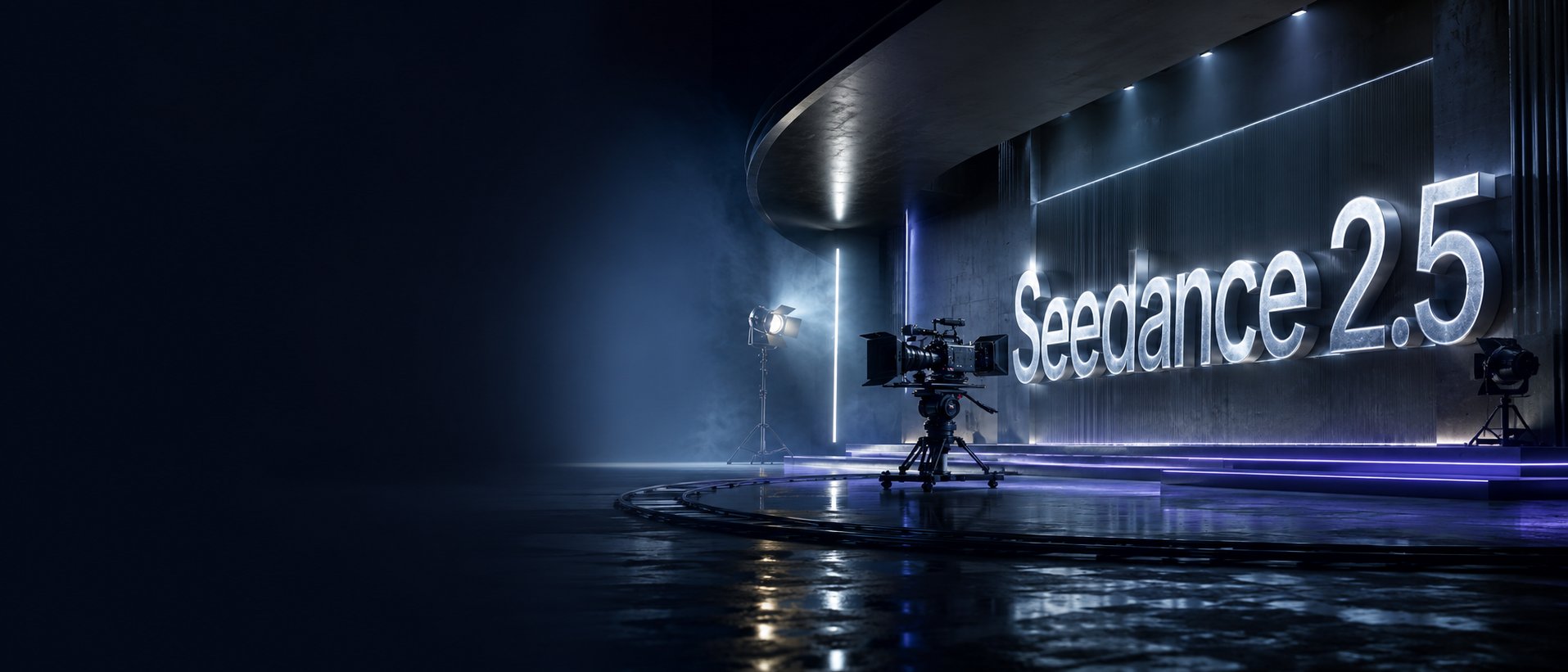
Image to VideoText to VideoVideo to Video
Seedance2.5
Seedance 2.5 on KIE is ByteDance’s upgraded AI video model, built for longer, more controllable video generation. It supports up to 30-second videos, multimodal references, precise editing, and improved consistency for more cinematic and production-ready creative workflows.
Text to Video
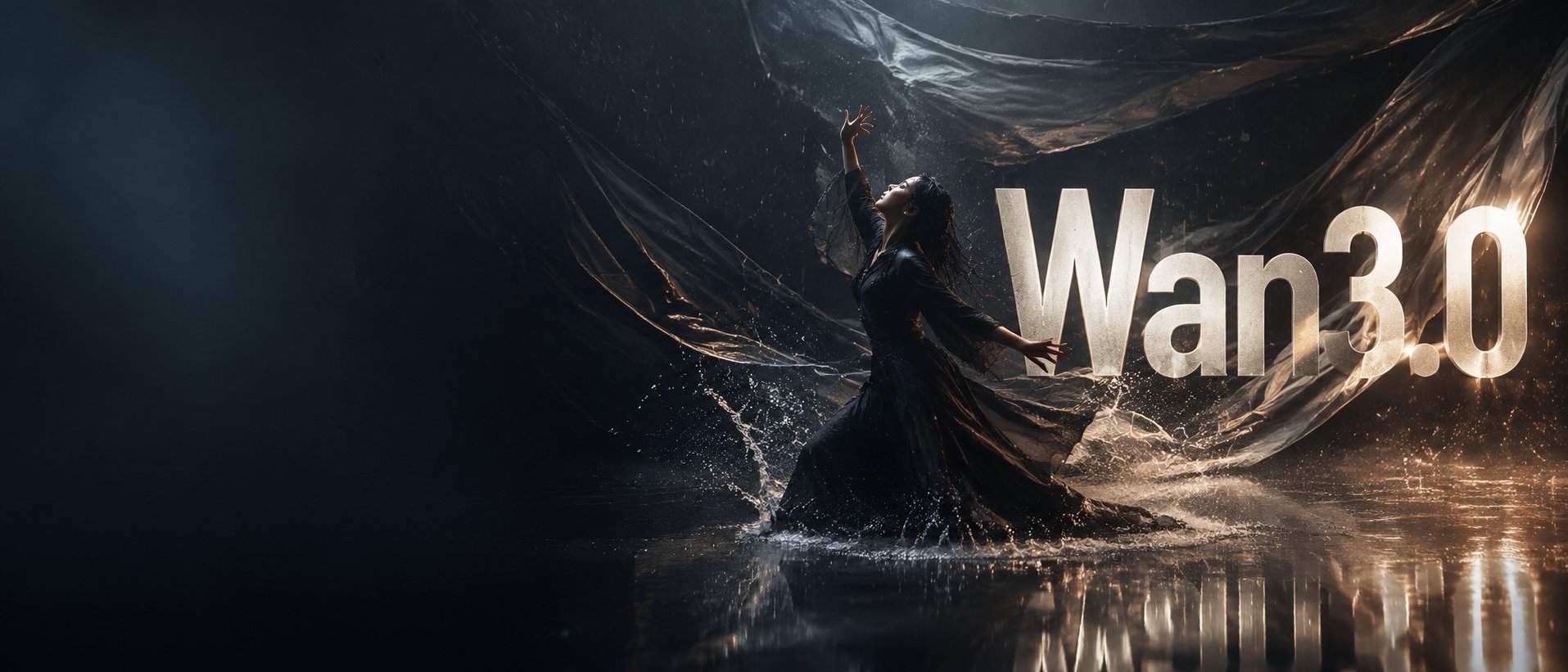
Wan 3.0
Wan3.0 is Alibaba’s next-generation all-in-one video generation model built for multimodal creation. It supports text, image, video, audio, and structured references to produce more consistent, realistic, and controllable video content with enhanced storytelling and editing capabilities.
Image to VideoText to VideoVideo to Video
Seedance 2
Seedance 2.0 on KIE is a multimodal Al video model by ByteDance, optimized for fast and realistic video generation. It supports high-quality virtual human video creation with strong multi-shot consistency, enabling more lifelike and cinematic outputs across scenes.
Text to ImageImage to Image
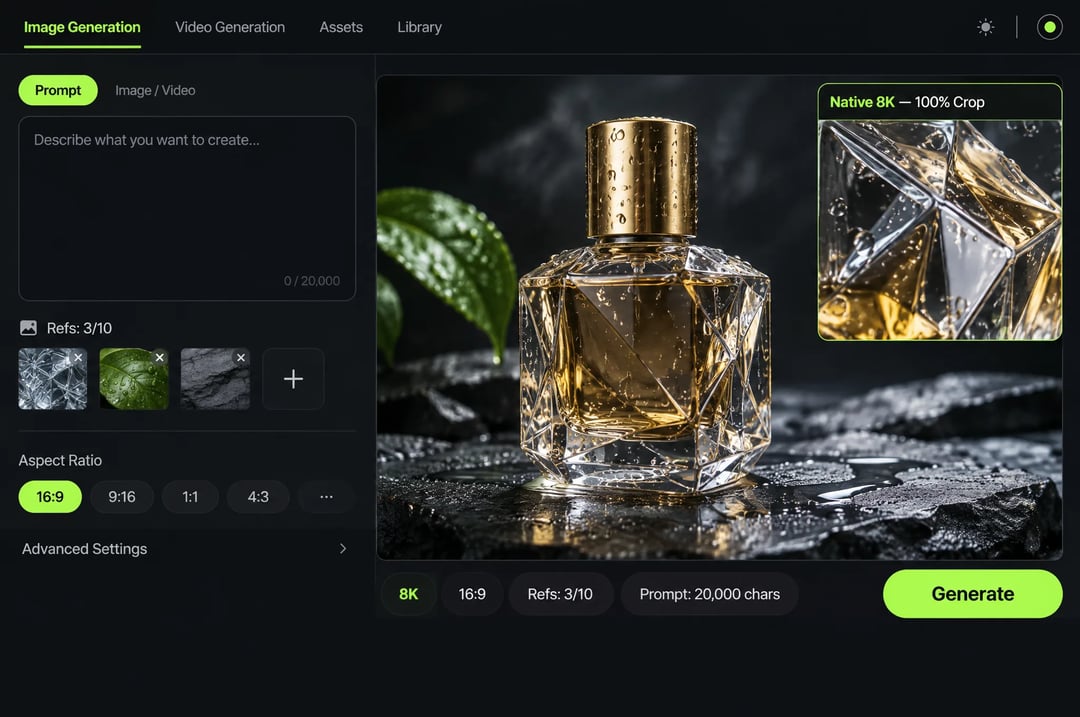
GPT Image 2
GPT Image 2 is OpenAI’s next-gen image model built for stronger photorealism, cleaner image editing, sharper text rendering, and more polished product photography. Designed for more advanced visual workflows, it pushes image generation beyond basic text-to-image output and into higher-quality creative, commercial, and design-ready use cases.
Text to ImageImage to Image
Nano Banana 2
Meet Nano Banana 2, Google’s Gemini 3.1 Flash Image model, now available via Kie AI API. Built for developers, it combines lightning-fast speed with Pro-level quality, accurate text rendering, strong character consistency, and scalable image generation and editing workflows.
Chat
Grok 4.6
Grok 4.6 is xAI’s latest frontier AI model, designed to enhance long-running agents, advanced reasoning, coding intelligence, and interactive AI experiences. Building on Grok 4.5, it delivers improved performance for complex multi-step tasks, knowledge work, software engineering, and creative applications.
Alle Modelle
12 Modelle gefunden12 MODELS
Anbieter(1/28)
Aufgaben(16)
Kling
Kling Image 4.0
Text to ImageImage to Image
Kling
Kling Image 4.0
Kling Image 4.0 is Kling AI's image generation model built on a Native Unified Understanding and Generation Architecture, launched on November 17, 2026. On Kie.ai it runs as two endpoints: kling-4-0/image for native 2K, 4K and 8K generation, multi-image or element references and 2-to-10-image series, and kling-4-0/long-image for full e-commerce product detail pages and webpage designs.
Kling
Kling
Kling 4.0 Flash
Text to VideoImage to Video
Kling
Kling 4.0 Flash
Kling 4.0 Flash is the Flash model in the Kling 4.0 family, which Kling positions for faster generation and greater value. On Kie.ai, the Kling 4.0 Flash API offers two models: Reference to Video, which accepts a prompt with optional reference images, elements, or reference videos, and Keyframe to Video, which generates a video from a single first-frame image. Both output 720p MP4 clips from 3 to 20 seconds.
Kling
Kling
Kling 4.0
Text to VideoImage to Video
Kling
Kling
Kling O3
Text to VideoImage to Video
Kling
Kling
Kling 3.0 Turbo
Text to VideoImage to Video
Kling
Kling
Kling 3.0 Motion Control
Video to Video
Kling
Kling
Kling 3.0
Text to VideoImage to Video
Kling
Kling
Kling 2.6 Motion Control
Video to Video
Kling
Kling
Kling 2.6
starting from
$0.28-20%
55 Credits/5s
Text to VideoImage to Video
Kling
Kling
Kling 2.5 Turbo
Text to VideoImage to Video
Kling
Kling AI Avatar 2.0
Lip Sync
Kling
Kling
Kling V2.1
Text to VideoImage to Video
Kling-API für multimodale KI-Videoerstellung
Nutzen Sie Kie.ai, um Kling AI API-Workflows für cinematographische Videoerstellung, referenzbasierte Bewegungssteuerung, nativen Audio-Output und die Erstellung sprechender Avatare mit einer flexiblen API-Plattform zu testen.
Was macht die Kling API besonders bei der Erstellung von KI-Videos
Unterstützung mehrerer Eingabemodalitäten mit der Kling Video API
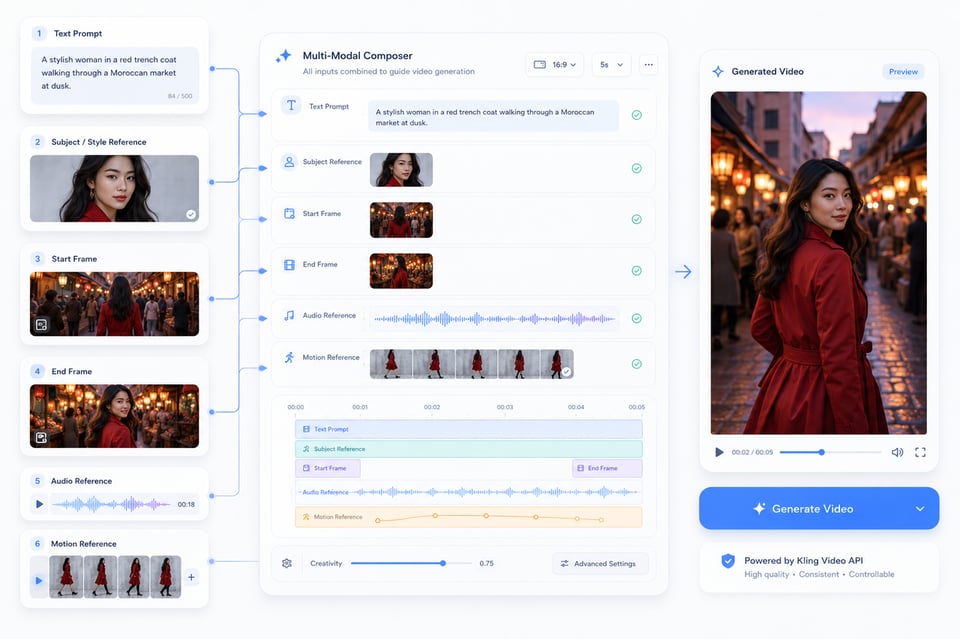
Die Kling Video API kann nicht nur mit einem Prompt beginnen. Ein textueller Beschreibungs-Text kann die Szene definieren, ein hochgeladenes Bild kann den Subjekt- oder Stilbereich festlegen, Start- und Endframes steuern den Verlauf der Szene, Audio prägt Sprache oder Performance und Bewegungsreferenzen bringen echte Gesten in das generierte Video. Diese Eingabeoptionen sorgen bereits am Anfang für einen gezielteren Generierungsprozess.
Stabile Bewegung und Szenen-Konsistenz in der Kling AI Video API
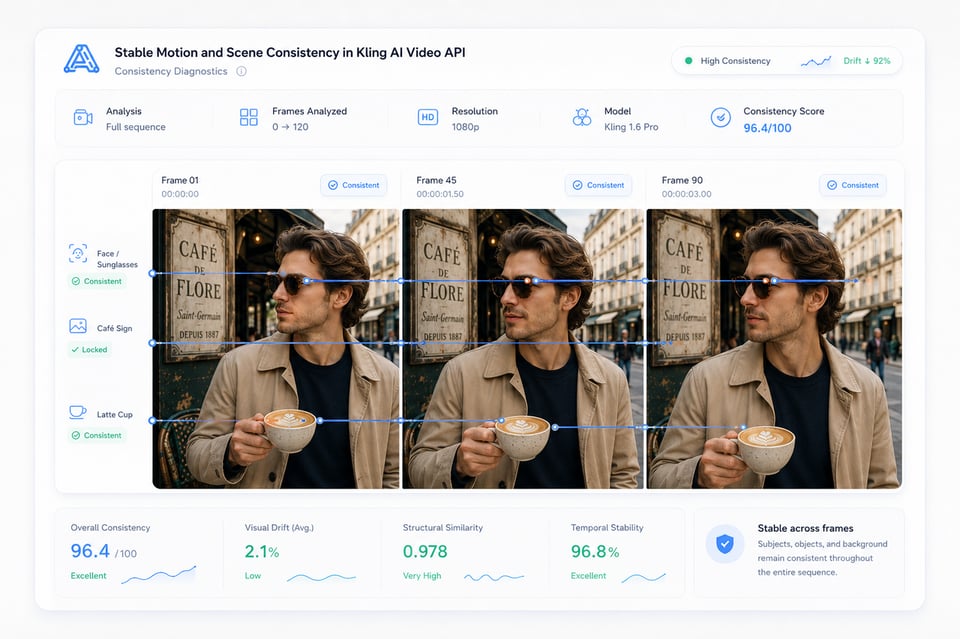
Ein Video fühlt sich nur dann nutzbar an, wenn Subjekt, Bewegung und Szene über die einzelnen Frames hinweg konsistent bleiben. Die Kling AI Video API hilft dabei, visuelle Abdrift in Charakter-Szenen, Produkt-Shots, kinospezifische Kamerabewegungen und referenzbasierte Ausgaben zu reduzieren, sodass Gesichter, Objekte, Hintergründe und Bewegungspfade im generierten Video konsistenter wirken.
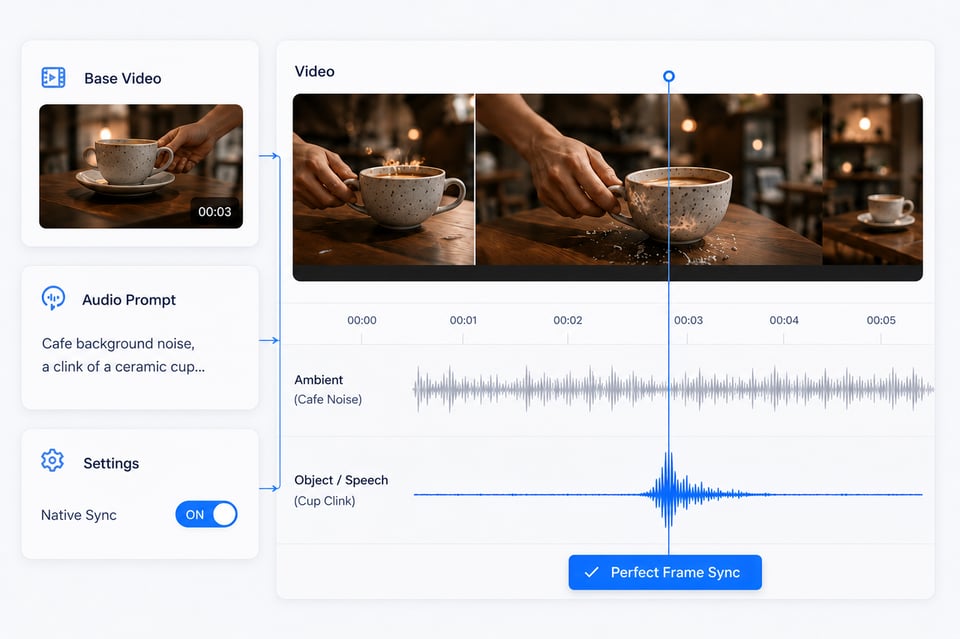
Native Audio-Visual-Generierung mit der Kling API
In kompatiblen Modellen kann die Kling API Klang als Teil des Videos generieren, anstatt Audio als nachträgliche Ergänzung zu behandeln. Dialoge, Sprache, Umgebungsgeräusche, Objektgeräusche und Bewegungstiming können der gleichen Szenenlogik folgen, wodurch das erste Ergebnis enger an ein vollständiges Video erinnert als an einen stummen Clip, der noch separate Audiobearbeitung benötigt.
So wählen Sie das richtige Kling AI-API-Modell
Kling AI API Model Options for Different Video Tasks
From cinematic generation to motion-driven performance, Kling AI API covers several model directions instead of relying on one fixed workflow. Models such as Kling 3.0, Kling 3.0 Motion Control, Kling Avatar 2.0, and other Kling AI Video API options can support different creation needs, including text-to-video, image-to-video, native audio generation, motion transfer, and talking avatar creation.
Multi-Modal Input Support with Kling Video API
Kling Video API can begin with more than a prompt. A text description may define the scene, an uploaded image can lock the subject or visual style, start and end frames can guide scene progression, audio can shape speech or performance, and motion references can bring real gestures into generated video. These input options make the generation process more directed from the start.
Stable Motion and Scene Consistency in Kling AI Video API
A video output only feels usable when the subject, motion, and scene remain connected across frames. Kling AI Video API helps reduce visual drift in character scenes, product shots, cinematic camera movement, and reference-based outputs, so faces, objects, backgrounds, and motion paths feel more consistent throughout the generated video.
Native Audio-Visual Generation with Kling API
In compatible models, Kling API can generate sound as part of the video rather than treating audio as a later add-on. Dialogue, speech, ambient sound, object sounds, and motion timing can follow the same scene logic, helping the first output feel closer to a complete video instead of a silent clip that still needs separate audio work.
Wie Sie Kling API auf Kie.ai integrieren können
| Kling API Model | Main Direction | Best For |
|---|---|---|
| Kling 3.0 | Video generation | Text-to-video, image-to-video, native audio video creation, cinematic short clips, product visuals, and story-driven scenes |
| Kling 3.0 Motion Control | Motion transfer | Reference-based body movement, gesture control, dance videos, character animation, and virtual influencer content |
| Kling Avatar 2.0 | Talking avatar generation | Lip-synced presenters, AI spokespeople, education videos, multilingual narration, and avatar-based communication |
| Kling 3.0 Start/End Frames | Frame-guided video generation | Controlled scene transitions, visual continuity, guided motion paths, and structured video progression |
So verwandelt die Kling API verschiedene Video-Ideen in echte Produkt-Workflows
Kreator-freundliche Videofunktionen mit Kling API
Professionelle Video-Produktion für Marketing und E-Commerce mit der Kling AI Video API
Charakter-Videos mit Leistungs-Tracking durch die Kling Motion Control API
Workflows für Präsentationen und Erzählung mit der Kling Avatar API
Deploy Kling API into Your Product
Warum Kie.ai die beste Wahl für die Kling AI API-Integration ist
Kostenoptimierte Kling AI API Preise für flexible Tests und Skalierung
Kie.ai bietet kostengünstige Kling AI API Preise für Teams, die Ideen testen, Ergebnisse vergleichen und Video-Generierung ohne hohe Anfangskosten skalieren möchten. Die Preisstruktur eignet sich für verschiedene Nutzungslevel – von frühen Modelltests bis hin zu hochvolumigen Inhaltscreation – und ermöglicht so eine bessere Kontrolle der Ausgaben bei der Arbeit mit Kling Video-Generierung, Motion Control und Avatar-Workflows.
Vollständige Kling AI API Dokumentation für eine schnellere Integration
Klare Kling AI API Dokumentation hilft bei der Reduzierung von Test- und Fehlversuchen während der Integration. Kie.ai bietet strukturierte Anleitungen für Authentifizierung, Anfrage-Einrichtung, Modellwahl, Eingabeanforderungen, Aufgabenstatus, Ergebnisabruf und modellspezifische Parameter, damit Nutzer effizienter von der Testphase in die Produktion wechseln können.
24/7 Kling AI API Service im Produktionsbetrieb
Kie.ai bietet 24/7 Kling AI API-Service für Nutzer, die zuverlässigen Zugriff über verschiedene Zeitzonen, Produktionszeiten und Inhaltsentwicklung benötigen. Ob Video-Generierung, Bewegungstransfer oder Avatar-Erstellung – kontinuierliche Verfügbarkeit sorgt für einen reibungslosen Betrieb der KI-Video-Funktionen.
Alle Kling AI API-Modelle in einer einheitlichen Plattform
Kie.ai vereint mehrere Kling AI API-Modelle an einem Ort – für Video-Generierung, Bewegungssteuerung, Avatar-Erstellung, Native-Audio und referenzbasierte Workflows. Anstatt zwischen verschiedenen Tools für unterschiedliche Kling-Funktionen zu wechseln, können Nutzer verschiedene Kling-API-Richtungen über eine einheitliche Plattform erkunden, vergleichen und verwalten.
Häufig gestellte Fragen zur Kling-API
Was kann ich mit der Kling API erstellen?
Die Kling API eignet sich für KI-Video-Generierung, Bild-zu-Video-Erstellung, bewegungssteuerte Charakter-Videos, Audio- und Videodarstellung in Originalqualität sowie Talking-Avatar-Workflows. Sie ist ideal für kreative Tools, Marketinginhalte, Produktvideos, Social-Media-Clips, virtuelle Charaktere und Präsentationsvideos.
Welches Kling-API-Modell ist für mich am geeignetsten?
Die beste Wahl hängt von den benötigten Funktionen ab. Für cinematographische Szenen, Produktvisualisierungen und Kurzformate ist das allgemeine Video-Modell geeignet. Bei Charakteren, die einer Referenzbewegung folgen sollen, ist die Bewegungssteuerung die bessere Option. Für Lip-Sync-Präsentationen, Erzählvideos und Audio-plus-Bild-Avatar-Erstellung sind Avatar-Workflows am besten geeignet.
Kann ich die Kling API vor der Integration kostenlos testen?
Ja. Du kannst die Kling API kostenfrei im Kie.ai Playground testen, bevor du zur vollständigen Integration übergehst. Das hilft dir dabei, Ergebnisse zu vergleichen, Prompts anzupassen, die Qualität der Eingaben zu prüfen und zu verstehen, wie verschiedene Kling-Workflows auf verschiedene Eingaben reagieren, bevor du die API in dein eigenes Produkt oder Backend integrierst.
Welche Arten von Eingaben unterstützt die Kling API?
Die unterstützten Eingaben hängen vom gewählten Kling API-Modell ab. Häufige Eingabetypen sind Text-Prompts, hochgeladene Bilder, Start- und Endframes, Bewegungsreferenzvideos, Charakterbilder sowie Audiodateien. Für genaue Eingaberichtlinien, Datei-Anforderungen, Daueroptionen und Parameter-Konfiguration sollte die aktuelle API-Dokumentation als letzte Referenz herangezogen werden.
Frequently Asked Questions About Kling API
FAQ
What can I create with Kling API?
Kling API can be used for AI video generation, image-to-video creation, motion-controlled character videos, native audio-visual output, and talking avatar workflows. It is suitable for creative tools, marketing content, product videos, social media clips, virtual characters, and presenter-style videos.
FAQ
Which Kling API model should I choose?
The best choice depends on the output you need. General video generation is better for cinematic scenes, product visuals, and short-form content. Motion control is better when a character needs to follow a reference performance. Avatar workflows are better for lip-synced presenters, narration videos, and image-plus-audio talking avatar creation.
FAQ
Can I test Kling API before integration?
Yes. You can test Kling API free in the Kie.ai Playground before moving into full integration. This helps you compare outputs, adjust prompts, check input quality, and understand how different Kling workflows respond before connecting the API to your own product or backend system.
FAQ
What inputs does Kling API support?
Supported inputs depend on the selected Kling API model. Common input types may include text prompts, uploaded images, start and end frames, motion reference videos, character images, and audio files. For exact input rules, file requirements, duration options, and parameter support, the latest API documentation should be used as the final reference.
FAQ
Does Kling API support native audio generation?
Some Kling API workflows can support native audio-visual generation, including speech, dialogue, sound effects, ambient sound, and synchronized motion timing. This is useful when the video needs sound and visuals to feel connected from the first output instead of adding audio later through separate tools.
FAQ
Is Kling API suitable for commercial video products?
Yes. Kling API can support commercial use cases such as AI video generators, product ad tools, e-commerce video creation, creator platforms, avatar products, and automated media workflows. For specific commercial usage terms, billing rules, and content policy requirements, users should check the relevant Kie.ai terms and API documentation.
FAQ
Where can I find Kling API documentation and pricing?
Kling API documentation and pricing information can be found on Kie.ai. The documentation helps confirm authentication, model selection, request parameters, task status, result retrieval, and output settings, while the pricing details help estimate cost based on the selected model and actual usage.