The positive prompt for the generation
0/5000The negative prompt for the generation
0/500Click to upload or drag and drop
Supported formats: MPEG, WAV, X-WAV, AAC, MP4, OGG Maximum file size: 50MB
Audio URL for the generation
The resolution of output
The ratio of output
Total duration of output
Wether to enable the prompt optimizer
Wether to enable the watermark
The random seed to use for the generation.(>=0,<=2147483647)
A configurable parameter. Defaults to true in the Playground.
The positive prompt for the generation
0/5000The negative prompt for the generation
0/500Click to upload or drag and drop
Supported formats: JPEG, PNG, WEBP Maximum file size: 30MB
The first frame of output
Click to upload or drag and drop
Supported formats: JPEG, PNG, WEBP Maximum file size: 30MB
The last frame of output
Click to upload or drag and drop
Supported formats: MP4, QUICKTIME, X-MATROSKA Maximum file size: 30MB
Audio URL to guide generation
Click to upload or drag and drop
Supported formats: MPEG, WAV, X-WAV, AAC, MP4, OGG Maximum file size: 50MB
Audio URL for the generation
The resolution of output
Total duration of output
Wether to enable the prompt optimizer
Wether to enable the watermark
The random seed to use for the generation(>=0,<=2147483647)
A configurable parameter. Defaults to true in the Playground.
The positive prompt for the generation
0/5000The negative prompt for the generation
0/500Click to upload or drag and drop
Supported formats: JPEG, PNG, WEBP Maximum file size: 30MB; Maximum files: 5
An array of reference image URLs. At least one of the following must be provided: a reference image or a reference video; the total number of images and videos cannot exceed 5.
Click to upload or drag and drop
Supported formats: MP4, QUICKTIME Maximum file size: 10MB; Maximum files: 5
An array of reference video URLs. At least one of the reference images and reference videos must be passed in; the total number of images and videos cannot exceed 5
Click to upload or drag and drop
Supported formats: JPEG, PNG, WEBP Maximum file size: 30MB
The URL of the first frame image; a maximum of one image can be passed. The aspect_ratio will be automatically ignored after passing the URL, and an approximate aspect ratio video will be generated based on the aspect ratio of the first frame image.
Click to upload or drag and drop
Supported formats: MPEG, WAV Maximum file size: 30MB
Audio URL. Used to specify the timbre of the main character in the reference material.
The resolution of output
Output Video Aspect Ratio. If first_frame is not passed: the video will be generated according to the specified aspect_ratio. First_frame has been passed in: Aspect_ratio is automatically ignored, and an approximate aspect ratio video is generated based on the aspect ratio of the first frame.
Output video duration, in seconds. Values must be integers between 2 and 10, with a default value of 5
Enable intelligent prompt rewriting. Enabling it uses a larger model to expand the input prompt, which works better for short prompts, but increases processing time
Add a watermark. The watermark is located in the bottom right corner of the video, and the text is fixed as "AI generated".
The random seed to use for the generation(>=0,<=2147483647)
A configurable parameter. Defaults to true in the Playground.
Click to upload or drag and drop
Supported formats: MP4, QUICKTIME Maximum file size: 100MB
The source video to edit
The positive for the generation
0/5000Click to upload or drag and drop
Supported formats: JPEG, PNG, WEBP, JPG Maximum file size: 30MB
List of reference images for video editing
The negative for the generation
0/500Output video resolution
Output video duration in seconds. Default 0 means using the full input video duration without truncation If a value is provided, the output is clipped from second 0 to the specified length Valid values are 0 or any integer in [2,10]
Output video aspect ratio
auto:The model intelligently determines whether to regenerate audio based on the prompt. origin:Force preservation of original audio from input video
Enable intelligent prompt rewriting. Enabling it uses a larger model to expand the input prompt, which works better for short prompts, but increases processing time.
Add a watermark. The watermark is located in the bottom right corner of the video, and the text is fixed as "AI generated".
Random seed, range 0-2147483647. Automatically generated by the system if not transmitted.
A configurable parameter. Defaults to true in the Playground.
README
Complete guide to using wan/2-7-text-to-video
Wan 2.7 Video API – T2V, I2V, R2V & Video Edit
Nutze das komplette Wan 2.7 Modell-Paket auf Kie.ai: Generiere Videos aus Text oder Bildern, repliziere Charaktere mit Sprachreferenzen und bearbeite bestehendes Videomaterial mit einem einzigen Befehl. Ein API-Key, alle Modi.
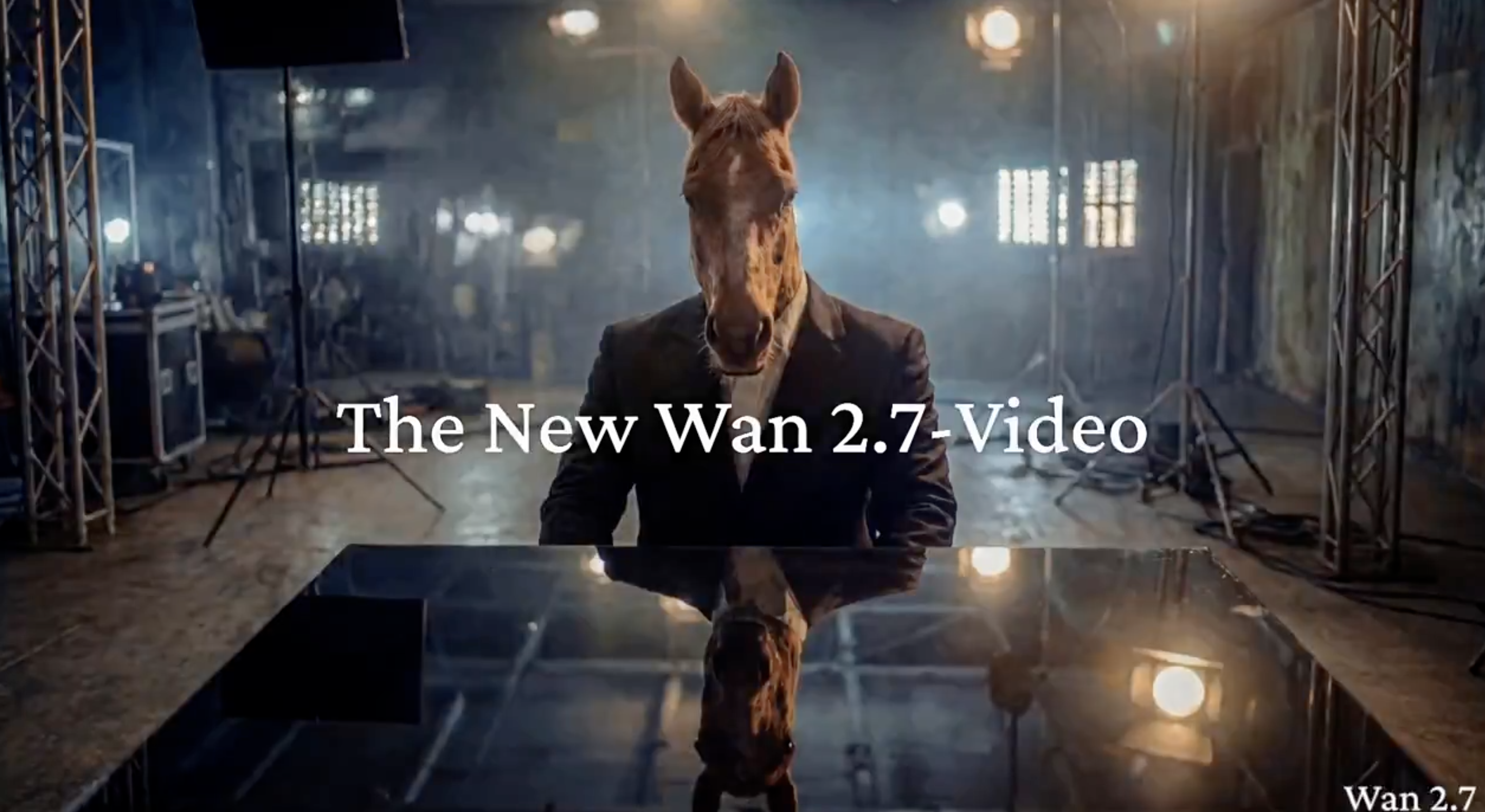
Modi der Wan 2.7 Video API auf Kie AI für die KI-Videogenerierung
Wan 2.7 T2V – Text-to-Video API für sekundenschnelle Videogenerierung
Verwandle einfache Text-Prompts in Sekundenschnelle in 720p- bis 1080p-Videos. Wan2.7-T2V unterstützt den „Thinking Mode“, um komplexe Szenenbeschreibungen mit höchster Präzision im Bildaufbau umzusetzen. Ideal für Social-Media-Content, Ads und Rapid Prototyping über die Wan 2.7 API. Wenn du über deine bisherigen Referenz-zu-Video-Workflows hinaus gezielte Änderungen an bestehenden Videos steuern möchtest, bietet dir Wan 3.0 Video API dafür eine passende Option zur kontrollierten Videobearbeitung.
Wan 2.7 I2V – Image-to-Video mit First- & Last-Frame-Control
Animieren Sie ein einzelnes Bild oder ein 9er-Bildraster in ein flüssiges Video. Mit Wan2.7-I2V können Sie den ersten und letzten Frame festlegen – die Bewegung dazwischen wird automatisch berechnet. Die Identität des Motivs bleibt dabei stabil und Abweichungen werden minimiert. Flexible Längen und die Unterstützung von Multi-Angle-Referenzen machen die Wan 2.7 API ideal für Produktpräsentationen und Multi-Shot-Narrative.
Wan 2.7 R2V – Multi-Referenz-Video mit Voice Cloning & Motion Replication
Übergeben Sie bis zu fünf Bild-, Video- oder Audioreferenzen an Wan2.7-R2V. Mit nur einem API-Aufruf werden Aussehen, Stimmlage, Lippensynchronität, Kamerabewegungen und Spezialeffekte fest verankert. Selbst komplexe, dynamische Aktionen werden stabil reproduziert. Branchenführend bei der Anzahl unterstützter Referenzen, ist dies der Go-to-Modus für skalierbare KI-Avatare und Wan 2.7 KI-Videos mit konsistenten Charakteren.
Wan 2.7 Video Edit – Video Editing API mit natürlichsprachlicher Steuerung
Bearbeiten Sie bestehende Videos mit einer einzigen natürlichsprachlichen Anweisung. Wan2.7-VideoEdit übernimmt lokale Anpassungen, Style-Transfer, Kolorierung und die Restaurierung alten Filmmaterials – alles nahtlos über die Wan 2.7 API. Keine komplette Neugenerierung nötig: Beschreiben Sie einfach die Änderung, und das Modell setzt sie um.
Hauptfunktionen der Wan 2.7 Video API auf Kie AI
Wan2.7 KI-Video: Hochauflösender Output bis zu 1080p
Wan 2.7 KI-Video liefert stabilen Output von 720p bis 1080p und unterstützt längere Laufzeiten für detailreichere Szenen. Mit der Wan 2.7 Video API lassen sich produktionsreife Pipelines aufbauen, die bei verschiedenen Aufgaben der Videogenerierung eine gleichbleibende Qualität gewährleisten.
Wan 2.7 Video API: Start- und Endframe-Kontrolle für konsistente Bewegungen
Die Wan 2.7 Video API unterstützt die Steuerung von Start- und Endframes für vorhersehbare Bewegungspfade und fließendere Übergänge. Die Wan 2.7 KI-Videogenerierung wird dadurch besser kontrollierbar und verbessert den Erzählfluss bei der Erstellung von Videos mit mehreren Szenen.
Wan 2.7 API: 9er-Raster-Bildeingabe für komplexe Szenenkompositionen
Die Wan 2.7 API führt eine 9er-Raster-Bildeingabe ein, um Referenzen aus verschiedenen Blickwinkeln für das Szenenlayout bereitzustellen. Wan 2.7 KI-Video verbessert die Genauigkeit der Bildkomposition und reduziert visuelle Abweichungen in komplexen Generierungs-Workflows.
Wan 2.7 KI-Video: Personen- und Sprachreferenzen für Charakterkonsistenz
Wan 2.7 KI-Video unterstützt die Eingabe von Personen- und Sprachreferenzen und ermöglicht so ein konsistentes Erscheinungsbild des Charakters, einen einheitlichen Stimmklang und eine exakte Lippensynchronisation. Die Wan 2.7 Video API eignet sich für Storytelling und identitätsgesteuerte Videogenerierung.
Wan 2.7 Video API: Anweisungsbasierte Bearbeitung für schnelle Iterationen
Die Wan 2.7 Video API ermöglicht eine prompt-gesteuerte Bearbeitung wie Objektänderungen, Stil-Updates und Szenenanpassungen. Wan 2.7 KI-Video-Workflows werden dadurch effizienter, was den Bedarf an kompletten Neugenerierungen reduziert und die Iteration beschleunigt.
So nutzen Sie die Wan 2.7 Video API auf Kie AI
Schritt 1: Testen Sie die Wan 2.7 Video API im Kie AI Playground
Starten Sie mit der Wan 2.7 Video API im Kie AI Playground, um die Funktionen von Wan 2.7 zu testen. Laden Sie ein Bild hoch, fügen Sie einen Prompt hinzu oder nutzen Sie eine Referenz für eine Vorschau der Wan Videogenerierung, bevor Sie Wan 2.7 KI-Video in Produktions-Workflows integrieren.
Schritt 2: Wan 2.7 API-Key abrufen und API-Dokumentation lesen
Holen Sie sich Ihren Wan 2.7 API Key in der Kie AI Konsole und lesen Sie die Dokumentation. Machen Sie sich mit den Endpunkten, der Authentifizierung und den Parametern der Wan 2.7 Video API vertraut, um Text-to-Video-, Image-to-Video- und Wan-Video-Workflows zu unterstützen.
Schritt 3: Wan 2.7 AI Video generieren und in Workflows integrieren
Nutzen Sie die Wan 2.7 Video API, um Wan 2.7 AI-Videos mit Prompts, Bildern oder Referenzen zu erstellen. Integrieren Sie die Wan 2.7-Ausgabe in Produkt-Workflows, Content-Pipelines oder KI-Video-Tools für eine skalierbare Videoproduktion.
Use Cases für die Wan 2.7 Video API, die Sie auf Kie AI umsetzen können
Marketing- und Produktvideos mit der Wan 2.7 T2V API erstellen
Product videos no longer require a production crew. Use the Wan 2.7 T2V API to generate polished ad creatives and demo clips directly from text prompts — or feed in image references via I2V to lock in brand visuals across every output. Multi-angle grid input lets teams iterate on creative directions fast, cutting turnaround from days to minutes.
Social-Media-Content skalieren mit Wan 2.7 AI Video
Short-form platforms demand volume and consistency. With Wan 2.7 AI video generation on Kie.ai, content teams can produce lifestyle clips, hook videos, and scene transitions at scale — then use the VideoEdit API to swap backgrounds, shift tone, or localize content for different markets via a single natural-language instruction. One API call replaces hours of post-production.
Film-Vorproduktion & Storyboarding mit der Wan 2.7 API
Translate scripts into visual storyboards before a single frame is shot. Wan 2.7 API supports multi-shot narrative sequencing and camera movement control, letting directors and writers preview scenes with real motion — not static sketches. R2V mode keeps character appearance consistent across shots, making it practical for animatics and pitch decks alike.
Video-Restaurierung & Style Transfer mit der Wan 2.7 Video Edit API
Repurpose archival or low-quality footage without reshooting. The Wan 2.7 VideoEdit API handles black-and-white colorization, degraded footage restoration, and full style transfers — all triggered by plain-language instructions. Studios and archivists can modernize entire video libraries through batch API calls on Kie.ai, with the original motion structure preserved throughout.
Warum Sie sich für die Wan 2.7 Video API auf Kie AI entscheiden sollten
Kostenlose Credits und flexible Tarife für Nutzer der Wan 2.7 Video API
Die Wan 2.7 Video API auf Kie AI bietet Neukunden kostenlose Credits, um Wan 2.7 AI Video ohne Vorabkosten zu testen. Flexible Tarife und Einstiegsoptionen machen die Wan 2.7 API für unterschiedliche Budgets und Nutzungsanforderungen zugänglich.
Erschwingliche Wan 2.7 API-Tarife für skalierbare Wan AI Video-Workflows
Wan 2.7 AI Video auf Kie AI bietet erschwingliche Tarife, die speziell für Skalierbarkeit entwickelt wurden. Die Wan 2.7 Video API hilft, die Kosten pro Generierung zu senken, was Wan 2.7 ideal für Start-ups, Creator und Video-Workflows auf Produktionsniveau macht.
Wan 2.7 Video API und Wan 2.7 Image API auf einer Plattform
Kie AI vereint die Wan 2.7 Video API und die Wan 2.7 Image API auf einer Plattform und vereinfacht so Integration und Verwaltung. Wan 2.7 KI-Video- und Bild-Workflows können ohne Plattformwechsel gemeinsam ausgeführt werden, was die Effizienz und Konsistenz steigert.