Grok API: نماذج xAI Grok بمفتاح API واحد

استخدم نماذج محادثة Grok للاستدلال والبرمجة والوكلاء —بسعر أقل بنحو 60% من سعر xAI الرسمي— وGrok Imagine للفيديو والصور، كل ذلك عبر مفتاح API واحد من Kie AI مع الدفع حسب الاستخدام.

المحادثة والاستدلال
Grok 4.7الأحدث

استدلال مطوّل وبرمجة وسير عمل للوكلاء مع مستوى استدلال قابل للضبط.

$0.80 / $2.40 per 1M tokens(الرسمي $2.00 / $6.00)
‏Grok 4.7 API ←
الفيديو والصور

تحويل النص إلى فيديو والصورة إلى فيديو وتوليد الصور مع Grok Imagine.

from $0.02 per image(الرسمي $0.06)
‏Grok Imagine Image 2.0 API ←

جميع نماذج Grok API على Kie AI

يتحدّث هذا الجدول تلقائيًا عند إطلاق نماذج Grok جديدة وتسعيرها على Kie AI.

تصفّح جميع نماذج الذكاء الاصطناعي على Kie AI ←

النموذجالنوعالإطلاقالسعرالسعر الرسميالحالة
Grok 4.7Chatسبتمبر 2026$0.80 / $2.40 per 1M tokens$2.00 / $6.00الأحدث
Grok 4.6Chatأغسطس 2026$0.80 / $2.40 per 1M tokens$2.00 / $6.00متاح
Grok 4.5Chatيوليو 2026$0.80 / $2.40 per 1M tokens$2.00 / $6.00متاح
Grok Imagine Image 2.0Text to Image · Image to Image · Image Editingأغسطس 2026from $0.02 per image$0.06الأحدث
Grok Imagine Video 1.5Image to Videoيونيو 2026from $0.012 per second$0.08متاح
Grok ImagineText to Video · Image to Video · Text to Image · Image to Imageنوفمبر 2025from $0.012 per second$0.05متاح

Grok Chat API للاستدلال والبرمجة والوكلاء

نقطة اتصال متوافقة مع OpenAI Responses

مستوى استدلال قابل للضبط

استدعاء الدوال ومخرجات JSON منظّمة

إدخال الصور والاستجابات المتدفقة

الميزات الرئيسية لـ Grok Imagine API

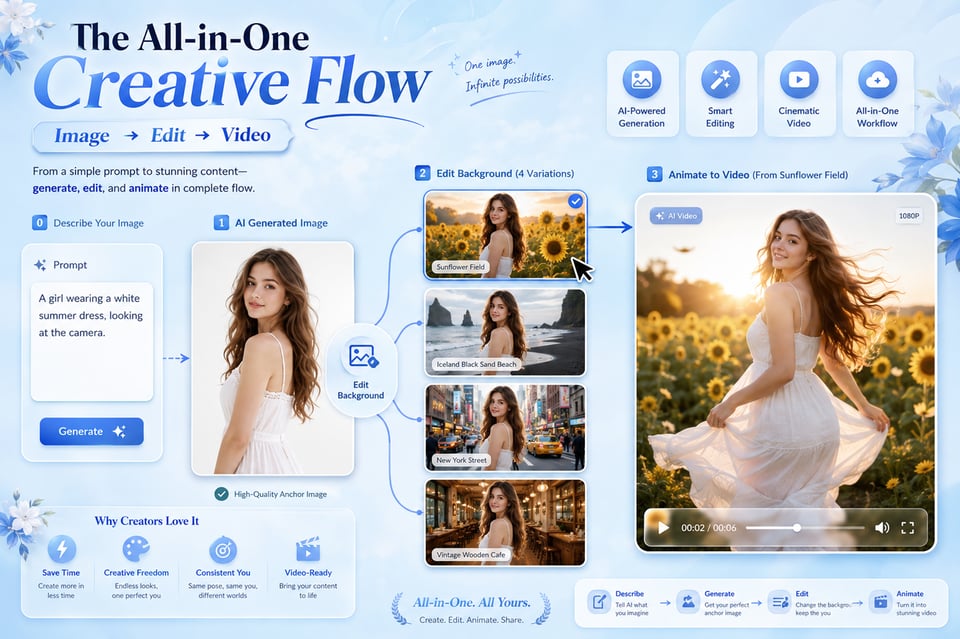
واجهة برمجة تطبيقات Grok Imagine واحدة لإنشاء الصور، الفيديوهات، والتنوعات البصرية

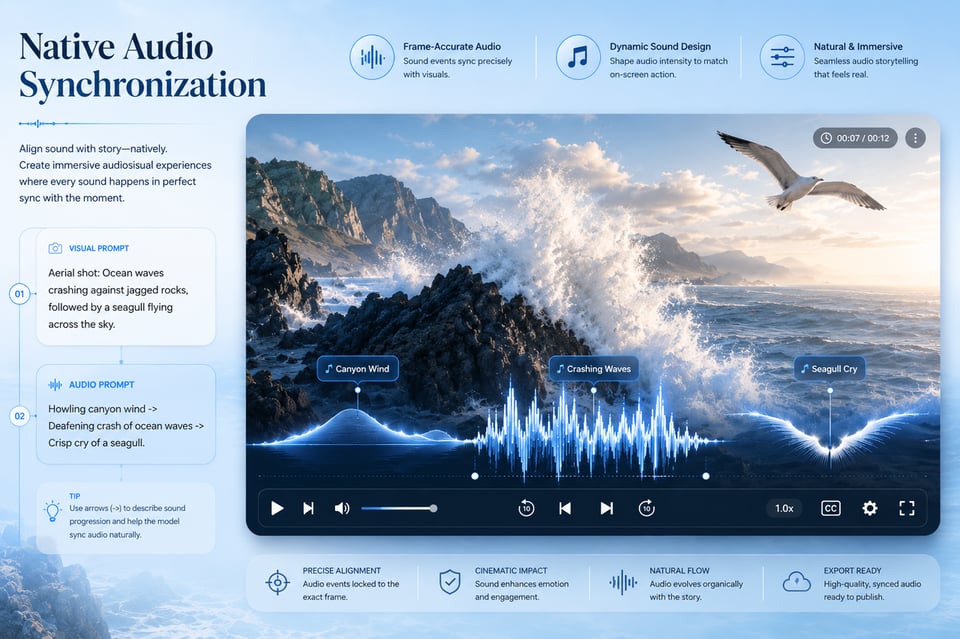
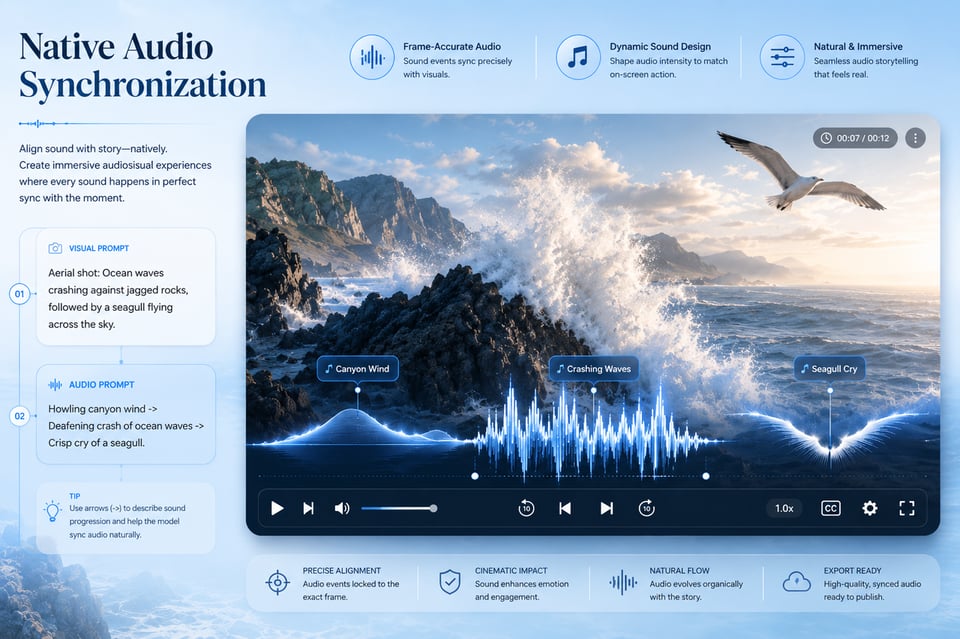
إنشاء فيديوهات مع صوت أصلي باستخدام واجهة برمجة تطبيقات Grok Imagine Video

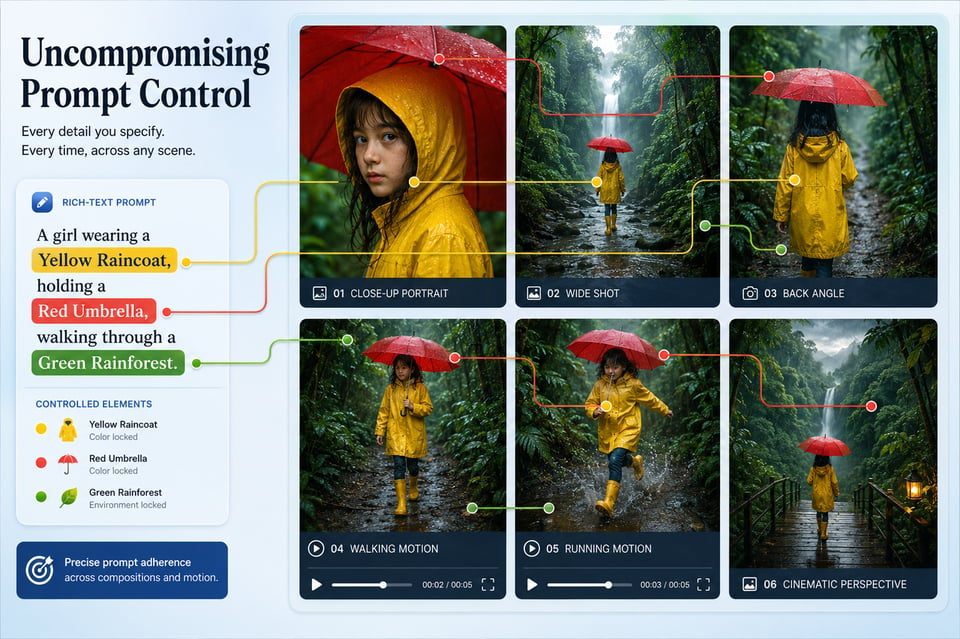
التحكم الأفضل في المطالبات عبر أوضاع إنشاء Grok AI API

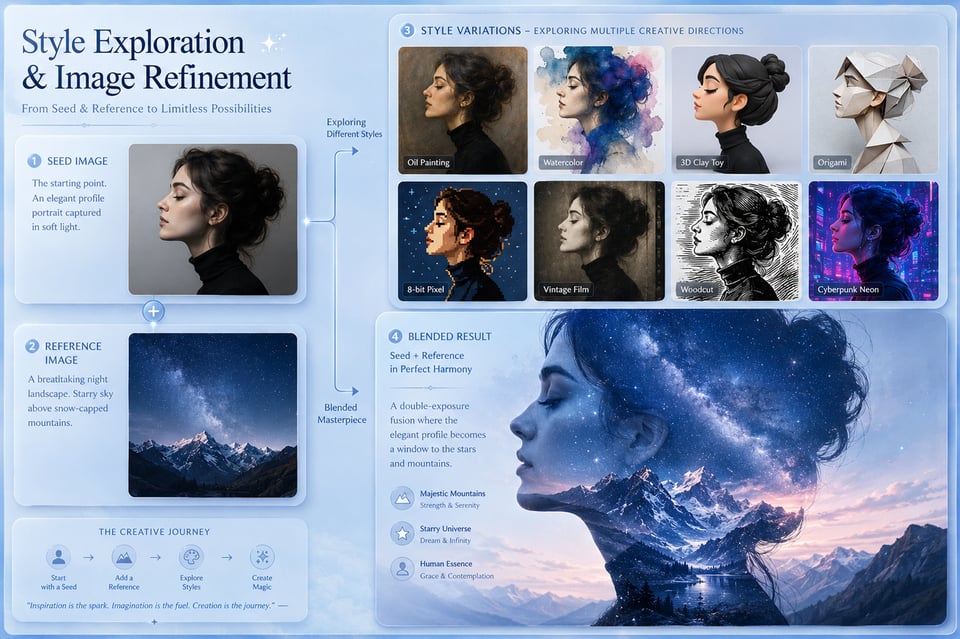
استكشاف الأنماط وتعديل وتطوير الصور باستخدام Grok Imagine Image API

ابدأ تجربة وبناء باستخدام Grok Imagine API على Kie.ai

أنشئ حسابك واحصل على مفتاح الوصول إلى API لـ Grok Imagine API

أنشئ حسابك واحصل على مفتاح الوصول إلى API لـ Grok Imagine API

جرب Grok Imagine API مجانًا باستخدام الرصيد المتوفر

جرب Grok Imagine API مجانًا باستخدام الرصيد المتوفر

قم بدمج نقطة نهاية Grok Imagine API المختارة

قم بدمج نقطة نهاية Grok Imagine API المختارة

Style Exploration and Image Refinement with Grok Imagine Image API

Style Exploration and Image Refinement with Grok Imagine Image API

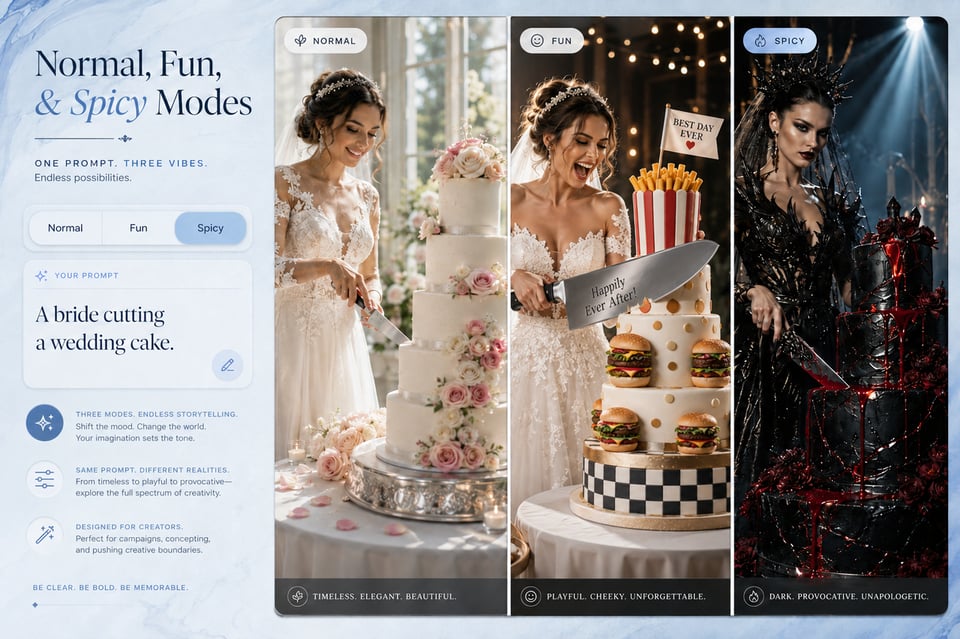
Normal, Fun, and Spicy Modes for Grok Imagine Video API

Normal, Fun, and Spicy Modes for Grok Imagine Video API

الذي يحول أفكار الفيديو إلى مشاهد حقيقية باستخدام Grok Video API

أنشئ حسابًا على Kie AI واحصل على مفتاح Grok API

جرّب نماذج Grok بأرصدة مجانية

استدعِ Grok API من تطبيقك

كيف يُحوّل Grok Image API الأفكار المُصورة إلى مُصادر جاهزة للاستخدام

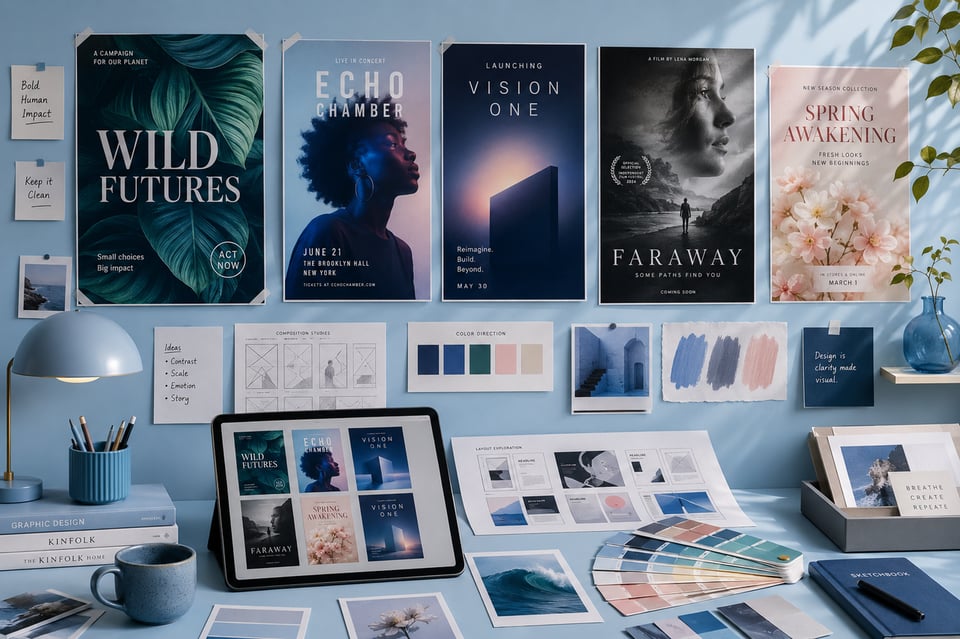
مسودات الملصقات والمفاهيم الرئيسية من Grok Imagine Image API

رسومات الغلاف ومفاهيم الصور المصغرة من Grok Imagine Text to Image API

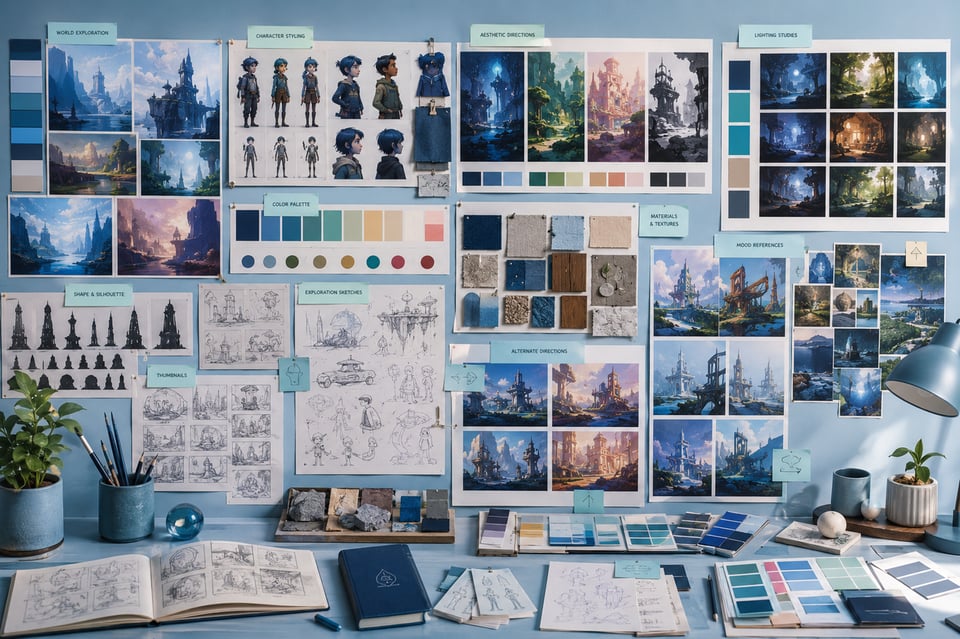
صور مرجعية إبداعية ومُلهمات بصرية باستخدام Grok Image API

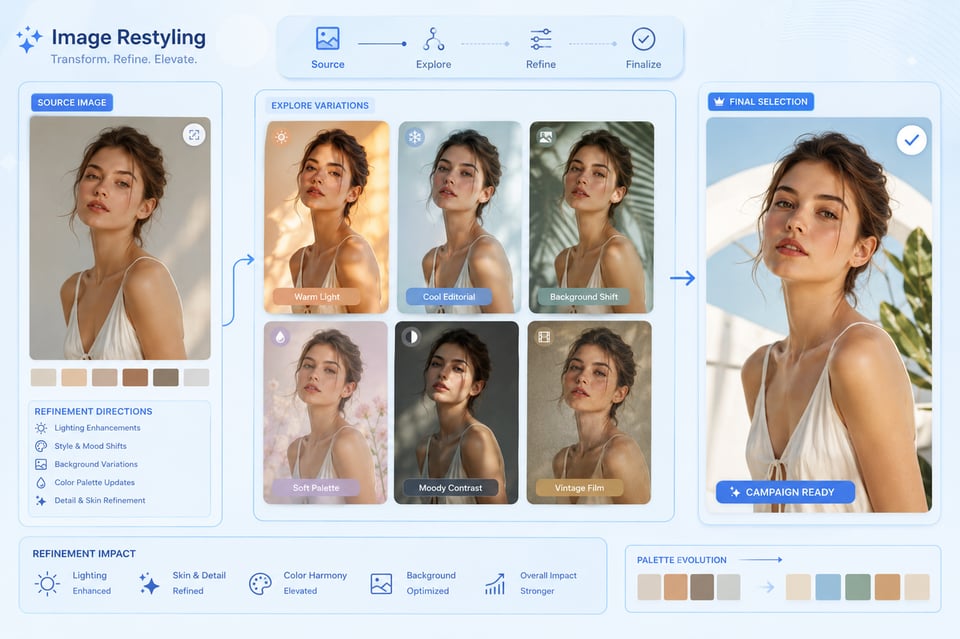
تعديل الصور وتحسينها باستخدام Grok Imagine Image to Image API

Where Grok Image API Shapes Still Image Ideas into Ready-to-Use Visuals

Poster and Key Visual Drafts with Grok Imagine Image API

Poster and Key Visual Drafts with Grok Imagine Image API

Cover Graphics and Thumbnail Concepts from Grok Imagine Text to Image API

Cover Graphics and Thumbnail Concepts from Grok Imagine Text to Image API

Creative Reference Images and Mood Visuals with Grok Image API

Creative Reference Images and Mood Visuals with Grok Image API

Image Restyling and Visual Refinement with Grok Imagine Image to Image API

Image Restyling and Visual Refinement with Grok Imagine Image to Image API

Grok API Prompt Guide for Better Image and Video Generation

Start Grok API Prompts with a Clear Main Subject

A strong Grok API prompt should make the main subject easy to understand from the beginning. For images, the subject may be a product, character, poster concept, environment, or visual asset. For videos, it can be a person, object, scene, or action that drives the motion. Clear subject definition helps the output stay focused instead of becoming visually scattered.

Add Style, Mood, and Lighting Details for Grok Imagine API

Visual direction matters across both image and video generation. Users can improve Grok Imagine API results by describing style, mood, lighting, color tone, composition, and atmosphere in natural language. Instead of writing only “a futuristic city,” a stronger prompt can mention neon lighting, rainy streets, cinematic shadows, reflective surfaces, or a calm cyberpunk mood.

Describe Motion Clearly for Grok Imagine Video API

Video generation needs more than a static scene description. Grok Imagine Video API prompts should explain what moves, how fast it moves, and how the camera behaves. Details such as slow push-in, handheld tracking, gentle orbit, dramatic zoom, drifting smoke, flowing fabric, or a character turning toward the camera can help the final video feel more directed.

Use Source Images Carefully with Grok Imagine Image to Video API

When using Grok Imagine Image to Video API, the source image already provides the visual foundation. The prompt should focus on motion, camera direction, atmosphere, and sound cues rather than re-describing every object in the image. For better consistency, the requested action should match the subject and composition already visible in the uploaded image.

Keep Image Transformation Prompts Specific with Grok Imagine Image API

For image-to-image generation, vague editing requests can lead to unpredictable results. Grok Imagine Image API works better when users describe the exact visual change they want, such as warmer lighting, a luxury product background, anime-style rendering, softer shadows, a cleaner poster composition, or a different color mood. Clear transformation goals help preserve the useful parts of the source image while changing the intended elements.

Test Small Prompt Changes Across Grok API Outputs

Small wording changes can create noticeable differences in Grok API image and video results. Users can improve output quality by adjusting one element at a time, such as lighting, camera movement, style, action, or audio direction. This makes it easier to compare results and understand which prompt details have the strongest effect on the final image or video.

الأسئلة الشائعة حول واجهة برمجة تطبيقات Grok Imagine

ما هو Grok Imagine API؟

ما الذي يمكنني إنتاجه باستخدام Grok Imagine API؟

هل تدعم واجهة برمجة تطبيقات Grok Imagine إنشاء مقاطع فيديو تتضمن صوتًا مزامنًا؟

هل يمكنني استخدام واجهة برمجة تطبيقات Grok Imagine لإنشاء فيديو من صورة ثابتة؟

هل تدعم واجهة برمجة تطبيقات Grok Imagine إنشاء الصور وتحويلها من خلال تعليمات مبنية على النص؟

هل يمكنني تجربة واجهة برمجة تطبيقات Grok Imagine مجانًا على Kie.ai قبل ربطها مع النظام؟

Frequently Asked Questions About Grok Imagine API